Security
Detections from endpoints and Microsoft 365 in one queue
The agent ships Windows event logs, macOS and Linux logs, and Microsoft 365 sign-in signals come in from the tenants you manage. Rules turn them into detections with the evidence attached, vulnerabilities are tracked per device, and remote access tools you did not put there are found and removed.
Endpoint signals
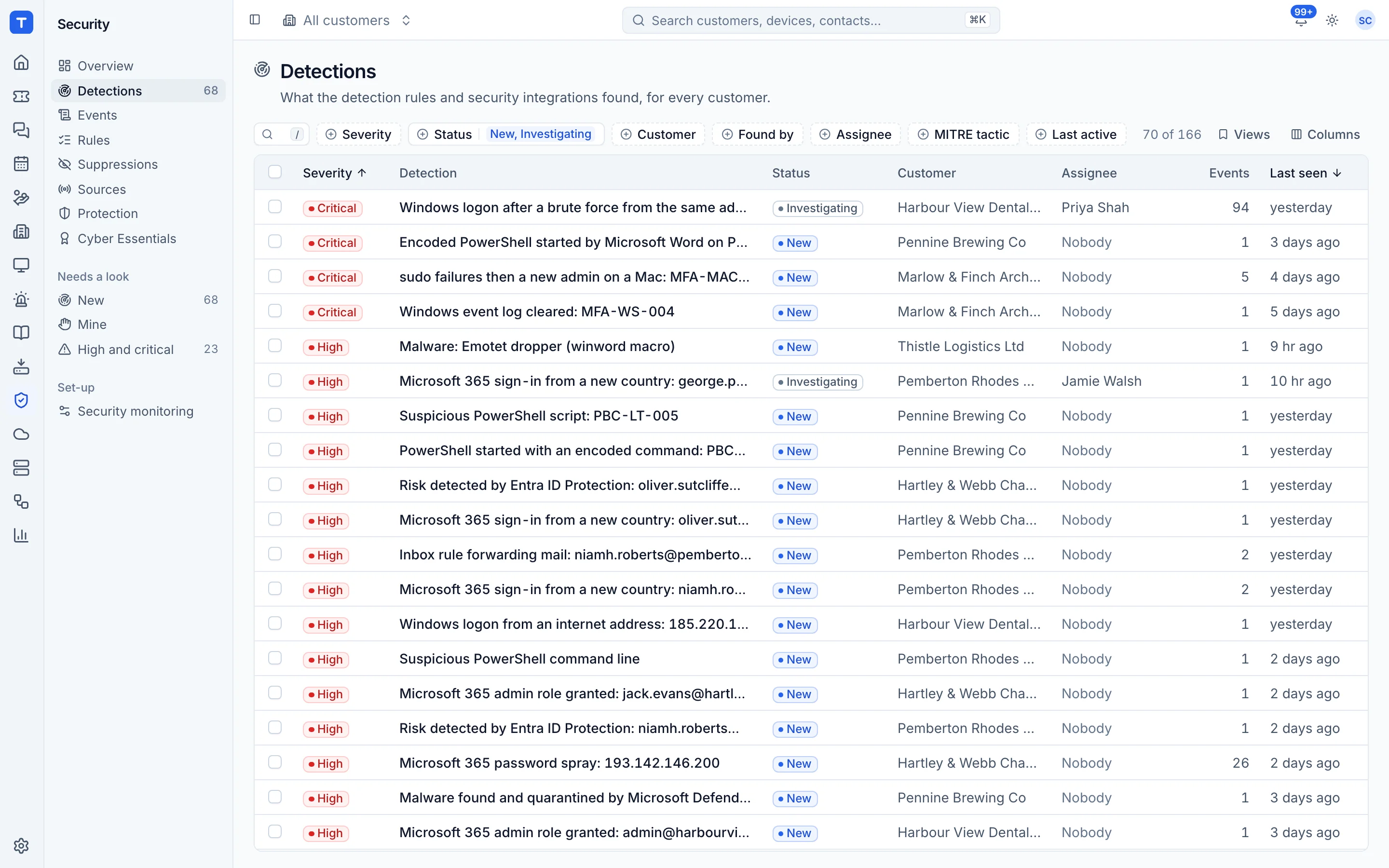
Encoded PowerShell, event log clearing, new local admins and brute force patterns.
Microsoft 365 signals
Password spray, sign-ins from new countries, risky users and forwarding inbox rules.
Vulnerability management
Rated the way the operating system's vendor rates them, put in order by what can be fixed and what attackers use, and grouped by the update that fixes them.
Nothing left behind
Other remote access tools found on every device, BitLocker recovery keys collected, and customers' domains watched for breaches.
Every detection has its evidence
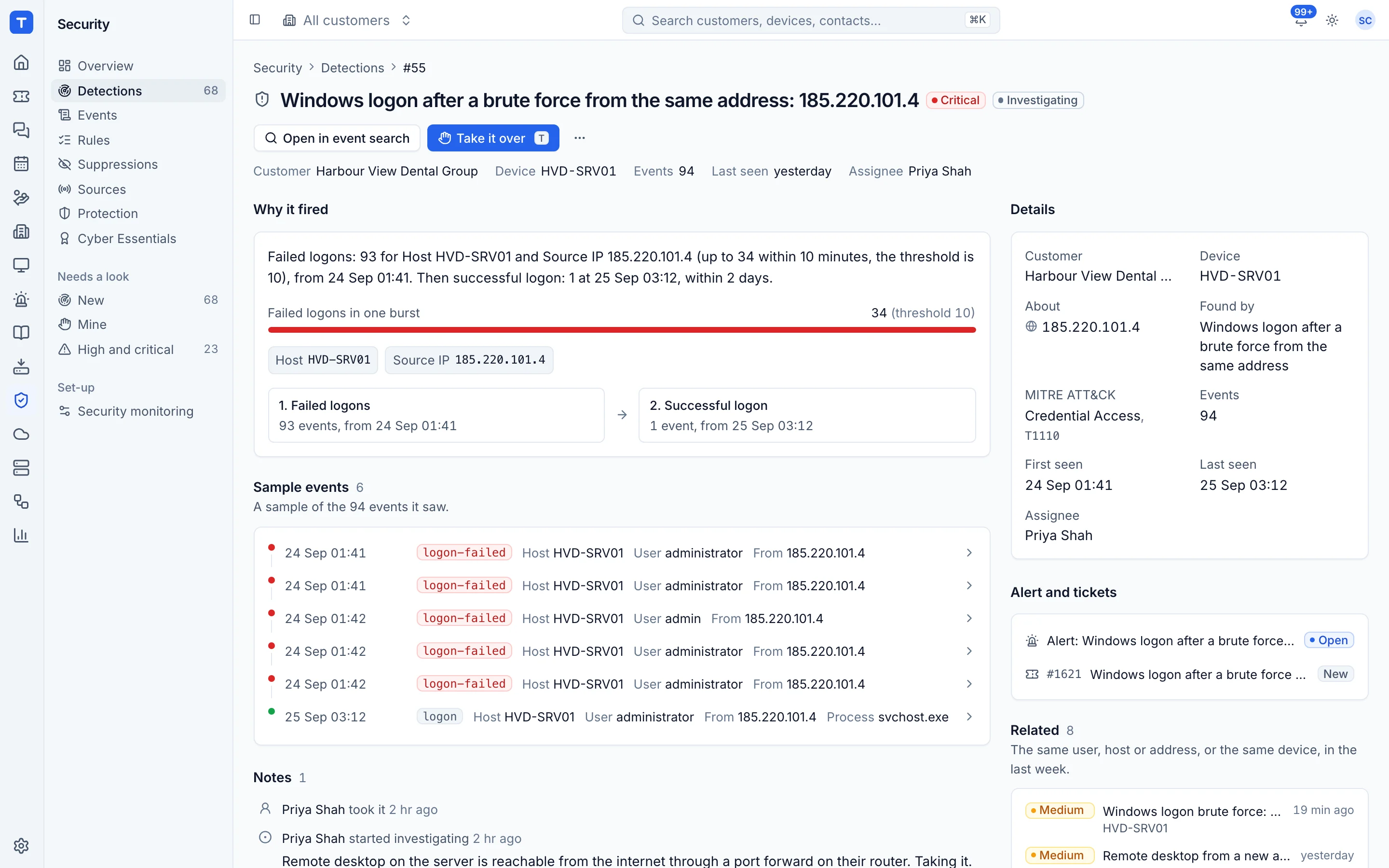
Open a detection to see what fired, the raw events behind it, the device or user involved and what else happened around the same time. Related detections become one incident with evidence, a customer notification and a report at the end, and VIP people and business-critical devices raise everything one step. A script that is routine for one of your tools goes on a known tools list, for one customer or for everyone.
- Detections grouped into incidents with response targets
- Threat intelligence feeds and MITRE ATT&CK coverage
- Actions in Defender for Endpoint and SentinelOne with your own accounts
- Suricata network IDS as an agent role
Know which devices are exposed
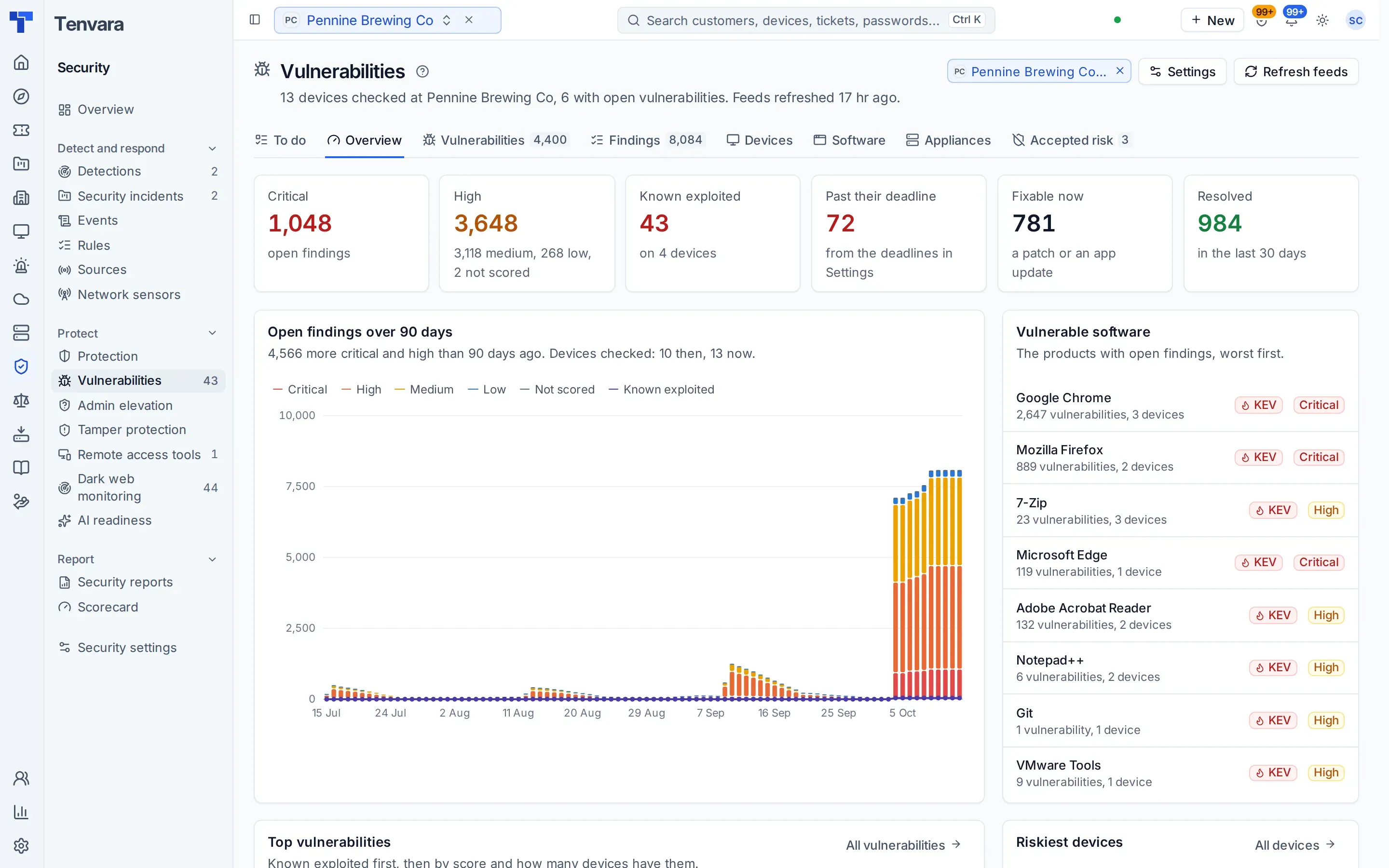
Every finding carries the rating the operating system's vendor gives it, from Ubuntu, Debian, Red Hat or Microsoft, with CVSS beside it and a fix state. Its priority comes from what can be done: Critical only when a fix exists and attackers use it or it is likely and reachable, Mitigate when it is exploited and no fix exists, with exposure judged from the ports each program listens on. The To do list groups everything by the one update that fixes it, so installing one kernel and rebooting can clear hundreds of findings at once.
- To do, grouped by the update that fixes it
- Waiting on vendor kept apart from what you can fix today
- One alert per update that fixes Critical findings
- A section in customer reports, by priority
Find the remote tools you did not install
The agent looks for other remote access and RMM tools on Windows, macOS and Linux: installed, running, as a service or as a portable copy, matched by code signer first against a maintained catalogue of remote tools. Allow one everywhere, for a company or on one device with an end date and a note, or remove it from here. When you take over a customer, you can allow the outgoing provider's tool until the day the takeover ends.
- Findings by tool and customer, and on the device page
- Allow-lists with an end date and a note
- Silent removal, with portable copies quarantined or deleted
Admin rights without handing out passwords
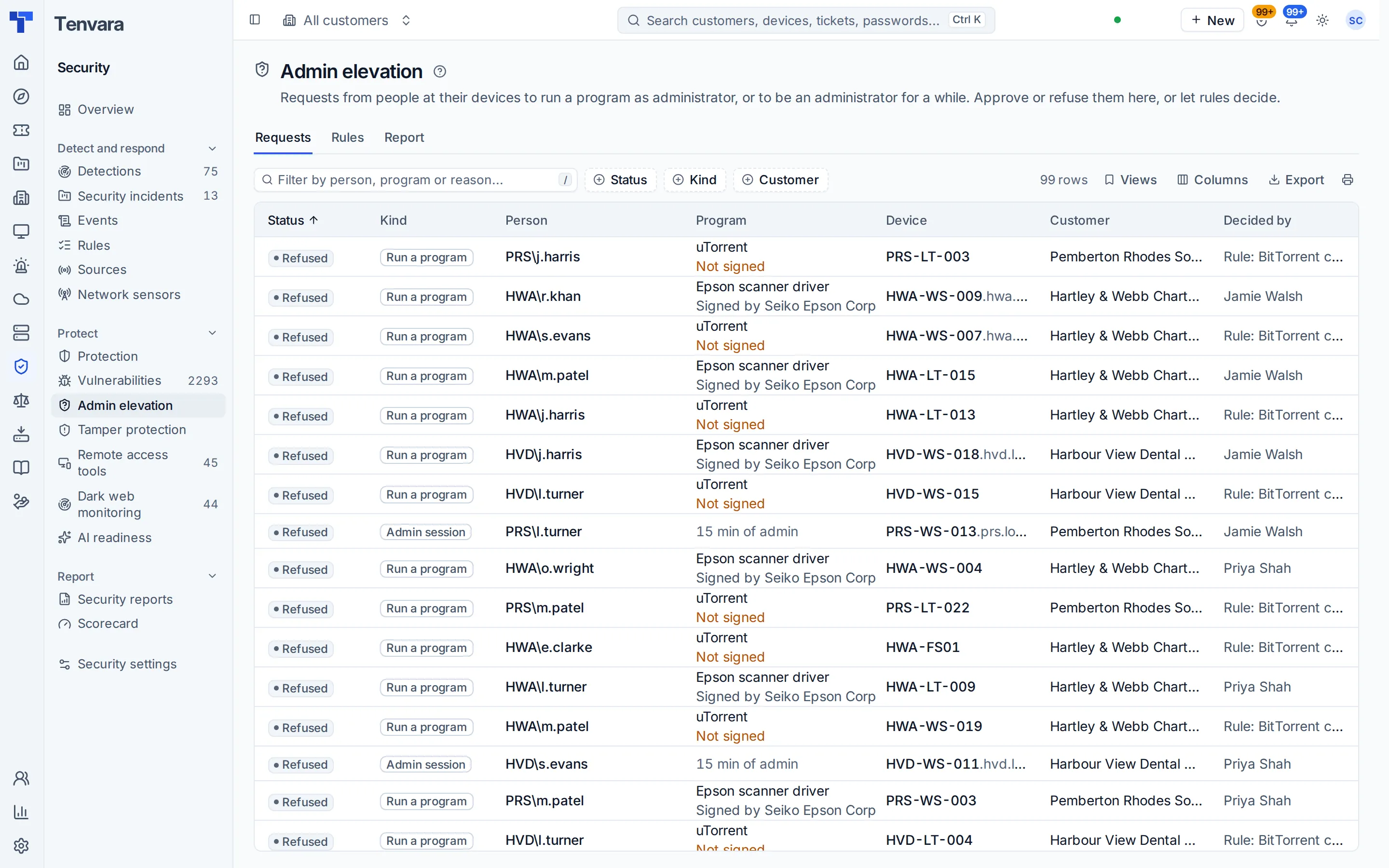
Users request elevation from the tray. Rules by publisher, hash or path approve the safe ones, a technician decides the rest, and timed admin sessions end on time, even across a restart. Tamper protection asks for your uninstall token before the agent comes off a device.
- Run one program as admin, or a timed session
- Every request and decision recorded
- Alerts if the agent is stopped or removed
BitLocker recovery keys, already in the vault
The agent puts every encrypted volume's recovery key into the credentials vault, however BitLocker was turned on. It checks every day and when something changes, and keeps a replaced key marked as superseded. Devices with no key held are listed on one page and on Home, and revealing a key needs the right role and is audited like any other credential.
- Keys collected however encryption was switched on
- Superseded keys kept beside the current one
- Add a recovery password to a volume, through approval
In the knowledge base
See exactly how it works
Tenvara is coming soon.
We're inviting MSPs to the beta in small groups. Apply to join, or get launch updates by email and hear first when pricing is announced.