Service desk
A service desk that knows the device, the customer and the contract
Tickets, SLAs, time, contracts, quotes, live chat and dispatch in the same app as your devices and alerts. Every ticket already knows who raised it, which machine it is about and what that customer pays for.
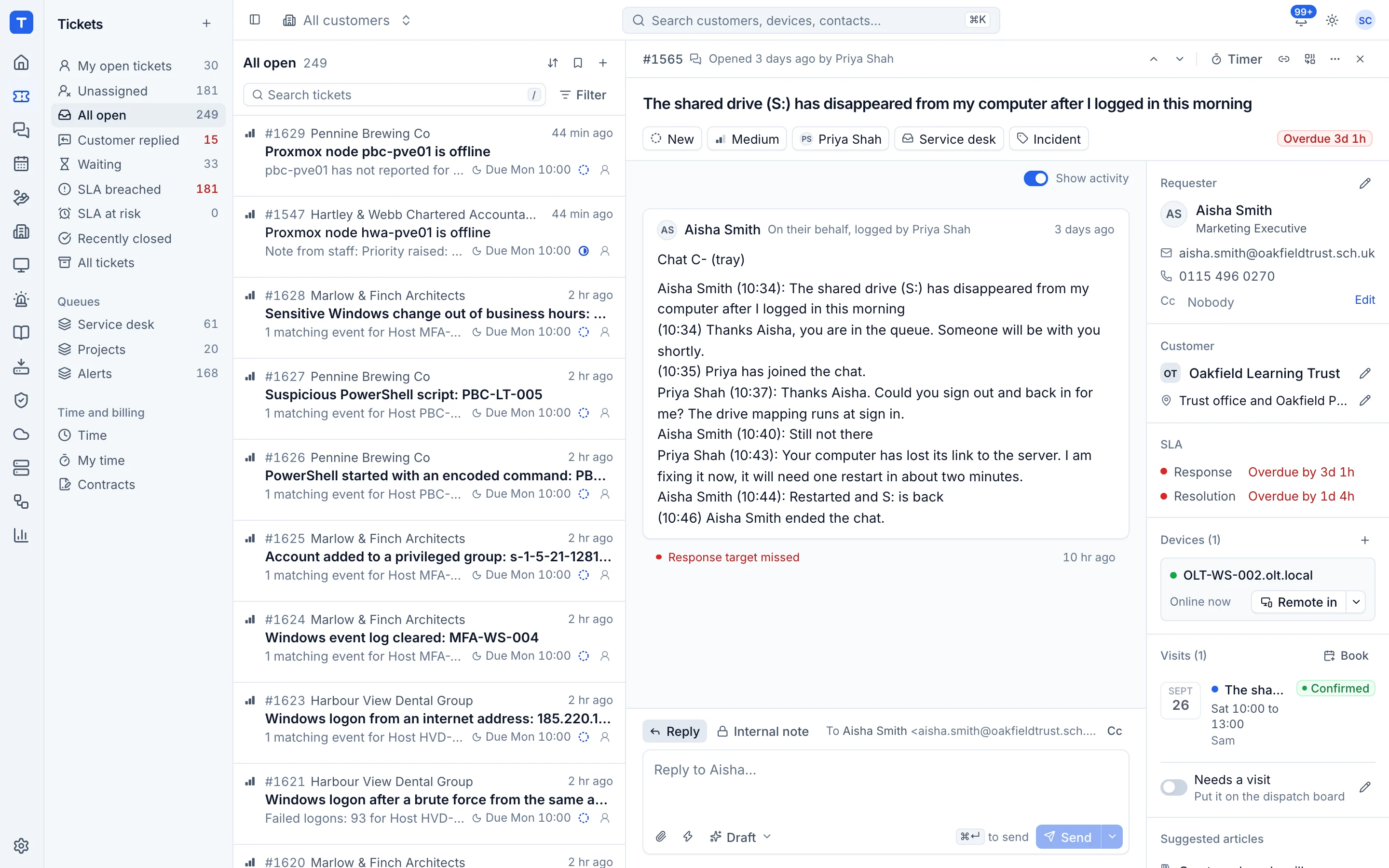
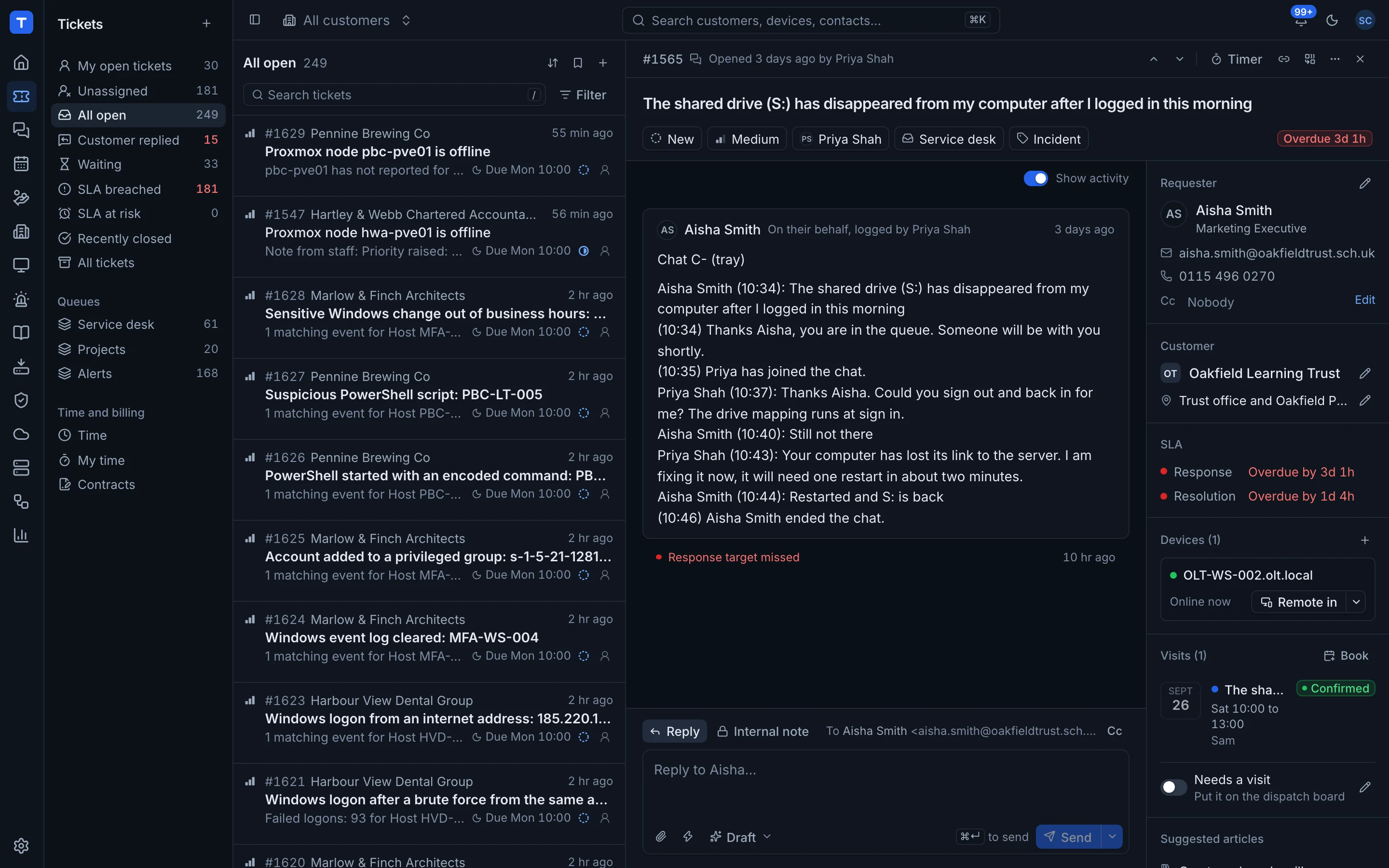
Views that match the day
Awaiting reply, mine, unassigned and breached are one click away, with saved views and bulk actions for the rest.
SLAs with business hours
Response and resolution targets per priority, measured against your business hours and bank holidays.
Email in and out
A Microsoft 365 mailbox turns email into tickets, and replies thread back to the customer.
Alerts become tickets
Rules turn alerts into tickets with a dedupe key, and resolve them when the alert clears.
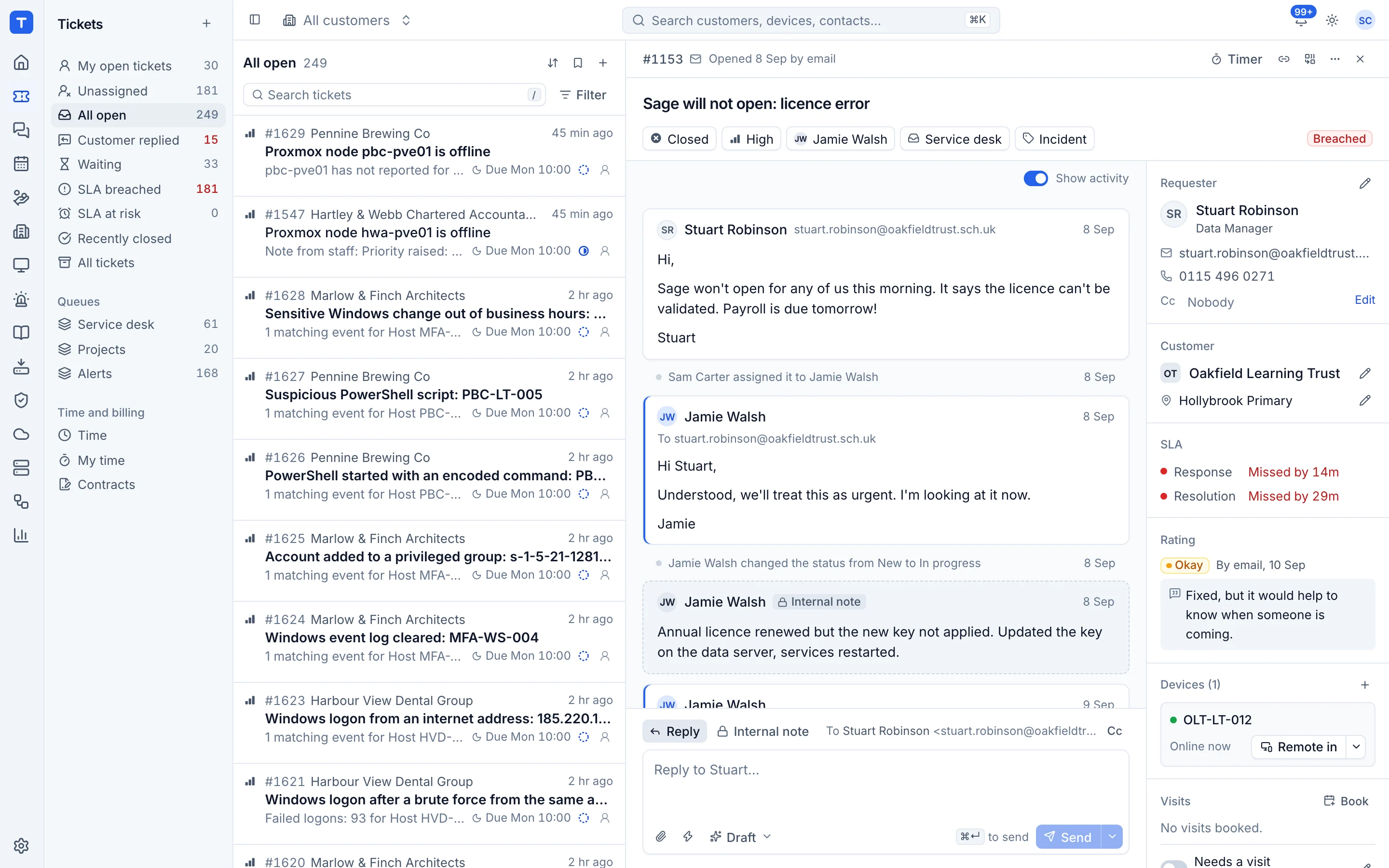
The ticket page has the context
Public replies and internal notes sit in one thread. The linked device shows its health, patches and backups alongside, and "Remote in" is right there on the ticket. Relevant knowledge base articles are suggested as you read.
- Status, priority, type, queue and assignee
- Attachments and linked devices
- Canned responses for the replies you write every day
- Time entries and a running timer
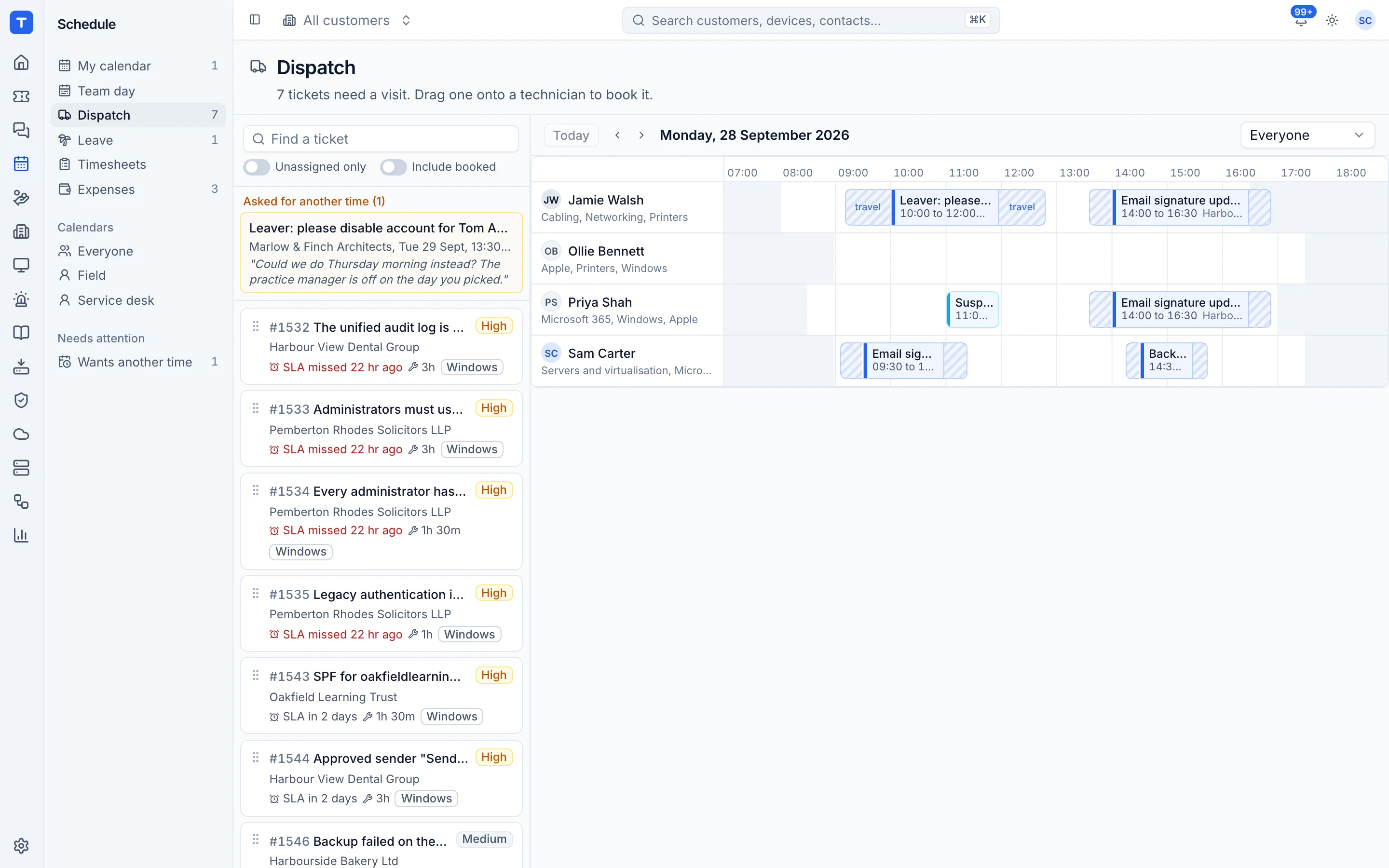
Scheduling and dispatch
A calendar of technician availability and a drag and drop dispatch board. Onsite visits link to their tickets, customers get a booking confirmation, and completed visits create time entries.
- Visits linked to tickets, with travel time
- Booking confirmations to the customer contact
- Time entries from completed bookings
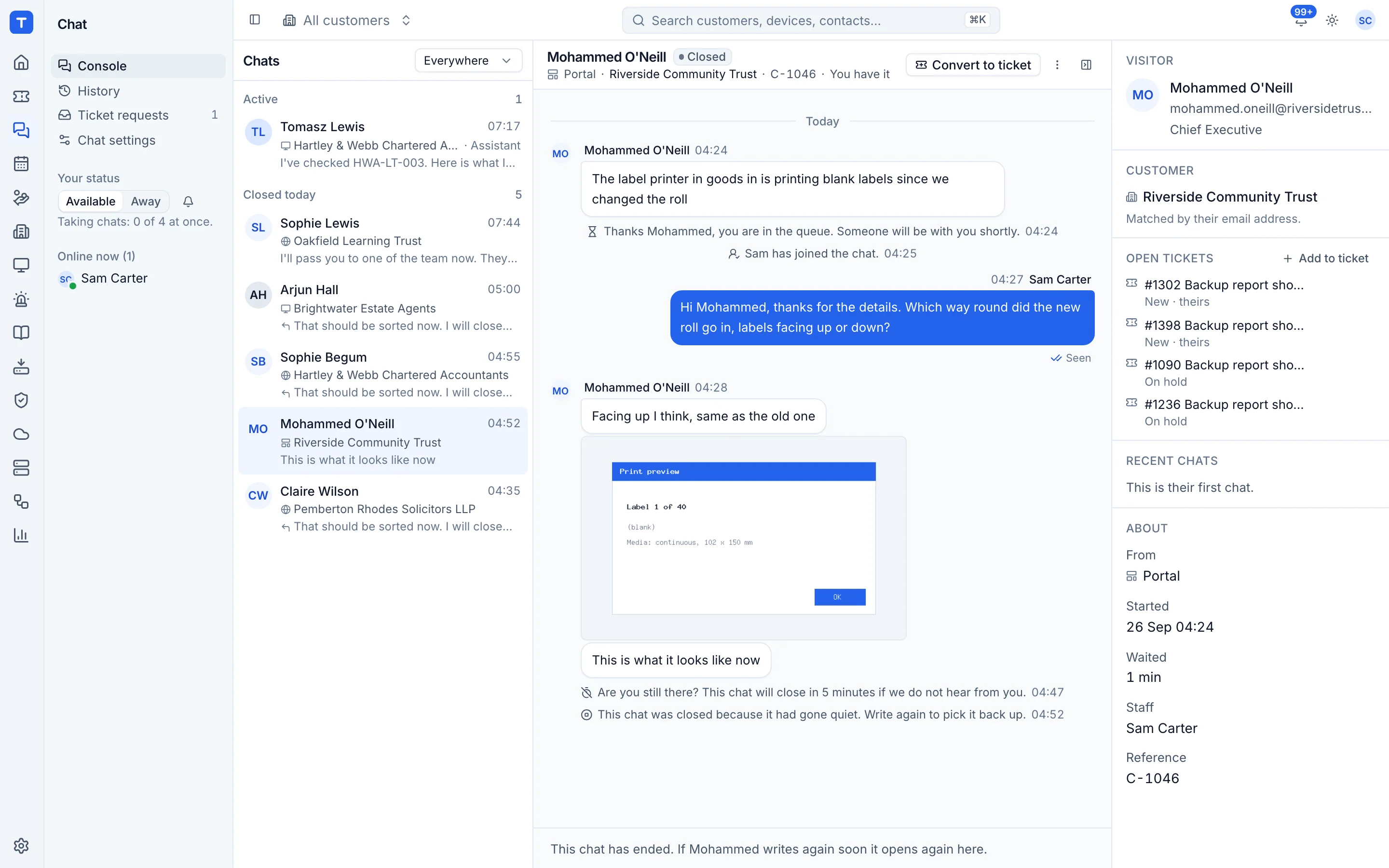
Live chat that ends up in the right place
Customers chat from your website, the portal or the tray icon on their machine. Techs answer from one console and hand the conversation to a ticket when it needs more work.
- Website widget, portal and tray chat
- Hand over to a ticket with the transcript
- Ratings after every chat
Quotes, proposals and contracts
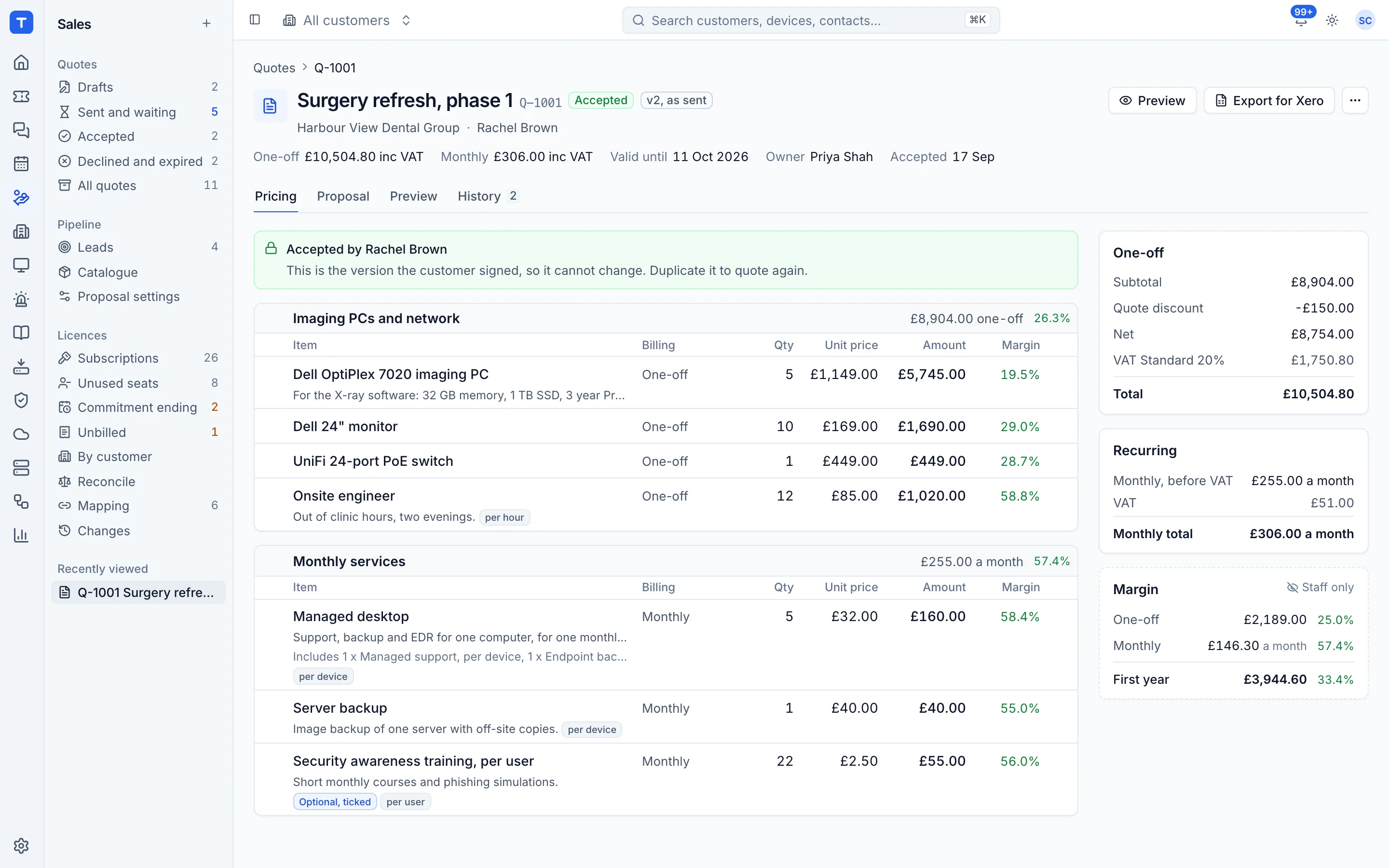
Build quotes from your catalogue with one-off and monthly totals kept apart and margin visible to staff only. Customers accept online with an e-signature, and acceptance updates their contract and raises the onboarding tickets.
- Catalogue with cost, price, margin and VAT
- Optional items the customer can tick
- Branded proposal PDFs
- Contracts with a monthly amount and included hours
See Tenvara running an MSP.
A 30 minute walkthrough on a call, with the real product and real questions. Bring the awkward ones about moving over, pricing and self-hosting.