Backup
Backup that shows up on the device page, not in another portal
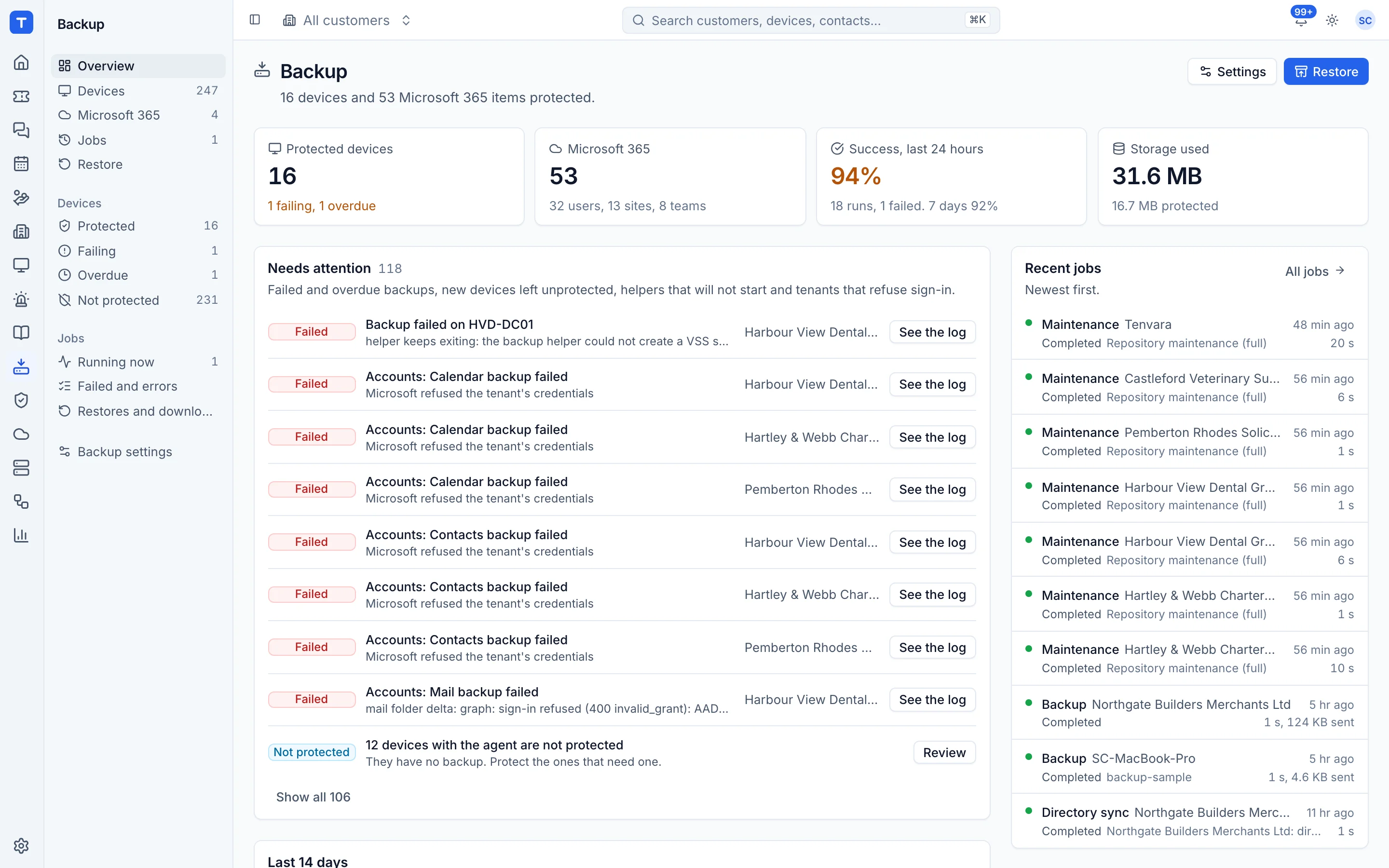
Endpoint and server backup through the same agent, virtual machines on Hyper-V and Proxmox, and Microsoft 365 mail, OneDrive, SharePoint and Teams. Backup status sits on every customer and device, and failures raise alerts like everything else.
Endpoints and servers
The agent supervises the backup engine, so there is nothing else to install or update.
Hyper-V and Proxmox
Protect virtual machines where they run.
Microsoft 365
Mail, OneDrive, SharePoint and Teams for every tenant you manage.
Your storage
Repositories on any S3 compatible storage, including MinIO on your own kit.
Know which backups need you
The overview leads with what failed, what has not run and what is stalled, per customer. A healthy estate is one line; a problem is at the top with the device and the reason.
- No successful backup in a set time raises an alert
- Failed runs link to the device and its tickets
- Back up now from the device page
Restores when they matter
Browse snapshots and restore files, folders, mailboxes or whole sites back to where they came from or somewhere else. Restores are logged against the customer.
- File and folder restore
- Mailbox, OneDrive and SharePoint restore
- Retention you set per policy
See Tenvara running an MSP.
A 30 minute walkthrough on a call, with the real product and real questions. Bring the awkward ones about moving over, pricing and self-hosting.