RMM and remote access
One agent. Every device. Everything you need to fix it.
A single signed agent for Windows, macOS and Linux handles inventory, monitoring, patching, software, scripts and remote control. One installer, one service and one enrolment, with features switched on by policy from the server.
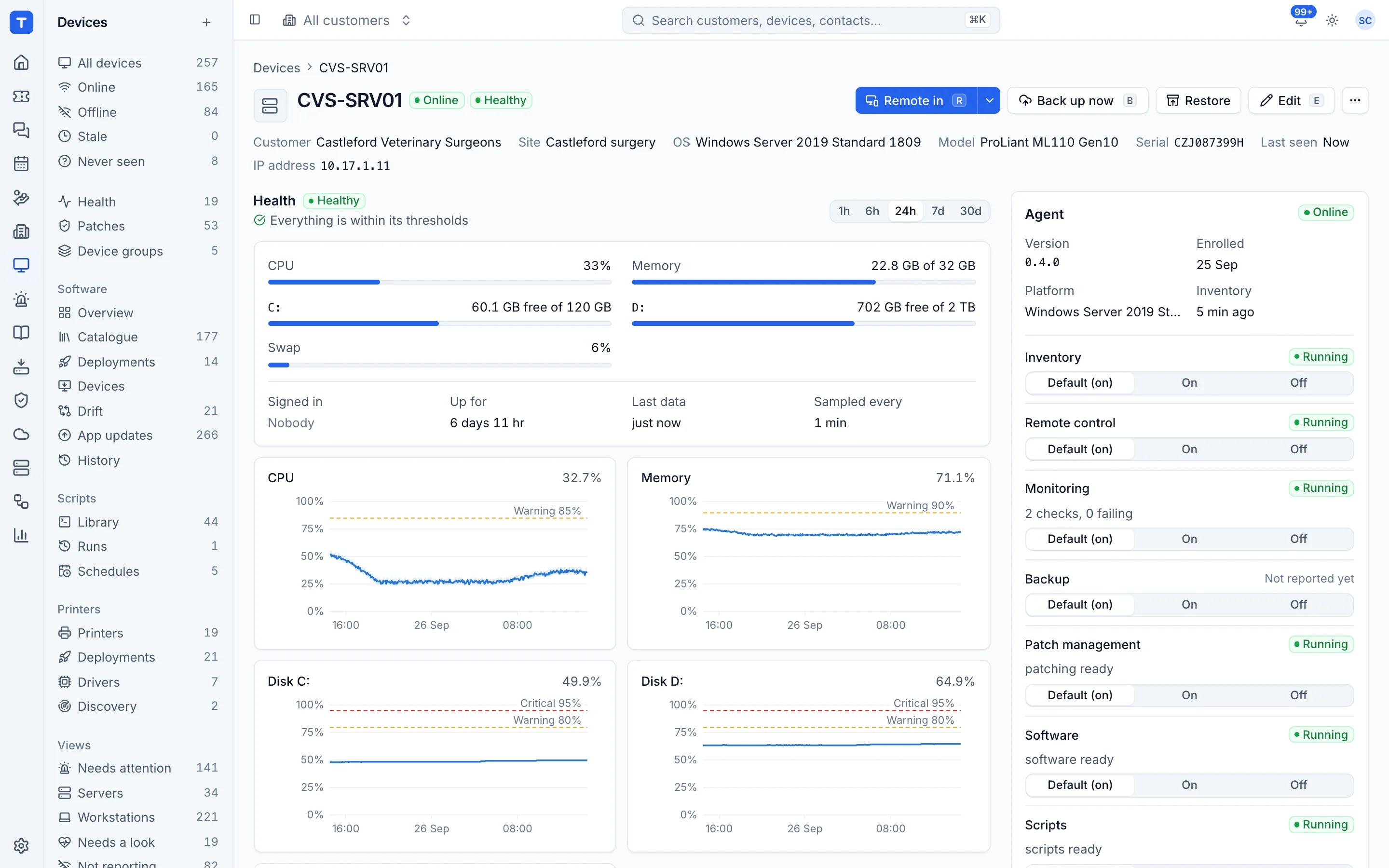
One agent
Signed builds for Windows, macOS and Linux, with self-update and rollback. No separate installs per feature.
Remote in from anywhere
The Remote in button sits on every device, wherever it appears: tickets, alerts, search and the device list.
Patching with policies
Approve or defer, set maintenance windows and reboot behaviour per customer or device group.
Software you trust
Deploy from a curated catalogue or your own installers, and see drift across the estate.
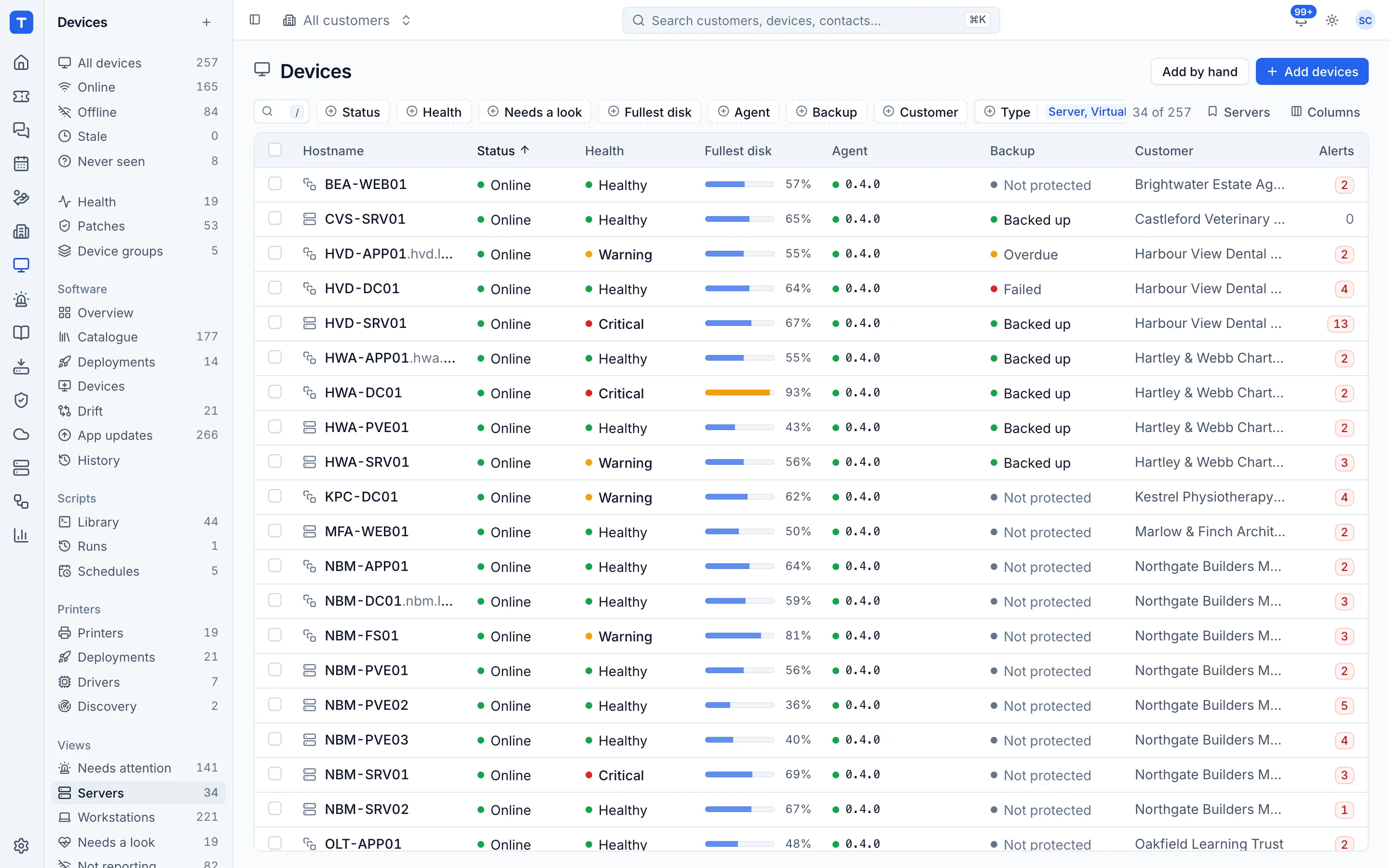
A device list built for triage
Filter by customer, site, status, operating system or disk space, and save the views you use. Health, last seen, patch state and backup status are columns, not clicks.
- Saved views and bulk actions
- Disks nearly full, offline and pending reboot views
- Every device links to its customer, tickets and alerts
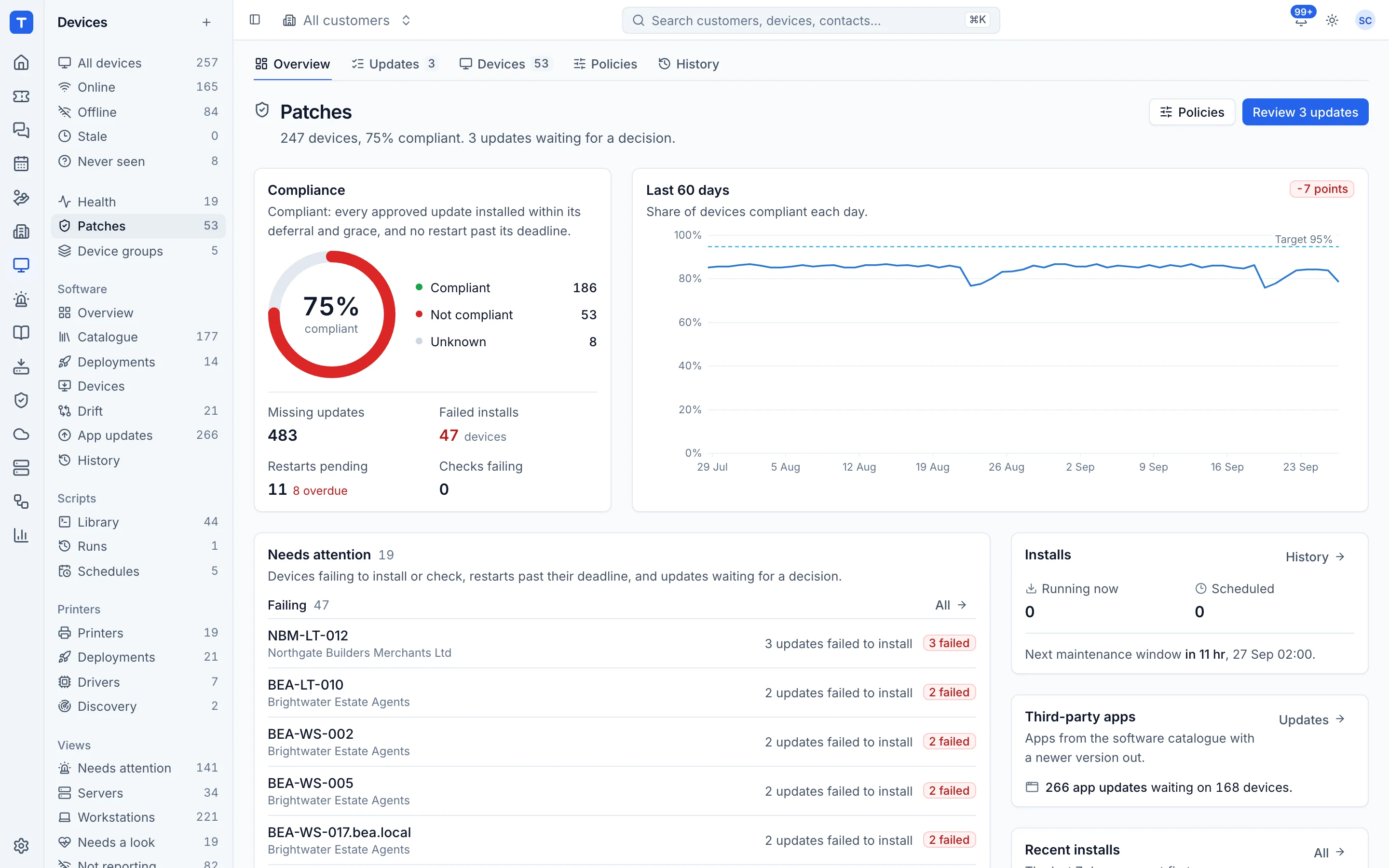
Patch management for Windows and macOS
Windows Update with approve and defer, macOS software updates, and third-party app updates through the software catalogue. Policies decide what installs when, and compliance views show what is behind.
- Auto-approve rules and deferrals
- Maintenance windows and reboot prompts with deadlines
- Per-device patch history and failed patch alerts
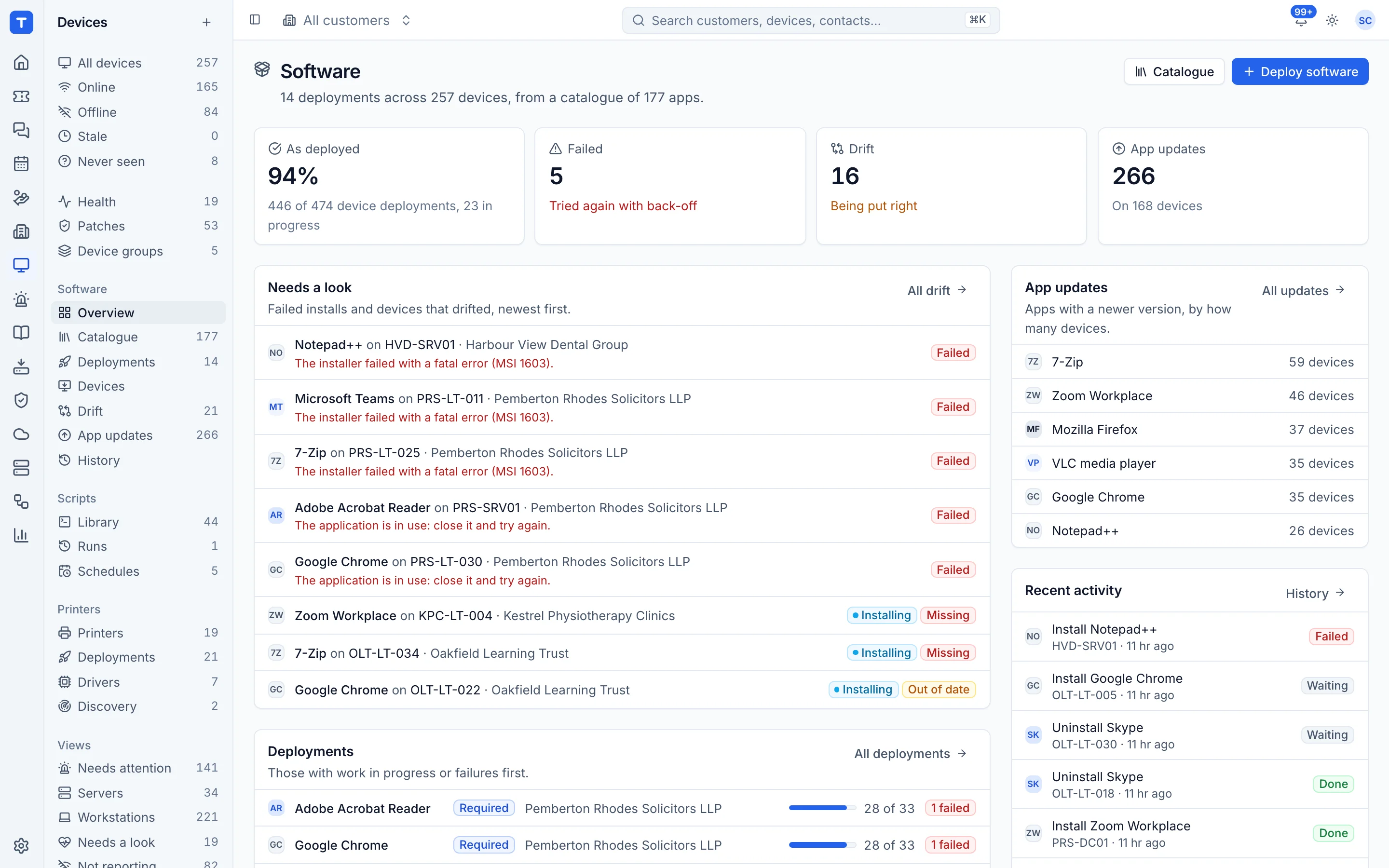
Software deployment and drift
Deploy to a device, a selection or a policy. winget on Windows, Homebrew casks and pkg on macOS, plus installers you upload. Required and optional installs, uninstall and version pinning.
- Status per device
- Software inventory and drift
- Version pinning
Remote control without another tool
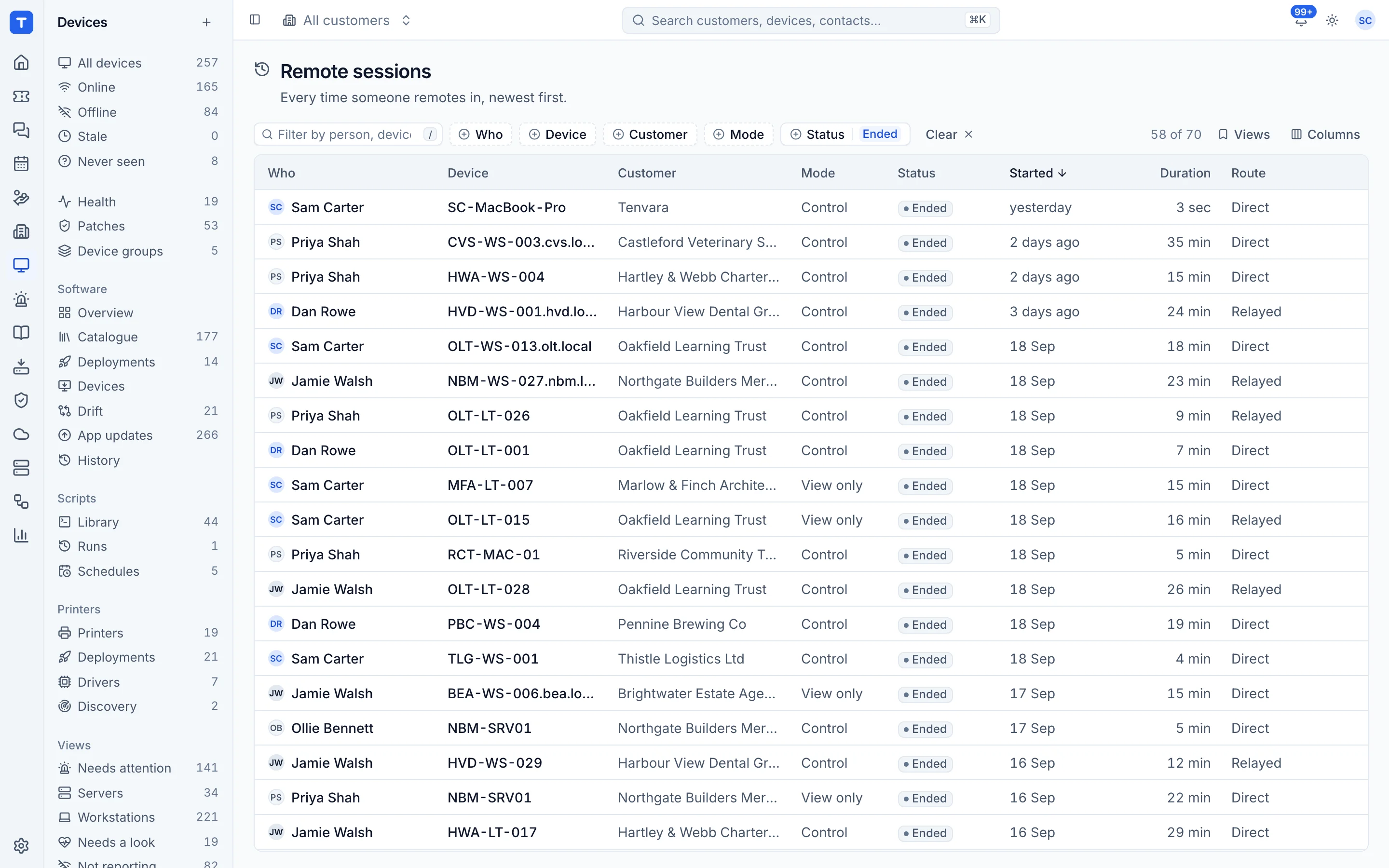
Sessions start from the device, the ticket or the alert. Live and past sessions are listed with who connected, when and for how long.
- Launched into the user session by the agent
- Session history for audit
- Works on Windows and macOS
Monitoring and one alert list
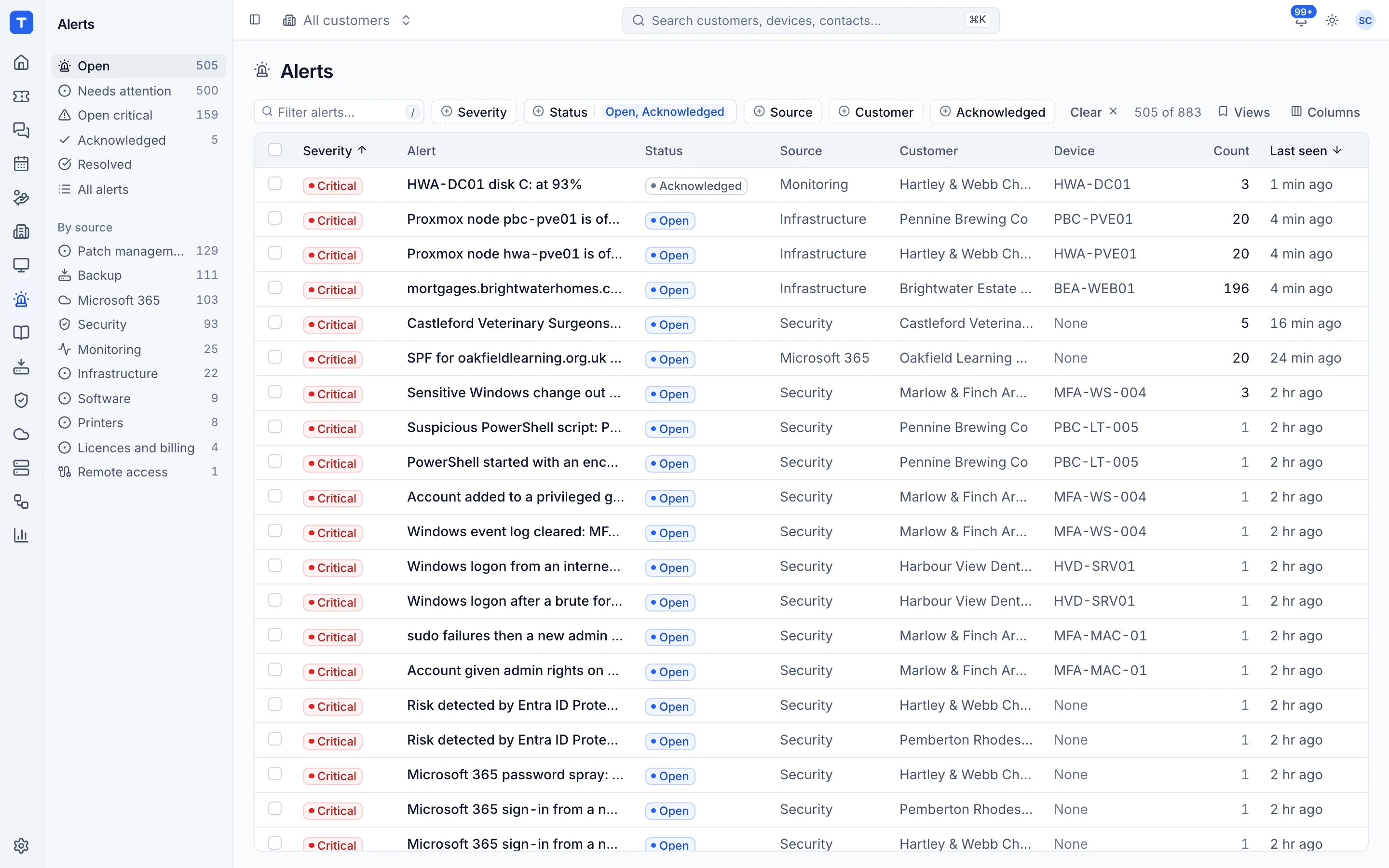
Checks and metrics from the agent, thresholds you set, and every alert from every part of the platform in one list with filters by source. Acknowledge, resolve, mute or raise a ticket from the alert.
- Metrics history per device
- On-call rota and paging
- Alert rules that raise and resolve tickets
See Tenvara running an MSP.
A 30 minute walkthrough on a call, with the real product and real questions. Bring the awkward ones about moving over, pricing and self-hosting.