Automation and AI
Automate the routine. Investigate the rest faster.
Rules across the whole platform: when an alert fires, a ticket changes or a device enrols, run a script, deploy software, raise a ticket or page someone. AI assist uses your own Anthropic key and never acts without a technician.
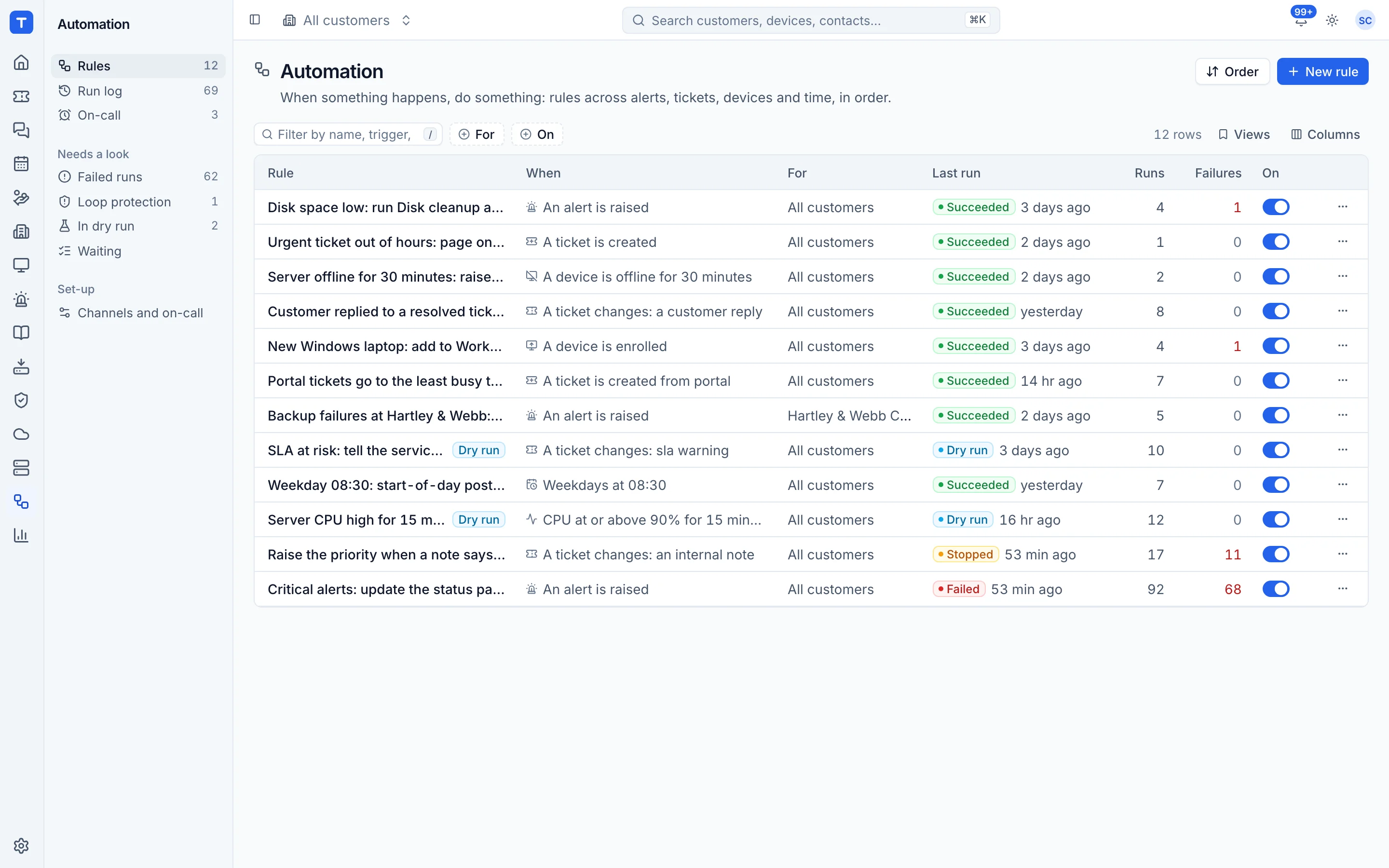
Triggers across everything
Alerts, tickets, projects, metric thresholds, enrolments, schedules and webhooks from other tools.
Safe by default
A dry-run mode, version history, an ask for approval step, failure alerts and loop protection.
On-call
A rota, Web Push and phone call paging with your own Twilio account for the alerts that need someone out of hours.
Your key, your control
AI is off until you add an Anthropic key, and every AI action is logged.
AI that investigates, then asks
On a "my computer is slow" ticket, the assistant finds the device and runs read-only checks: top processes, disk, uptime, pending reboots, recent changes and alerts. It writes an internal note with the likely cause and the evidence, and suggests fixes that a technician approves.
- Ticket triage and thread summaries
- Suggested replies, always as drafts
- Cost caps per ticket and per month
- Per-customer opt-out
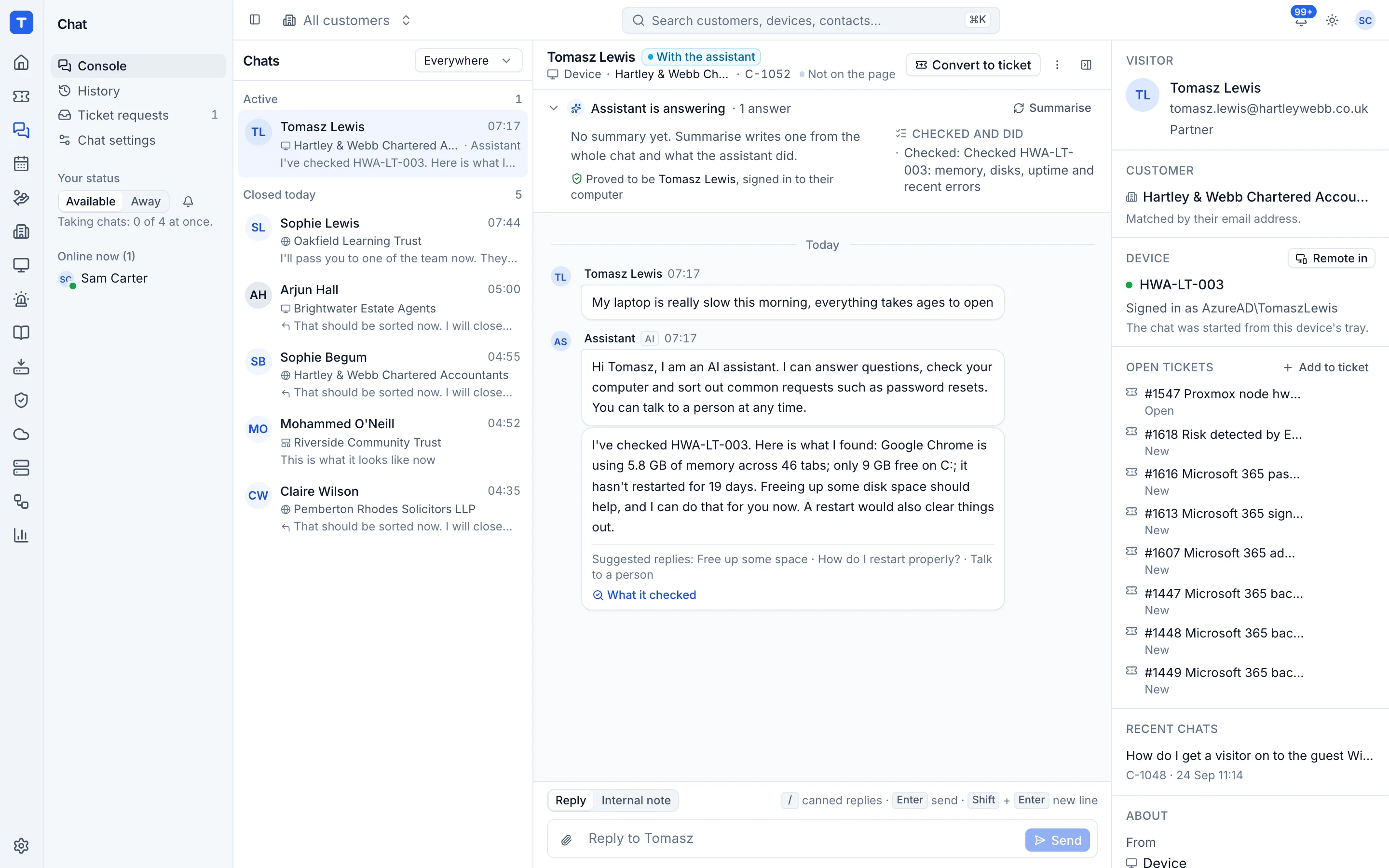
Your AI assistant, working inside Tenvara
Tenvara has an MCP server, so AI assistants that support MCP can search customers, work tickets, check devices, backups and alerts, and draft quotes as the person who connected them. They sign in with OAuth or a personal token, get only that person's permissions and customers, and every call is in the audit log.
- Read only unless you allow more
- Vault access is a separate choice
- Turn off any tool or category
Start from a template, not a blank page
Rule templates cover the usual jobs, with ready-made New starter, Leaver, Shared mailbox request and Add to group rules that come with their own catalogue forms. Rules can start when a form is submitted or approved, wait until something happens or until a date, and be exported from one install and imported into another. On-call is one page in the Team area, with the rota, hand-overs and swaps, the pages and the hours, and who handles each queue out of hours.
- Triggers, schedules and wait until
- Microsoft 365 steps that each have their own approval and Undo
- Version history and run log export
- On-call calendar and on-call report
Wall screens that react
Open a screen in any browser and it shows your dashboards with your logo and live updates. A rule can put a message, an alarm, a dashboard, a picture or a camera over the screens you choose, for a set time, until the alert clears or until someone dismisses it, with sounds that keep to quiet hours. Anything that can call a web address can start one, so a doorbell can put the front door camera on the office screen.
- Office and customer screens, with playlists and quiet hours
- Pair a screen with a code that someone approves
- Templates for a server offline alarm, a doorbell camera and a major incident
In the knowledge base
See exactly how it works
Tenvara is coming soon.
We're inviting MSPs to the beta in small groups. Apply to join, or get launch updates by email and hear first when pricing is announced.