Sales, billing and reporting
Bill for every hour, seat and call. Show customers the work.
A CRM with your own mailbox on every timeline, quotes and proposals, native invoicing in any currency from contracts, time, projects, licences, calls and expenses, payments and accounting sync with your own Xero, QuickBooks, Stripe and GoCardless accounts, procurement and stock, and branded reports and presentations built from real data.
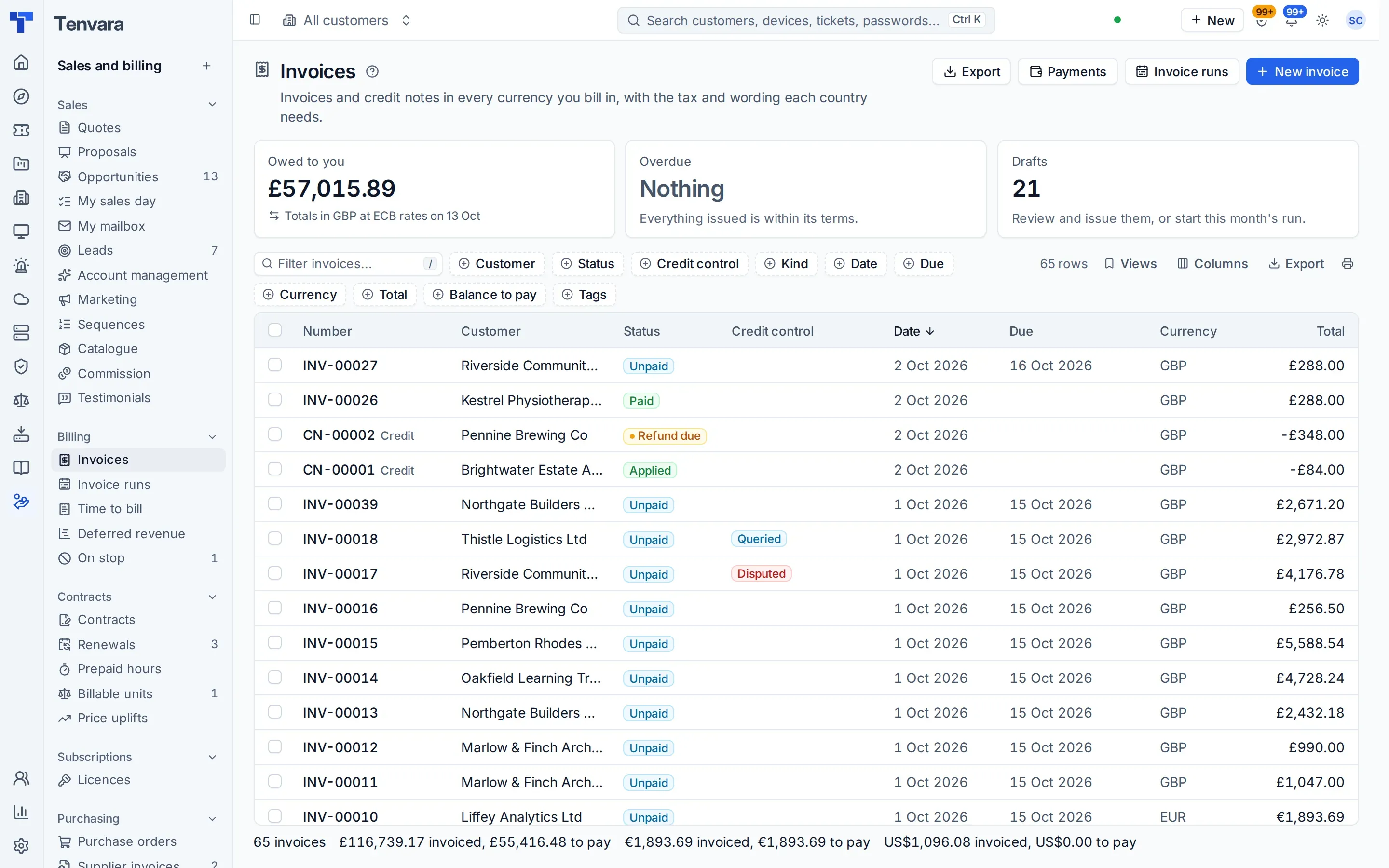
Invoices that build themselves
Contracts, licences, resold services, calls, ticket and project time, milestones, expenses and quotes billed once, on a schedule you set.
Paid on time
Card autopay through Stripe, Direct Debit through GoCardless, credit control with statements, promises to pay and an account on stop.
A CRM built in
Your own mailbox logged on every timeline, scored leads, sequences, marketing that respects consent and a forecast with commit and best case.
Reports and presentations
Tickets and SLA, patching, backup, security and Microsoft 365 posture as a branded monthly PDF, or a deck you present.
A CRM that already knows your customers
Each salesperson connects their own Microsoft 365 mailbox, and emails and meetings with contacts and leads land on their timelines by themselves, private until shared and never in the service desk. My sales day lists every sales task due across leads, contacts, customers and deals. Leads are scored and shared out by rules, sequences follow up from your own mailbox and stop when someone replies, and Account management suggests opportunities from what you already know: hardware past warranty, licences ending, a spike in tickets.
- A forecast with commit and best case, and a Sales meeting dashboard
- Marketing lists that leave out anyone without consent, and newsletters with one-click unsubscribe
- An Outlook add-in for your salespeople
- Import from Zoho CRM, HubSpot or Pipedrive
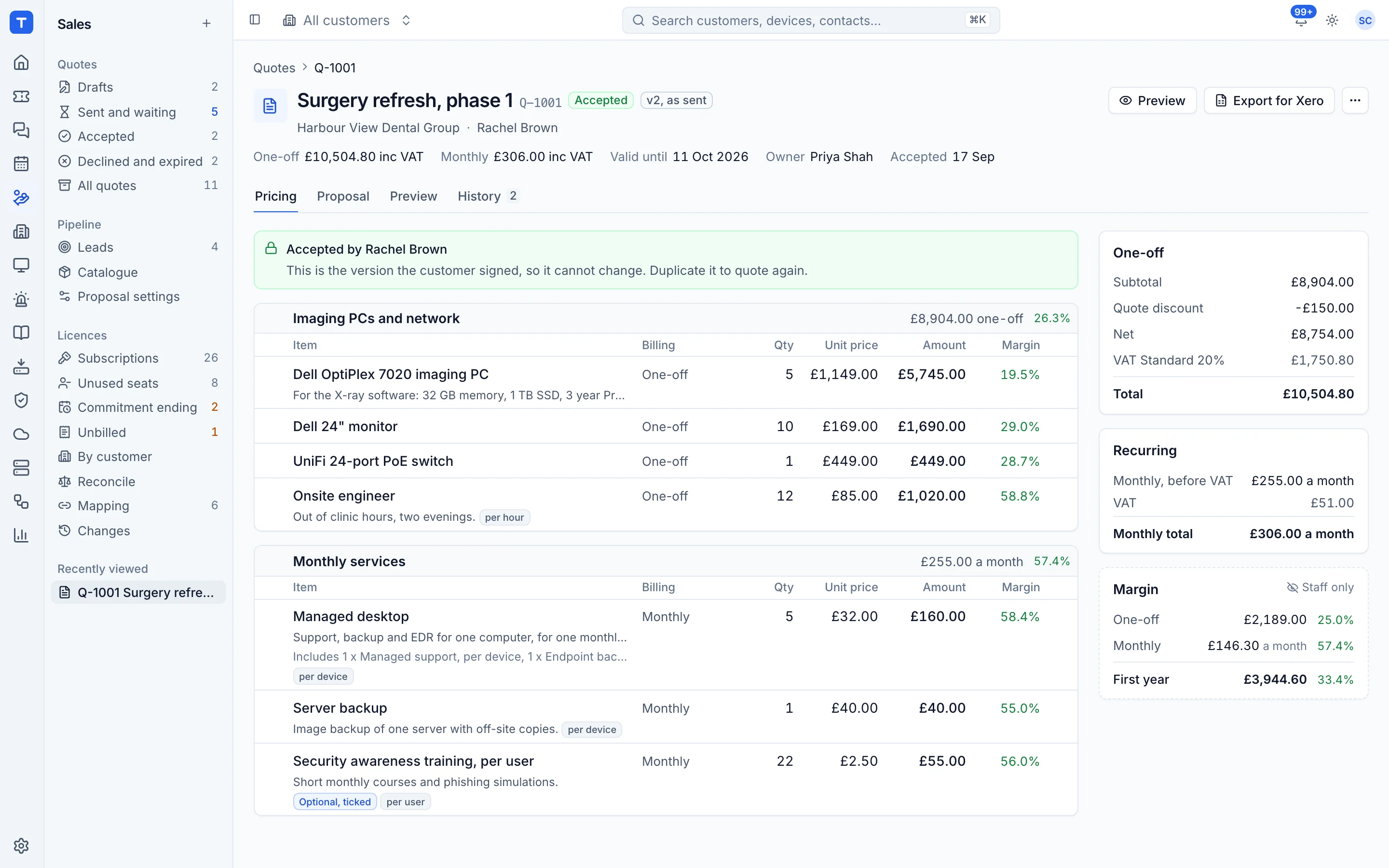
Quotes, proposals and contracts
Build proposals from blocks with interactive pricing, send them as a web page your customer can comment on, and collect advanced electronic signatures with a code before signing, signers in order and an audit certificate anyone can check on your portal's verify page. Engagement signals show who opened what. Acceptance sets up the contract, the project, the purchase orders and the invoice draft.
- A proposal builder with a content library and your brand
- Package cards and quantity choices the customer picks
- Approval before sending by value, margin or discount
- Contracts with included hours, all-you-can-eat per user and renewals
Invoicing that knows what you did
Invoice runs gather everything billable for the period, you review and approve, and invoices go out in order with gap-free numbers, each country's tax and wording, and PDFs in your layout. Billable units are counted every day, so a contract line follows the real number of devices, users or seats.
- Invoice runs, scheduled or by hand
- Billable units with drift alerts
- Credit, write-offs and invoice queries through approvals
- E-invoices as UBL, CII and Factur-X
- Xero and QuickBooks Online both ways
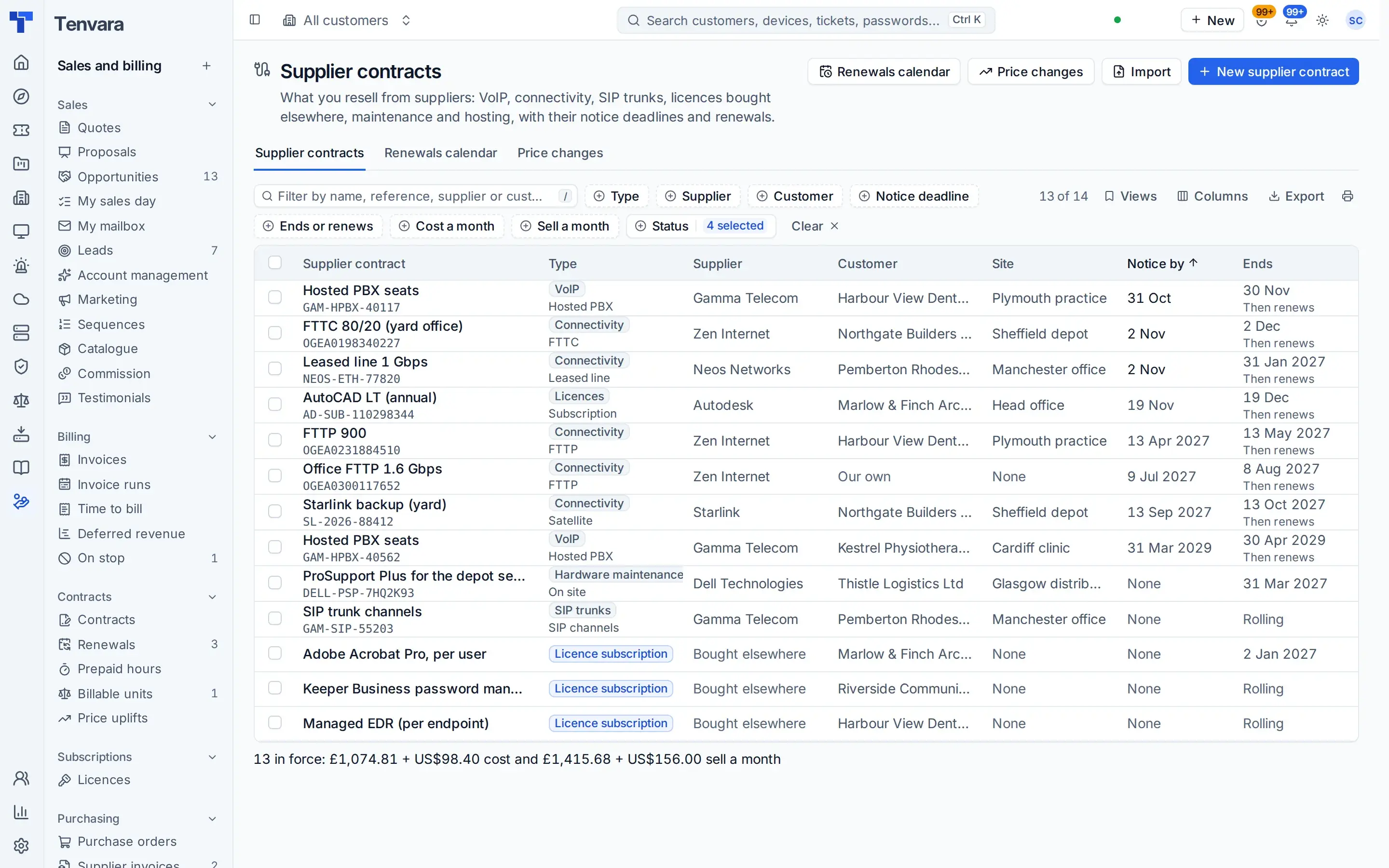
Resold services with notice dates and price rises
Record what you resell from suppliers: broadband and leased lines, VoIP, SIP trunks, licences bought elsewhere, hardware maintenance and hosting, each with its term, notice period, cost and sell price. Tenvara works out the notice deadline and the next renewal and warns you in good time. When a supplier puts the price up, see what it does to your margin and pass it on in one step: the customer's price changes from a date and they are told by email, or you raise a quote.
- A renewals calendar and a Home block for notice deadlines
- Price rules such as CPI plus a percentage every April, with a floor and a cap
- Billed on the customer's contract at the price in force each day
- CSV or Excel import with a dry run
Bill calls without a spreadsheet
Call records come in by upload, by email, from a server or as each call ends, and no call is counted twice. A number plan types every number and gives it a destination, rate cards price it by destination and time band, and bundles take the inclusive minutes off first. Each customer's month shows charge, cost and margin, and the charges land on the invoice with an itemised call bill as PDF and CSV, which the customer also sees in the portal.
- Cost cards per carrier, and sell cards or plans
- Calls with no price hold the invoice until they are fixed
- Usage and toll-fraud alerts
- Part of the Telephony and connectivity module
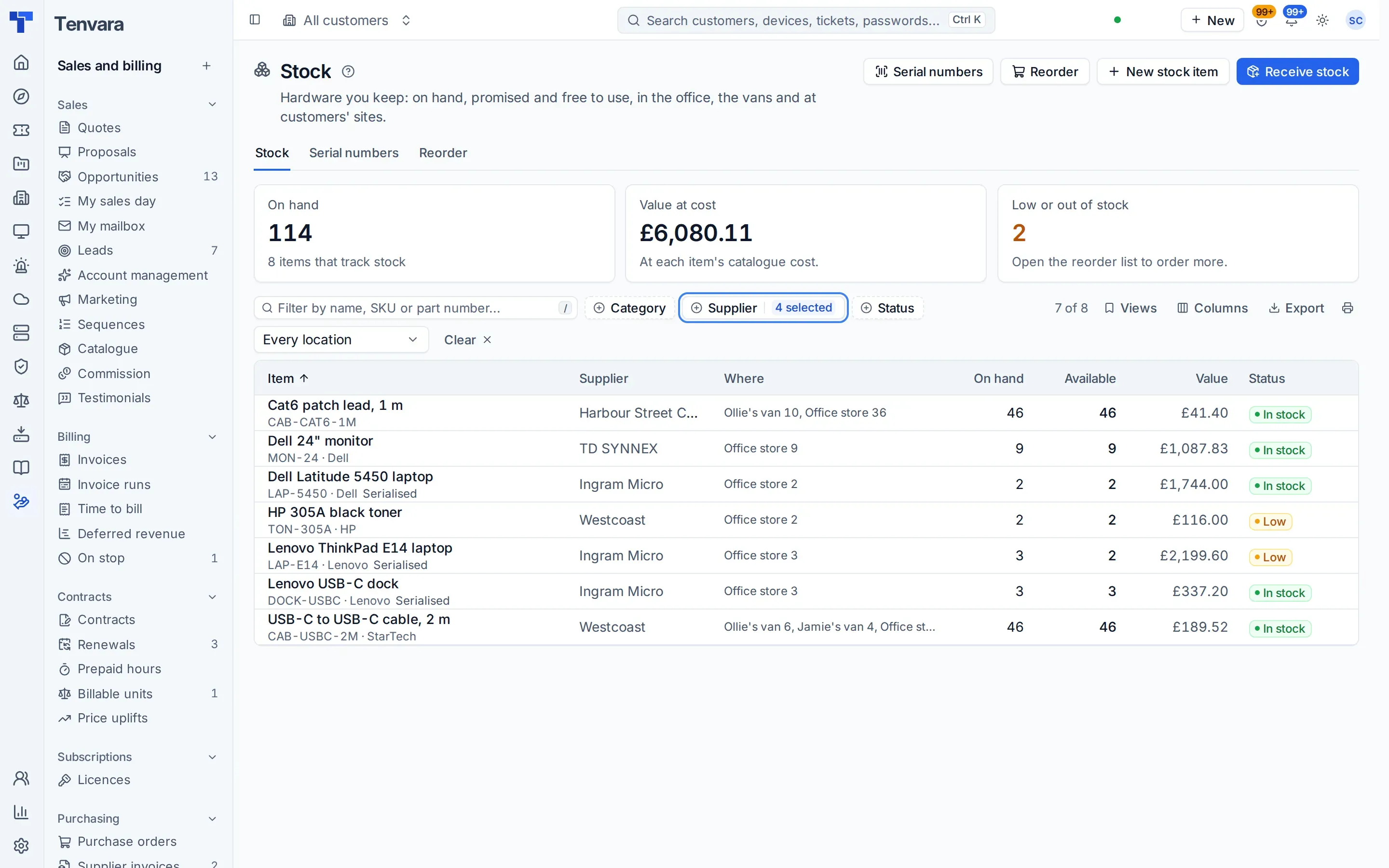
From quote to purchase order to stock
An accepted quote raises the purchase orders. Stock arrives into an office or a van, serial numbers follow the hardware onto the customer's device, and supplier invoices are matched. Distributor price feeds keep your catalogue current with your own Ingram Micro, TD SYNNEX, Pax8 and other accounts.
- Purchase orders from quotes
- Stock per location and van, with reorder levels
- Serials and warranty on the device record
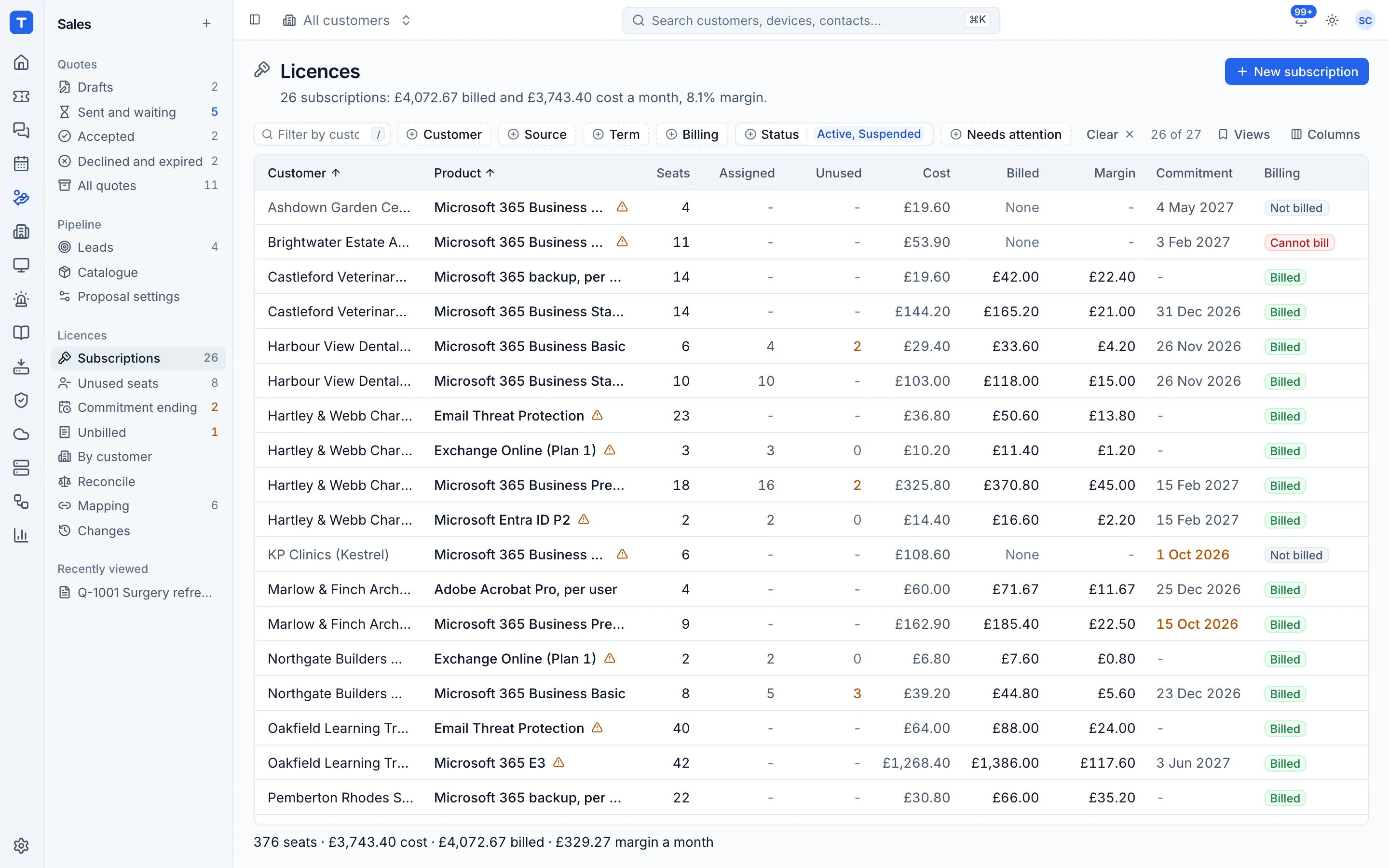
Licences, costs and billing in one place
Subscriptions are matched to customers and catalogue items, synced nightly and compared with what each tenant has assigned. Unused seats, over-assignment and seats that never made it into billing are flagged with their monthly cost.
- Nightly and on-demand sync with a change log
- Subscriptions feed contract lines
- Only current subscriptions, with ended ones a click away
- Alerts for commitment ends and unbilled seats
Reports for customers and for you
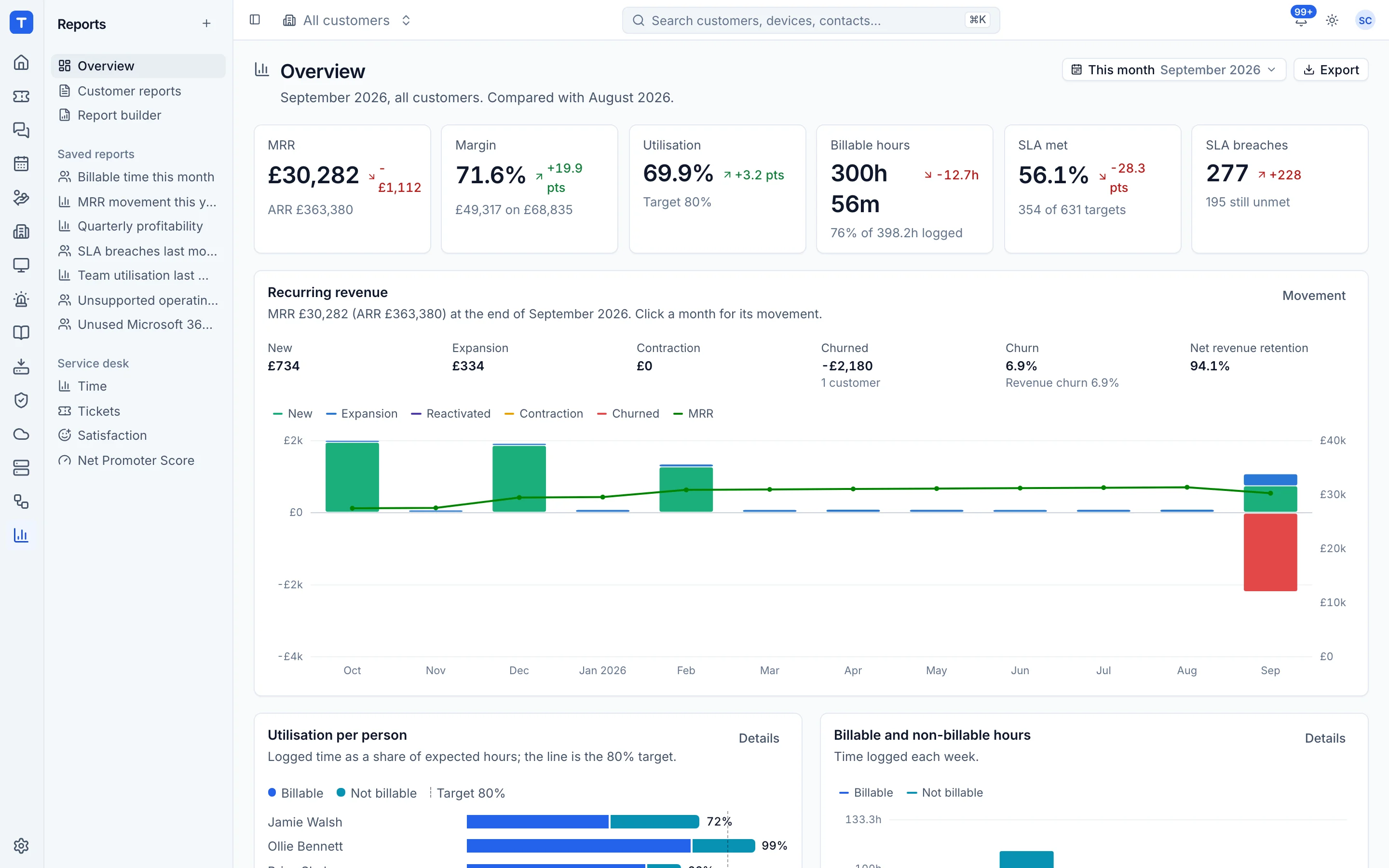
Branded monthly reports from real data with your own commentary, internal reports on utilisation and profitability, a hardware refresh report, a report builder with period comparison and Excel export, dashboards you lay out yourself, business review packs, and screens on the wall with playlists. Reports can go to contacts on a schedule.
- Monthly customer reports as a PDF
- Your own dashboards and Home layout
- Satisfaction, NPS and testimonials with consent
Walk the customer through it
Turn a business review, an AI readiness assessment or a new customer's onboarding findings into a presentation, with the figures frozen as they were when you made it. Pitch it at the board, the IT contact or everyone, edit the slides and speaker notes, and present from a presenter view with the next slide, your notes and a timer. Download it as a PDF in your brand's colours or as an editable PowerPoint file, and publish the approved deck to the customer's portal.
- Margin and other internal facts stay out of the customer's copy
- Ends with what you propose, the price and the timeline
- Agreed lines become a quote draft, declined ones a sign-off
- A draft until someone allowed approves it
In the knowledge base
See exactly how it works
Tenvara is coming soon.
We're inviting MSPs to the beta in small groups. Apply to join, or get launch updates by email and hear first when pricing is announced.