Documentation
Customer documentation and credentials, where the work happens
Per-customer documentation and a credentials vault that live with the customer, plus your own internal knowledge base. The device page shows its docs and credentials, and a ticket suggests the articles that fit.
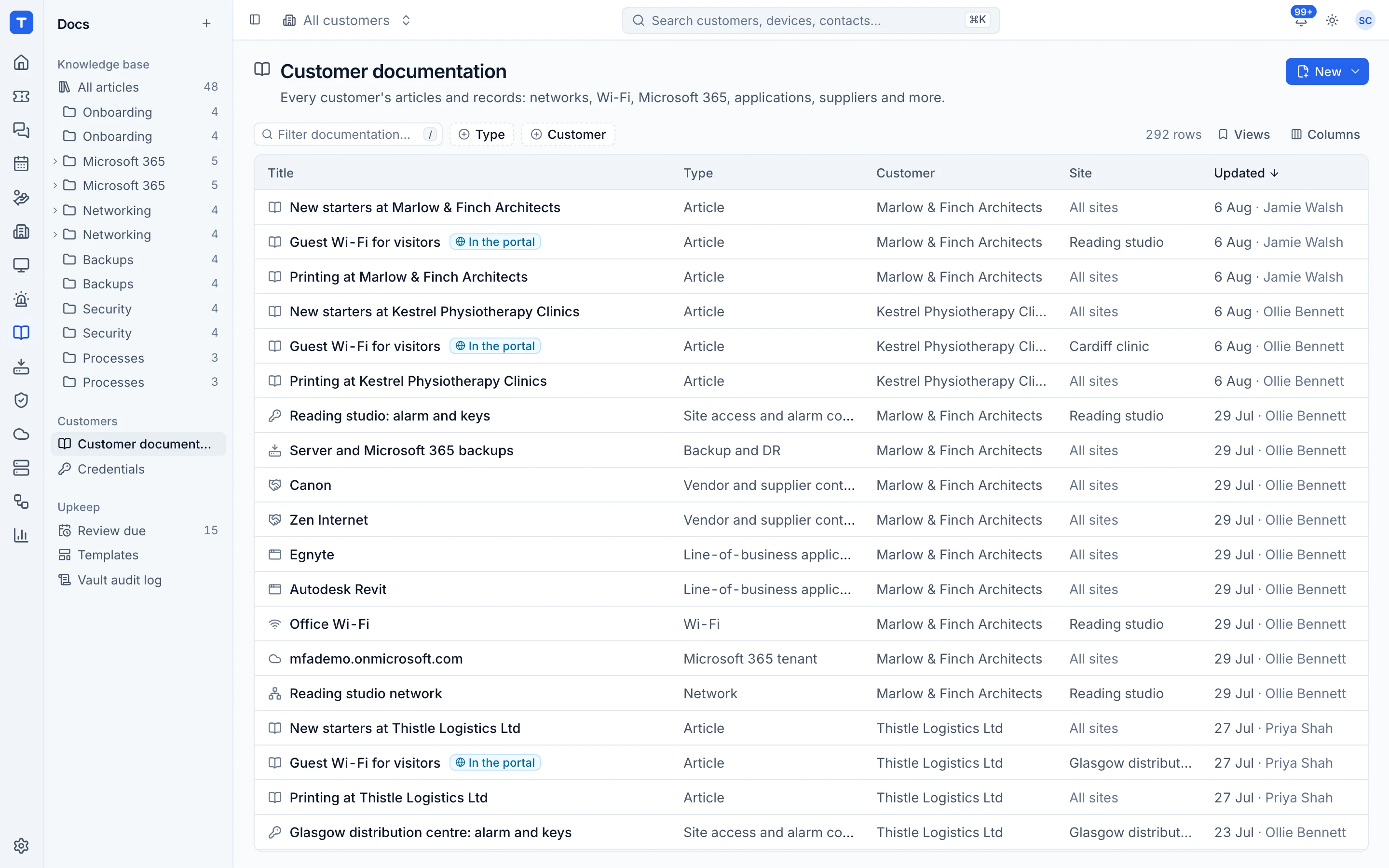
Structured records
Templates for network, Wi-Fi, Microsoft 365, applications, vendors, backup and site access.
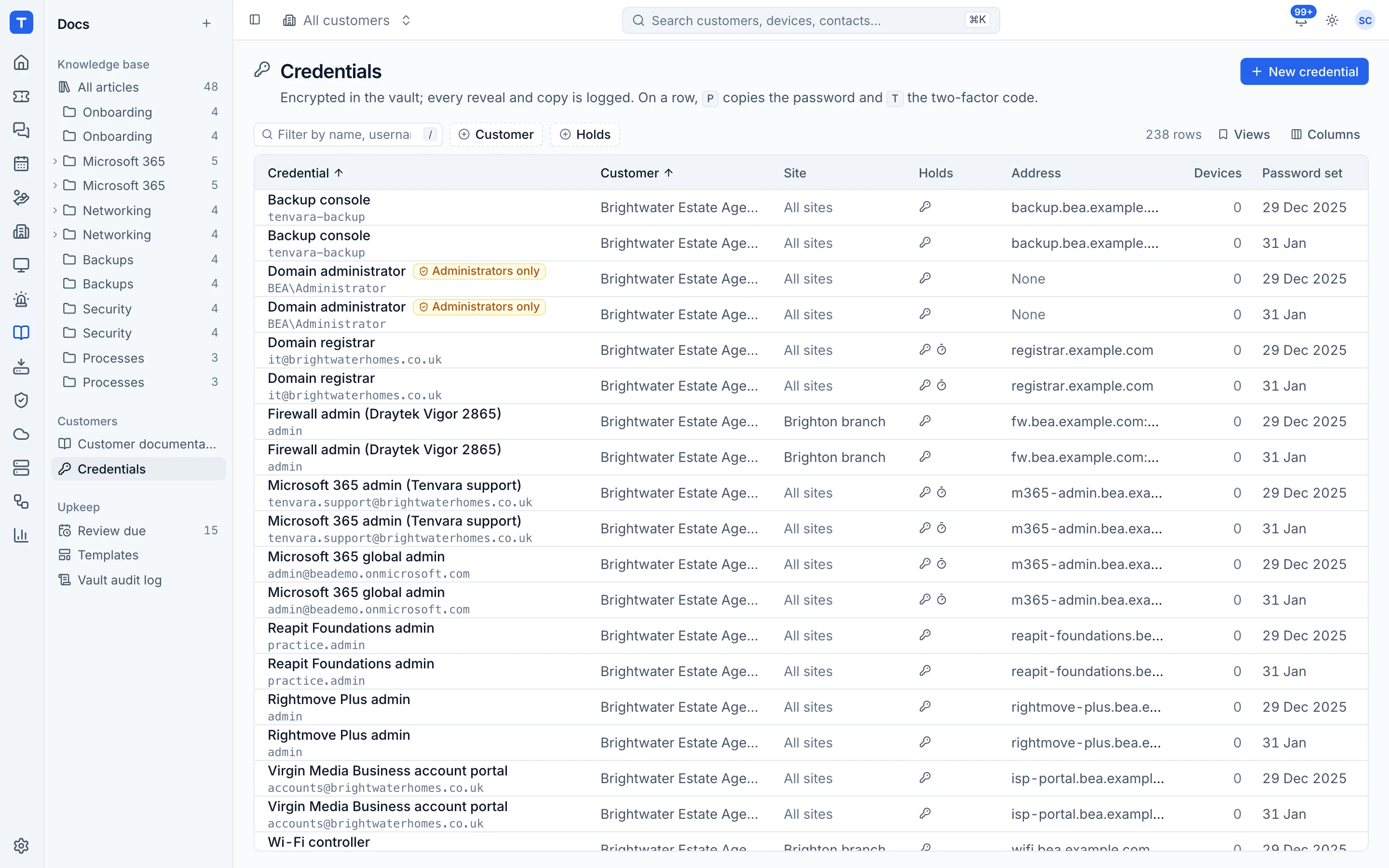
Credentials vault
Encrypted at rest, revealed on click, with a full audit of who viewed what.
Internal knowledge base
Folders, tags, version history and review dates for your own processes.
Rotation and autofill
Passwords rotated on a schedule, and a browser extension for Chrome, Edge, Firefox and Safari with settings you can set and lock for your team.
A vault your auditors will like
Passwords, TOTP seeds and licence keys are encrypted at rest and only shown on click. Every reveal is recorded with who, what and when, and access follows roles. Some secrets arrive by themselves: BitLocker recovery keys from the agent, and the passwords, PINs and porting codes a customer types into one of your forms.
- Live TOTP codes
- Role-based access
- Every reveal audited
- A break-glass export that needs a second admin
Documentation that keeps itself current
Records fill in and stay up to date from Microsoft 365, backup and network discovery, without overwriting what a person wrote. Draw diagrams, map IP ranges, lay out racks with photos, link records together and see the map, with one Diagrams list across every customer. Active Directory snapshots show what changed, and expiring certificates, warranties and licences land in one digest.
- Diagrams, IP address management and rack layouts
- Customer folders with their own access
- A public knowledge base on your own domain
An address for every sign-up
Give each customer email addresses for vendor sign-ups, on your own accounts domain or through Microsoft 365. Their mail lands on the customer's Accounts tab, never as a ticket: codes, sign-in links, password resets, invoices and renewals are recognised, vendor accounts are offered as credentials and renewals as reminders. Codes are revealed like passwords, and every view is logged.
- Mail shown in a sealed frame, with attachments scanned
- Automation rules for sign-up mail
- An optional Sign-up mail page in the customer's portal
Passwords that look after themselves
Rotate local and directory admin passwords on a schedule, with privileged access checked out and back in. Customers' staff reset their own Entra ID or Active Directory passwords, keep their own passwords in a customer password manager, and every password in the vault is checked against known breaches.
- Password rotation and privileged access
- Self-service password reset
- Dark web monitoring for your customers' domains
In the Tenvara app
The password you need, on site
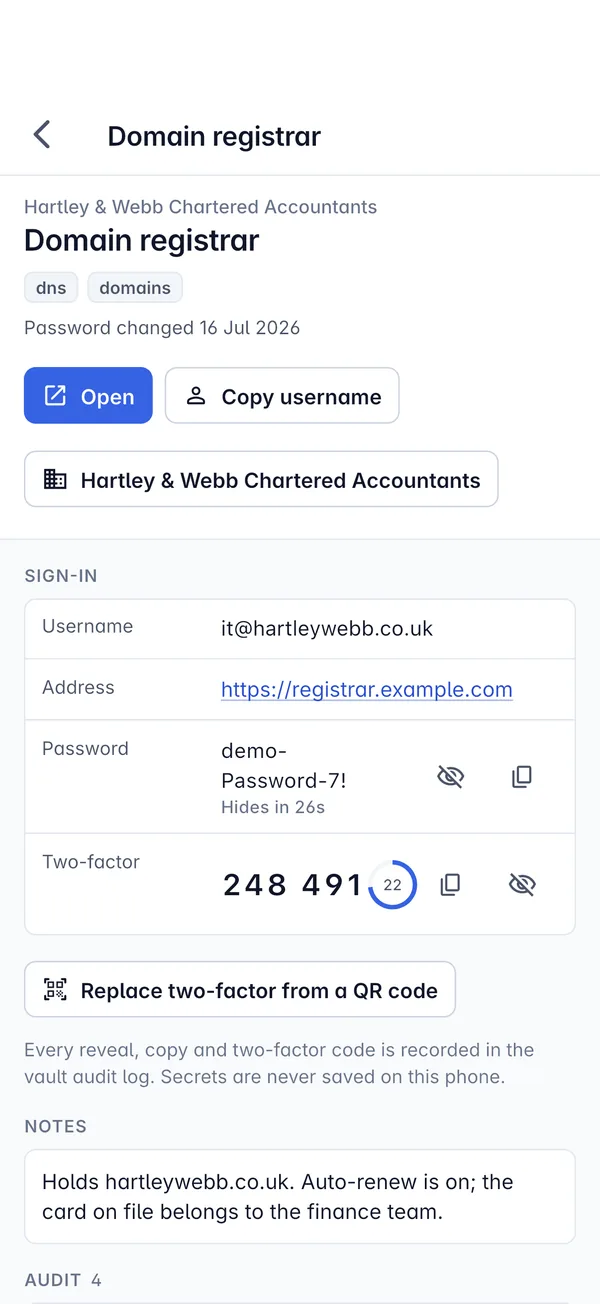
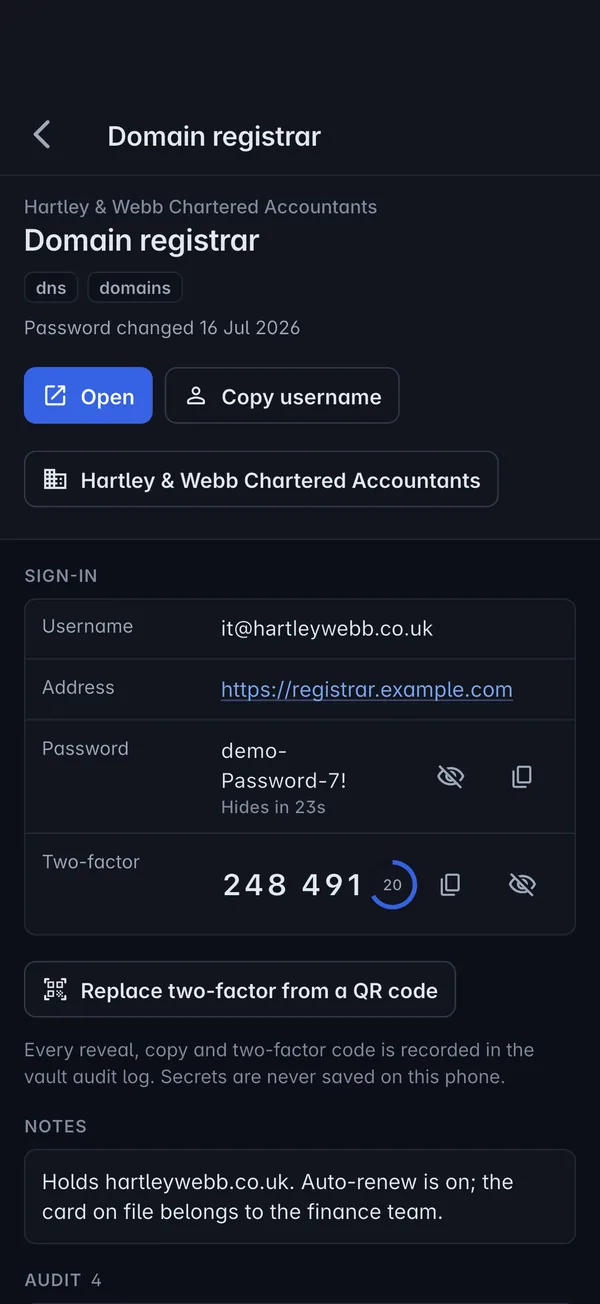
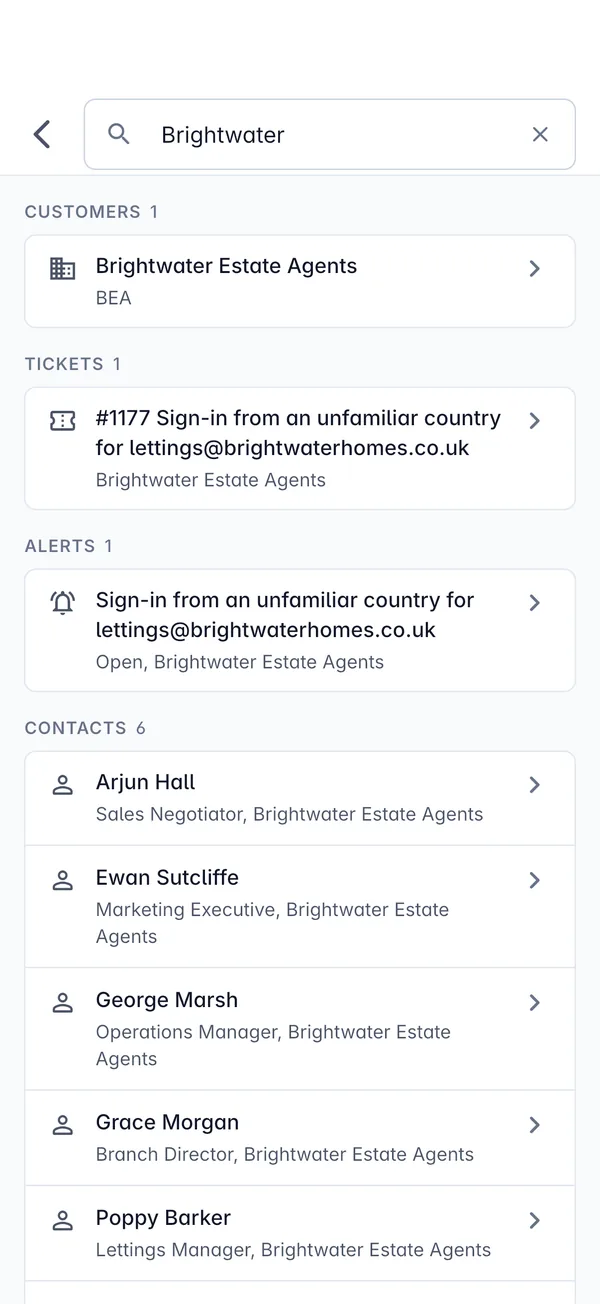
Articles, records and the credentials vault are in the Tenvara app too. Reveals need Face ID or a fingerprint, are recorded in the vault audit log, and secrets are never saved on the phone.
- Knowledge base articles and customer records
- Passwords and live two-factor codes after a biometric check
- Every reveal and copy in the audit log
In the knowledge base
See exactly how it works
Tenvara is coming soon.
We're inviting MSPs to the beta in small groups. Apply to join, or get launch updates by email and hear first when pricing is announced.