The Tenvara platform
Everything an MSP runs on, as one product.
Customers, sites, contacts, devices, tickets and alerts are the core. Every part of Tenvara adds to them instead of living in its own portal, so the customer page and the device page tell the whole story.
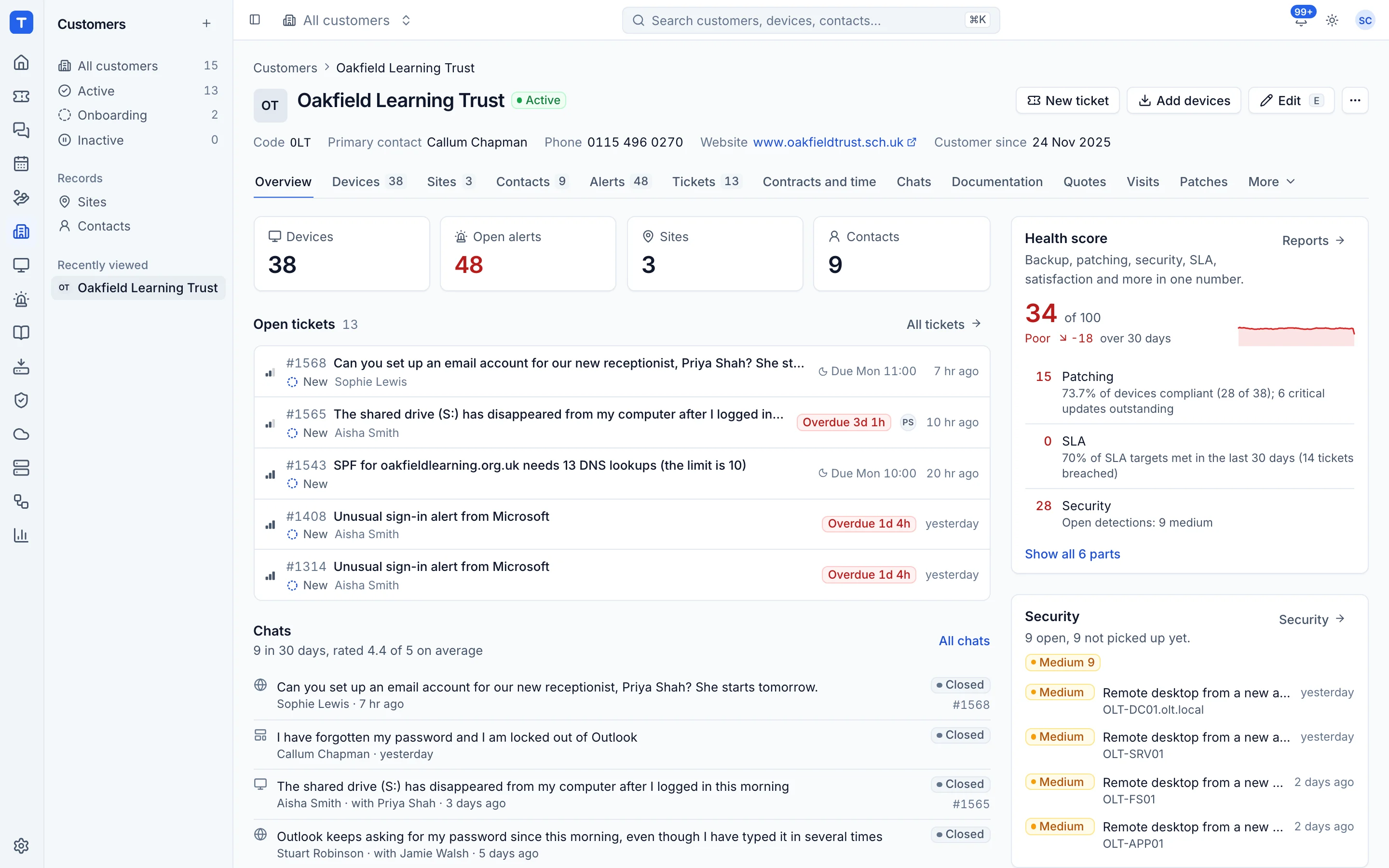
Twelve areas, one app
Switch on what you need. It all lands in the same place.
Service desk
A service desk that knows the device, the customer and the contract
Tickets, SLAs, approvals, service catalogue, information requests, chat and scheduling.
Explore Service desk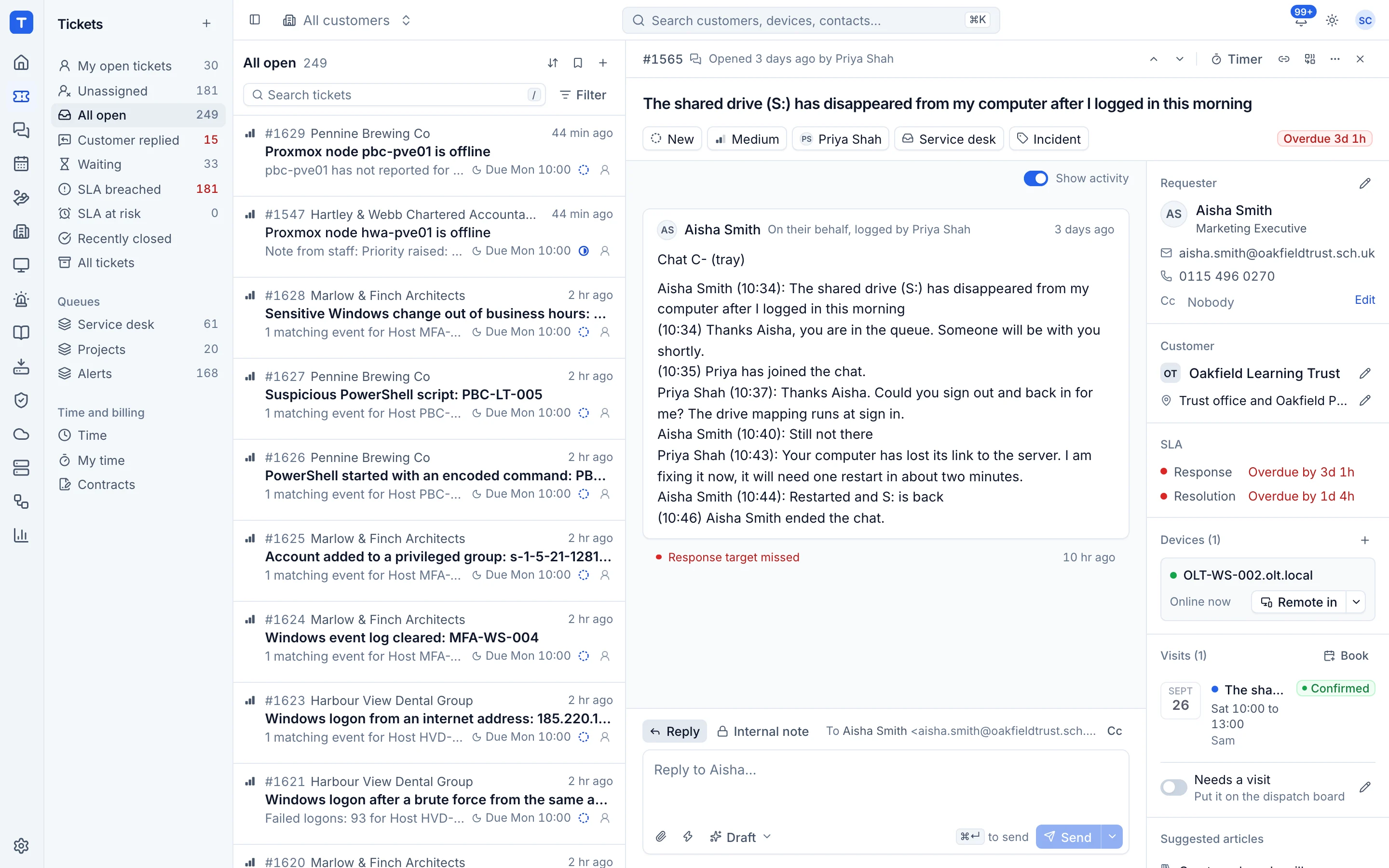
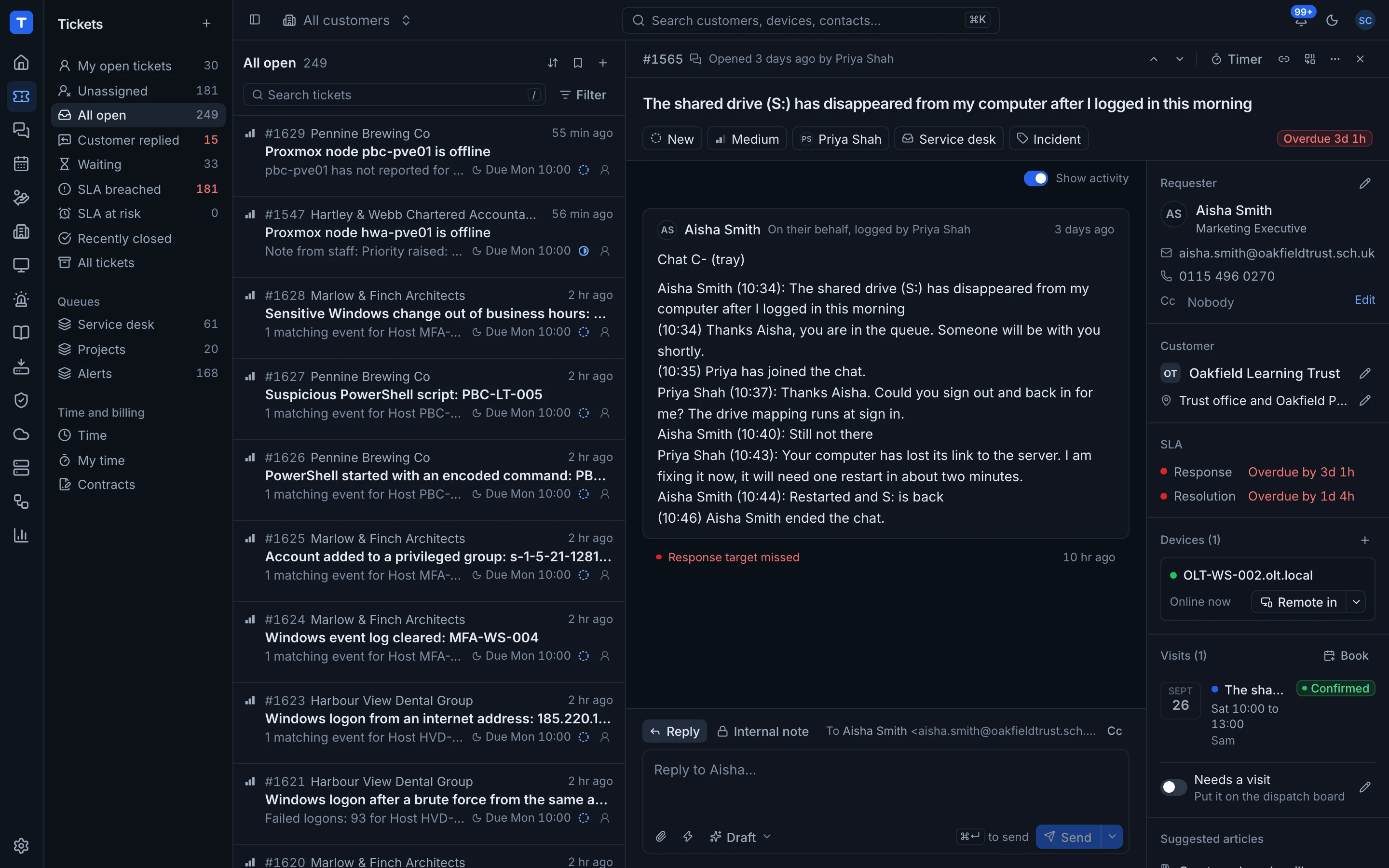
Projects
Projects that run on the same customer record as everything else
Phases, timelines, templates, budgets, sprints and portal sign-off.
Explore Projects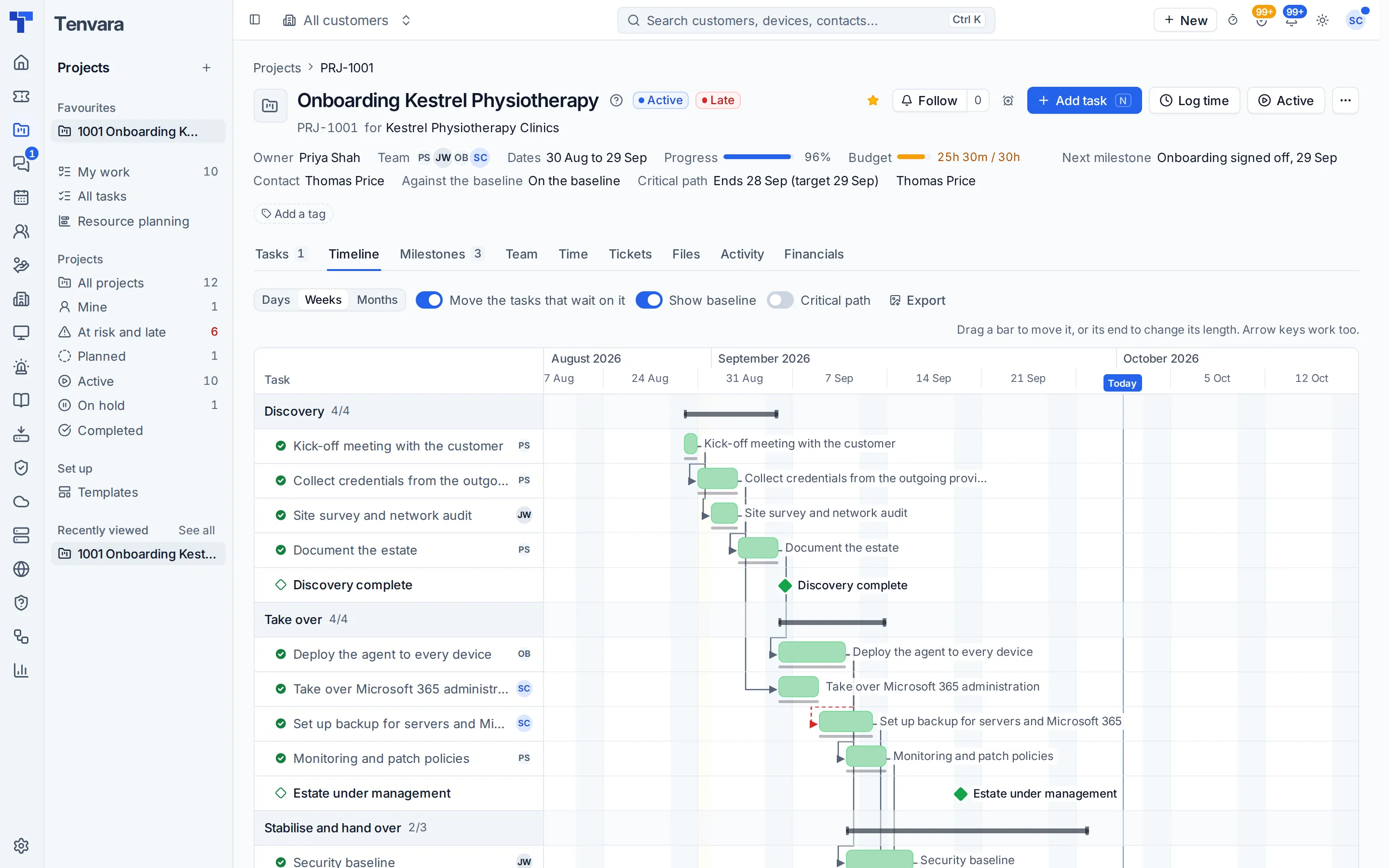
RMM and remote access
One agent. Every device. Everything you need to fix it.
One agent, monitoring, alerts with the fix, patching, remote control and mobile devices.
Explore RMM and remote access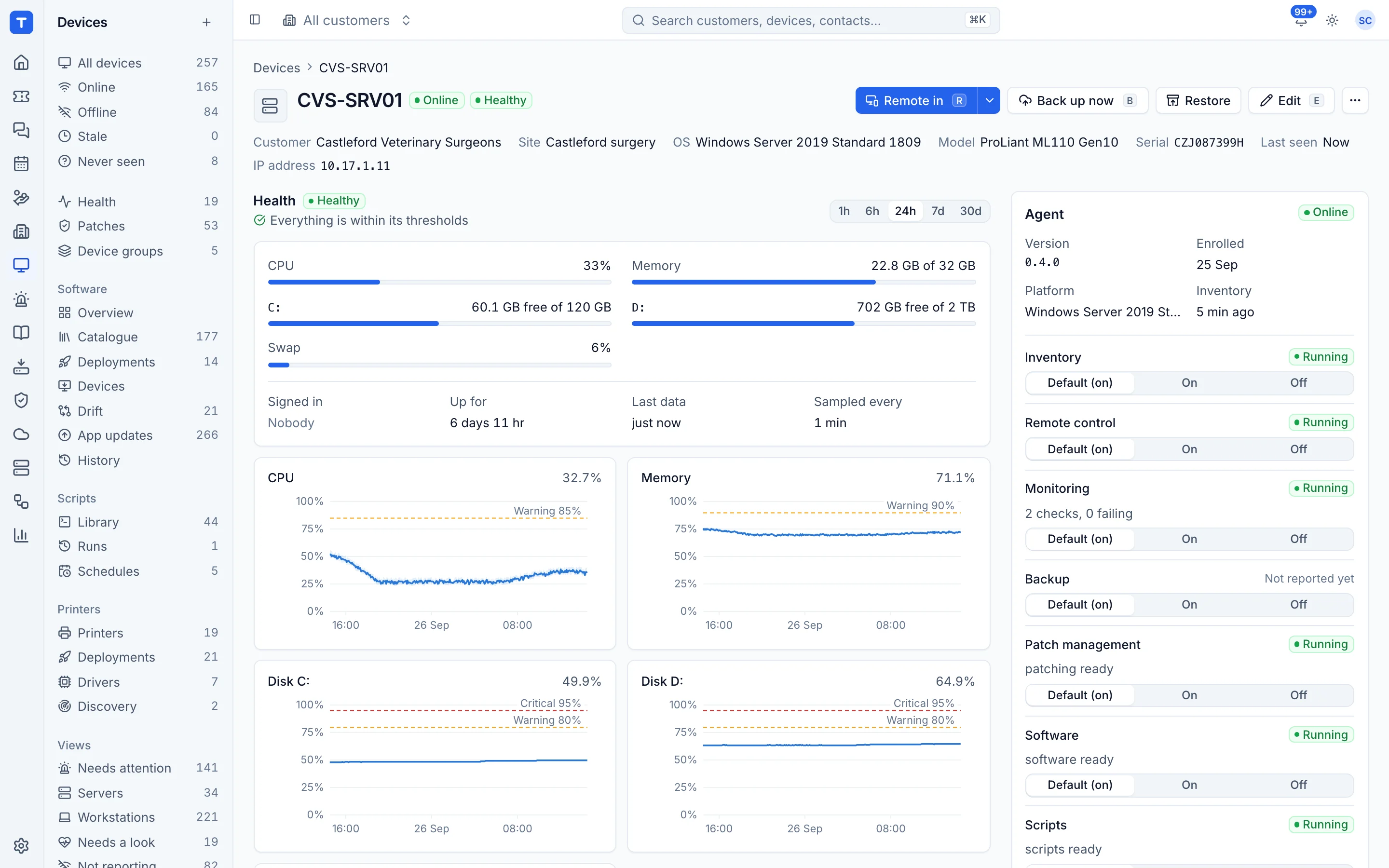
Backup
Backup that shows up on the device page, not in another portal
Endpoints, servers, Macs, Microsoft 365, Google Workspace and recovery.
Explore Backup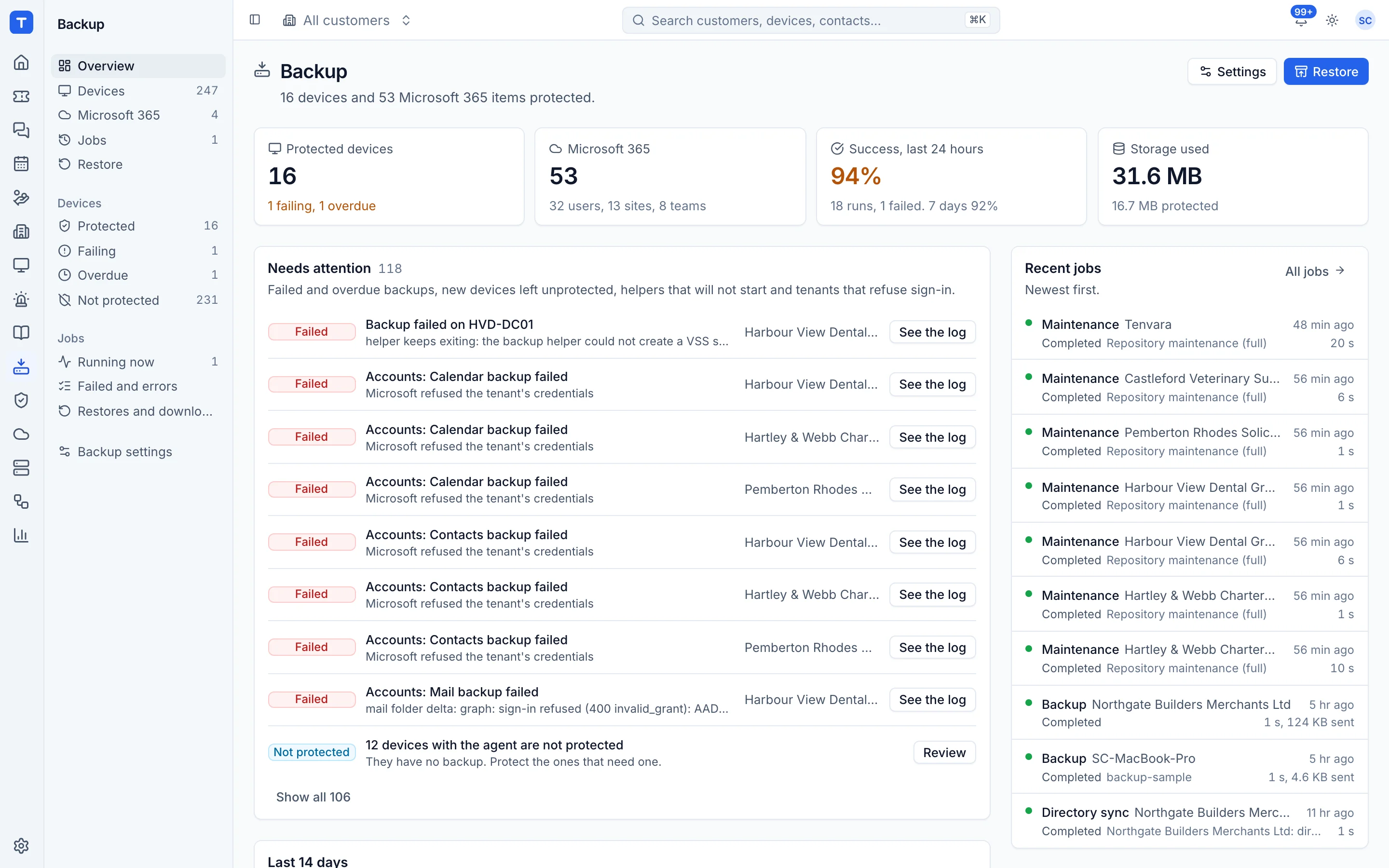
Microsoft 365
Every Microsoft 365 tenant you look after, in one place
Multi-tenant management, baselines, Intune, starters and leavers.
Explore Microsoft 365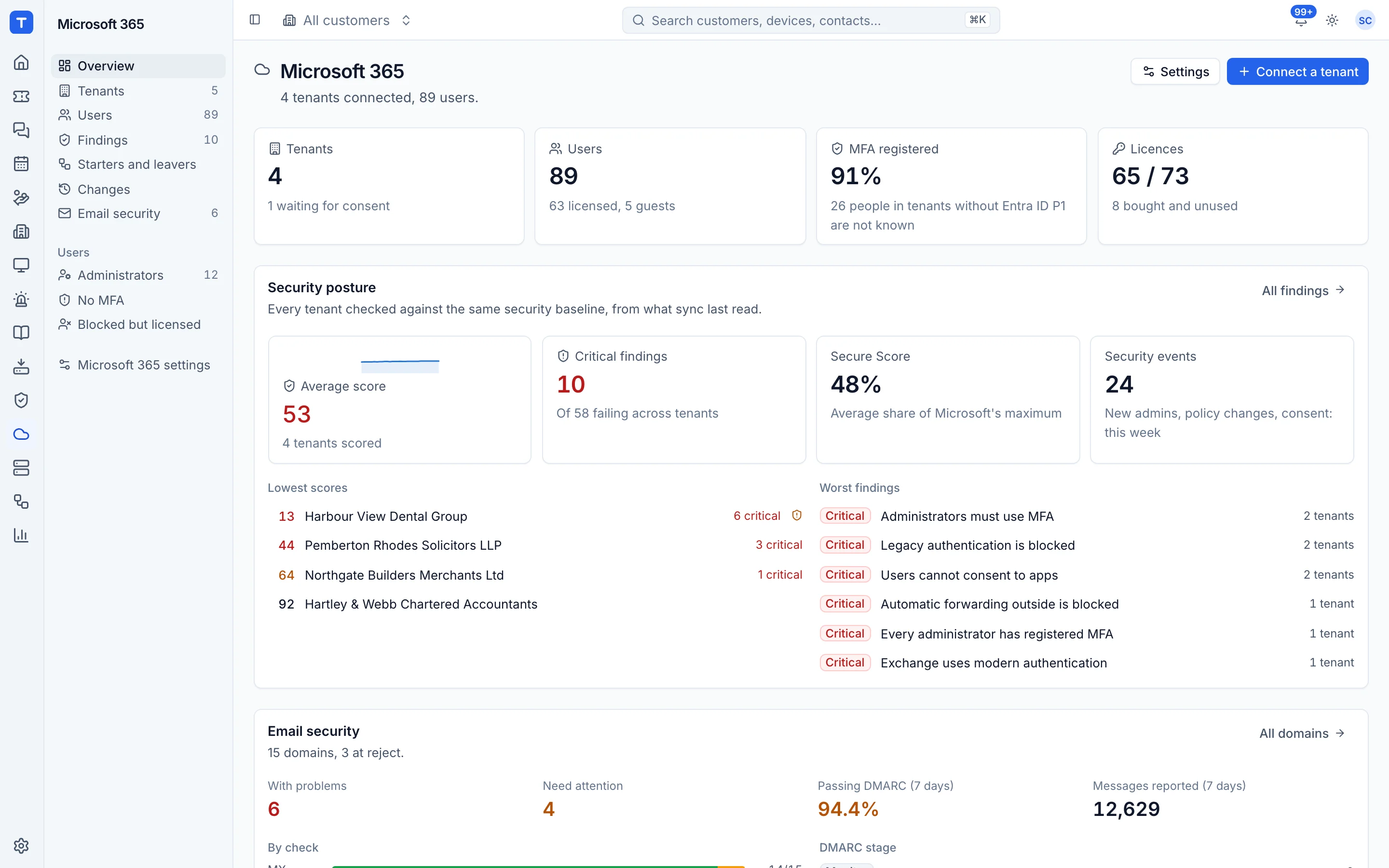
Security
Detections from endpoints and Microsoft 365 in one queue
Detections, vulnerabilities, remote access tools, admin rights and network IDS.
Explore Security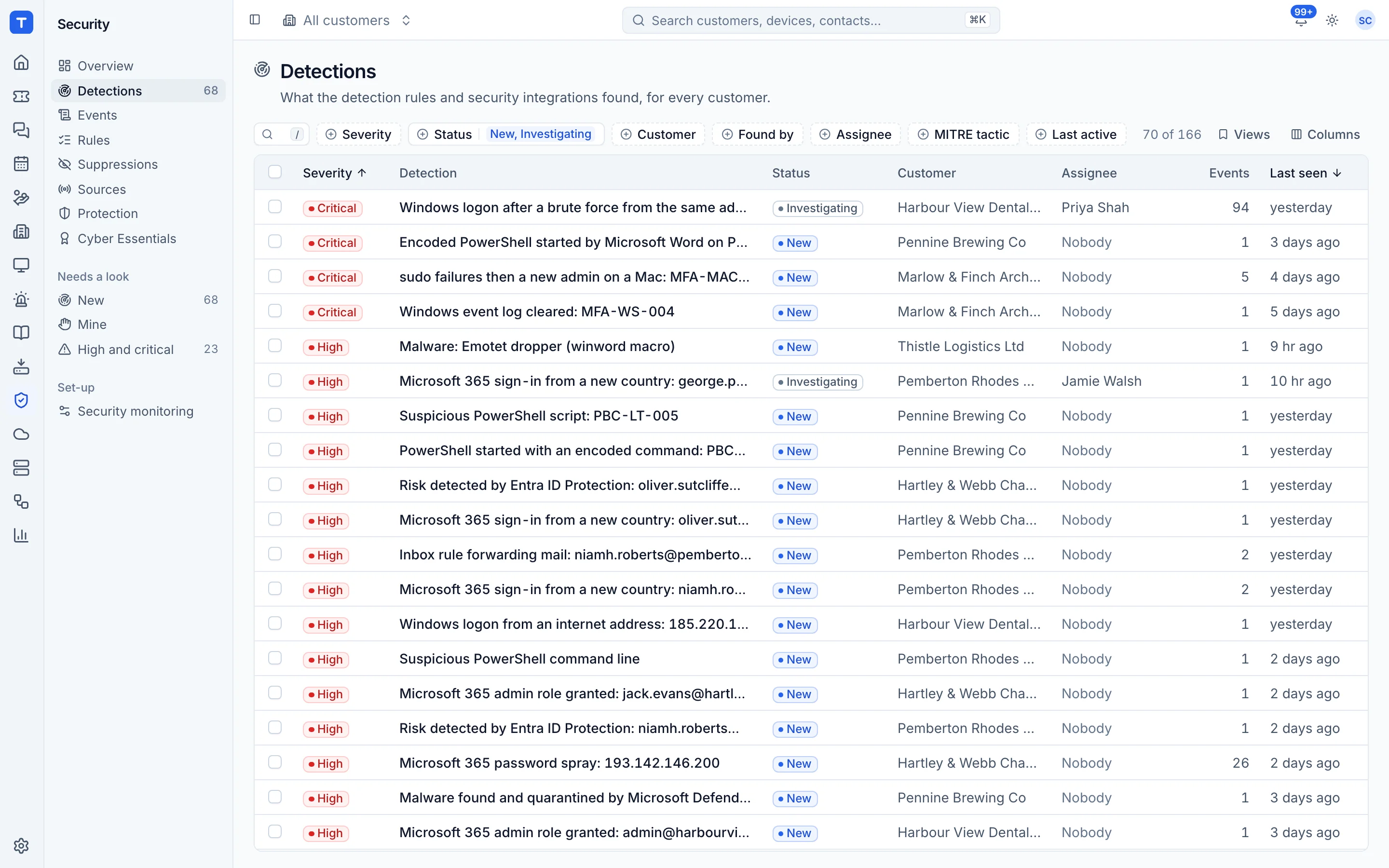
Governance and compliance
Compliance your customers can show an auditor
ISO 27001, Cyber Essentials, awareness training, device hardening and AI readiness.
Explore Governance and compliance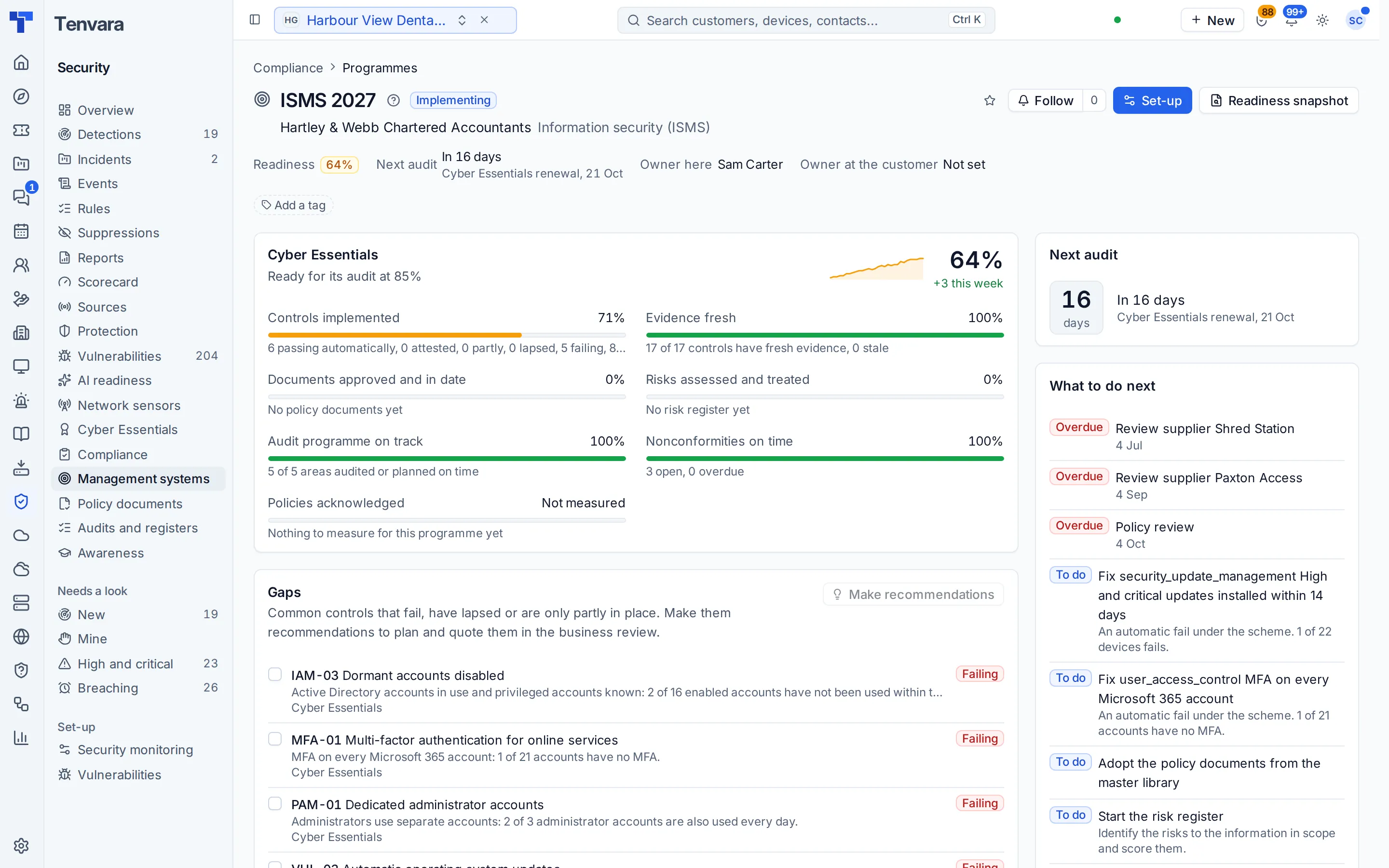
Documentation
Customer documentation and credentials, where the work happens
Customer docs, a vault with rotation, and your own knowledge base.
Explore Documentation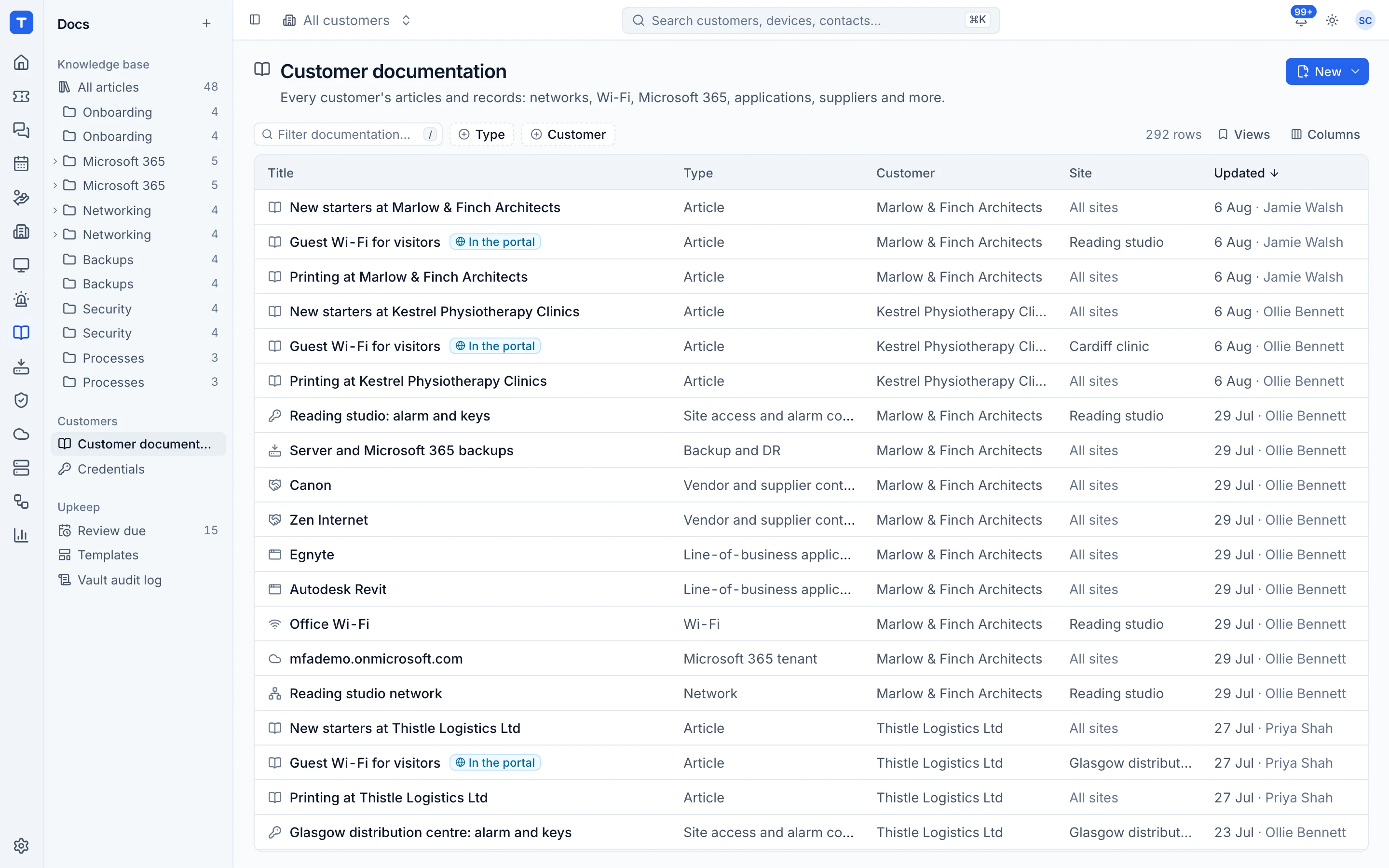
Automation and AI
Automate the routine. Investigate the rest faster.
When X, do Y rules, on-call paging, wall screens and AI with your own key.
Explore Automation and AI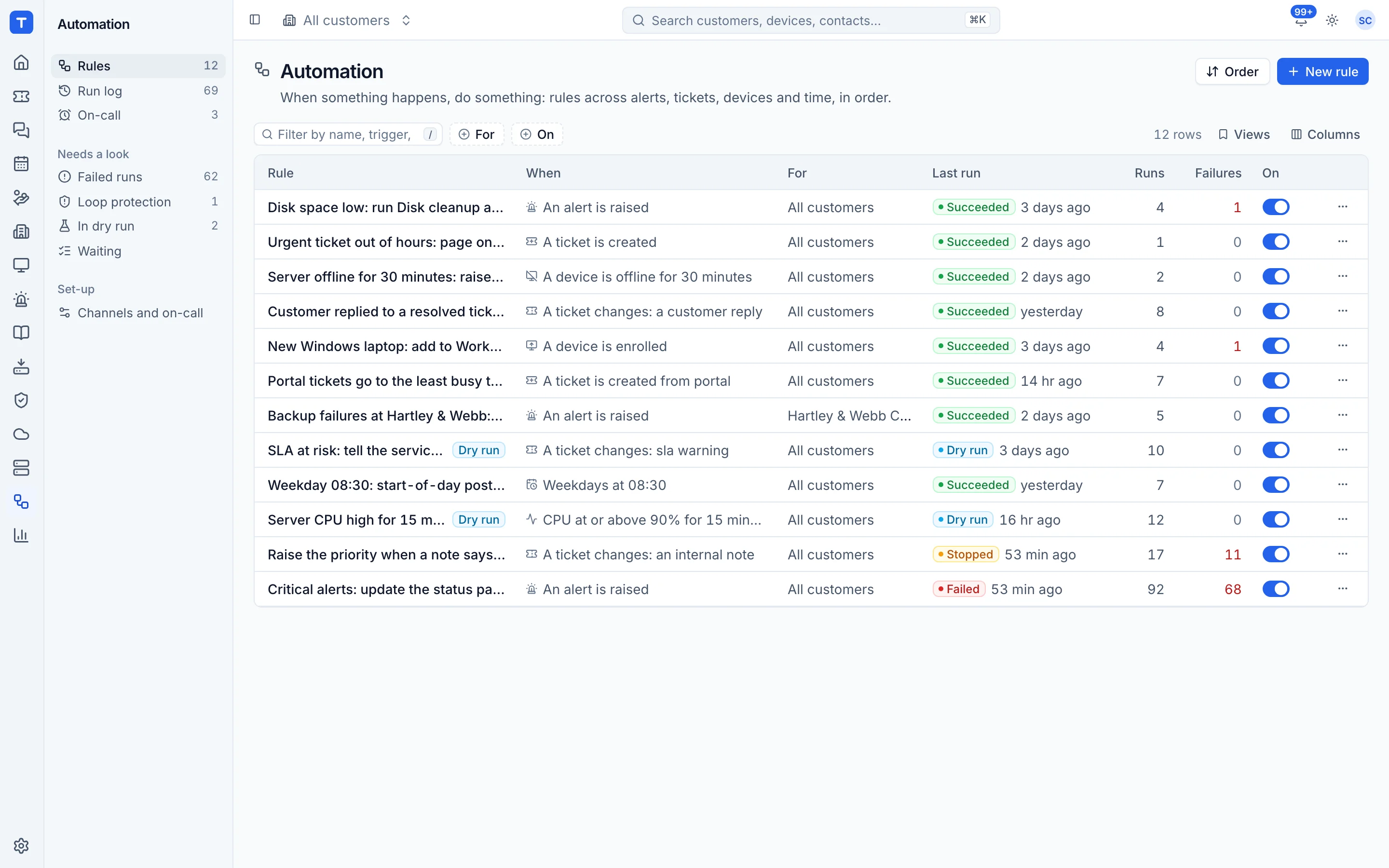
Infrastructure and connectivity
Servers, desktops, networks, lines and printers without another console
Proxmox and Hyper-V, Docker hosts, virtual desktops, NAS, firewalls, web hosting, lines and print management.
Explore Infrastructure and connectivity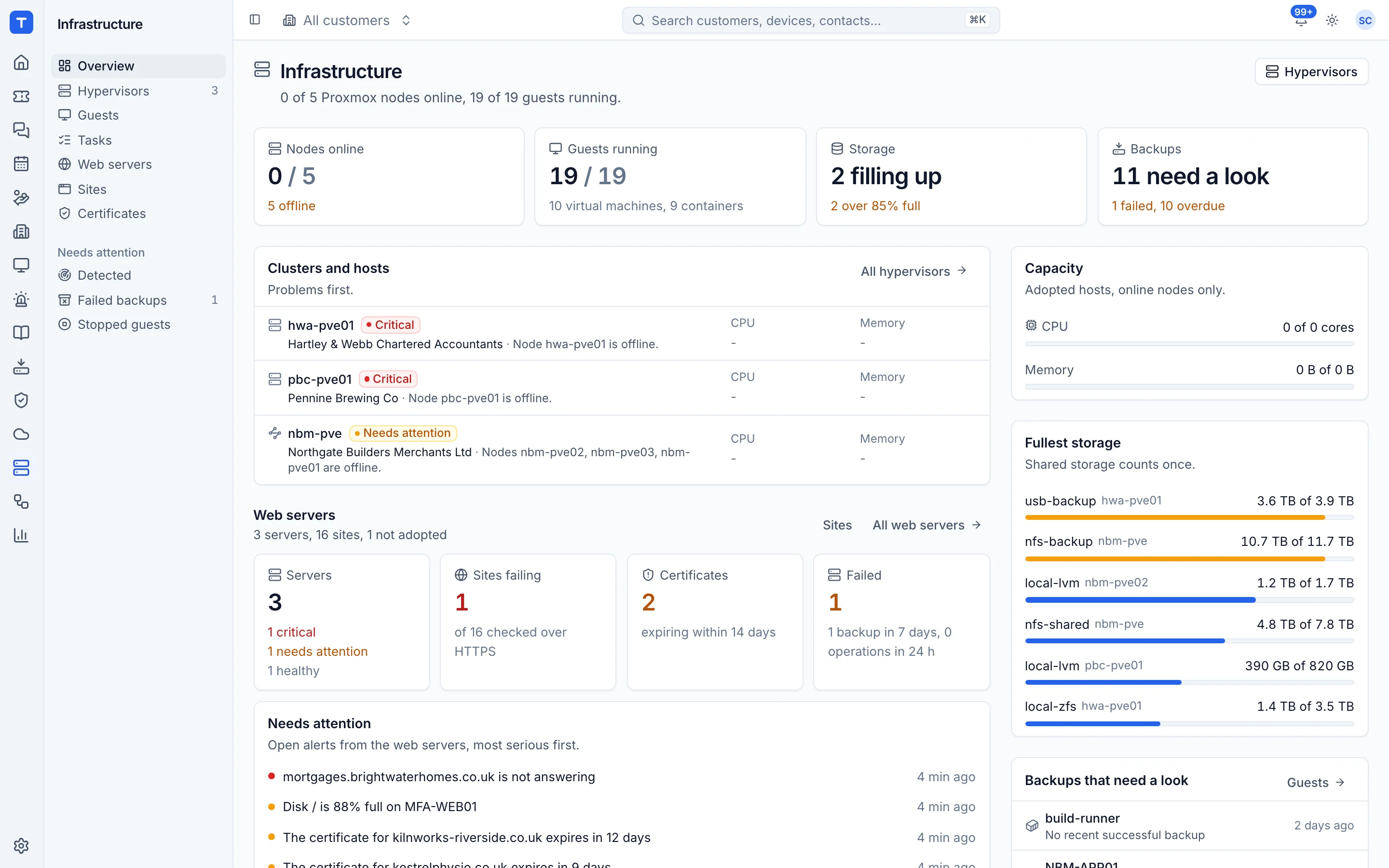
Sales, billing and reporting
Bill for every hour, seat and call. Show customers the work.
A CRM, quotes, invoicing, supplier contracts, call billing, procurement and reports.
Explore Sales, billing and reporting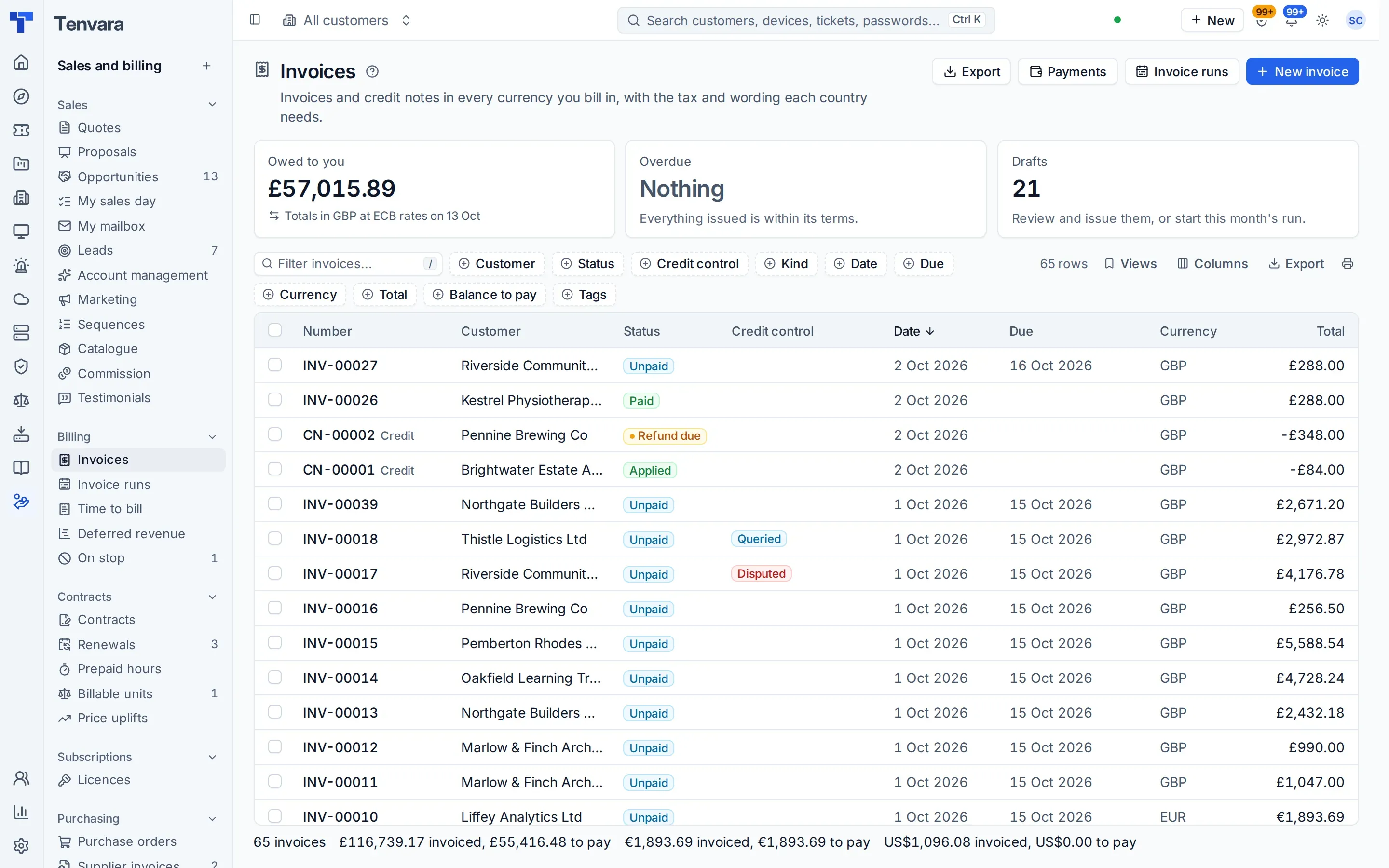
Access and portal
One login, one search, one set of permissions
The customer portal, roles, setup, white-label, languages and an edition for IT teams.
Explore Access and portalUnderneath it all
What makes it one product rather than a bundle.
- One agent
- Signed Windows, macOS and Linux builds with self-update and rollback, a tray icon, and modules switched on by policy. A Lite agent brings older Windows into the same list.
- One database
- Customers, devices and tickets are real records that every module links to, so nothing needs syncing between tools.
- One search
- Customers, devices, tickets, contacts, users, alerts, pages and settings from the same box and from Cmd+K.
- One alert list
- Monitoring, backup, Microsoft 365, security, lines and infrastructure all raise alerts into the same list, and each one says what raised it and offers the fix.
- One sign-in
- Local accounts with two-factor, or single sign-on with Entra ID, Google, OIDC or SAML.
- One set of roles
- Role templates for every job, permissions per module and customer, and a switch for each sensitive action.
For internal IT teams
Not an MSP? There is an edition for you.
The Company edition is the same Tenvara for an in-house IT team. One organisation with sites, departments and employees takes the place of customers and contacts, requests go to the department's manager and then to IT, and employees get their own portal for IT help.
How Tenvara fits an IT team- Departments with cost centres and managers
- Manager approvals, with a delegate to stand in
- An employee portal for help and requests
- Purchasing and IT spend by department
Tenvara is coming soon.
We're inviting MSPs to the beta in small groups. Apply to join, or get launch updates by email and hear first when pricing is announced.