Compare: Security monitoring
ConnectWise SIEM alternative: Tenvara
ConnectWise SIEM, formerly Perch, is a multi-tenant SIEM built for MSPs, collecting logs from endpoints, networks, cloud apps and Microsoft 365. MSPs look at Tenvara when they want to run security monitoring themselves, in the same app as their devices and tickets, using the agent they already deploy.
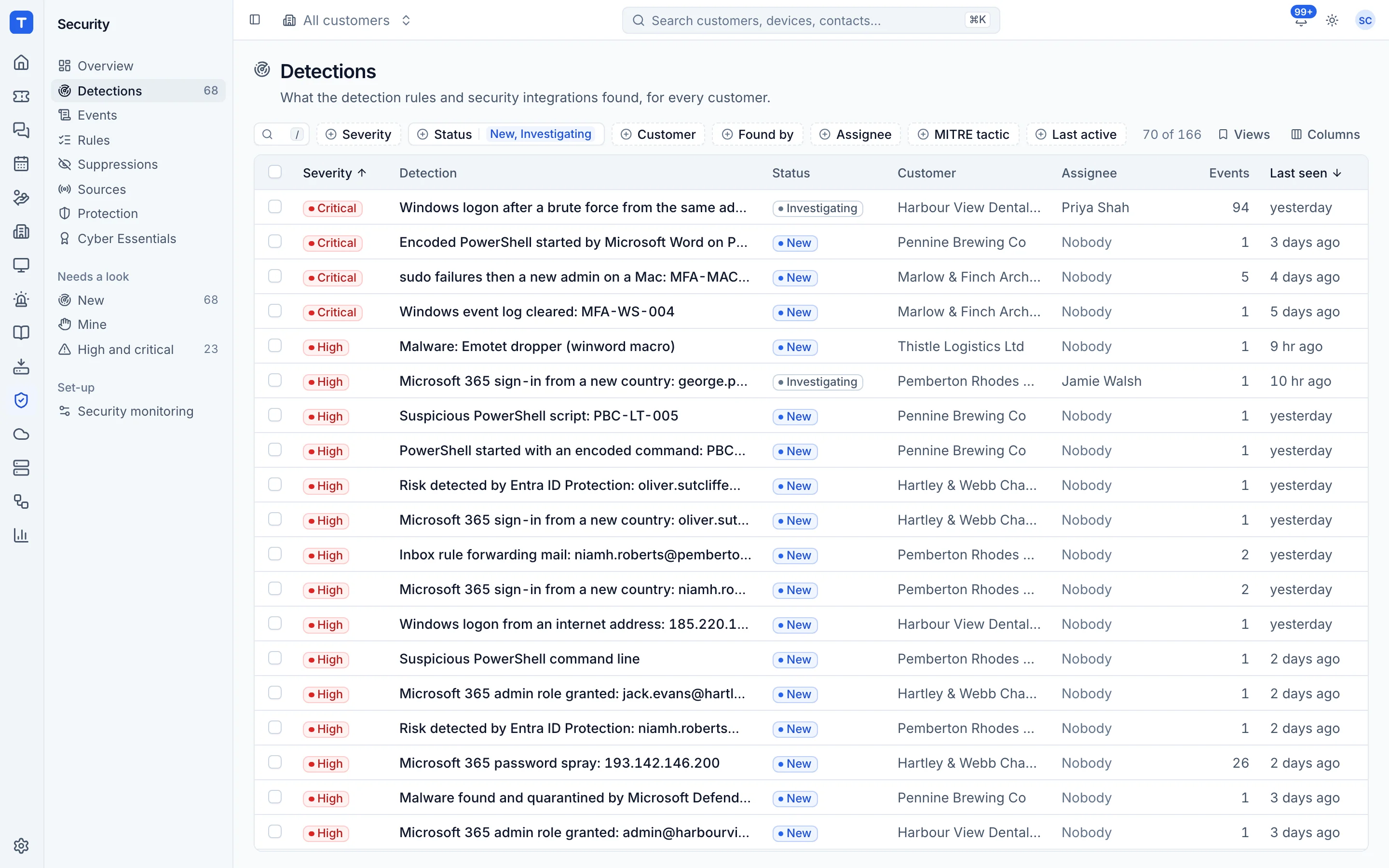
The tool today
What ConnectWise SIEM does
A multi-tenant SIEM for MSPs, formerly Perch, with network intrusion detection. Made by ConnectWise. This is how the vendor describes it, in our words.
- Log collection from endpoints, networks, apps and the cloud, including Microsoft 365.
- Correlation and real-time alerting, with MSP-specific threat intelligence.
- Built-in network-based intrusion detection.
- Data retention from one to seven years for compliance.
- Tickets in ConnectWise PSA and response through ConnectWise Automate scripts.
Side by side
Tenvara vs ConnectWise SIEM
The security monitoring jobs that matter most, and how each product handles them.
Security events from Windows, macOS and Linux
Endpoint log collection
Microsoft 365 sign-ins and audit log
Microsoft 365 log collection
Firewall logs by syslog
Syslog
Detection rules you can tune and write
Correlation and real-time alerting
Detections become tickets
Tickets in ConnectWise PSA
Add-on means the vendor sells it as a separate product or paid extra. ConnectWise SIEM details come from the vendor's own website, see sources.
The one-app pitch
What else you'd replace
Most MSPs running ConnectWise SIEM pay for several other tools beside it. Tenvara does these jobs too, on the same customer record, with one agent and one login.
See every comparisonSwitching
Moving from ConnectWise SIEM
A calm move, not a big bang. Run both side by side until your team is happy.
-
1
Deploy the agent alongside
Install the Tenvara agent next to your existing collectors. Nothing is imported, so history starts from the day you switch on.
Installing the agent -
2
Connect Microsoft 365 tenants
Consent each customer tenant so sign-ins and audit logs flow in.
Connecting a tenant -
3
Point firewalls at Tenvara
Add each firewall as a network source and send its syslog to Tenvara.
Event sources and collection -
4
Turn detections into tickets
Add the suggested alert rule so medium and above detections open tickets for your team.
Integrations and alerting -
5
Run both, then switch
Compare detections side by side for a few weeks and tune rules per customer before you stop the old service.
Detection rules and suppressions
ConnectWise SIEM pricing
ConnectWise does not publish SIEM pricing; it is by quote.
Tenvara pricing
One subscription, per technician or per endpoint, hosted or self-hosted, with every feature in every plan.
See pricingQuestions
ConnectWise SIEM vs Tenvara: FAQ
Yes. Alerts from Microsoft Defender, SentinelOne and Huntress come into Tenvara as detections next to its own.
By default 90 days for events and 30 for raw records. Administrators can keep events for up to 1,095 days.
See Tenvara next to ConnectWise SIEM.
A 30 minute walkthrough of the real product. Bring your list of what you use today and we'll show you where each part lives in Tenvara, and where it doesn't.
Comparison based on publicly available information as of September 2026. ConnectWise SIEM is a trademark of its owner; Tenvara is not affiliated with it. Spotted something out of date? Tell us and we'll correct it.
Sources