Compare: Documentation and passwords
KeeperMSP alternative: Tenvara
KeeperMSP lets an MSP run Keeper password management for every client from one console, with each managed company kept separate and its own policies. It suits MSPs who sell password management to their customers' staff. MSPs look at Tenvara for the other side of the job: keeping the credentials their own technicians need, linked to the customer, device and ticket, with every look logged.
The tool today
What KeeperMSP does
A multi-tenant password manager for MSPs to run password management for every client. Made by Keeper Security. This is how the vendor describes it, in our words.
- One MSP console for every managed company, with full isolation between them.
- Per-client policies for password complexity, MFA, sharing and sessions.
- User provisioning through Active Directory, Entra ID, SCIM or SSO.
- BreachWatch dark web monitoring for compromised credentials.
- Event logging with SIEM integration covering over 300 event types.
- KeeperFill browser extension, and KeeperPAM for privileged access and session recording.
Side by side
Tenvara vs KeeperMSP
The documentation and password jobs that matter most, and how each product handles them.
Vault of customer credentials for technicians
Vaults per managed company
Two-factor codes stored with the login
KeeperFill fills 2FA codes
Log of who saw which secret
Event logging, 300+ event types
Sign in with your identity provider
Entra ID, SCIM or SSO
Credentials linked to devices and records
Not a documentation tool
Add-on means the vendor sells it as a separate product or paid extra. KeeperMSP details come from the vendor's own website, see sources.
The one-app pitch
What else you'd replace
Most MSPs running KeeperMSP pay for several other tools beside it. Tenvara does these jobs too, on the same customer record, with one agent and one login.
See every comparisonSwitching
Moving from KeeperMSP
A calm move, not a big bang. Run both side by side until your team is happy.
-
1
Decide what moves
Keep Keeper for your customers' staff if you sell it, and move only the credentials your technicians use to support customers.
-
2
Set up customers and sites
There is no import from Keeper, so start with the customers and sites credentials belong to.
Customers, sites and contacts -
3
Add credentials and link devices
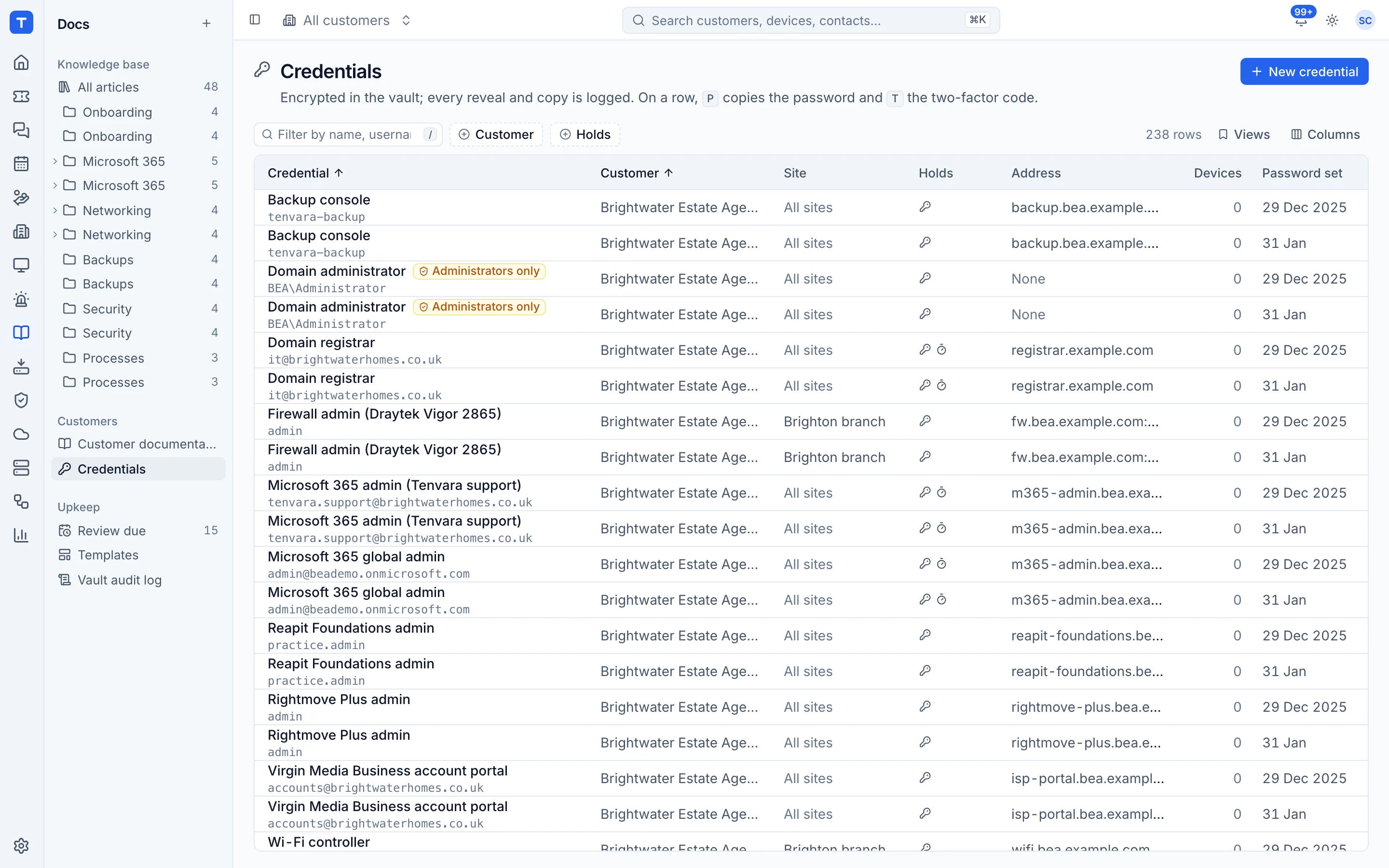
Add each credential with its two-factor secret, link it to the devices it is for, and mark break-glass accounts administrators only.
The credentials vault -
4
Set who can see credentials
Give the credentials permission only to the roles that need it.
Roles and permissions
KeeperMSP pricing
Keeper does not publish KeeperMSP pricing on its website; it is by quote, with a free trial.
Tenvara pricing
One subscription, per technician or per endpoint, hosted or self-hosted, with every feature in every plan.
See pricingQuestions
KeeperMSP vs Tenvara: FAQ
Only for your technicians' own vault of customer credentials. If you give customers' staff a password manager, keep Keeper for that.
Each secret is encrypted with AES-256-GCM under its own key, never appears in lists or search, and every reveal, copy and two-factor code is logged and rate limited.
More documentation and password comparisons
See Tenvara next to KeeperMSP.
A 30 minute walkthrough of the real product. Bring your list of what you use today and we'll show you where each part lives in Tenvara, and where it doesn't.
Comparison based on publicly available information as of September 2026. KeeperMSP is a trademark of its owner; Tenvara is not affiliated with it. Spotted something out of date? Tell us and we'll correct it.
Sources