Compare: Documentation and passwords
Hudu alternative: Tenvara
Hudu is a popular documentation platform for MSPs, with structured assets, a password vault, a knowledge base and checklists, available hosted or self-hosted. MSPs look at Tenvara when they would rather keep documentation in the same app as tickets, devices and monitoring. Like Hudu, Tenvara can be hosted or self-hosted, with the same features either way.
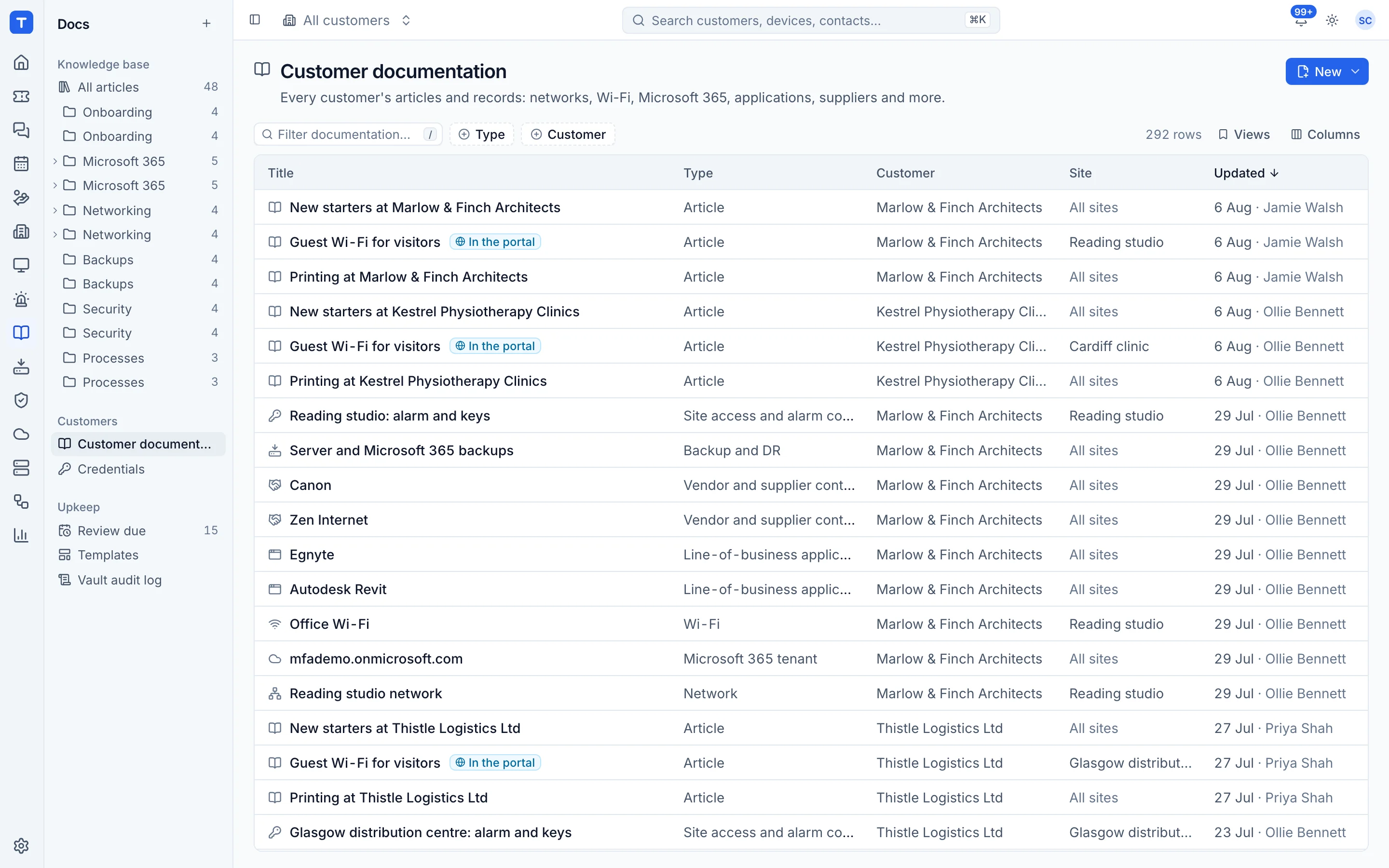
The tool today
What Hudu does
IT documentation, passwords and assets for MSPs, hosted or self-hosted, with a client portal. Made by Hudu Technologies. This is how the vendor describes it, in our words.
- Structured documentation with standard layouts and a drag and drop form builder.
- Company and personal credential vaults with one-time passcodes, role-based access and audit history.
- A knowledge base, plus checklists and SOPs for repeatable processes.
- IP address management, rack layouts and tracking of domains, certificates, warranties and renewals.
- A client portal with free read-only portal users.
- Cloud or self-hosted at the same price, with Hudu Radar network discovery as a paid add-on.
Side by side
Tenvara vs Hudu
The documentation and password jobs that matter most, and how each product handles them.
Knowledge base with versions
Knowledge base
Structured records with your own layouts
Asset layouts with a form builder
Credentials vault with one-time codes
Credential vaults with OTP
Audit of password access
Full audit histories
Help articles for customers
Client portal
Self-hosted option
Self-hosted at the same price
Tickets, devices and monitoring in the same app
Through PSA and RMM integrations
Add-on means the vendor sells it as a separate product or paid extra. Hudu details come from the vendor's own website, see sources.
The one-app pitch
What else you'd replace
Most MSPs running Hudu pay for several other tools beside it. Tenvara does these jobs too, on the same customer record, with one agent and one login.
See every comparisonSwitching
Moving from Hudu
A calm move, not a big bang. Run both side by side until your team is happy.
-
1
Set up customers, sites and contacts
There is no import from Hudu, so start with the customers, sites and contacts your documentation will belong to.
Customers, sites and contacts -
2
Match your asset layouts to templates
Change the built-in templates or add your own so each Hudu asset layout has a home.
Templates -
3
Deploy the agent
Install the agent so devices appear, ready to link credentials and records to.
Installing the agent -
4
Add credentials and key articles
Move credentials customer by customer and copy across the articles your team uses most.
The credentials vault -
5
Run both, then switch
Keep Hudu read-only while the team works from Tenvara, then cancel once nothing is missing.
Hudu pricing
Hudu publishes its prices on its website. Check its pricing page for current prices and terms.
Vendor pricing pageTenvara pricing
One subscription, per technician or per endpoint, hosted or self-hosted, with every feature in every plan.
See pricingQuestions
Hudu vs Tenvara: FAQ
Yes. Tenvara runs hosted or on your own Linux server with Docker Compose, with the same features either way.
Credentials have their own permission, separate from articles, and break-glass accounts can be marked administrators only so nobody else sees them at all.
More documentation and password comparisons
See Tenvara next to Hudu.
A 30 minute walkthrough of the real product. Bring your list of what you use today and we'll show you where each part lives in Tenvara, and where it doesn't.
Comparison based on publicly available information as of September 2026. Hudu is a trademark of its owner; Tenvara is not affiliated with it. Spotted something out of date? Tell us and we'll correct it.
Sources