Tenvara for IT teams
Your service desk, and everything it looks after.
ITSM tools usually stop at the ticket. Tenvara also manages the computers, patches them, backs them up, runs your Microsoft 365 tenant, watches for threats and keeps the passwords, in the same app and on the same records.
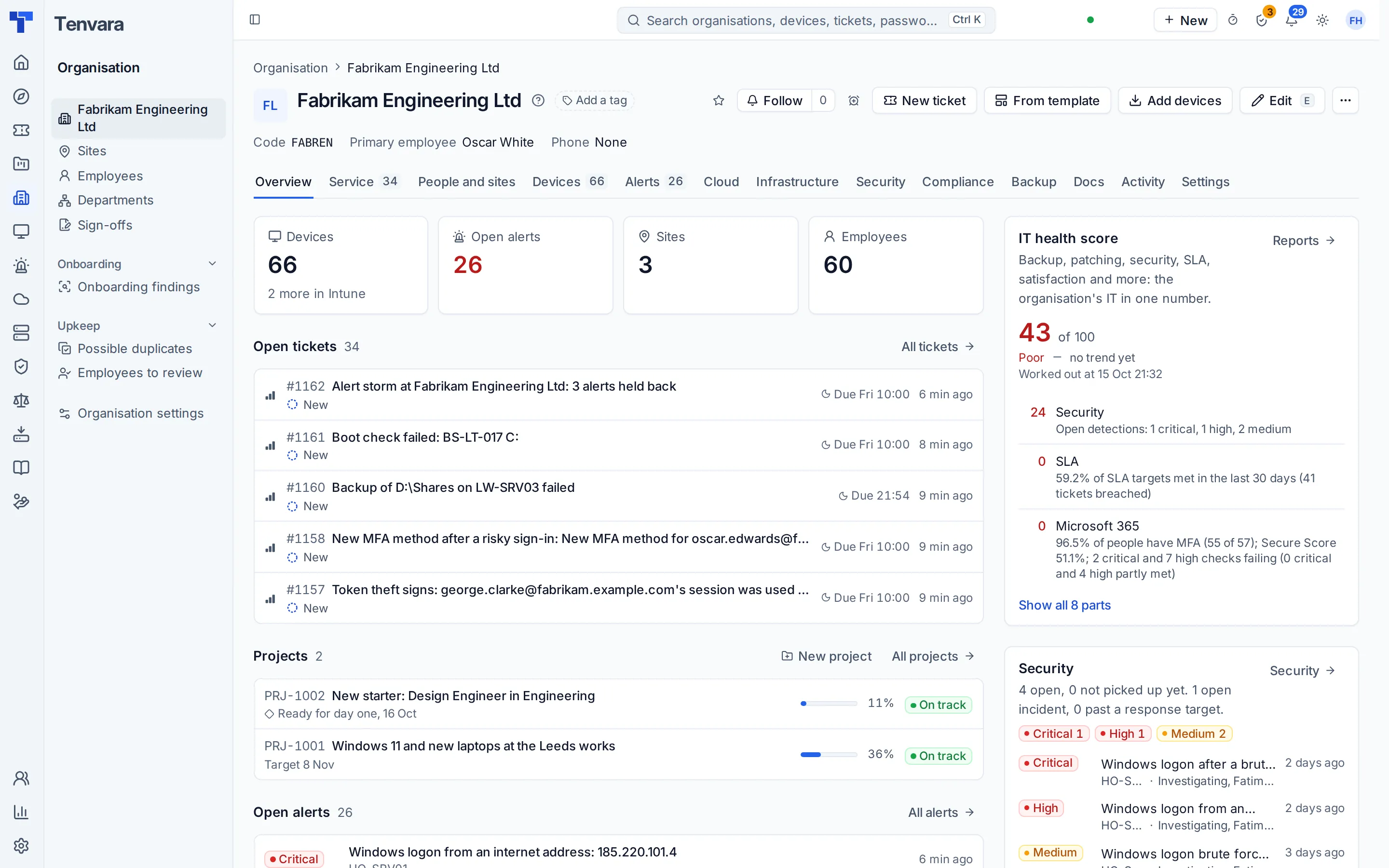
One record, one agent
When the ticket, the device, its patches, its backups and its security events live in one place, your team fixes things instead of hunting for them.
Act from the ticket
Remote in, run a script, back up now or patch the device from the ticket, the alert or the device itself.
One alert list
Monitoring, backup, Microsoft 365, security and infrastructure raise alerts into the same list, and alert rules turn them into tickets.
One agent
A single signed agent for Windows, macOS and Linux, with each feature switched on by policy rather than by installing something else.
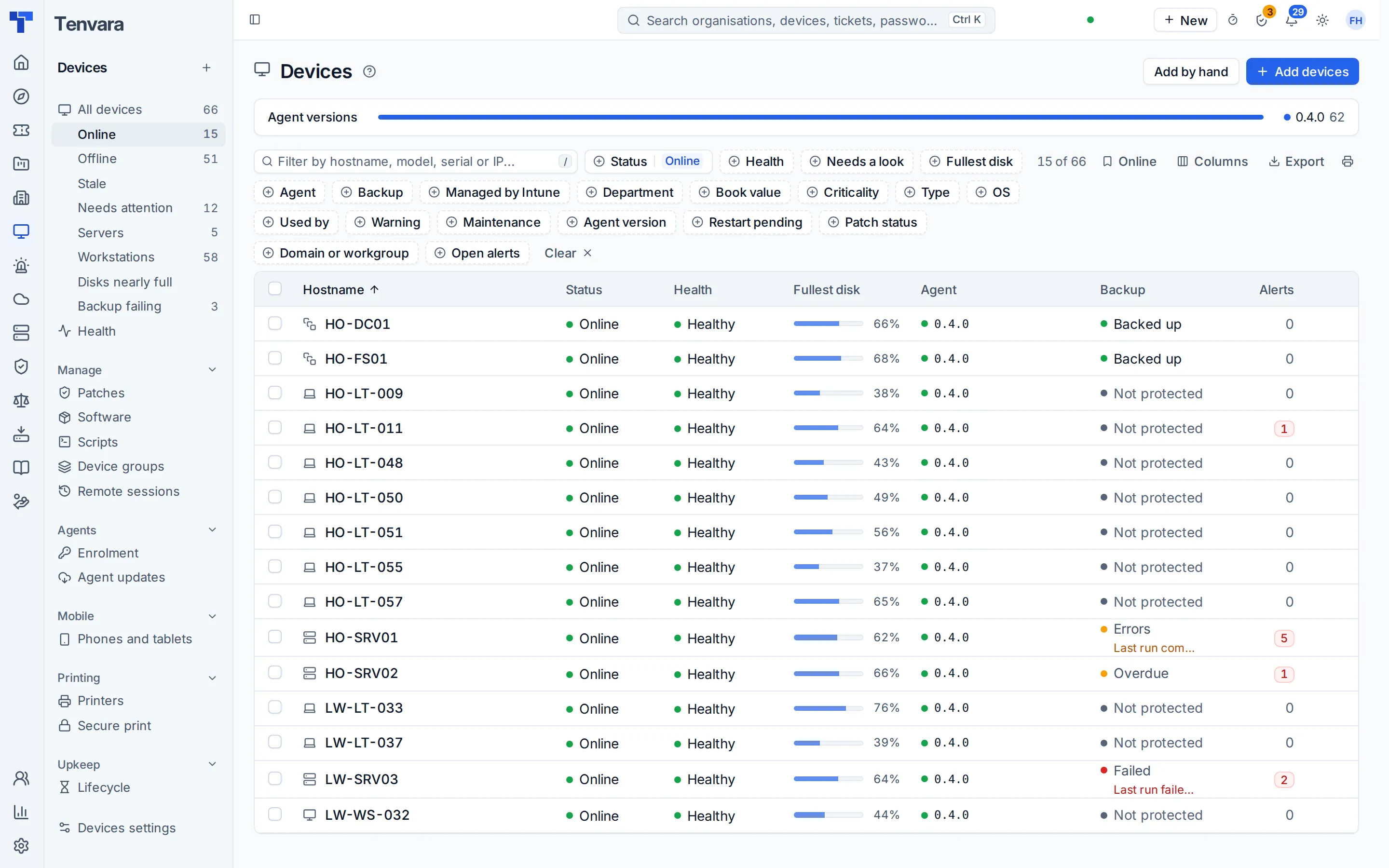
Endpoint management and monitoring
One signed agent for Windows, macOS and Linux keeps every computer's inventory, health and alerts in the same records your service desk uses. Checks, thresholds and maintenance windows come from policy, and every alert says what raised it and offers the fix.
- Health, events, processes and services for every device
- Alerts that raise tickets by rule
- A Lite agent for Windows 7 to Server 2012 R2
- Phones and tablets with Apple and Android management
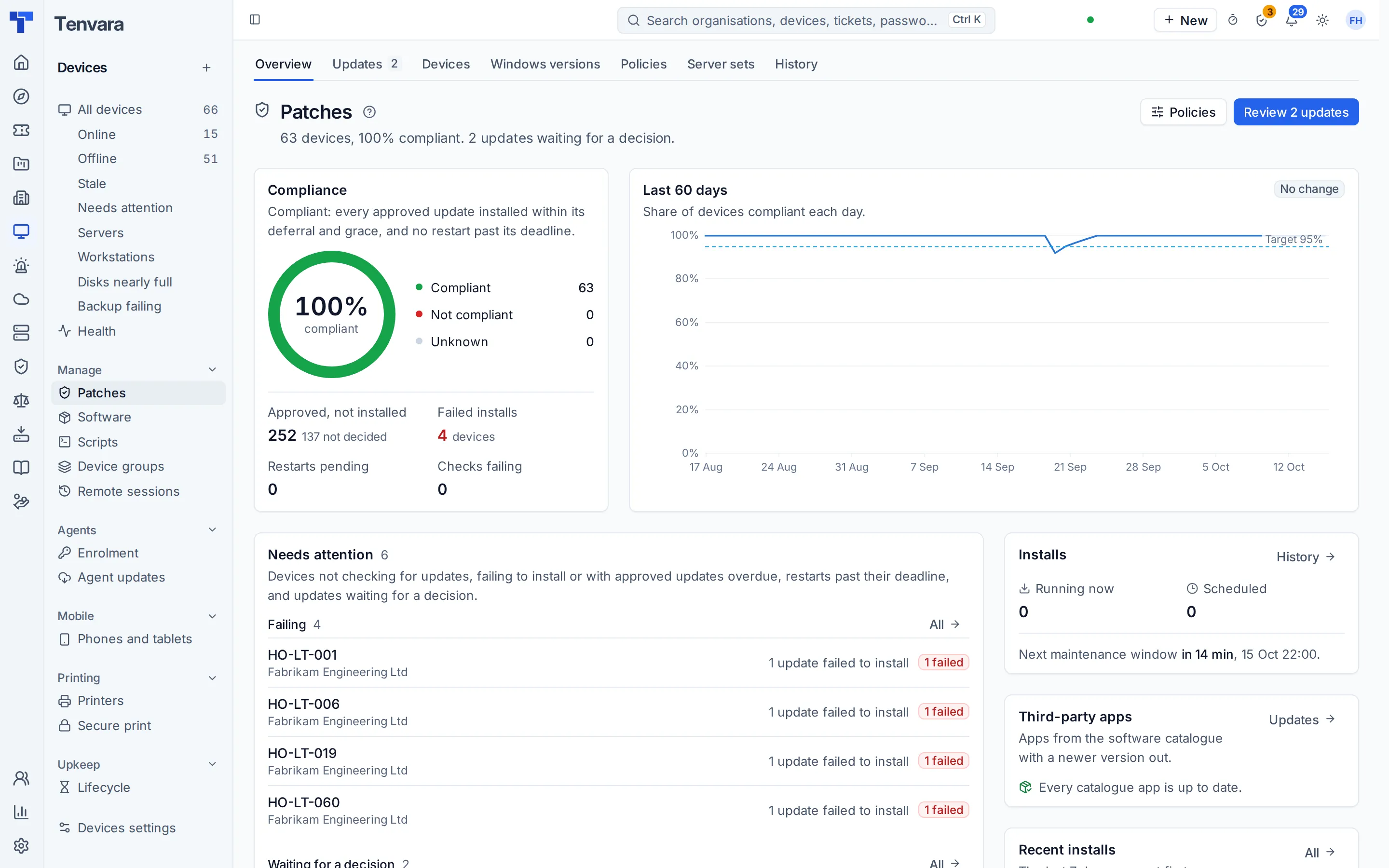
Patching and software deployment
Approve operating system updates and install them in maintenance windows by policy, with scripts before and after. Deploy apps singly or in bundles, see everything installed across the estate, and remove what should not be there.
- Patch policies, windows and compliance
- Server sets so pairs and clusters never patch together
- A software catalogue with bundles and app updates
- Unwanted software found and removed
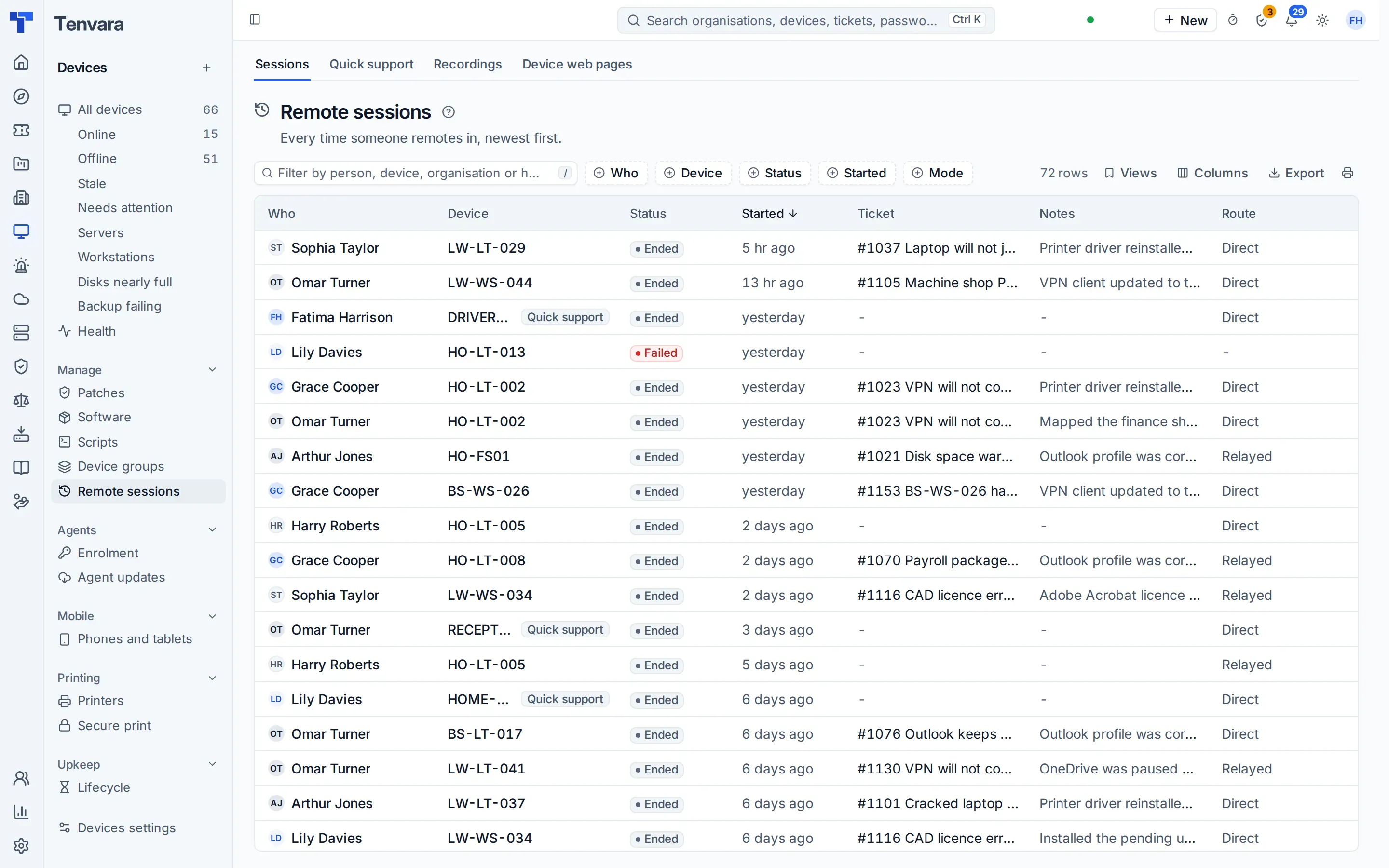
Remote support
Remote in from the ticket, the device or the alert, with file transfer and recording. Scripts run on one device or many from a signed library, and the Toolbox fixes things in the background without interrupting the person at the keyboard.
- Remote control with file transfer and recording
- A script library, run now or on a schedule
- Background tools and a terminal
- Admin elevation on request
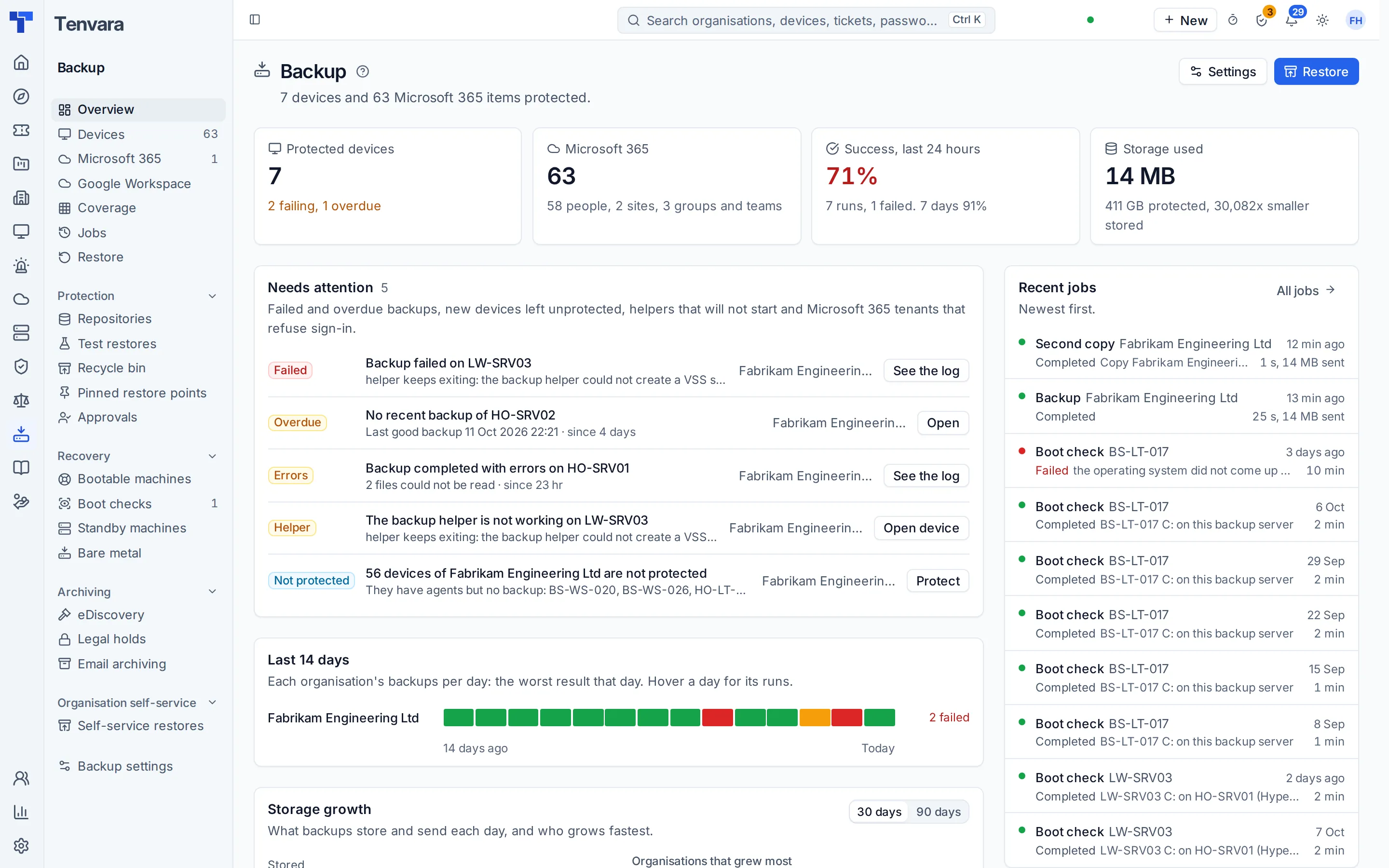
Backup for devices, servers and Microsoft 365
Back up computers, servers, whole Macs and Microsoft 365 with the same agent and the same alert list. Test restores and boot checks prove a backup will come back, immutable copies keep it safe, and one search finds a file in every backup you hold.
- Devices, servers, Macs, Microsoft 365, Entra ID and Google Workspace
- Immutable backups and test restores
- Bare metal and instant recovery
- Restores can be scanned for malware first
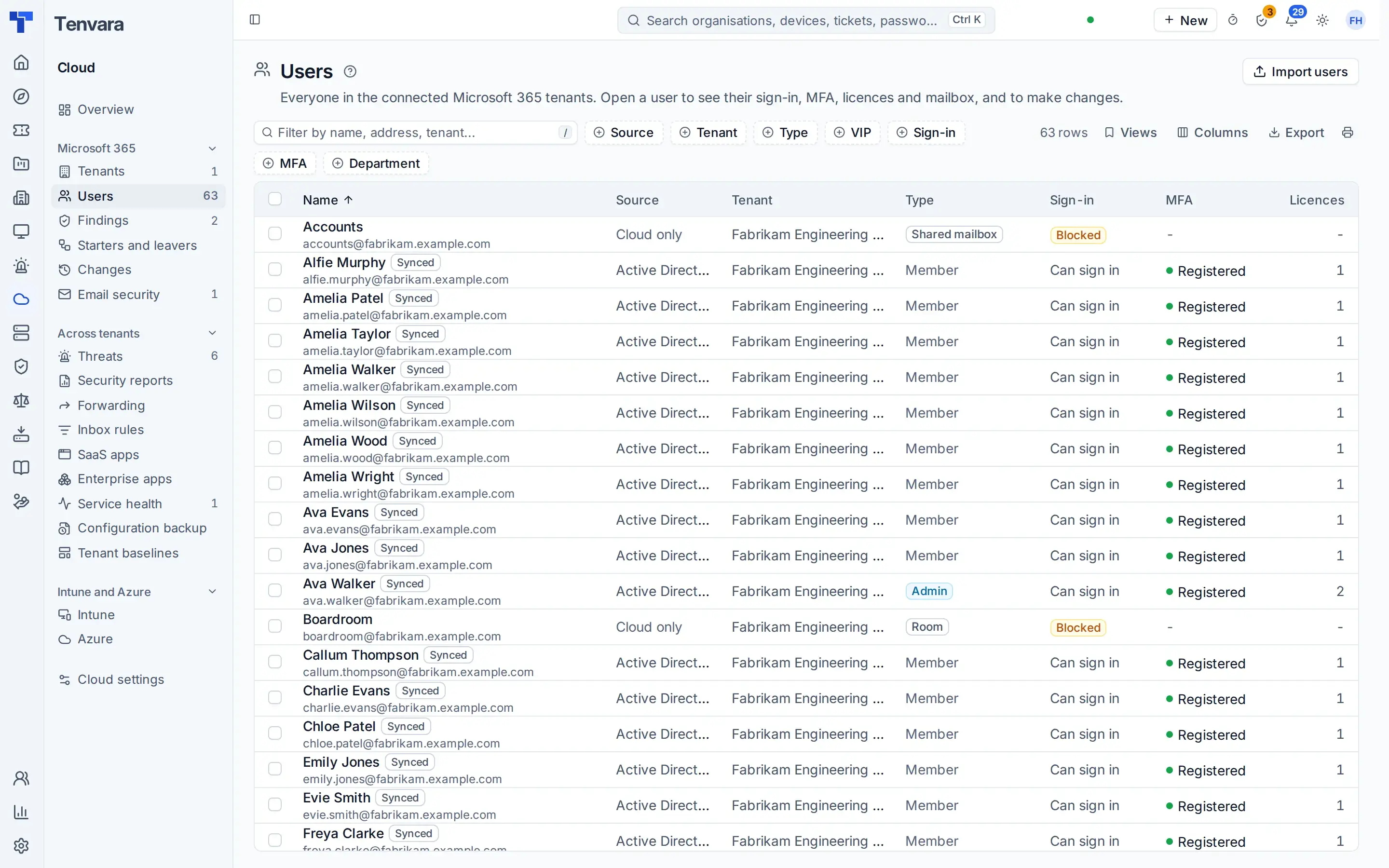
Microsoft 365 and Intune
Connect your own tenant once, with nothing to map. Employees, licences and security settings arrive by themselves. Check the tenant against recognised benchmarks, deploy your own baselines and put drift right, manage Intune and Autopilot, and run starters and leavers the same way every time.
- Users, groups, mailboxes and licences
- Security findings, baselines and drift
- Intune, Autopilot and the OpenIntuneBaseline
- Starters and leavers, and email security
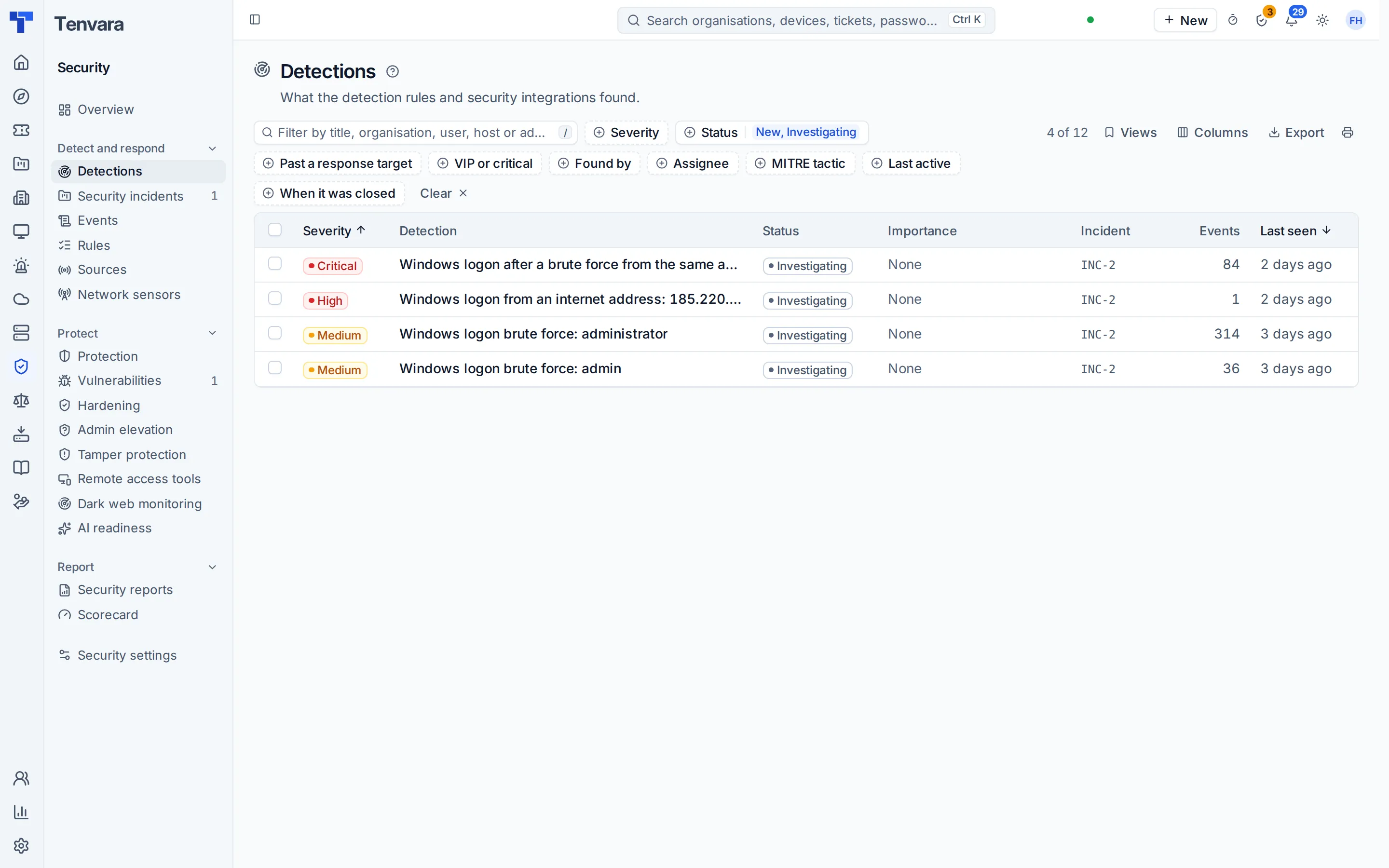
Security monitoring and vulnerabilities
The agent ships the logs and your tenant sends sign-in signals, and detection rules raise what matters with the device, the user and the evidence attached. Vulnerabilities carry the operating system vendor's own rating and fix state, and the To do list groups them by the one update that fixes them. The remote access tool finder shows tools nobody approved.
- Detections from devices and Microsoft 365 in one queue
- Vulnerabilities grouped by the update that fixes them
- Remote access tools found, allowed or removed
- Cyber Essentials readiness
And the rest
More of what IT needs, already in the box.
Device hardening
Choose settings from the library or start from a baseline, audit first, then enforce in rings and roll back in one click. Drift raises an alert, and BitLocker recovery keys are collected into the vault by the agent.
- Audit before you enforce
- Rings and one-click rollback
- Group Policy and Intune
- BitLocker recovery keys in the vault
Documentation and the password vault
Structured documentation and one encrypted credentials vault, beside the tickets and devices they describe. Records link to devices and to each other, every reveal is audited, and passwords can be rotated on a schedule. Sign-up addresses give vendor accounts an address of your organisation's own, so their codes and renewals land with your documentation and never become tickets.
- Records from templates, related on a map
- One credentials vault with every reveal audited
- Password rotation and privileged access
- A browser extension with one policy for everyone
- Sign-up addresses for vendor accounts
Network, infrastructure and printers
A probe at each site scans the network and draws its topology, SNMP watches switches and firewalls, and every certificate Tenvara checks, from websites, domains and devices, sits in one list with the soonest to expire first. Hypervisors, Docker hosts and Remote Desktop Services deployments sit in the same place, and printers are added, deployed and watched for toner and faults.
- Network discovery and a topology map per site
- SNMP monitoring, domains and one list of certificates
- Proxmox and Hyper-V hosts
- Docker hosts with their containers, updates and roll back
- Virtual desktops on Remote Desktop Services: sessions, connection quality and published apps
- Printers, drivers, secure print release and scanning
Projects
Internal projects with phases, tasks, dependencies and templates, on a board or a timeline, with time logged as effort. Software projects get sprints, Kanban and releases with release notes.
- Phases, tasks and dependencies
- Board, timeline and My work
- Project templates for the jobs you repeat
- Sprints, Kanban and releases
Governance and compliance
Your organisation's own programme: frameworks and controls, policy documents under control, a risk register, audits, evidence that collects itself and awareness training. Sign-offs record a director accepting a risk or an employee acknowledging the acceptable use policy.
- Frameworks, controls and policy documents
- Risk register and Statement of Applicability
- Cyber Essentials and awareness training
- Internal sign-offs with a certificate
The Tenvara app
Tickets, alerts, devices, remote control and credentials on iPhone, iPad and Android, with offline working and a biometric lock, for when your team is between sites.
- Tickets and alerts on the go
- Remote control from your phone
- Docs and credentials
- Works offline
The stack you would otherwise buy
Eighteen kinds of tool. One app.
An internal IT team often runs a separate product for each of these, each with its own contract, sign-in, agent or integration. Here is what Tenvara does in each place instead.
IT service management
Incidents, requests, problems, changes, SLAs and the service catalogue
Self-service portal
The employee portal, with manager approvals
Endpoint management and monitoring
One agent for Windows, macOS and Linux
Patch management
Patch policies, windows and server sets
Software deployment
A software catalogue, bundles and app updates
Remote support
Remote control with file transfer and recording
Device and server backup
Backup on the same agent
Microsoft 365 backup
Microsoft 365 and Entra ID backup
Microsoft 365 and Intune management
Your own tenant, baselines and drift
Security log monitoring
Detections from devices and Microsoft 365
Vulnerability scanning
Vulnerabilities grouped by the update that fixes them
Documentation
Structured records related on a map
Password manager for IT
One encrypted, audited credentials vault
Status page
Your status page, fed by monitoring
On-call and paging
Rotas, escalation policies and pages
Purchasing and IT spend
Purchase requests, orders and spend by department
Project management
Internal projects with a board and timeline
Compliance management
Your own governance programme
Weighing Tenvara against the ITSM tool you have, or the ones on your shortlist? Our comparison pages set the features side by side, area by area. Wondering what one platform means for your risk? Read one platform, not one risk.
Tenvara for IT teams
Who it is for, the employee portal and manager approvals, hosting, security and the questions IT leaders ask.
In the knowledge base
The Company edition guides
The organisation, departments and employees, the employee portal, purchasing and IT spend.
One app for the whole IT team.
Tenvara for IT teams is in early access. Apply and tell us which tools you run today, or get launch updates by email and hear first when pricing for IT teams is announced.