Projects
Projects that run on the same customer record as everything else
Onboardings, migrations, server replacements and office moves, planned with phases, tasks and dependencies, tracked against time and budget, and billed through the same contracts and invoices as the rest of your work. Customers follow progress and sign off milestones in their portal.
Plan it properly
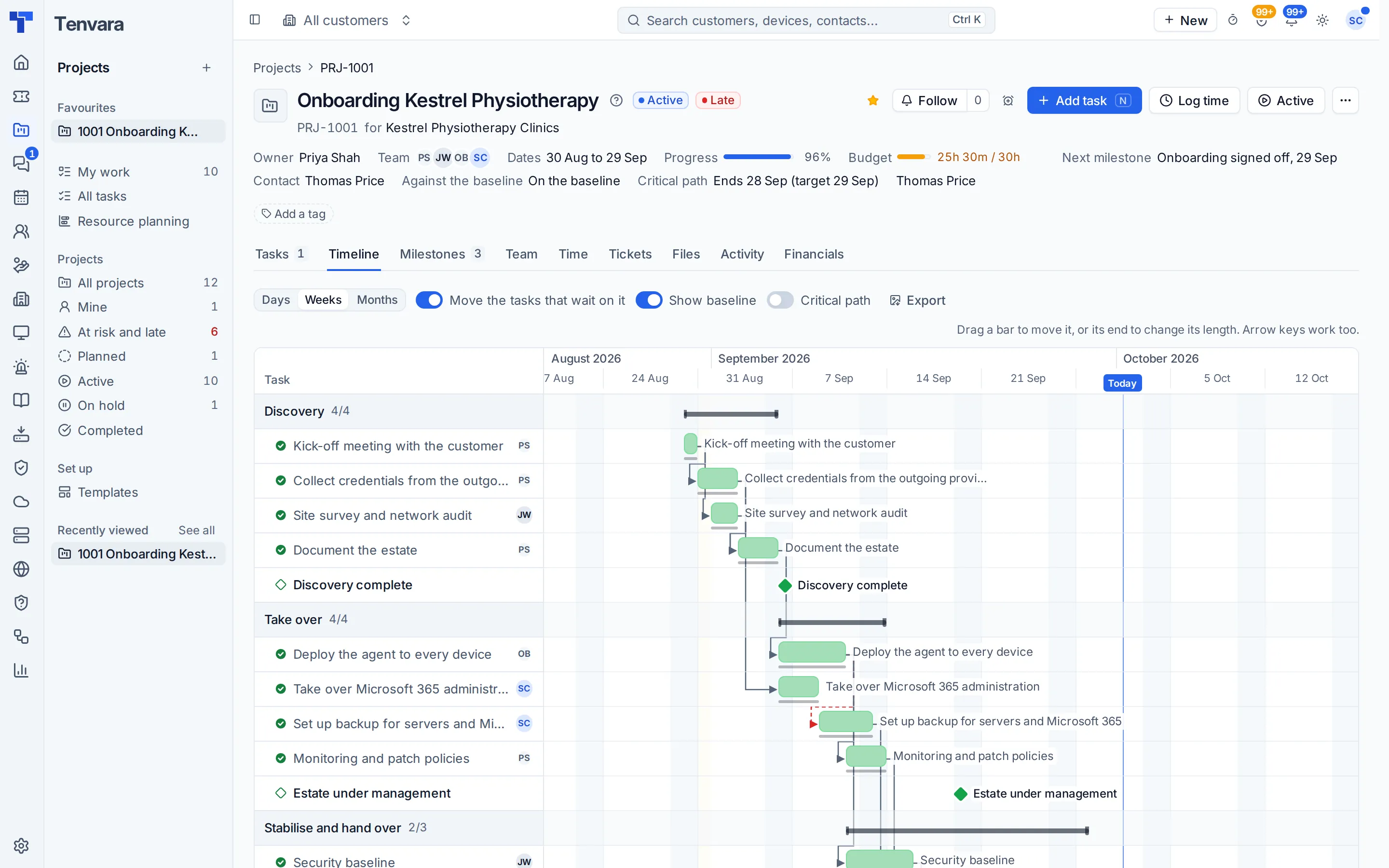
Phases, milestones and tasks with estimates, checklists and finish-to-start dependencies that move with the plan.
Templates that do work
Six starters to begin from, and template tasks that run a script or deploy software through the agent.
Health you can trust
Worked out from dates, budget burn and overdue tasks, with the reasons shown and baselines to measure slip.
Billed without retyping
Time and materials, fixed price milestones or against a contract, through the same invoices.
A timeline you can drag
See every phase and task on a timeline with dependency arrows. Drag a bar to move it and the tasks that wait on it move too. Switch to the board or a list by phase, and everyone sees their tasks and tickets together in My work.
- List, board and timeline views
- Dependencies with loops refused
- Baselines that show slip
From the quote to the go-live
Accepting a quote creates the project from its template with the budget already set. Book tasks onto the dispatch board, log time against tasks through the same timesheets, plan the team week by week, and turn a task into a ticket when it needs one.
- Projects from accepted quotes
- Resource planning per person and week
- Automation triggers for tasks and milestones
Customers see progress, not spreadsheets
The portal shows each project's progress, the milestones that need the customer's sign-off and the tasks you choose to share. Milestones are signed off or declined with a typed name, and a short survey at the end tells you how it went.
- Milestone sign-off in the portal
- Comments on shared tasks
- Close surveys and status summaries
In the knowledge base
See exactly how it works
Tenvara is coming soon.
We're inviting MSPs to the beta in small groups. Apply to join, or get launch updates by email and hear first when pricing is announced.