The Tenvara app
Your whole MSP, in your pocket.
Tickets, alerts, devices, remote control, credentials and today's visits, on iPhone, iPad and Android. The same Tenvara your team uses at their desks, built properly for the phone.
Available to beta customers. Ask us for access
Built for technicians
The job rarely waits until you are back at your desk.
A customer rings while you are on site. A server alert lands on the train home. Someone needs the Wi-Fi password now. The Tenvara app puts the real platform in your hand, with the same customers, tickets, devices and permissions, so you deal with it there and then.
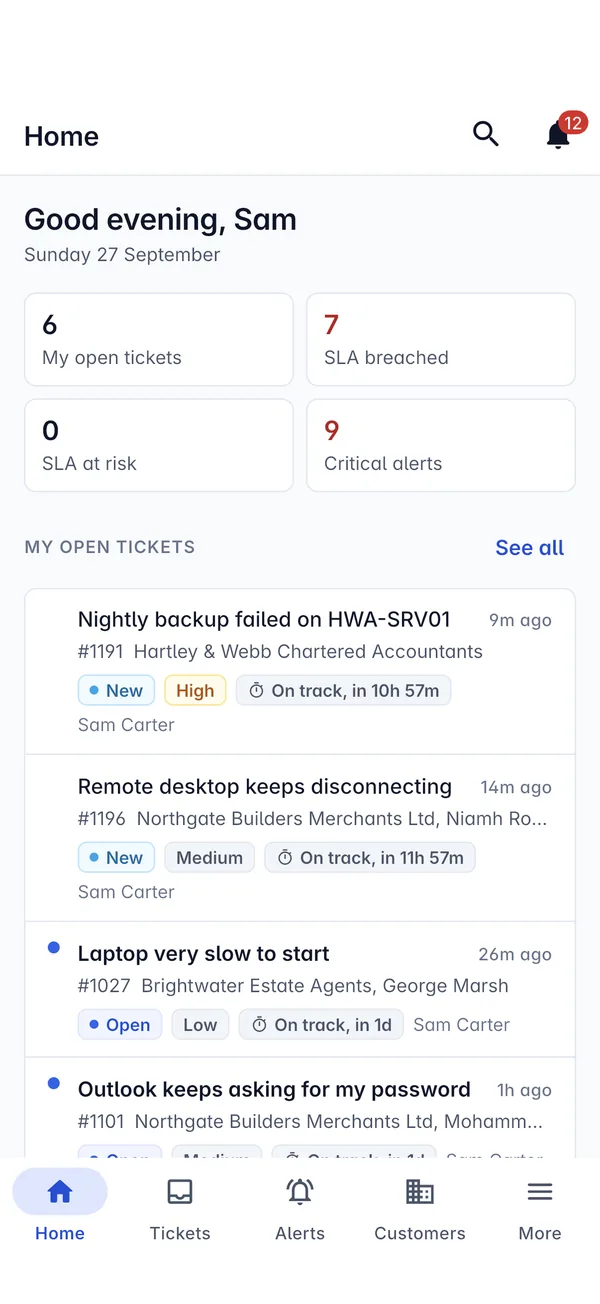
Tickets
Answer the customer from the car park.
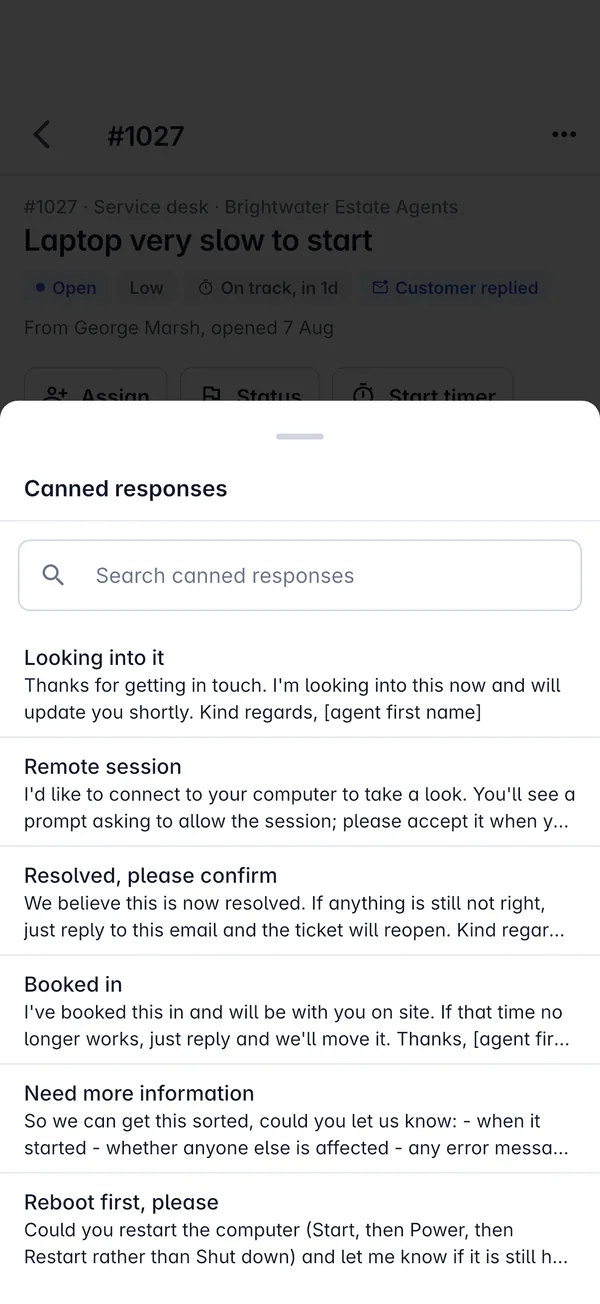
Your inbox, your queues and every ticket's full conversation, with the same actions you use at your desk.
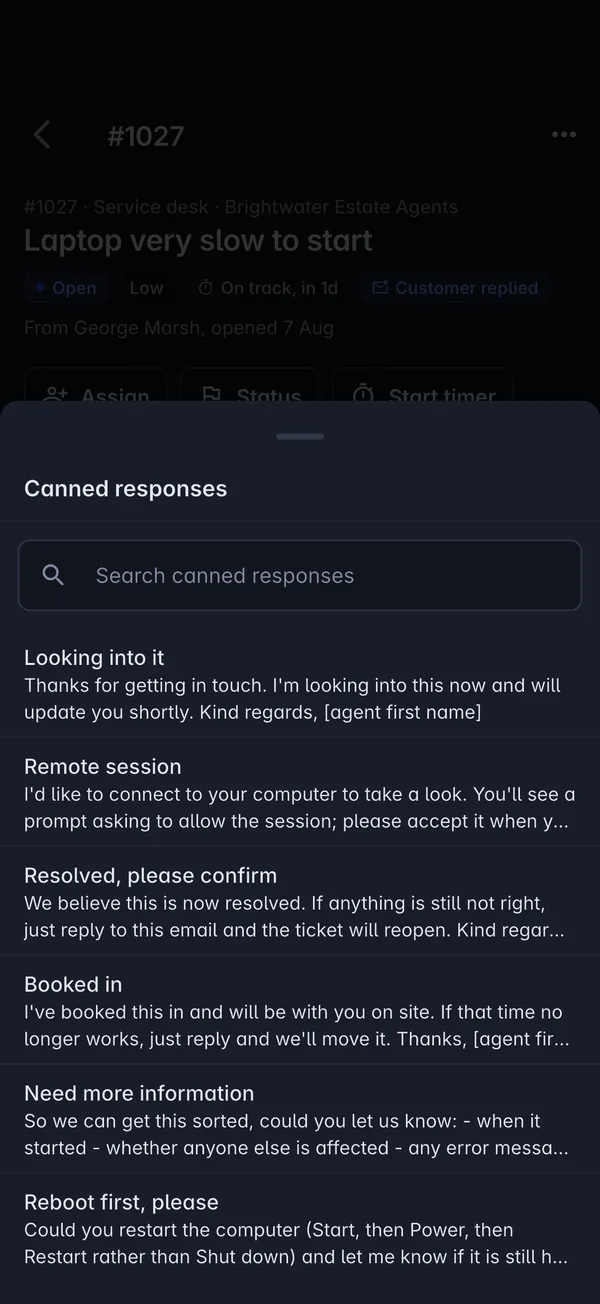
- Reply to the customer or add an internal note, with canned responses one tap away
- Assign, change the status and log time, or run a timer while you work
- Raise a new ticket and add photos straight from the camera
- Filter by status, priority, queue and assignee, and see SLA targets at a glance
Alerts
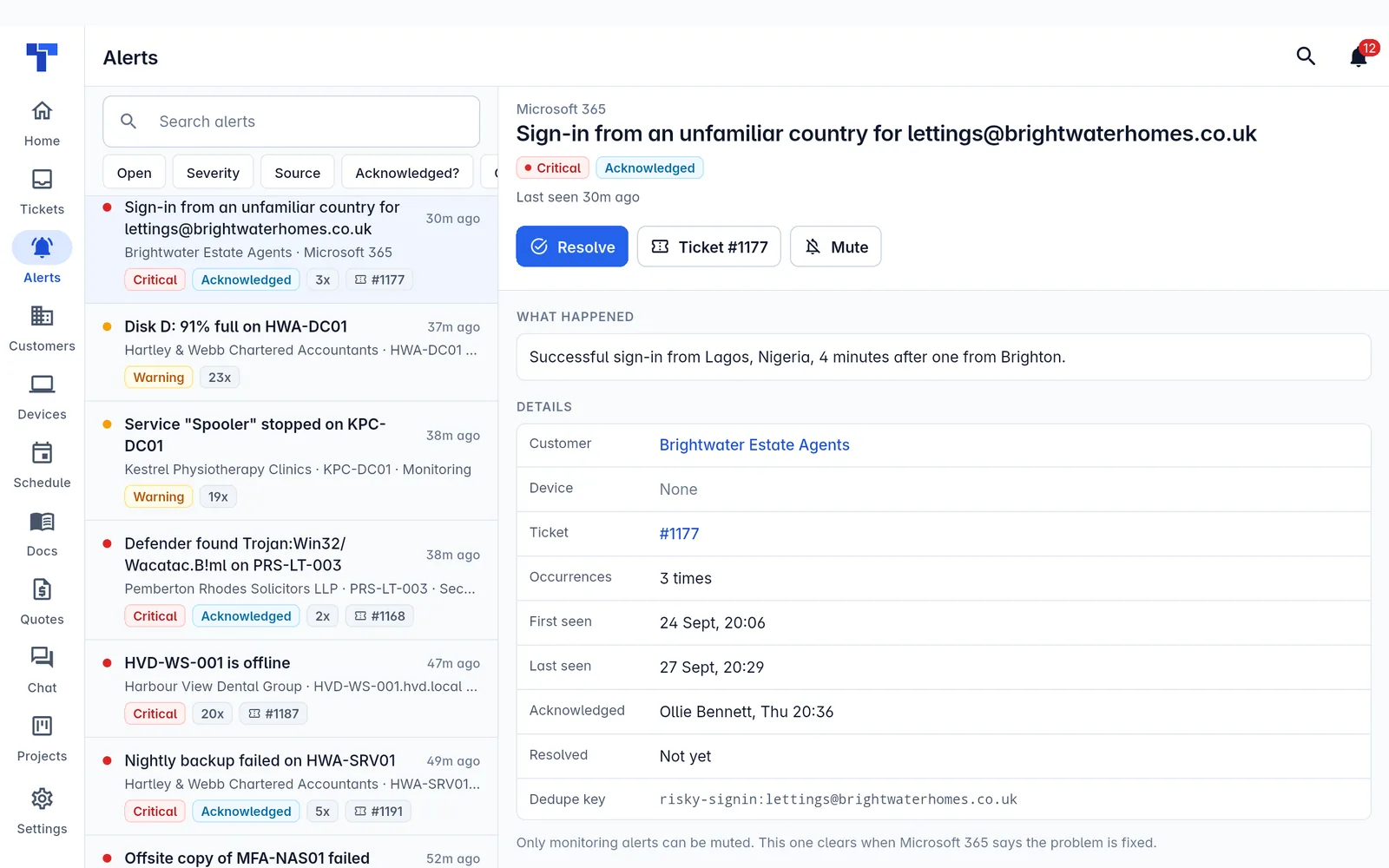
Deal with the alert, wherever it finds you.
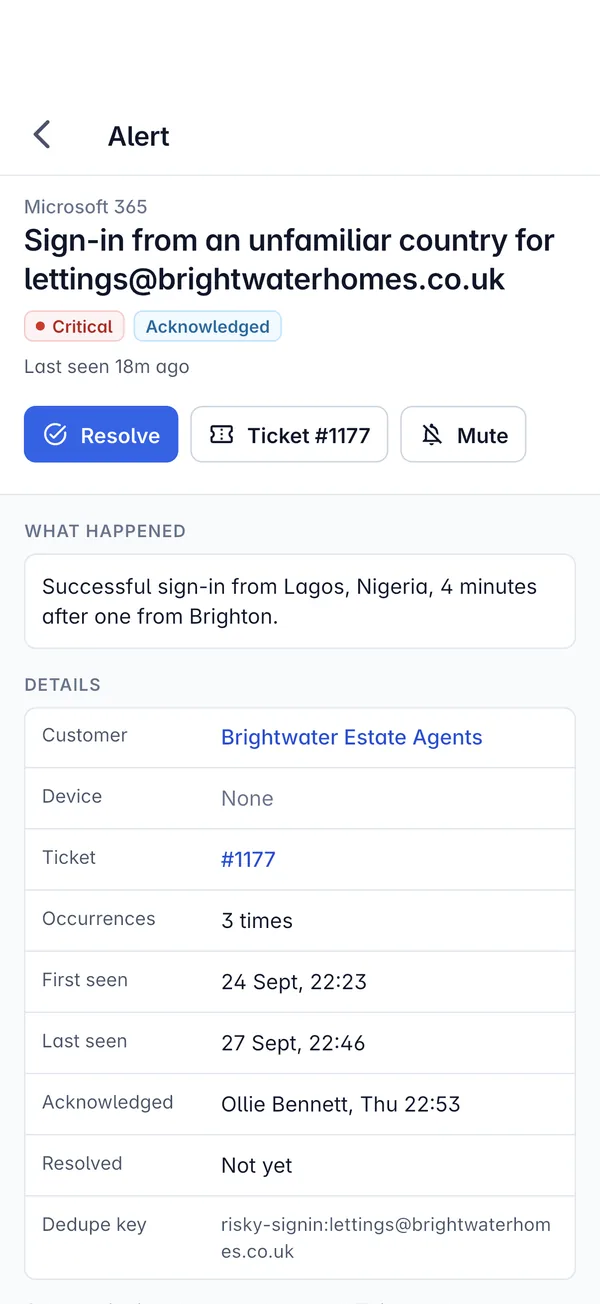
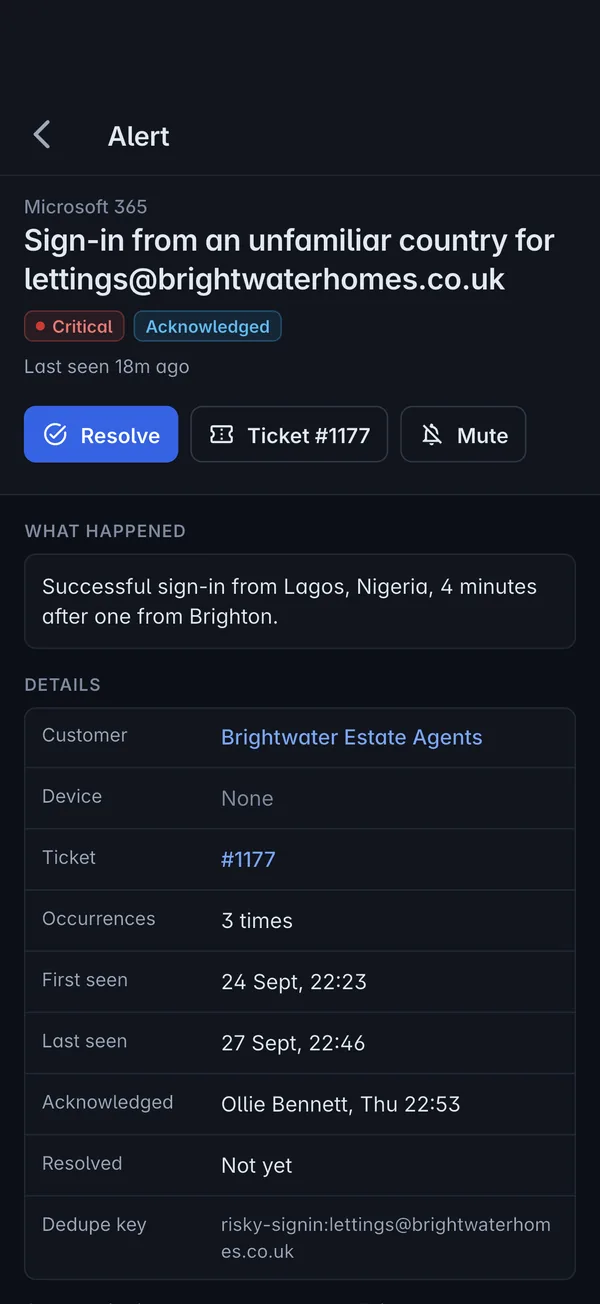
See what happened, on which device and for which customer, and act on it in a couple of taps.
- Filter open alerts by severity, source and whether they are acknowledged
- Acknowledge, resolve or mute, with the full history of every occurrence
- Raise a ticket from the alert, already linked to the customer
- Critical alerts and SLA breaches counted on Home as you open the app
Devices and remote control
Fix the machine without finding a laptop.
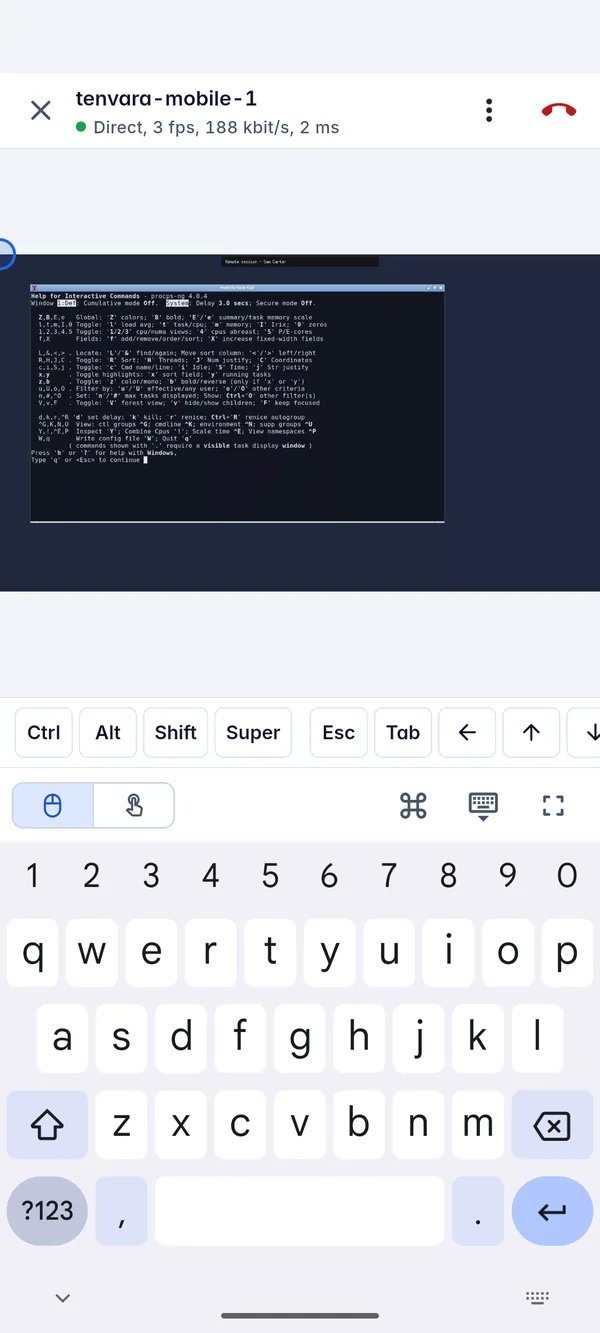
Every device you manage, with its details and the actions that matter, including a live remote session from your phone.
- Search devices by hostname, IP, serial or customer, and filter by online or offline
- Run a script from your library, patch now or restart
- Remote in to the screen with touch or trackpad control and a key row for Ctrl, Alt, Esc and Tab
- The same consent rules as the web, so the user approves when your settings say so
Docs and credentials
The password you need, behind your face or fingerprint.
Customer articles, records and the credentials vault, ready on site when the customer asks the awkward question.
- Read knowledge base articles and customer records, with search and folders
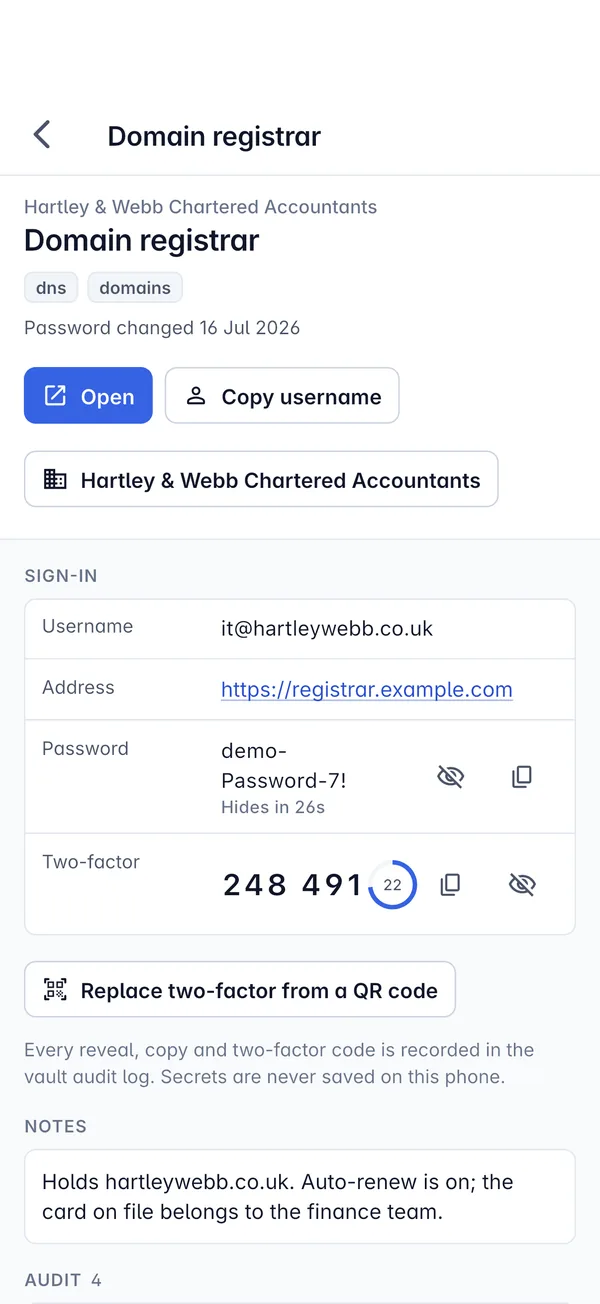
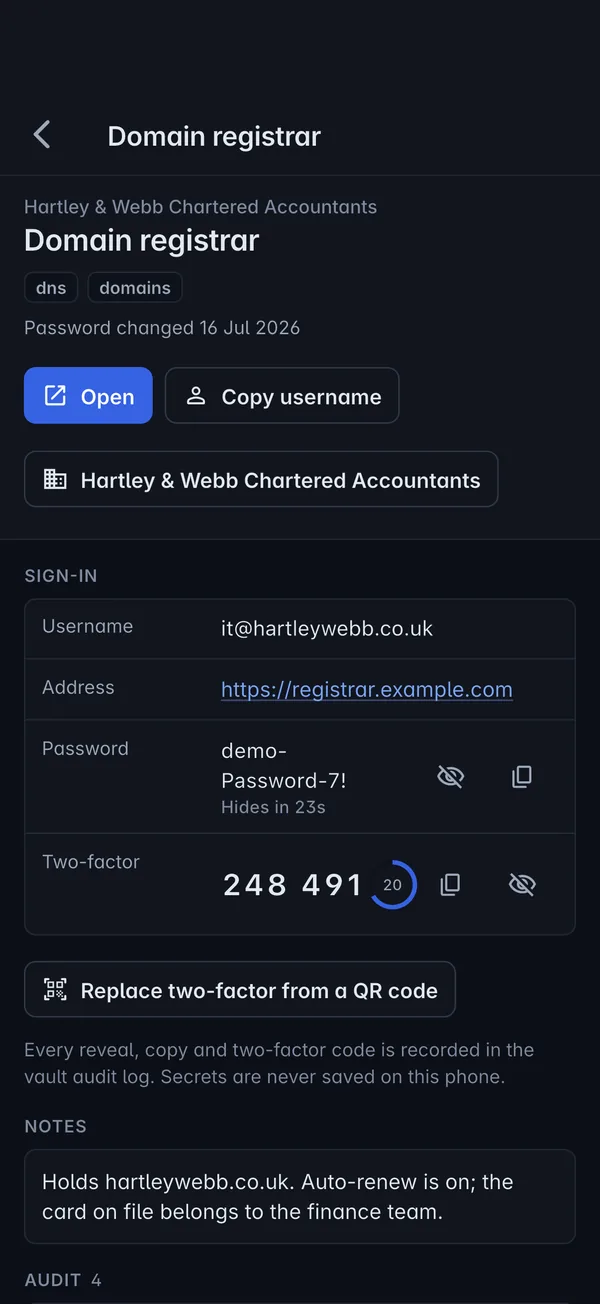
- Reveal a password or copy a username after Face ID or a fingerprint
- Live two-factor codes from the vault, with the time left on each
- Every reveal and copy recorded in the vault audit log, and secrets never saved on the phone
Schedule and visits
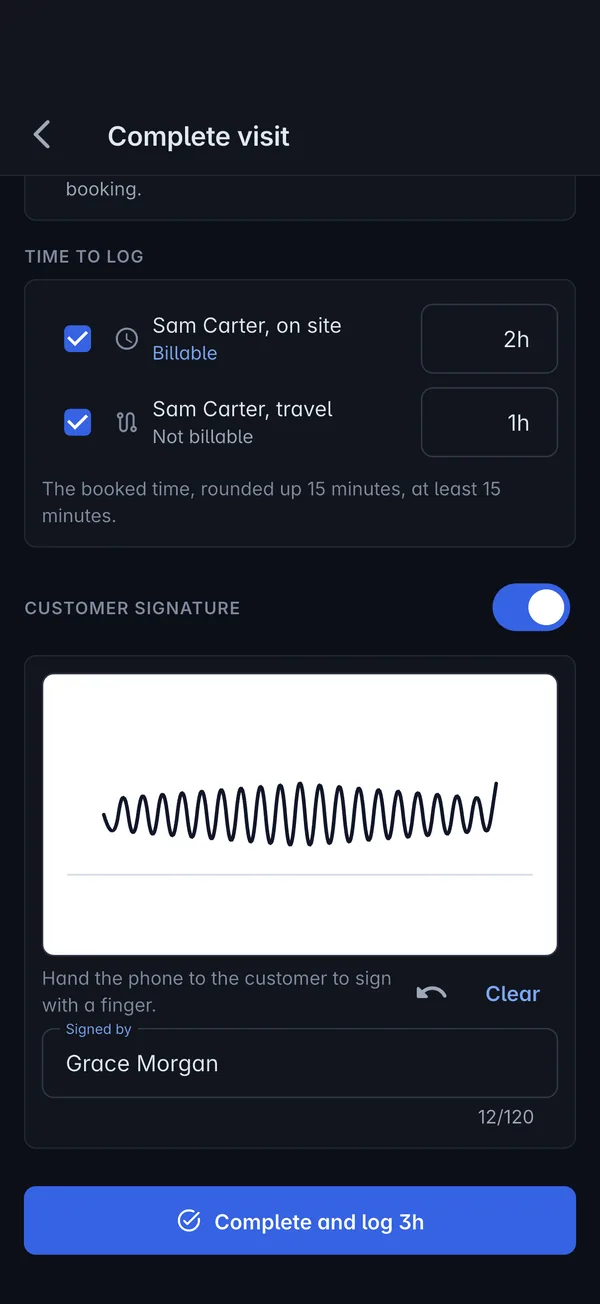
Check in, get it signed, log the time.
Your day's jobs with the address, contact and ticket, and a finish that does the admin for you.
- Today's bookings with directions, the contact to call and the linked ticket
- Check in when you arrive, or record no access
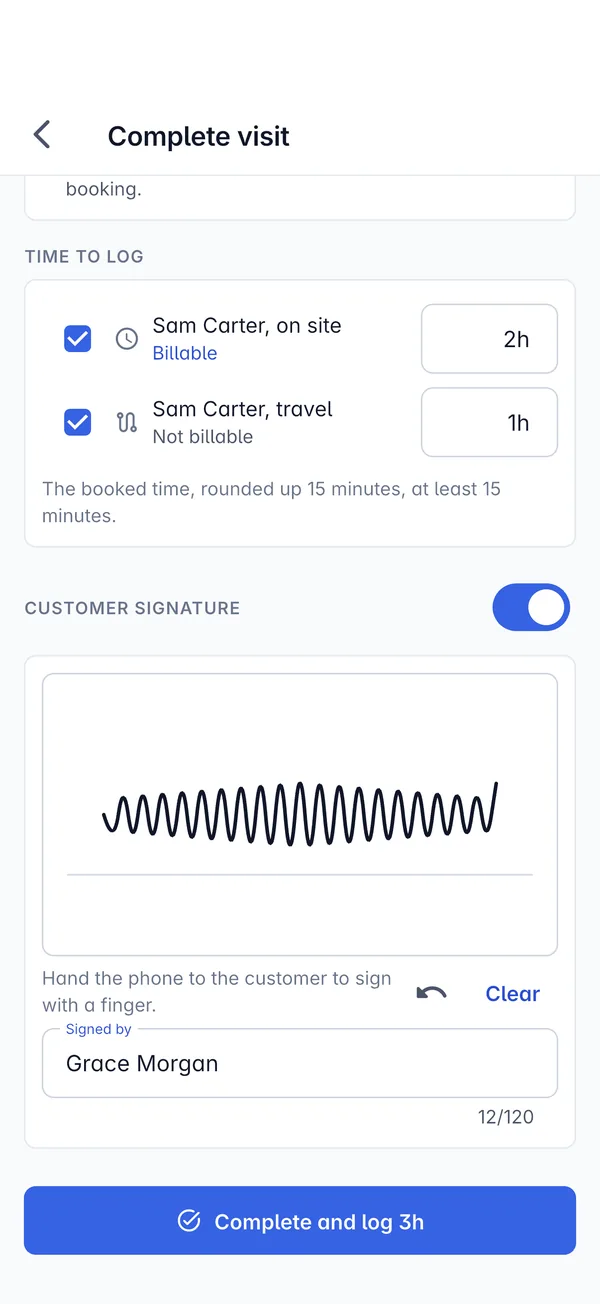
- Complete the visit and log time on site and travel in one step
- Hand the phone over for the customer's signature with their name
And the rest of your day
Everything else a technician reaches for.
The app covers the parts of Tenvara people need away from their desks, laid out for a thumb rather than a mouse.
Customers, sites and contacts
Call, email or get directions from the record, see the people at each site and their open tickets.
Read the guideQuotes
Look up a quote with its totals and monthly services, open the PDF and send it again.
Read the guideProjects
My work across projects, task details, status changes and time logged against tasks.
Read the guideChat
Go available, accept a waiting chat, reply with canned responses and turn it into a ticket.
Read the guideSearch everything
One search across customers, tickets, alerts and contacts.
Read the guideYour notifications
Assignments, customer replies and project updates in one list, with Mark all read.
Read the guidePhone and tablet layouts
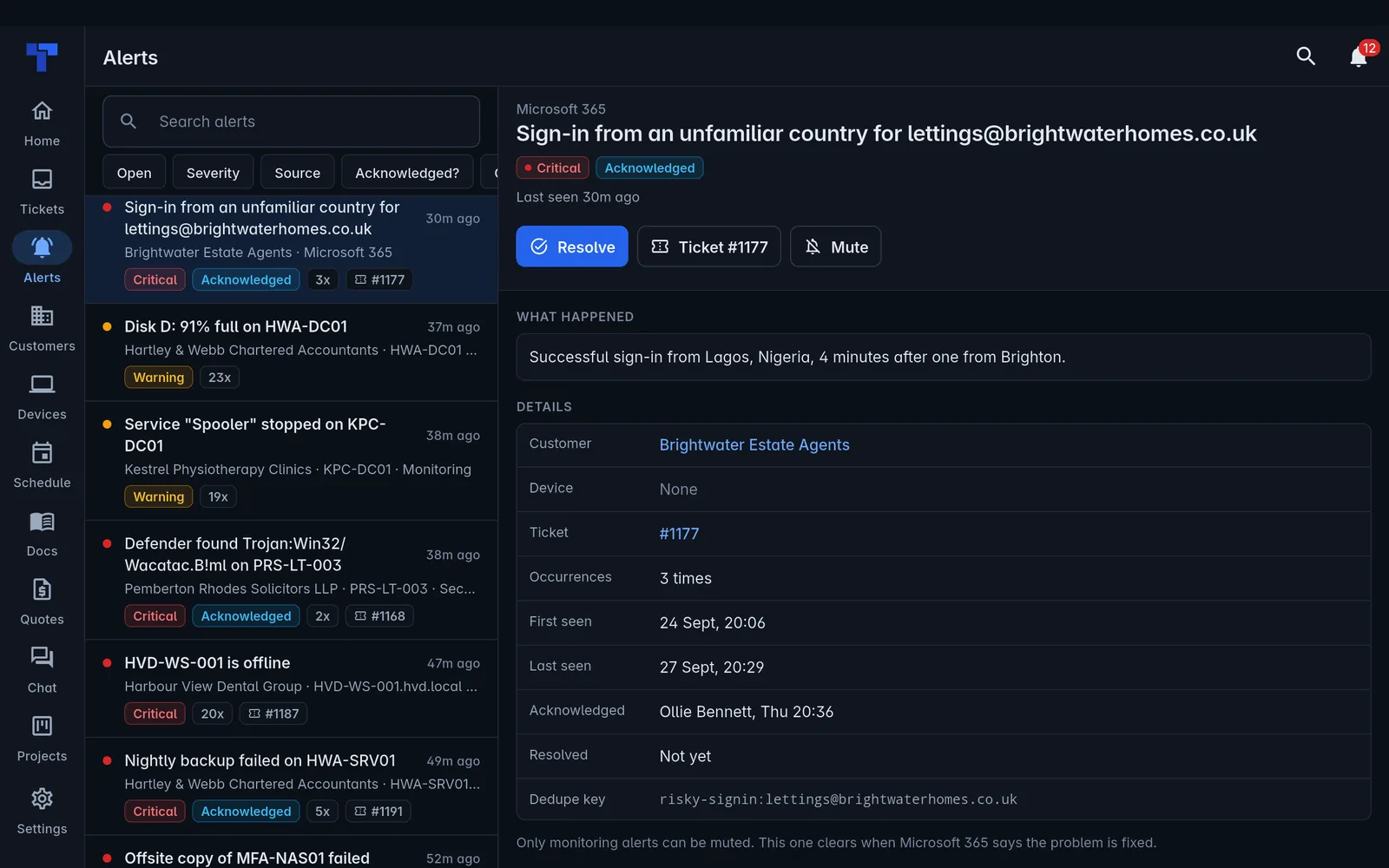
A bottom bar on phones, and a side rail with lists and details side by side on tablets.
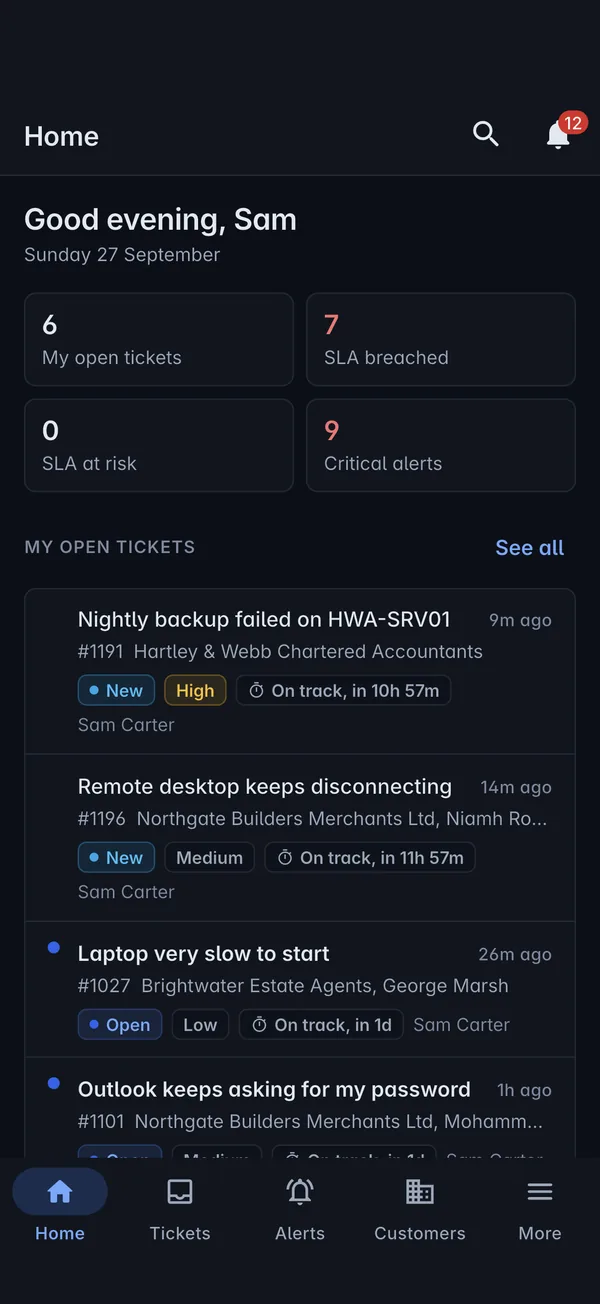
Read the guideLight and dark
Choose light or dark in Settings, whichever suits the room you are in.
Read the guideWorking offline
No signal in the comms cupboard? Keep working.
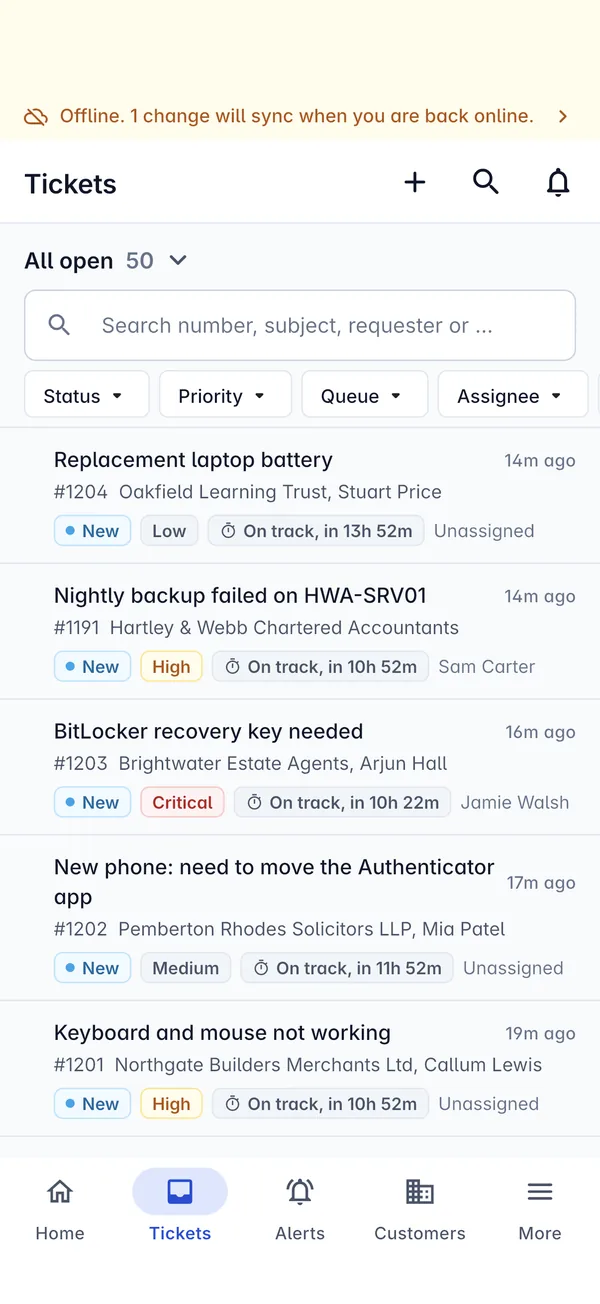
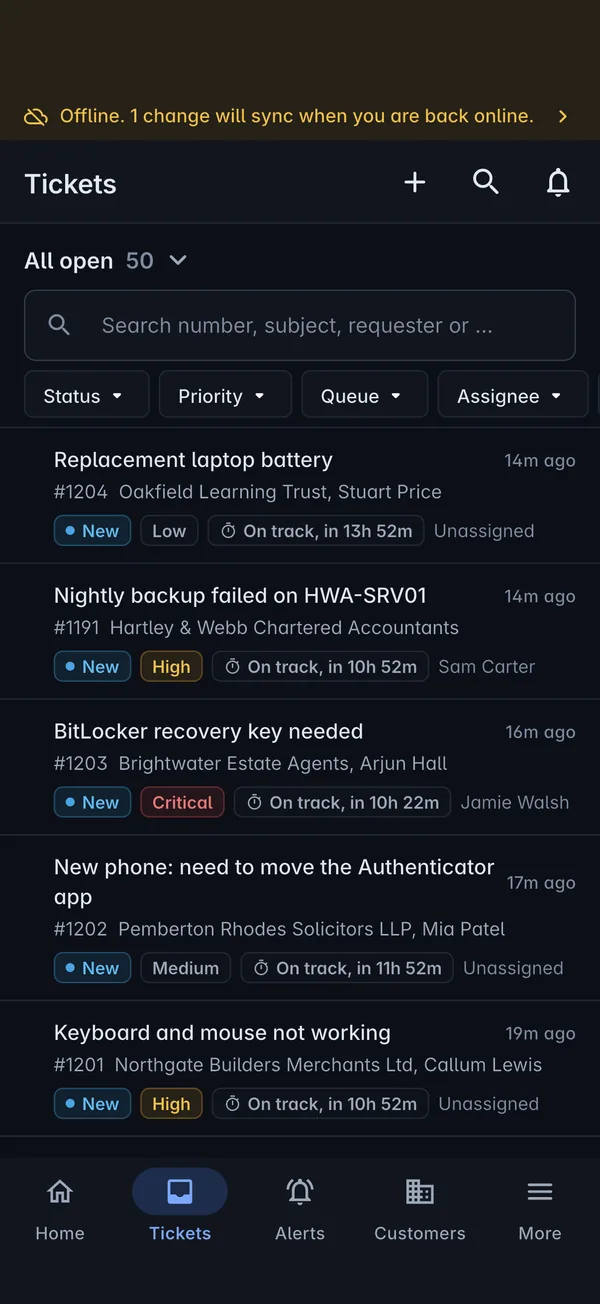
Basements, plant rooms and rural sites are part of the job. The app keeps your tickets, customers, devices and today's jobs to hand, and saves what you do until it can send it.
-
1
Carry on as normal
Reply, add notes, log time, change a status or check in. Each change is saved on the phone and marked as waiting to sync.
-
2
It syncs by itself
When the signal comes back, queued changes go to your Tenvara server in order, and the banner tells you how many are left.
-
3
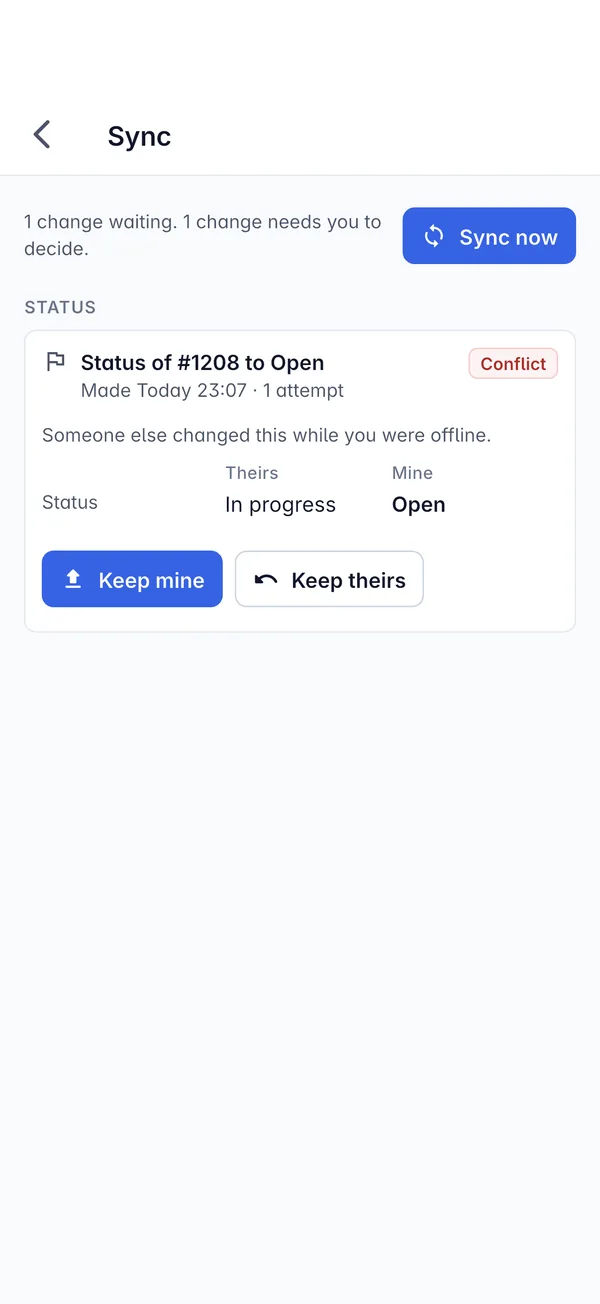
You settle any clash
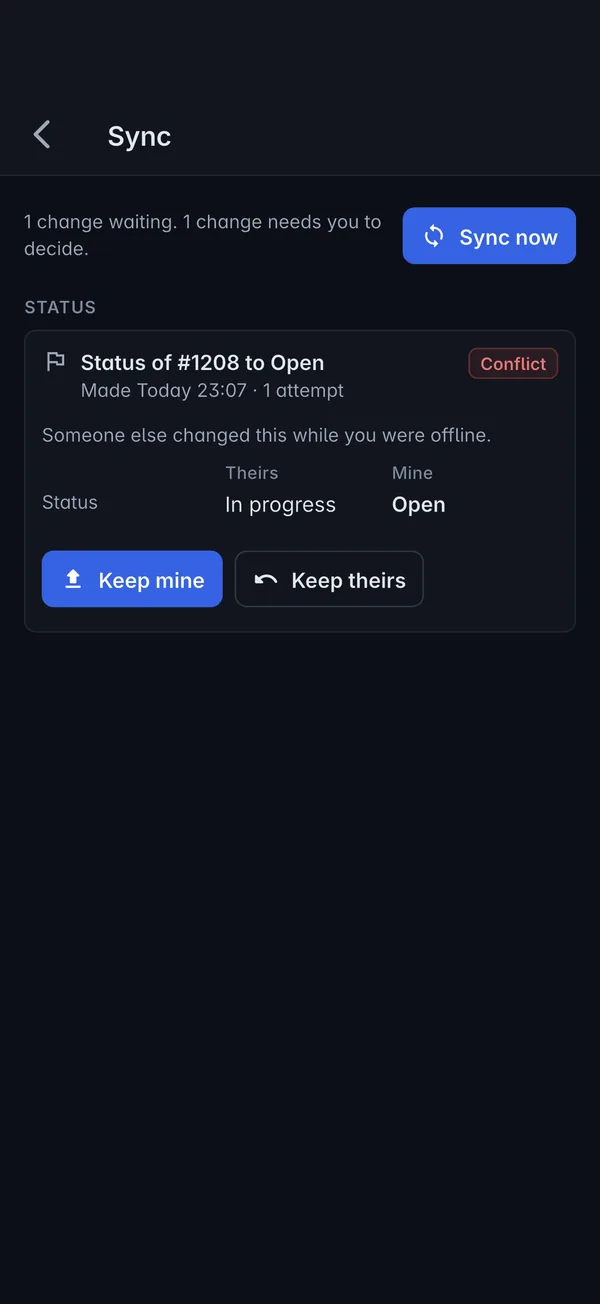
If a colleague changed the same thing while you were offline, the app shows theirs and yours side by side, and you choose which to keep.
On a tablet
More room, more at once.
On an iPad or Android tablet the app switches to a side rail with every area one tap away, and shows lists and the open item side by side, so you can work through a queue without losing your place.
Security
A phone that can reach every customer, locked down properly.
An MSP's app can open credentials and remote into machines, so it is built with the same care as the rest of Tenvara.
Biometric lock
Turn on Face ID or fingerprint unlock, and the app locks when you leave it.
Two-factor sign-in
The same sign-in as the web, including two-factor codes and recovery codes.
Secure storage
Sign-in tokens live in the phone's Keychain or Keystore. Passwords you reveal are never saved on the phone.
Your roles and modules
Technicians see only the areas and actions their role allows, exactly as on the web.
Everything audited
Credential reveals, copies and two-factor codes go in the vault audit log, like every other action.
Sign out ends it
Signing out ends the session on your Tenvara server, not just on the phone.
Beta
Get the app with your trial.
The Tenvara app is part of the beta, so early customers get it first and help shape what it does next.
-
1
Start your trial
Your own hosted Tenvara, free for 30 days. Existing beta customers can skip this step.
-
2
Ask for access
Tell us who needs the app. We send a TestFlight invite for iPhone and iPad, or a test build for Android.
-
3
Sign in
Open the app, type your Tenvara address, and sign in with your email, password and two-factor code.
Questions
The app, straight answers.
Anything else, ask us. A person who knows the platform will reply.
Getting the app and signing iniPhone, iPad, and Android phones and tablets. Phones get a bottom bar and tablets get a side rail with lists and details side by side, in light or dark.
The app is part of the Tenvara beta. Ask us for access and we will send an invite: TestFlight on iPhone and iPad, and a test build on Android. It is included with your free trial on request.
Yes. You type the address of your own Tenvara server when you first open the app, the same one you use in the browser, whether we host it or you run it yourself.
Tickets, customers, devices and today's jobs stay readable, and replies, notes, time, status changes and check-ins are queued. They sync when you are back online, and if someone changed the same thing in the meantime, you choose which version to keep.
The same as on the web. The app follows each person's role and permissions and your switched-on modules, so an area or action only appears for people allowed to use it.
Put Tenvara in your team's pockets.
Start your free hosted trial and ask for the app. Your technicians get the service desk, RMM, documentation and scheduling on their phones, on the same platform as everything else.