Built for managed service providers
Run your whole MSP from one place.
Tickets, devices, backup, Microsoft 365 and security in a single app your technicians will actually want to open. One login, one agent, one bill. Hosted by us or on your own server.
- One agent for Windows, macOS and Linux
- Self-hosted or hosted, same product
- Single sign-on with Entra ID or Google
- AI only with your own key
Why Tenvara
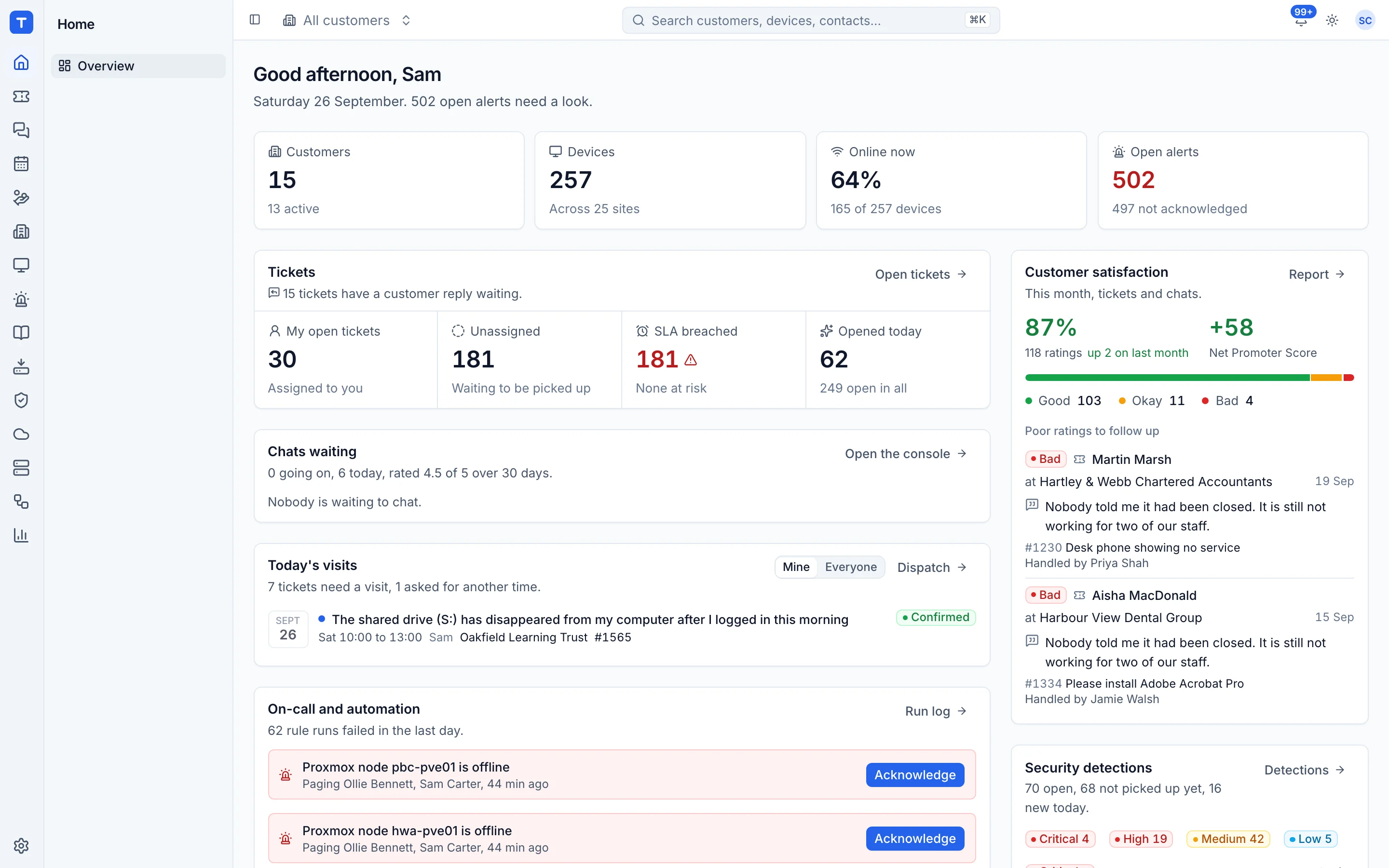
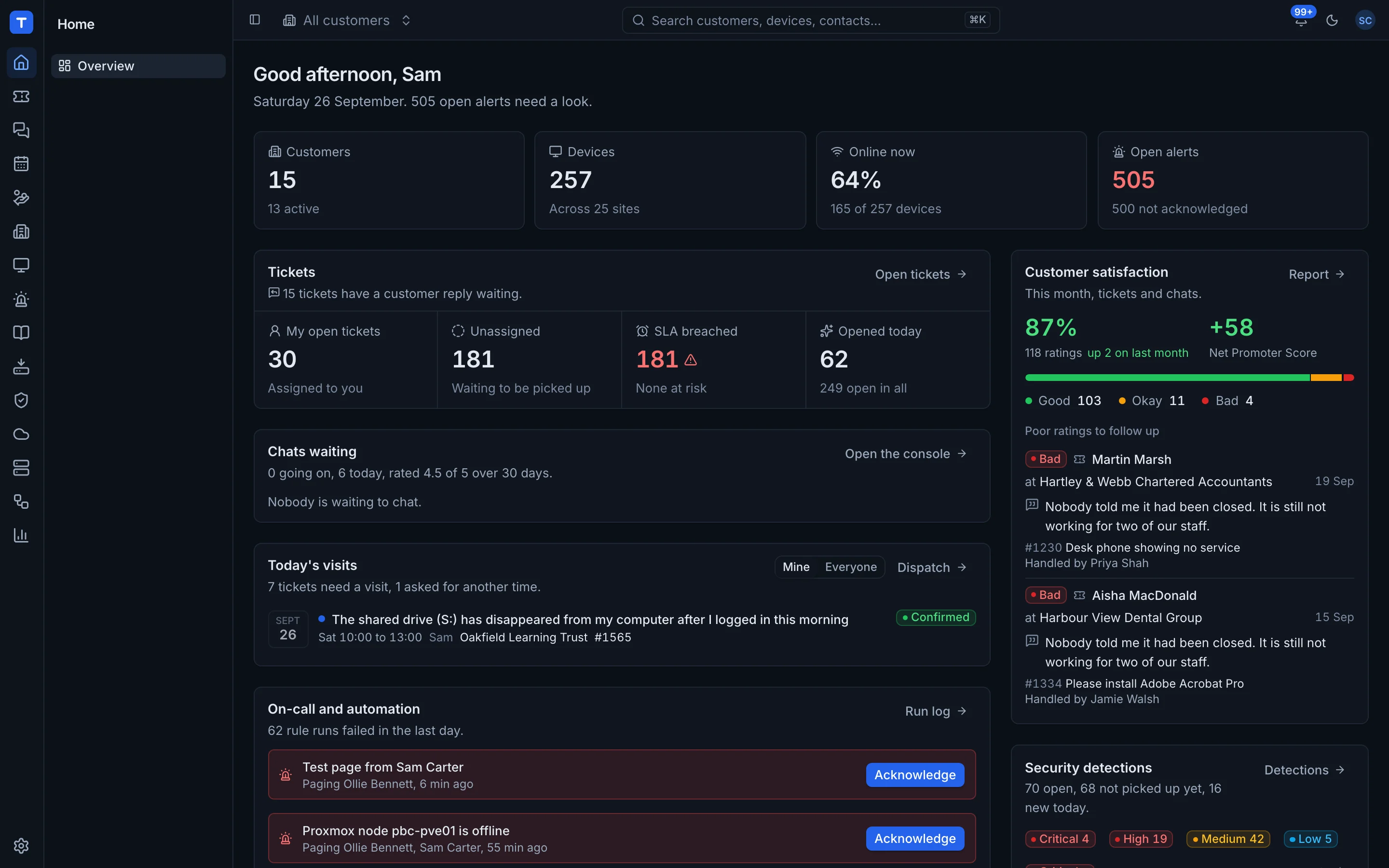
Most MSPs pay for a PSA, an RMM, a backup portal, a documentation tool and a password manager, then spend their day copying between them. Tenvara is all of it, built as one app.
For your technicians
The device, the customer, the contract and the history on one screen, with Remote in one click away.
For you as the owner
Fewer subscriptions to pay for and fewer places for things to slip. Every seat you buy ends up on an invoice.
For your customers
Faster answers, a portal they can use, chat from their own machine, and monthly reports that show the work.
Platform tour
Everything your MSP runs on, finally in one app.
Every part adds to the same customer and device records, so nothing needs syncing and nobody needs six tabs open.
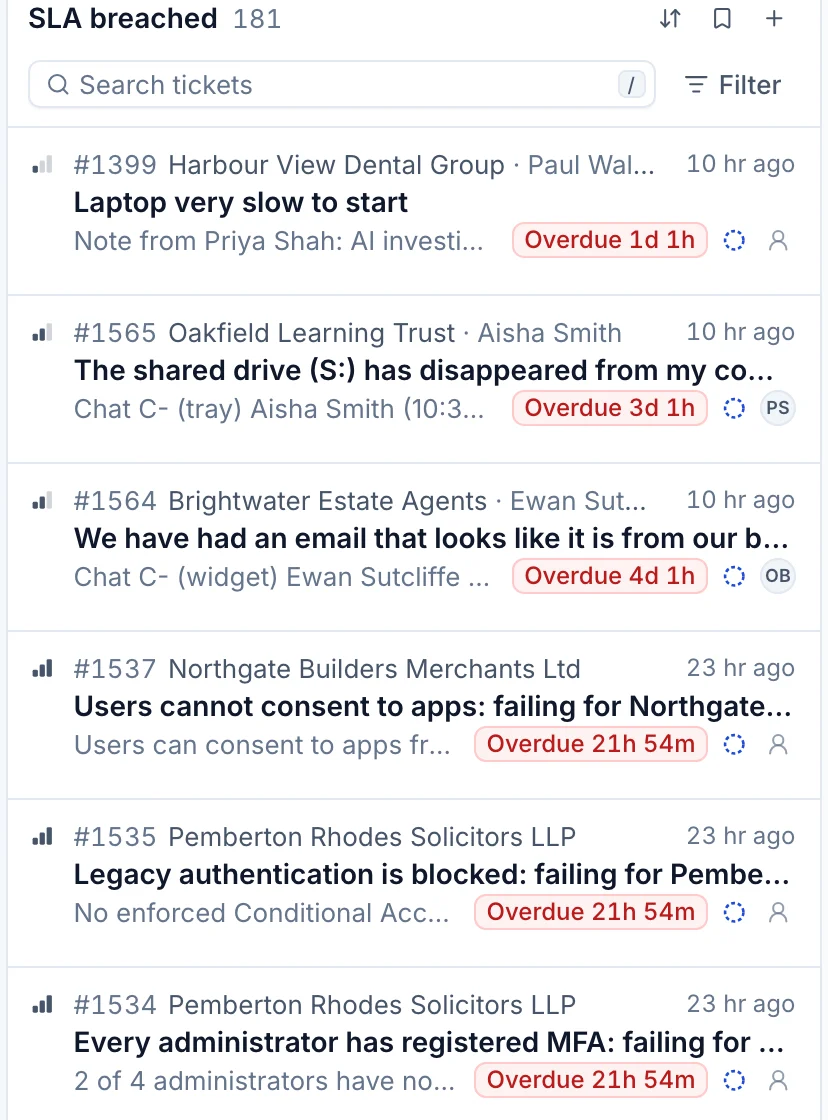
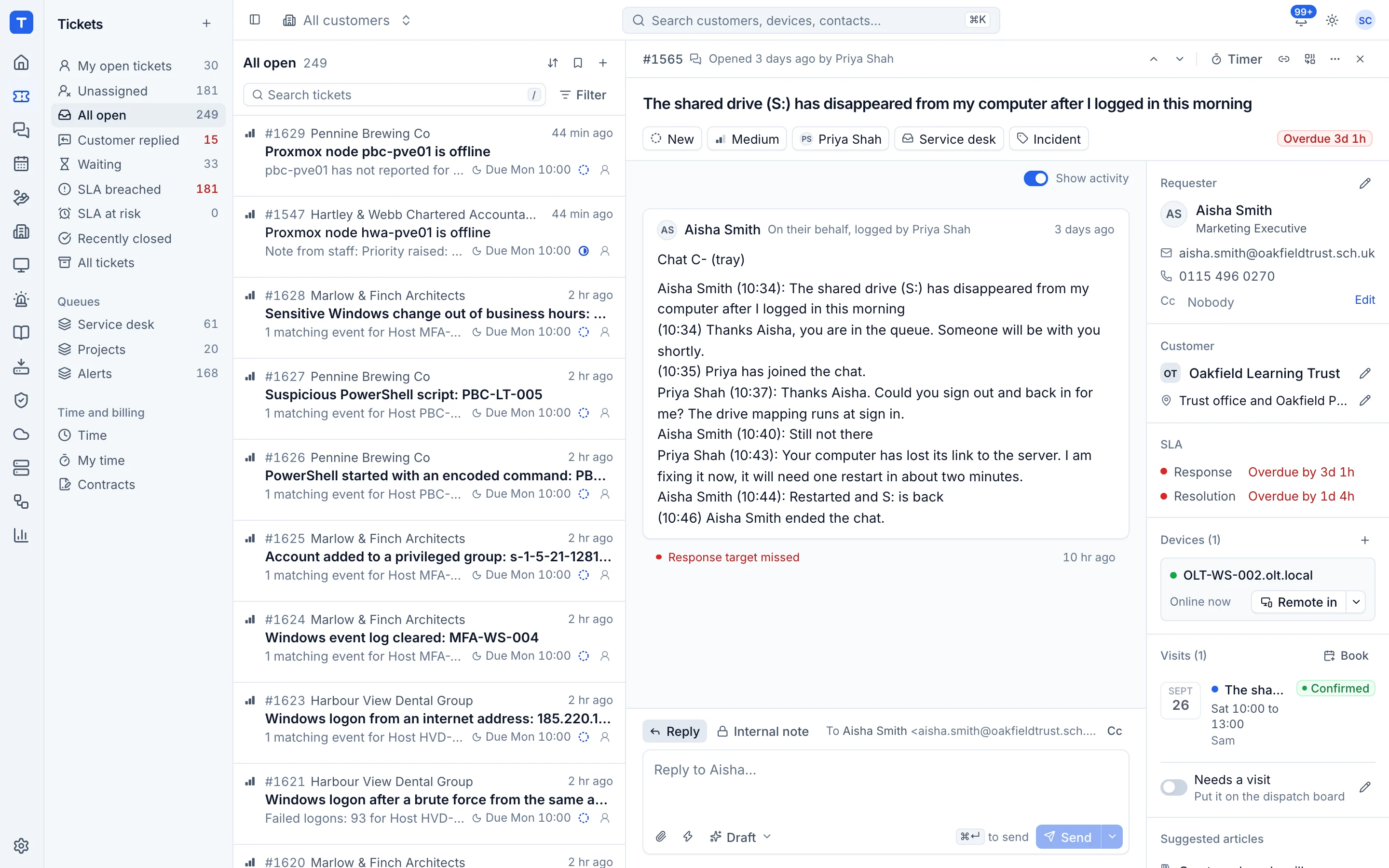
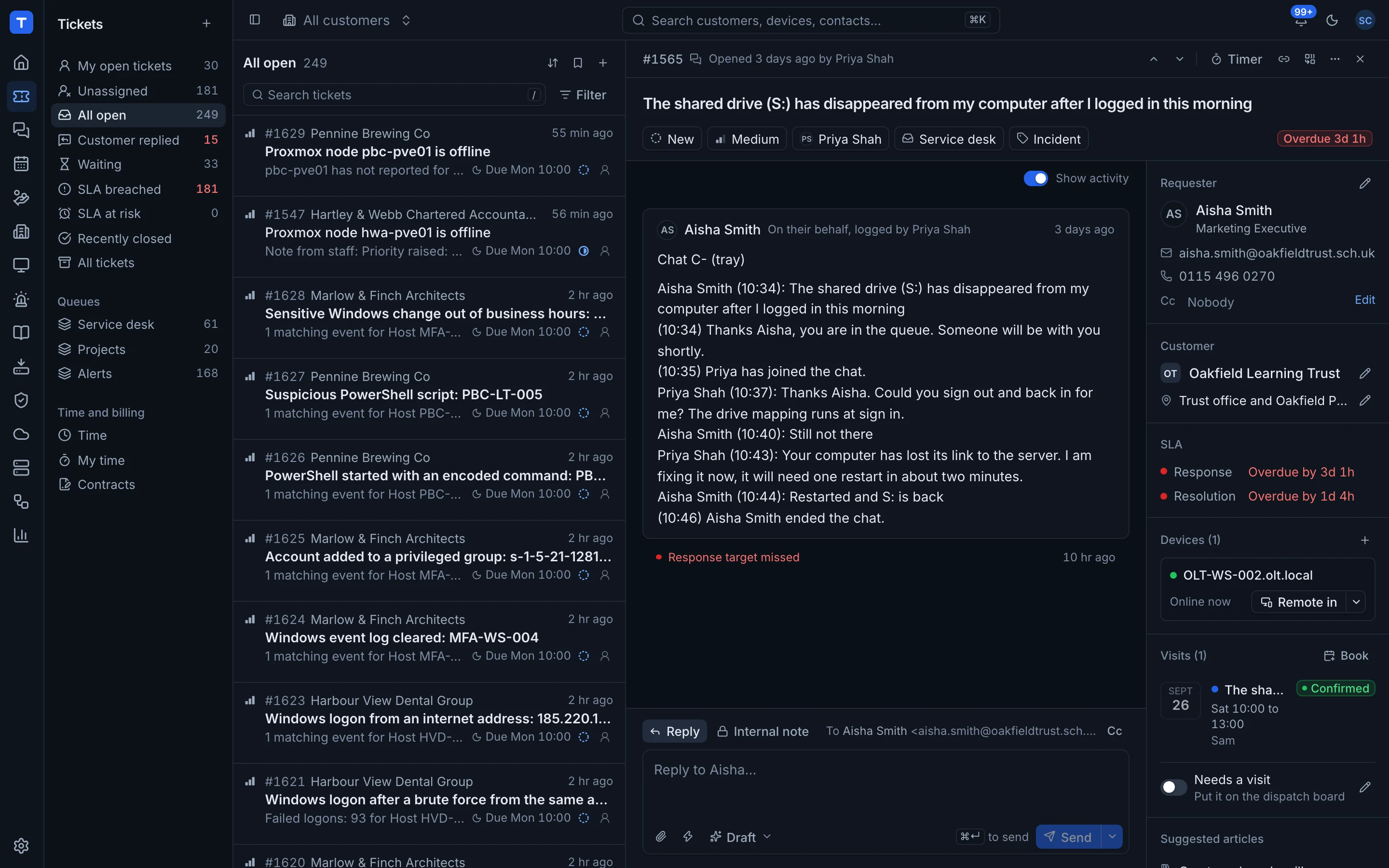
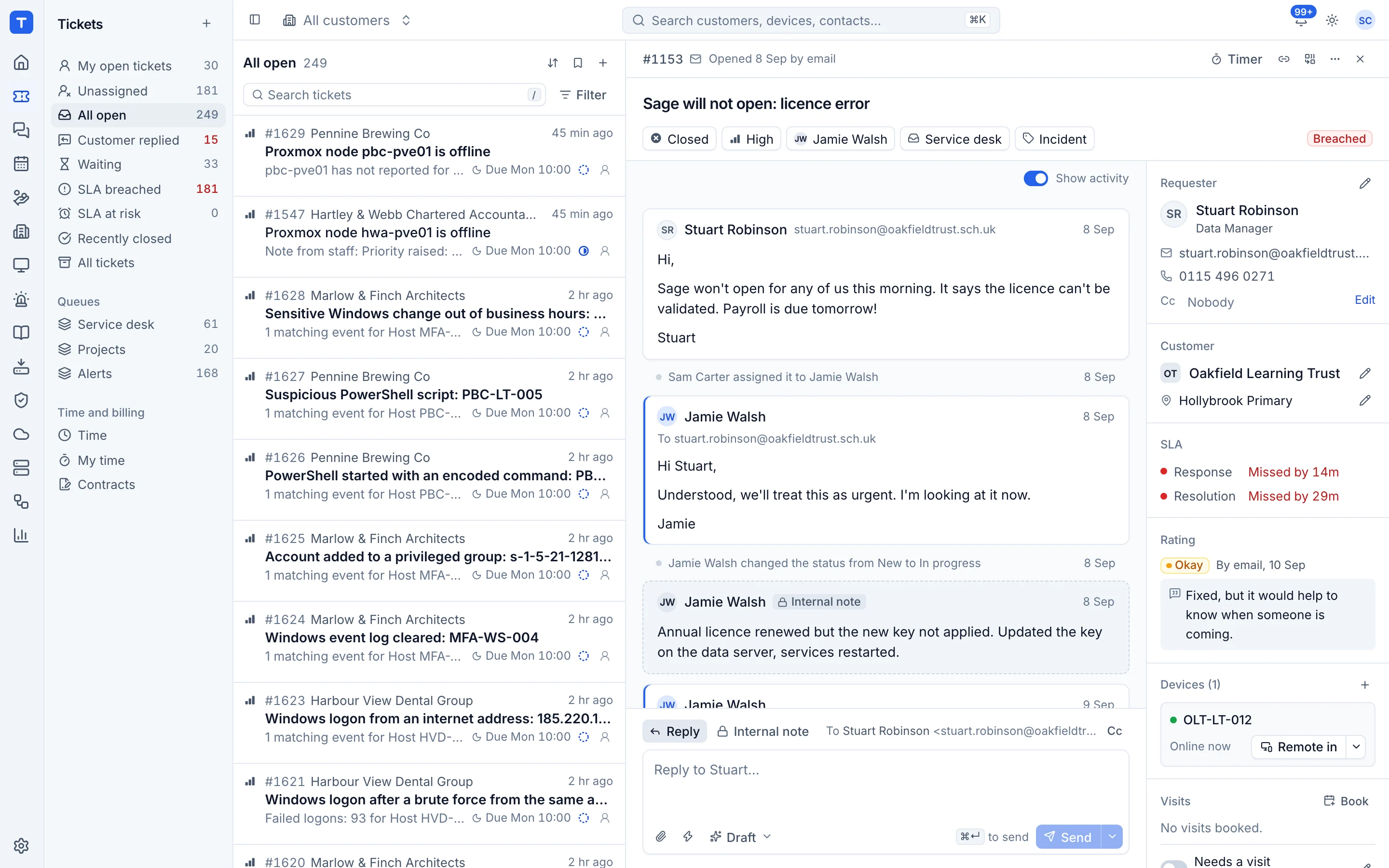
Tickets that already know the customer, the device and the contract
Email becomes a ticket, the SLA clock starts against your business hours, and the linked device sits next to the conversation. Your techs stop hunting for context and start fixing.
- SLAs with business hours and bank holidays
- Email in and out through Microsoft 365
- Time, contracts, quotes and dispatch in the same place
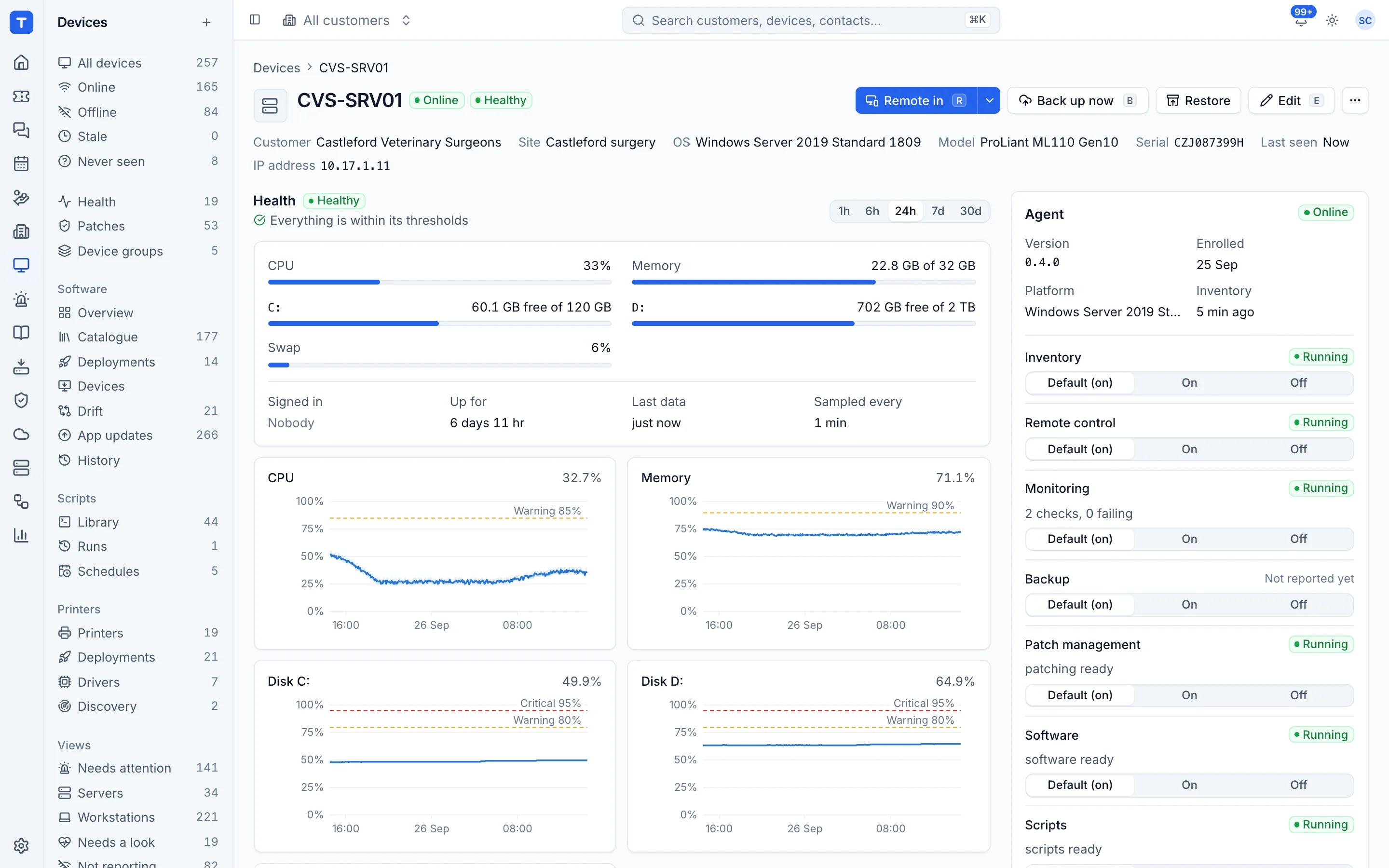
One agent on every machine, and everything you need to fix it
Monitoring, patching, software, scripts and remote control from a single signed agent for Windows, macOS and Linux. Features switch on by policy, not by installing something else.
- Remote in from the device, the ticket or the alert
- Patch policies with maintenance windows
- Software deployment and drift across the estate
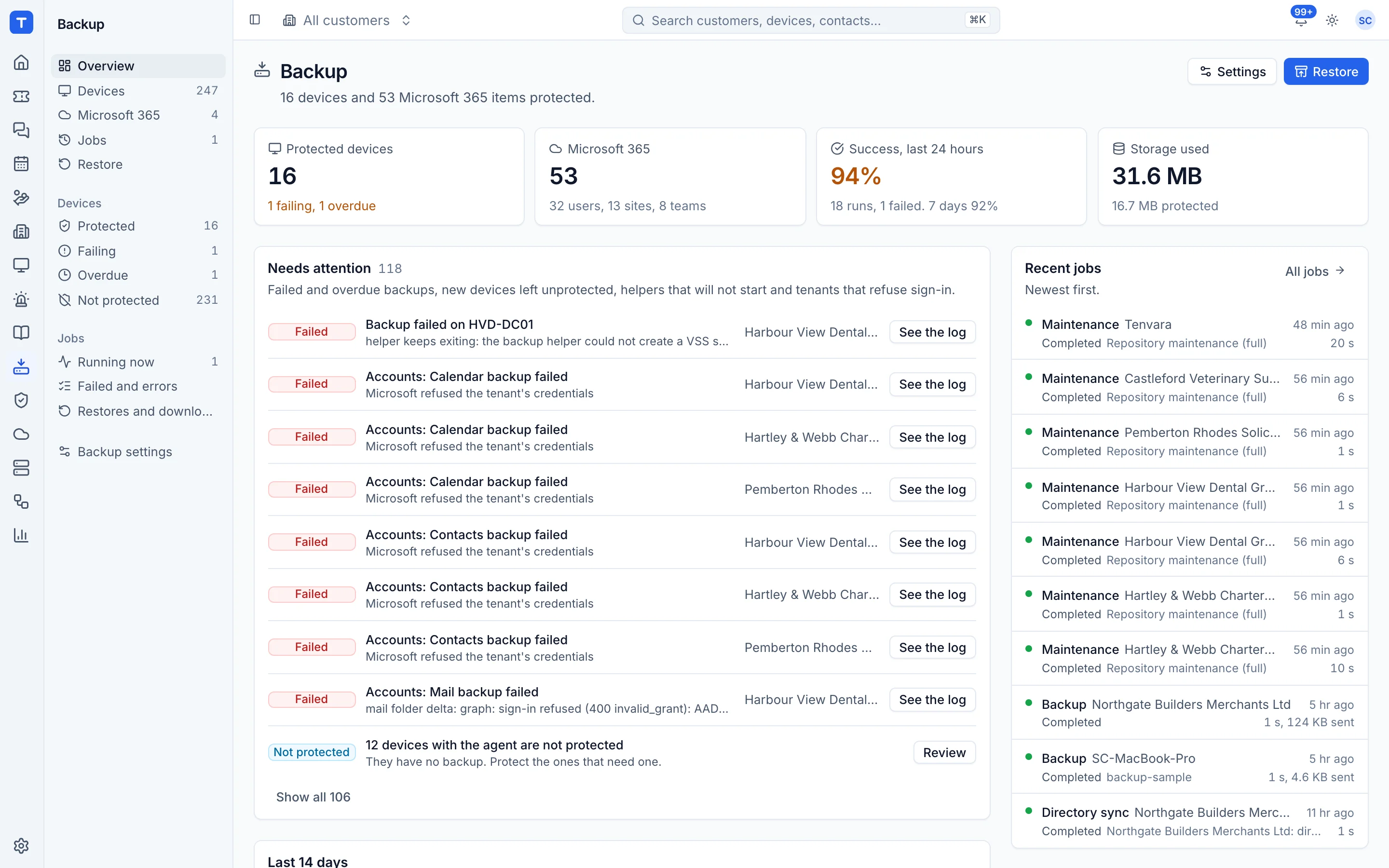
Backups you can see on the device, not in another portal
Endpoints, servers, Hyper-V and Proxmox virtual machines, and Microsoft 365 mail, OneDrive, SharePoint and Teams. A missed backup raises an alert in the same list as everything else.
- Status on every customer and device
- Restores of files, mailboxes and sites
- Your own S3 compatible storage
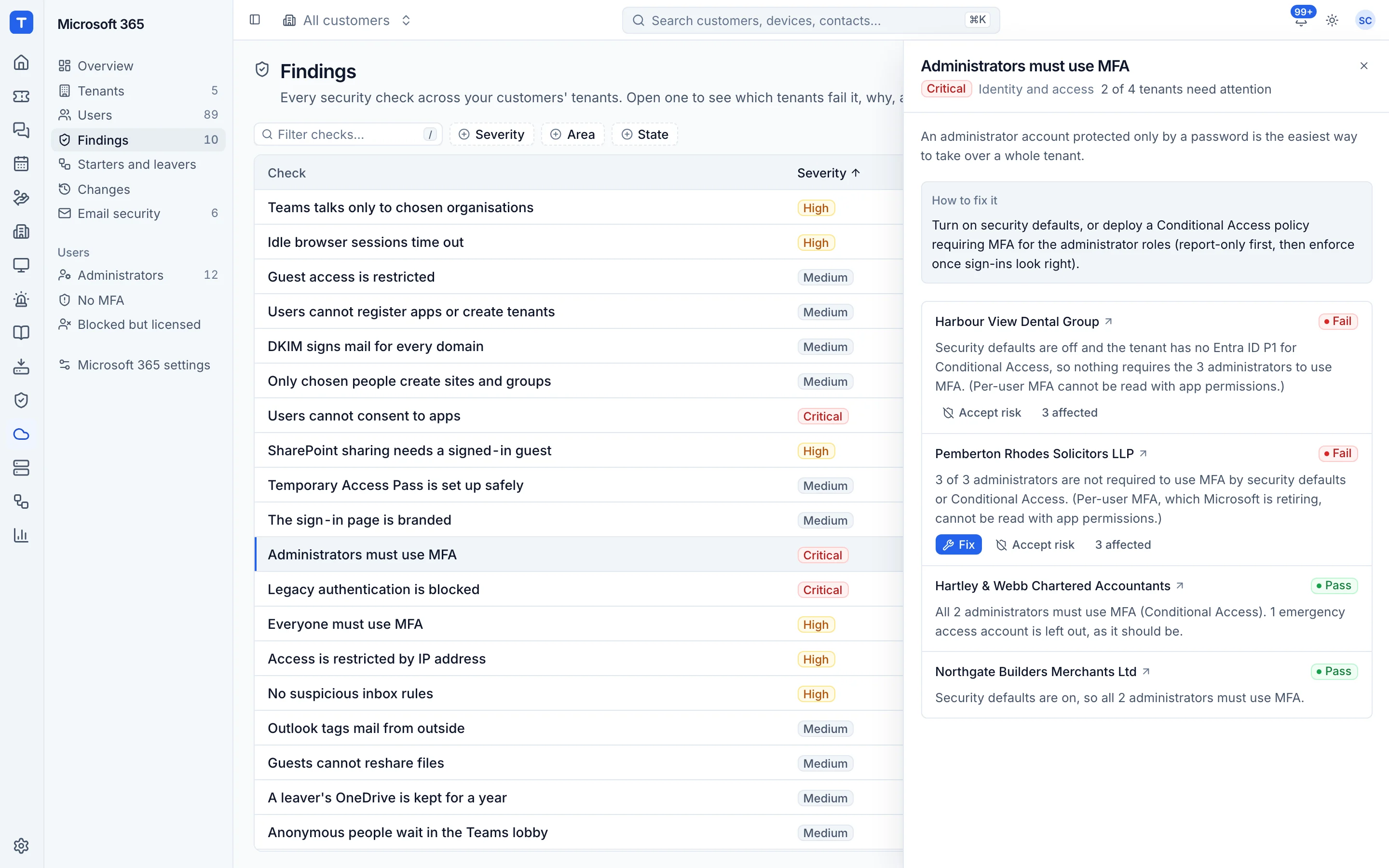
Every customer tenant checked, and starters and leavers done properly
Connect each tenant once. Tenvara checks it against CIS, SCuBA, NIST and Essential Eight, tells you what is failing and why, and runs new starters and leavers the same way every time.
- Findings across every tenant, or one customer
- Starter templates and leaver checklists
- Licences reconciled against what you buy
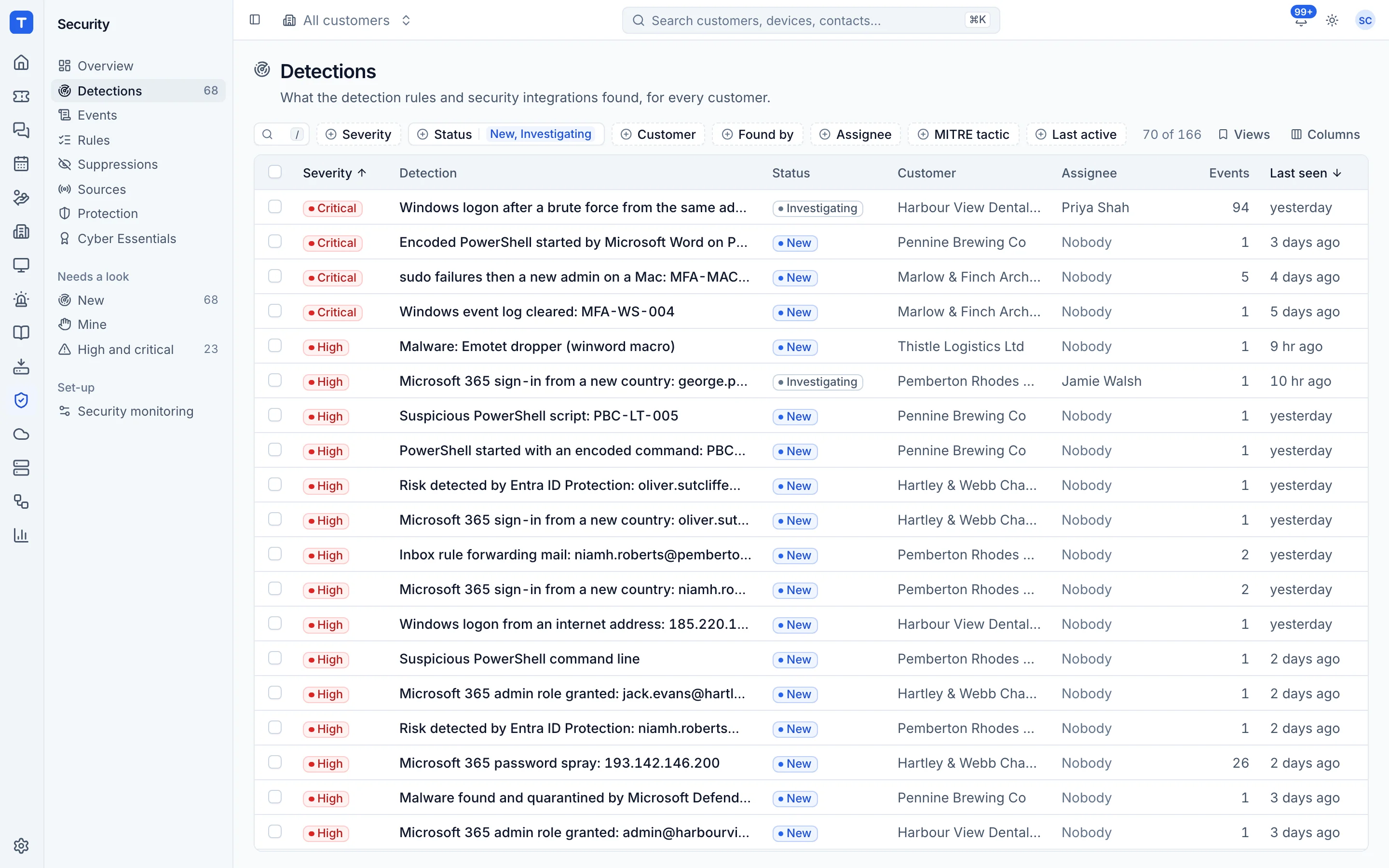
Detections from endpoints and Microsoft 365 in one queue
The agent ships the logs, the tenants send sign-in signals, and rules raise detections with the device, the user and the evidence attached. The critical ones can wake whoever is on call.
- Encoded PowerShell, new local admins, password spray
- Evidence kept with every detection
- Remote in or raise a ticket from the detection
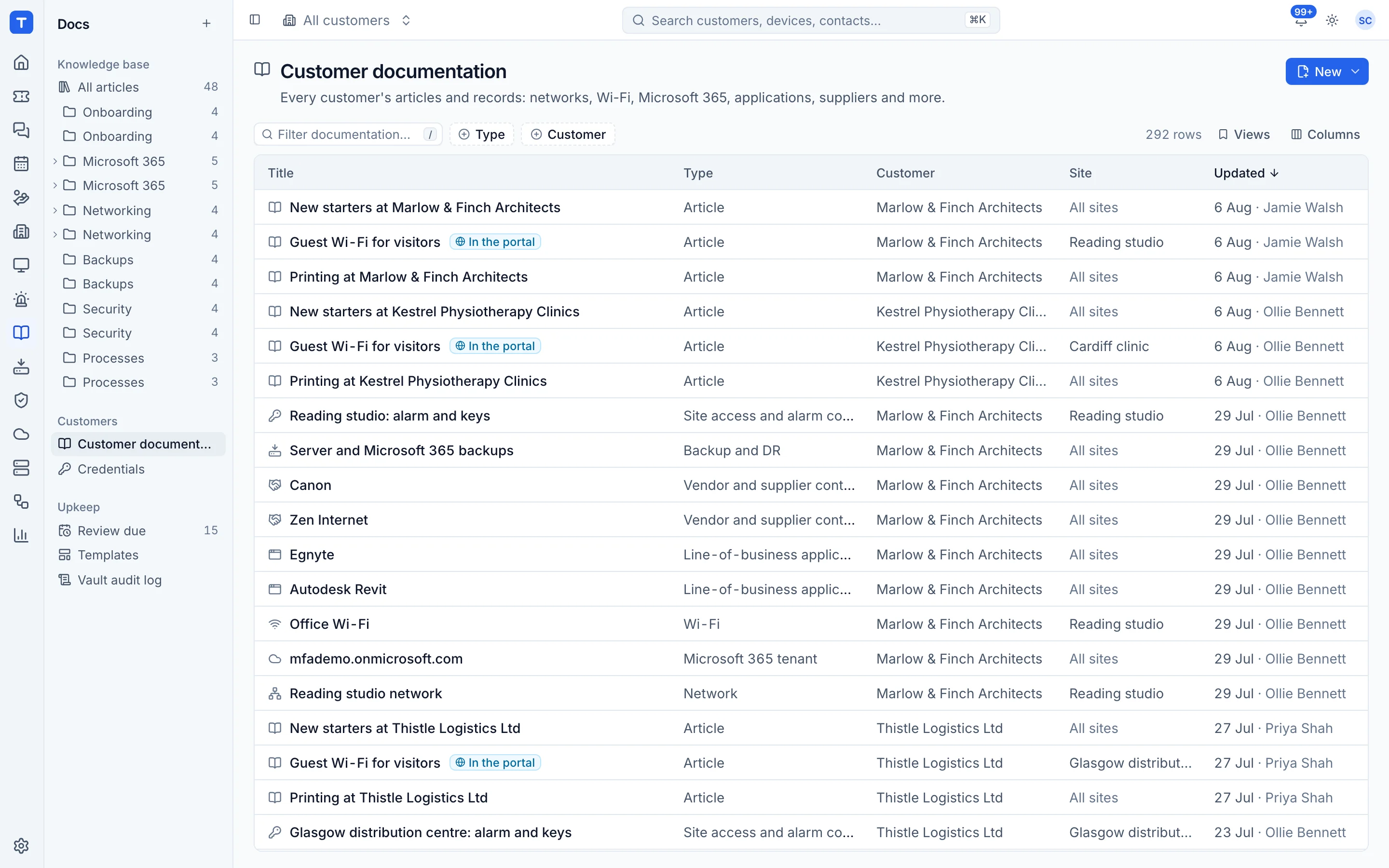
Customer docs and passwords, right where the work happens
Structured documentation and an encrypted credentials vault that live with the customer, and an internal knowledge base for your own processes. The device page shows its docs, and tickets suggest the right articles.
- Encrypted vault with every reveal audited
- Live TOTP codes
- Publish chosen articles to the customer portal

One record per device
Open a device. See everything. Fix it from there.
Health, patches, software, backups, alerts, security events, documentation and tickets for that machine, together. There is no backup tab from one vendor and an RMM tab from another. It is one record.
- Act where you are
- Remote in, run a script, back up now or raise a ticket from the device, the ticket, the alert or search.
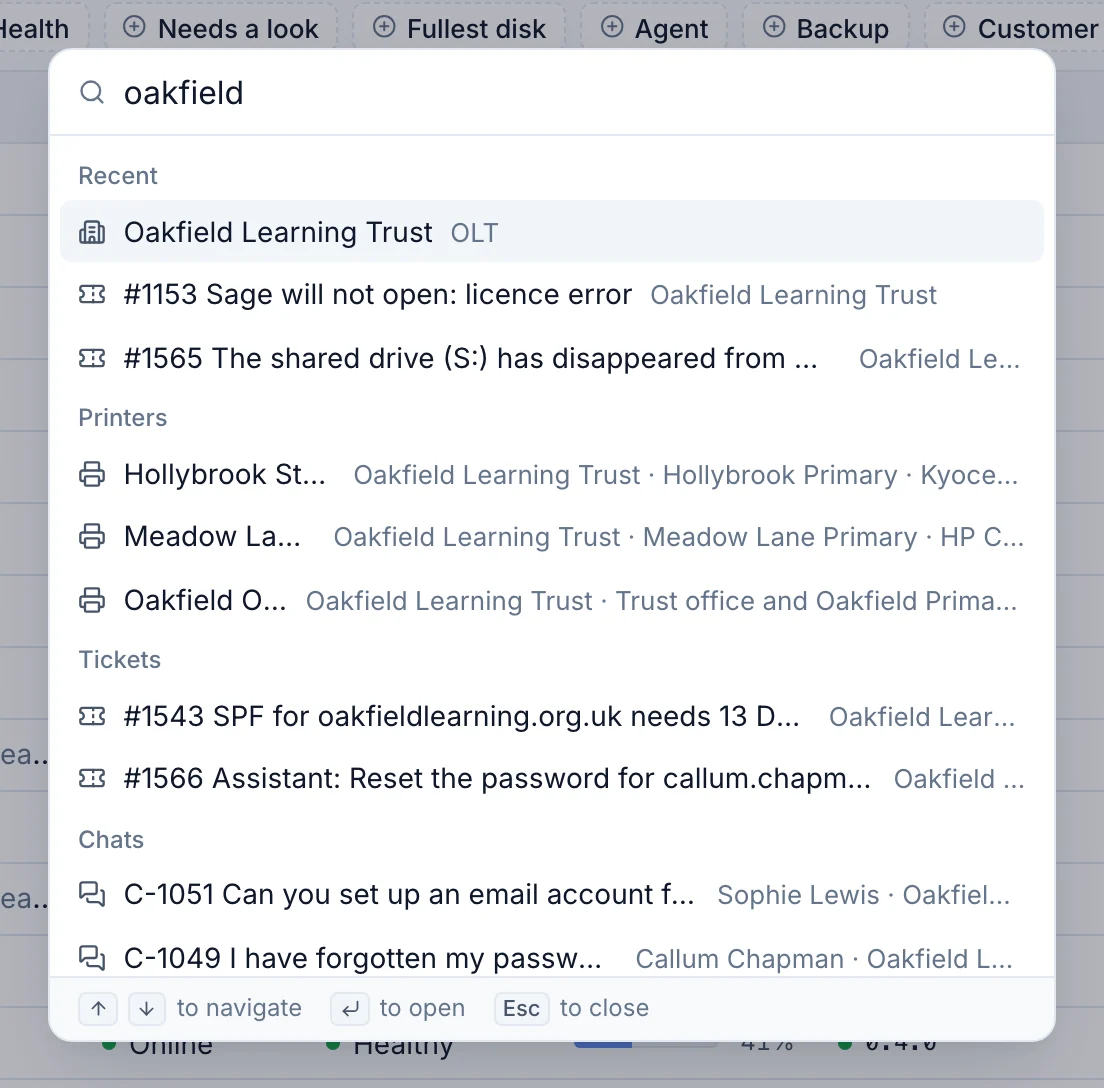
- One search for everything
- Customers, devices, tickets, contacts and alerts from one box, or Cmd+K from anywhere.
- One alert list
- Monitoring, backup, Microsoft 365, security and infrastructure all raise alerts into the same list and the same rules.
Replace your stack
Too many logins. Too many agents. One app.
Every separate tool is another bill, another agent on your customers' machines, another place for an alert to be missed and another integration to break. Tenvara does these jobs itself, on the same records.
What most MSPs run today
- PSA and ticketing
- RMM and monitoring
- Remote access
- Patch management
- Endpoint and server backup
- Microsoft 365 backup
- Microsoft 365 management
- Documentation
- Password manager
- Security log monitoring
- Live chat
- Quoting and proposals
- Licence reconciliation
Tenvara
- One app and one login
- One agent on every machine
- One alert list and one search
- One customer record for everything
- One set of roles and permissions
- One subscription
Hosted on our servers or yours, with the same features in every plan.
Getting started
From sign-up to your first managed device in an afternoon.
-
1
Choose where it runs
Take a hosted instance at yourname.tenvara.app, or bring up self-hosted Tenvara with one Docker Compose file.
-
2
Bring your team in
Sign in with Microsoft Entra ID or Google, invite your technicians and give each of them a role.
-
3
Add your customers
Create customers and sites, connect their Microsoft 365 tenants and point your support mailbox at Tenvara.
-
4
Deploy the agent
Install the one agent on Windows, macOS and Linux machines. Devices appear under the right customer as they enrol.
Every step has a guide in the knowledge base.
Your server or ours
Self-host it, or let us run it for you.
The same Tenvara either way. Pick what suits your customers, your compliance and your team.
Hosted by us
Your own instance at yourname.tenvara.app. We handle updates, backups, certificates and monitoring, so your team only has to install the agent.
- Your own instance and database, not a shared tenant
- Updates applied for you
- Backups of your whole instance
Self-hosted
One Docker Compose install on your own server, in your data centre or your cloud, under a licence key from your account.
- Your data never leaves your network
- Postgres, Redis and S3 compatible storage you control
- Upgrade when it suits you
AI, on your terms
It checks the machine before it guesses.
On a "my computer is slow" ticket, the assistant finds the device, runs read-only checks and writes an internal note with the likely cause and the numbers behind it. Fixes wait for a technician to approve them.
- Off until you add your own Anthropic API key
- Triage, summaries and draft replies that a person sends
- Spend caps, per-customer opt-out and a log of every call
Questions
The things MSP owners ask us first.
Anything else, ask us directly. A person who runs an MSP will answer.
Yes. Self-hosted Tenvara is one Docker Compose install on a server you control, in your own rack or your own cloud. You get a licence key from your account, and you upgrade when it suits you. It is the same product as hosted, with the same features.
No. Every hosted customer gets their own instance and their own database at yourname.tenvara.app. We look after updates, backups of the instance, certificates and monitoring.
No. One signed agent for Windows, macOS and Linux does inventory, monitoring, patching, software, scripts, remote control, backup and log collection. Each feature is switched on or off by policy from the server.
Per technician or per endpoint, whichever suits how you bill, on monthly or annual terms, hosted or self-hosted. Final prices are being set now. Register interest on the pricing page and you will hear first, with no obligation.
AI is off until you add your own Anthropic API key. Calls go to Anthropic under your account, you can turn AI off per customer, cap the spend, and every call is logged. Suggested fixes and replies always wait for a technician.
Yes. Customer contacts get a portal to raise and follow tickets, chat with your team and read the articles you choose to publish to them. Their users can also chat from the tray icon on their own machine.
Local accounts with two-factor authentication, or single sign-on with Microsoft Entra ID, Google Workspace, any OpenID Connect provider or SAML 2.0, with groups mapped to roles.
See Tenvara running an MSP.
A 30 minute walkthrough on a call, with the real product and real questions. Bring the awkward ones about moving over, pricing and self-hosting.