Today is October's Patch Tuesday, and Microsoft's updates land later today. For some MSPs that means a quiet week of updates rolling out on schedule. For others it means a late night, a few servers that didn't come back, and a Wednesday morning of "my computer restarted in the middle of a Teams call".
The difference is rarely the tooling. It's having a process that decides most things in advance, so the day itself is boring. Here's the one we'd recommend, whatever you patch with.
Start with rings, not with everything
The worst way to patch is to push every update to every device on the same night. If an update breaks a line-of-business app or a print driver, you find out from every customer at once.
Split devices into rings instead:
- Pilot. A handful of machines that represent the fleet: your own team's laptops, a friendly customer's spare PC, a test server. They get updates first, within a day or two of release.
- Broad. Most workstations, a few days after pilot, once nothing has gone wrong.
- Servers and sensitive kit. Last, in a planned window, with someone around to check they came back.
The gap between rings is your early warning. A week of pilot running cleanly is worth more than any release note.
Decide what gets approved automatically
Not every update needs a human decision. Security and critical updates for workstations usually want to go out on a short delay with no one clicking anything. Definition updates can go out straight away. Driver updates and feature packs are where surprises live, so they're worth holding for a decision.
Write it down per classification: approved automatically or not, and how many days after release. Then keep a short list of exclusions for the updates you know cause trouble at particular customers, and a way to hold something back for one customer while a software vendor catches up.
Maintenance windows people actually agree to
A maintenance window is a promise to the customer about when things might restart. Make it one they've agreed to, in their time zone, and stick to it.
- Workstations: an evening or early-morning window, with some tolerance for laptops that were shut.
- Servers: a weekly window, usually at the weekend, lined up with whoever is on call.
- Monitoring: hold alerts back during the window, so a planned restart doesn't page anyone at 2am.
Restarts without the complaints
Most patching complaints are really restart complaints. A good policy gives users notice and some control, with a deadline so "later" doesn't mean "never":
- Servers restart inside their window, only if they need to.
- Workstations prompt the user, allow a few snoozes, and restart at the deadline.
- Kiosks and shared machines restart whenever an update needs it, because nobody is there to ask.
Track pending restarts. A device that has installed updates but hasn't restarted isn't really patched.
Report on compliance, not activity
"We installed thousands of updates this month" tells a customer nothing. "All but three of your devices have every approved update installed, and here's what we're doing about those three" tells them everything.
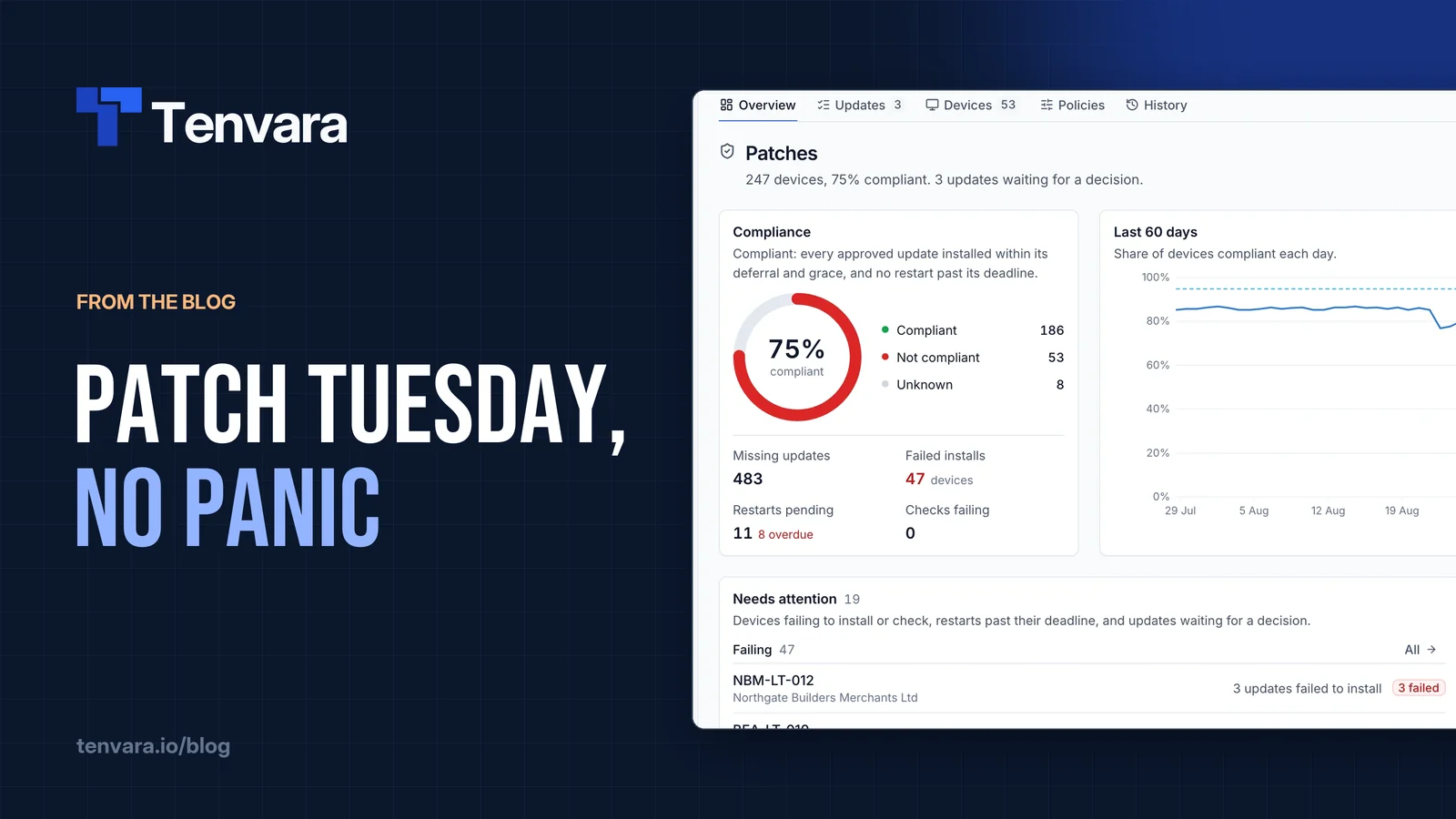
Define compliance clearly (every approved update installed within its deferral and a grace period, no restart overdue), track it daily, and chase the stragglers by name. Then put it in front of the customer every month so they can see the work.
The day itself
With all that in place, Patch Tuesday becomes a checklist:
- Glance at what's been released and anything flagged as actively exploited.
- Check nothing new needs a decision, and exclude or hold back anything known to cause trouble.
- Let the pilot ring take it.
- Watch the pilot for a few days: failed installs, restart loops, tickets.
- Let the broad ring and then servers follow on their schedule.
- Review compliance at the end of the cycle and fix the stragglers.
How we handle it in Tenvara
Tenvara patches Windows, macOS and Linux through the same agent that does everything else. On Windows the agent takes over Windows Update, so only updates you've approved are installed, and only by the agent. On macOS it uses Software Update, and on Linux apt, dnf or yum. The full guide is Patching.
Rings are device groups with their own patch policies. You make a device group for each ring, either filled by hand (for a pilot) or by rules on customer, operating system, device type or hostname, so a new server joins the Servers group the moment it enrols. Patch policies apply from the suite default, to customers, to device groups, to single devices, with the most specific winning setting by setting. So your pilot group's policy can approve security updates after one day, while the broad policy waits five.
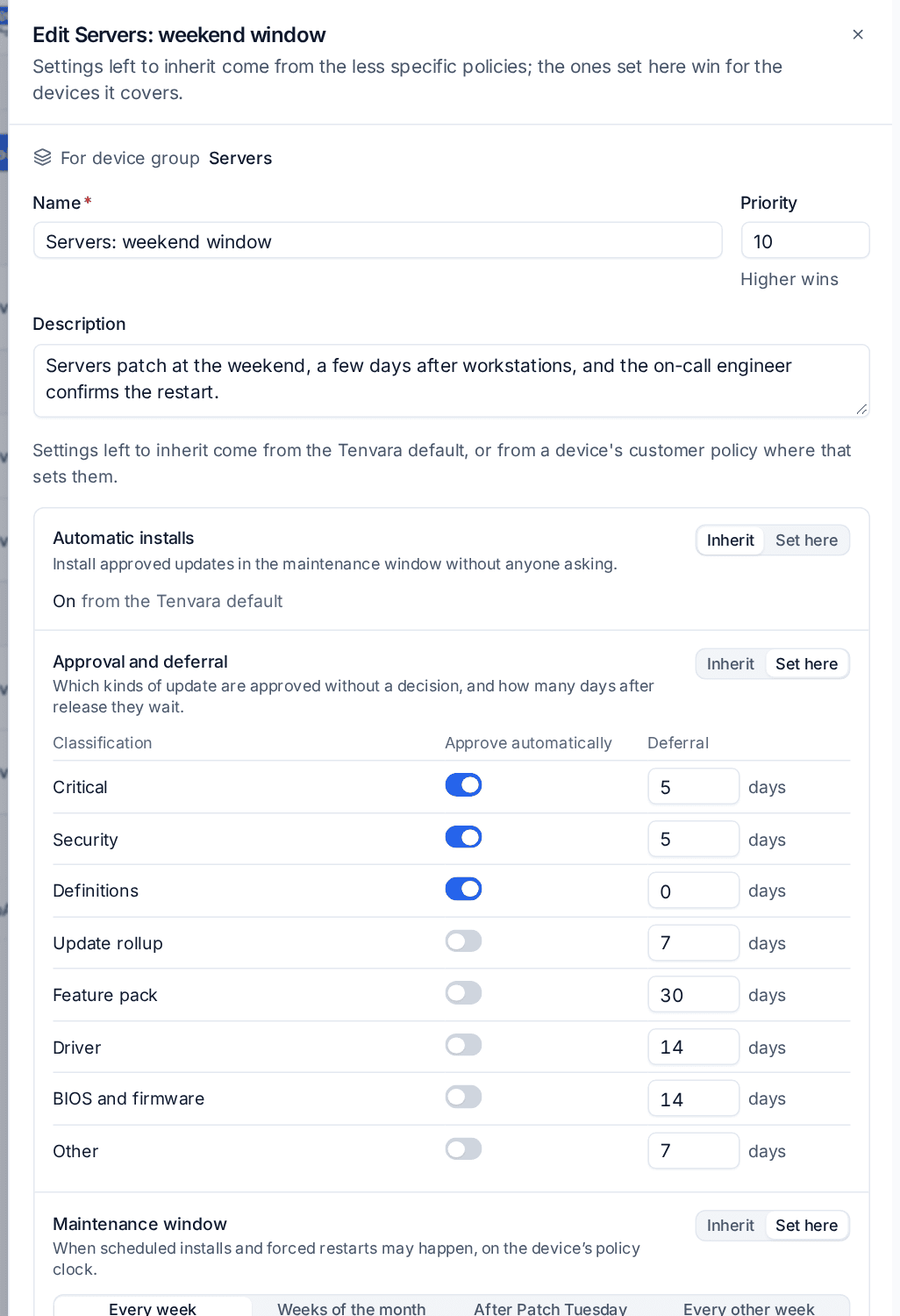
Approvals. Each policy sets, per classification (Critical, Security, Definitions, Update rollup, Feature pack, Driver, Other), whether it's approved automatically and how many days after release it waits. Anything no policy approves on its own lands in Waiting for a decision, where you approve or decline it for everyone, or approve, decline or hold it back for one customer. Exclusions by KB number or title keep known troublemakers out.
Windows and restarts. Each policy has a maintenance window with its own days, start time, length and time zone, and a restart choice: only if required inside the window, prompt the user with a deadline and snoozes, restart when required, or never. Third-party apps from the software catalogue can update in the same window. Line up a monitoring maintenance window with it and restarts won't raise alerts.
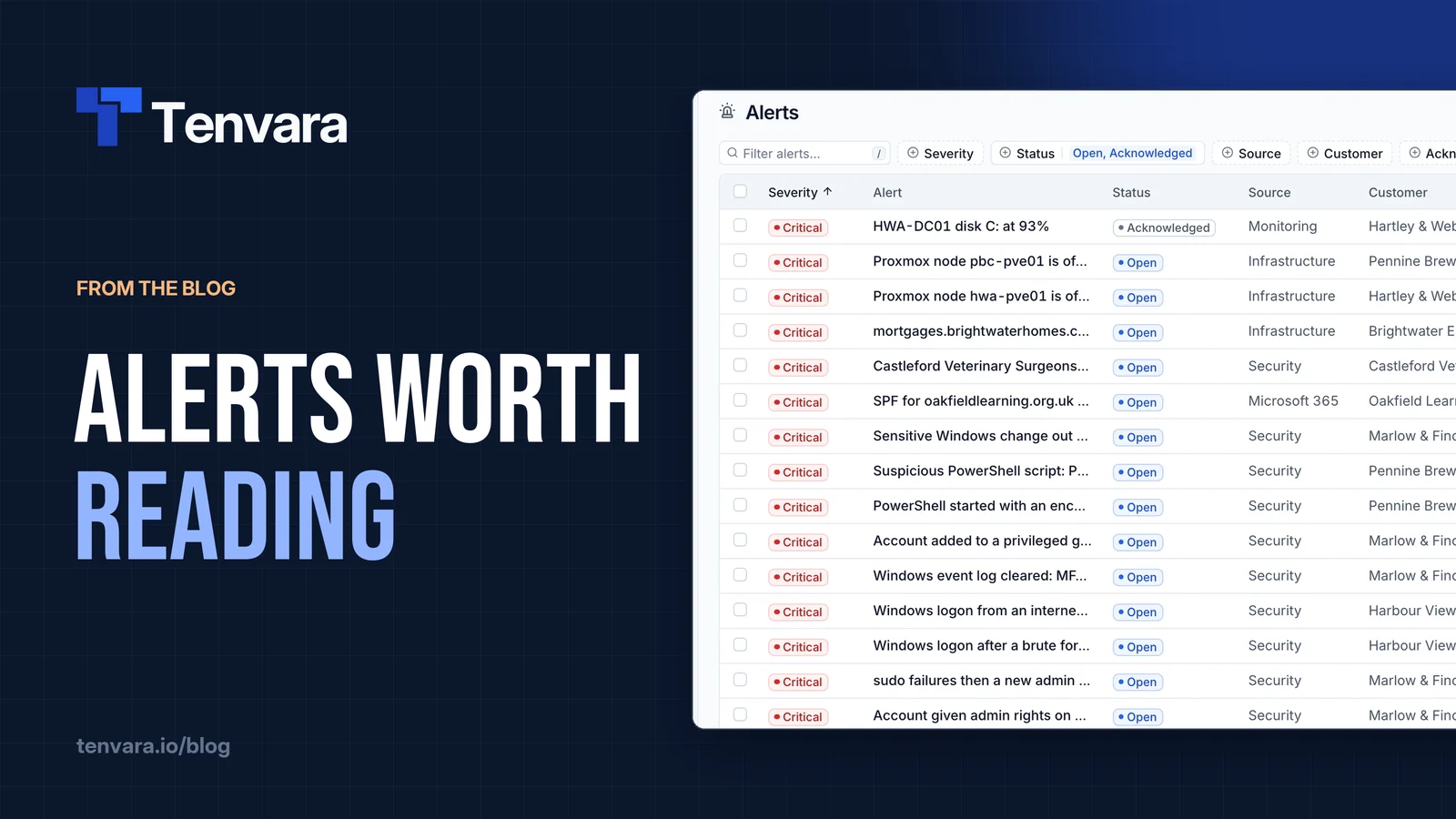
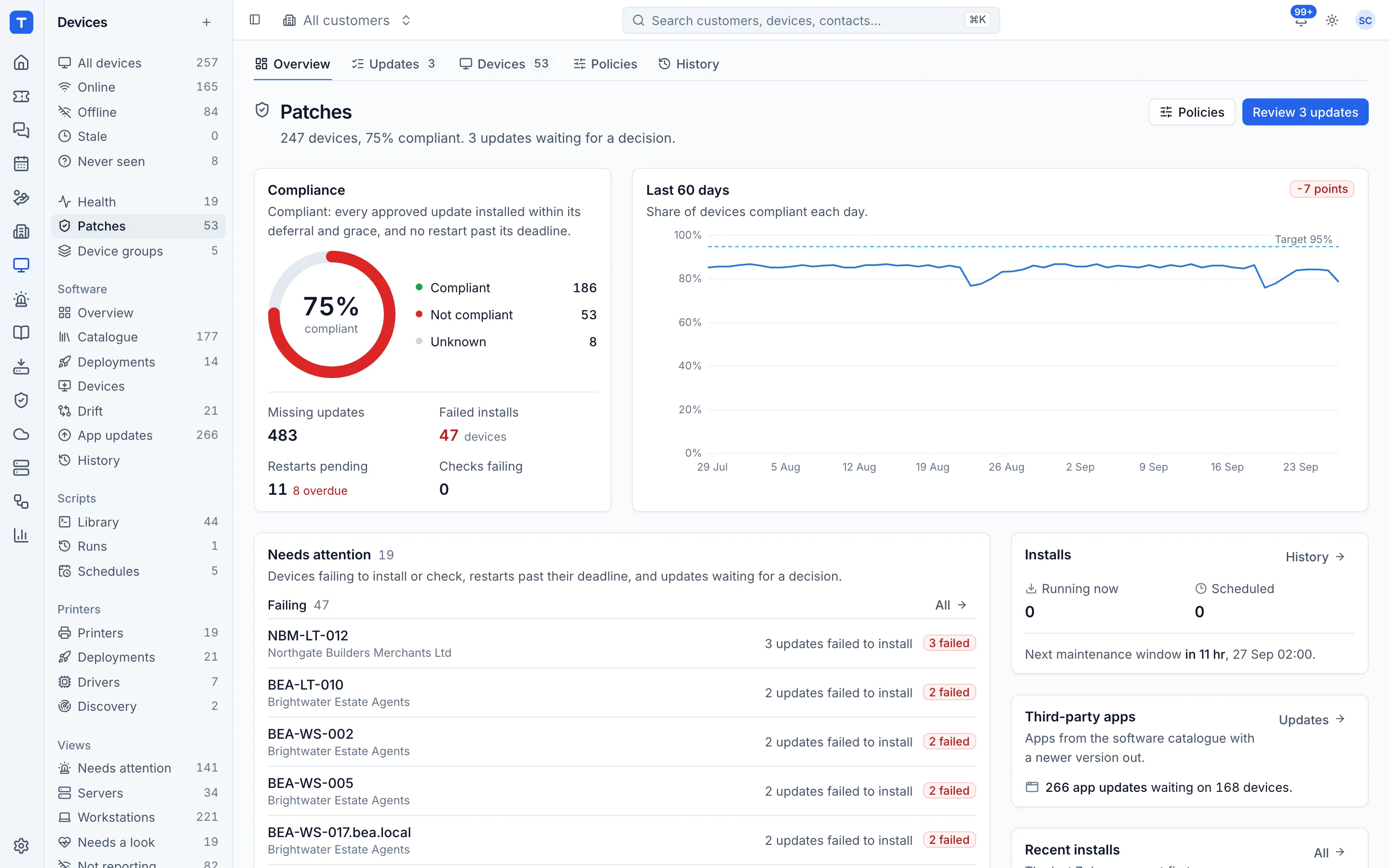
Compliance. The patch overview shows compliant, not compliant and unknown devices, missing updates, failed installs and overdue restarts, a 60-day compliance trend against a 95% target, and every customer ranked least compliant first. Patch problems raise alerts, and each device page shows its missing updates, next window and recent installs, with Install now when you can't wait.
Patching also feeds the monthly customer report, with compliance at month end, outstanding critical and important updates, and installs and failures, plus the patching part of each customer's health score. See Monthly customer reports.
Make it boring
The goal isn't heroics on the second Tuesday of the month. It's a process quiet enough that today is just another Tuesday. If you want to try it on a pilot group of your own, the RMM page shows how it fits together, and the one agent that runs it is a single install.