Most MSP contracts promise an SLA. Far fewer MSPs could tell you, hand on heart, how often they hit it last month. The numbers exist somewhere, but nobody trusts them: the clock ran over the weekend, tickets sat waiting on a customer for three days and counted as late, and half the "responses" were an auto-reply.
An SLA only means something when the people on both sides believe the number. Here is how to get there.
Response and resolution are different promises
A response target says how quickly a human will pick the ticket up and reply. A resolution target says how quickly the problem will be fixed. They measure different things and they fail for different reasons, so track them separately.
Response is the one clients feel most. Someone with a broken laptop mostly wants to know a person has seen it and has a plan. Be strict about what counts: a real reply from your team, not an automatic acknowledgement and not an internal note. If an auto-reply stops the clock, your response figures look perfect and tell you nothing.
Resolution is harder, and it is fine for it to be looser. Some problems need a part, a supplier or a change window. What matters is that the target is realistic for the priority, and that "resolved" means the customer's problem is actually gone.
Keep priorities few and clear
Four priorities are plenty for most service desks. Something like this works well as a starting point:
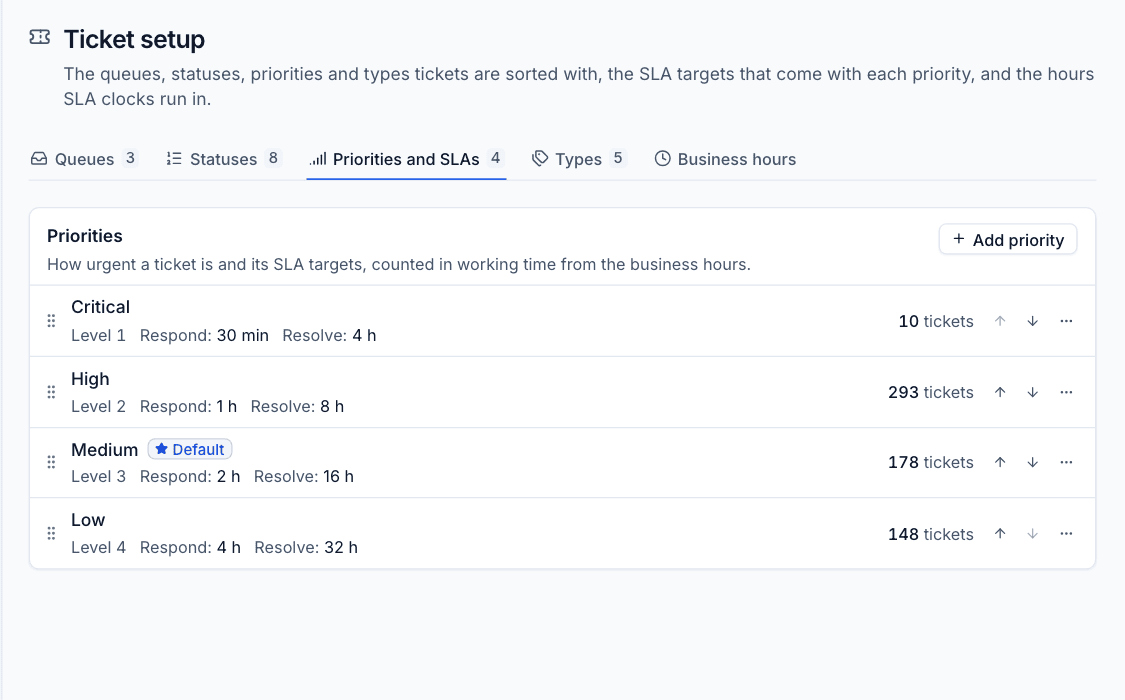
- Critical: the business, or a whole site, cannot work. Respond in 30 minutes, fix in 4 hours.
- High: a team or a key person is stopped. Respond in 1 hour, fix in 8.
- Medium: one person is affected but has a workaround. Respond in 2 hours, fix in 16.
- Low: requests, questions and nice-to-haves. Respond in 4 hours, fix in 32.
Write down what each priority means in plain words, with examples, and share it with your clients. If a tech has to guess whether a ticket is High or Medium, two techs will guess differently, and your SLA figures turn into noise. Keep the definitions about impact, not about who is shouting loudest.
Count working time, not wall-clock time
If your support hours are 09:00 to 17:30, Monday to Friday, the SLA clock should only run in those hours. Otherwise a Low ticket logged on Friday afternoon is breached before anyone is back at their desk, and the report punishes the team for the calendar.
Take a 4 hour target on a ticket opened at 16:00 on a Friday. With hours of 09:00 to 17:30, an hour and a half counts on Friday and the other two and a half on Monday morning, so it is due at 11:30 on Monday. That is the answer your client expects too, as long as your hours are written into the agreement.
Bank holidays need the same thinking. Decide up front whether they count as working days, put it in the contract, and make sure your tooling and your rota agree. Nothing erodes trust faster than a breach report that disagrees with what everyone knows happened.
Pause the clock when you are waiting on the customer
"Can you try that and let us know?" followed by three days of silence should not count against you. Most service desks handle this with a status such as Waiting on customer that pauses the SLA clock while the ball is in their court.
Two rules keep this honest. First, only pause for genuine waits on the customer, not because the team is busy. Second, a customer reply should restart the clock straight away. If techs can park tickets in a paused status to dodge a breach, clients will notice before you do, and the numbers stop meaning anything.
Waiting on a supplier or a part is a judgement call. Many MSPs keep the clock running for third parties, because from the client's point of view it is still your problem. Whatever you choose, be consistent and say so in the agreement.
Report breaches, including the bad months
An SLA you never report on is a marketing line. Look at breaches every week internally: which priority, which customer, which queue, response or resolution. Patterns show up quickly. A single customer who generates most of your breaches might need a different contract, or a project to fix the thing that keeps breaking.
Then share the figures with clients. A monthly report showing tickets opened and resolved, the share that met their SLA, and average first response and resolution times does more for renewals than any sales call. Include the bad months. A client who sees you missed a target, and why, trusts the good months far more.
Tell clients what the SLA does and does not cover
Most SLA arguments are really misunderstandings. Put these in writing, in plain English:
- Your support hours and the time zone they are in.
- What each priority means, with examples.
- The difference between responding and resolving.
- When the clock pauses, and that a reply from them restarts it.
- How to raise something urgent (usually a phone call, not an email at 23:00).
Then make sure your techs know it just as well as your clients. The contract, the service desk settings and the conversation on the phone should all say the same thing.
How we handle it in Tenvara
In Tenvara all of this lives in Settings > Ticket setup. Each priority carries its own First response within and Resolve within targets, in minutes, hours or working days, and the default set is the four above. Business hours are set per day with a time zone, and SLA targets count working time only. See Ticket setup and SLAs for the details.
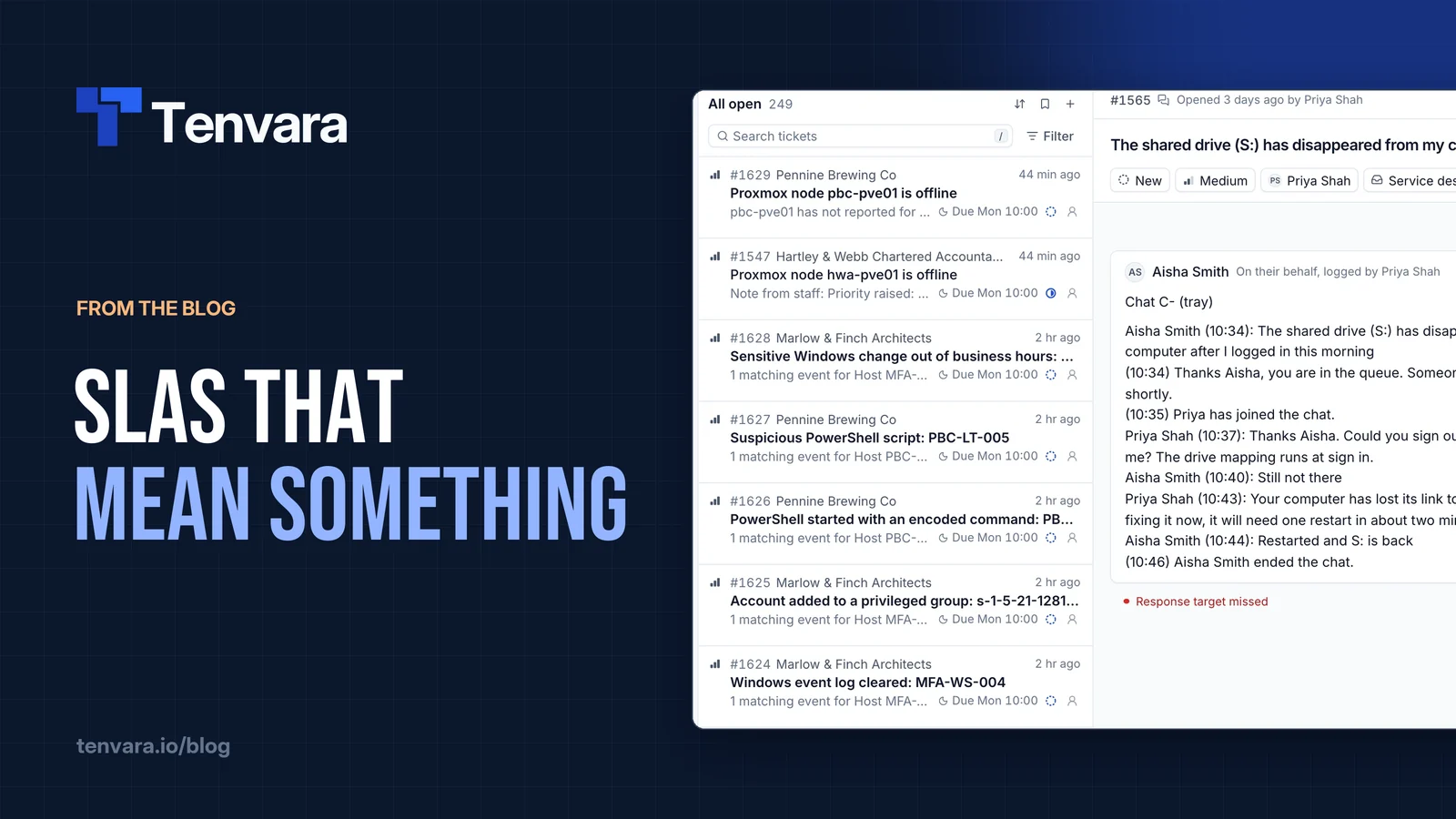
Any status can pause the SLA clock, and the default waiting statuses do. Send and set Waiting on customer replies and pauses in one go, and a customer reply reopens a waiting ticket. Only the first public reply from your team meets the response target: internal notes do not count. When a target is missed, the assignee gets a notification.
Day to day, the ticket inbox has SLA breached and SLA at risk views, and sorting by SLA due first thing in the morning puts the tickets in the order their targets run out. Each customer's recurring agreement sits in Contracts, with notes on what is covered, so the team can check the terms from the same place.
For reporting, the Reports dashboard shows SLA met and SLA breaches per week, the report builder has ready-made reports such as SLA breaches by customer this quarter, and monthly customer reports give each client their tickets, SLA met and first response and resolution times in a branded PDF. More on the service desk as a whole is on the service desk page.
The short version
Pick a few clear priorities, count working time, pause only for real customer waits, and publish the results even when they are not flattering. Do that and your SLA stops being a line in the contract and becomes something clients and techs both believe. If you would like to set it up on your own service desk, the free trial is the quickest way to try it.