Compare: RMM and patching
Action1 alternative: Tenvara
Action1 is a cloud patch management tool that many MSPs and IT teams use to keep Windows, macOS and Linux devices and their apps up to date, with a generous free tier. Tenvara patches the same platforms and apps through its agent, and adds monitoring, scripts, backup and a service desk in the same app. It does not match Action1 on vulnerability management.
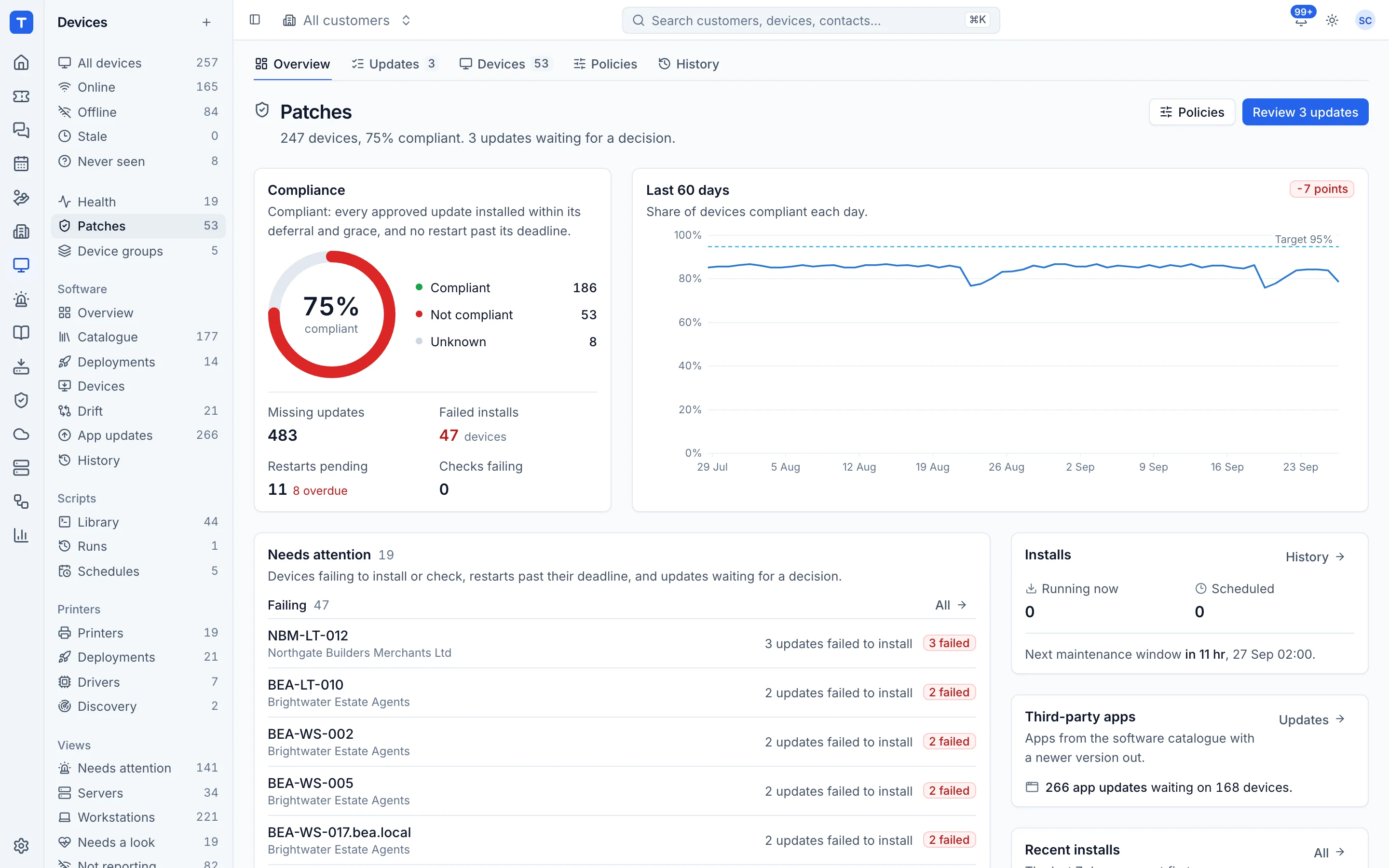
The tool today
What Action1 does
Cloud patch management for Windows, macOS and Linux with vulnerability remediation, free to 200 endpoints. Made by Action1 Corporation. This is how the vendor describes it, in our words.
- Patches Windows, macOS and Linux from the cloud, without VPNs or on-premises servers.
- Patches third-party applications such as Chrome, Adobe, Java, Firefox and Zoom.
- Finds vulnerabilities by CVE and remediates them from the same console.
- Deploys software by policy, and includes a remote desktop feature.
- Multi-tenant for MSPs, with every customer in one console.
Side by side
Tenvara vs Action1
The RMM and patching jobs that matter most, and how each product handles them.
Operating system patching
Windows, macOS and Linux
Third-party app updates
Chrome, Adobe, Java, Zoom and more
Software deployment
Policy-based deployment
Every customer in one console
Multi-tenancy for MSPs
Run it on your own server
Cloud-native, no on-premises servers
Monitoring, backup and tickets alongside
Focused on patching and endpoints
Add-on means the vendor sells it as a separate product or paid extra. Action1 details come from the vendor's own website, see sources.
The one-app pitch
What else you'd replace
Most MSPs running Action1 pay for several other tools beside it. Tenvara does these jobs too, on the same customer record, with one agent and one login.
See every comparisonSwitching
Moving from Action1
A calm move, not a big bang. Run both side by side until your team is happy.
-
1
Set up customers and sites
There is no automatic import from Action1, so add your customers and sites first. Enrolment tokens then tie each device to the right customer.
Customers, sites and contacts -
2
Deploy the agent alongside
The one-line install command runs from any tool that can run a script, so you can roll Tenvara out to a whole customer at once.
Installing the agent -
3
Set your patch policies
Choose which classifications approve automatically, deferral days, maintenance windows and how devices restart, per customer or device group.
Patching -
4
Build your software catalogue
Add the apps you deploy and keep up to date. The catalogue starts with well over a hundred common apps.
Software deployment -
5
Run both side by side, then switch
Watch compliance in Tenvara for a patch cycle or two, then remove the Action1 agent customer by customer.
Action1 pricing
Action1 is free for the first 200 endpoints with no feature limits. Above that, pricing is by quote.
Vendor pricing pageTenvara pricing
One subscription, per technician or per endpoint, hosted or self-hosted, with every feature in every plan.
See pricingQuestions
Action1 vs Tenvara: FAQ
Yes. It uses Software Update on macOS and apt, dnf or yum on Linux, and takes over Windows Update on Windows so only approved updates install.
More RMM and patching comparisons
See Tenvara next to Action1.
A 30 minute walkthrough of the real product. Bring your list of what you use today and we'll show you where each part lives in Tenvara, and where it doesn't.
Comparison based on publicly available information as of September 2026. Action1 is a trademark of its owner; Tenvara is not affiliated with it. Spotted something out of date? Tell us and we'll correct it.
Sources