Compare: Backup
Datto BCDR alternative: Tenvara
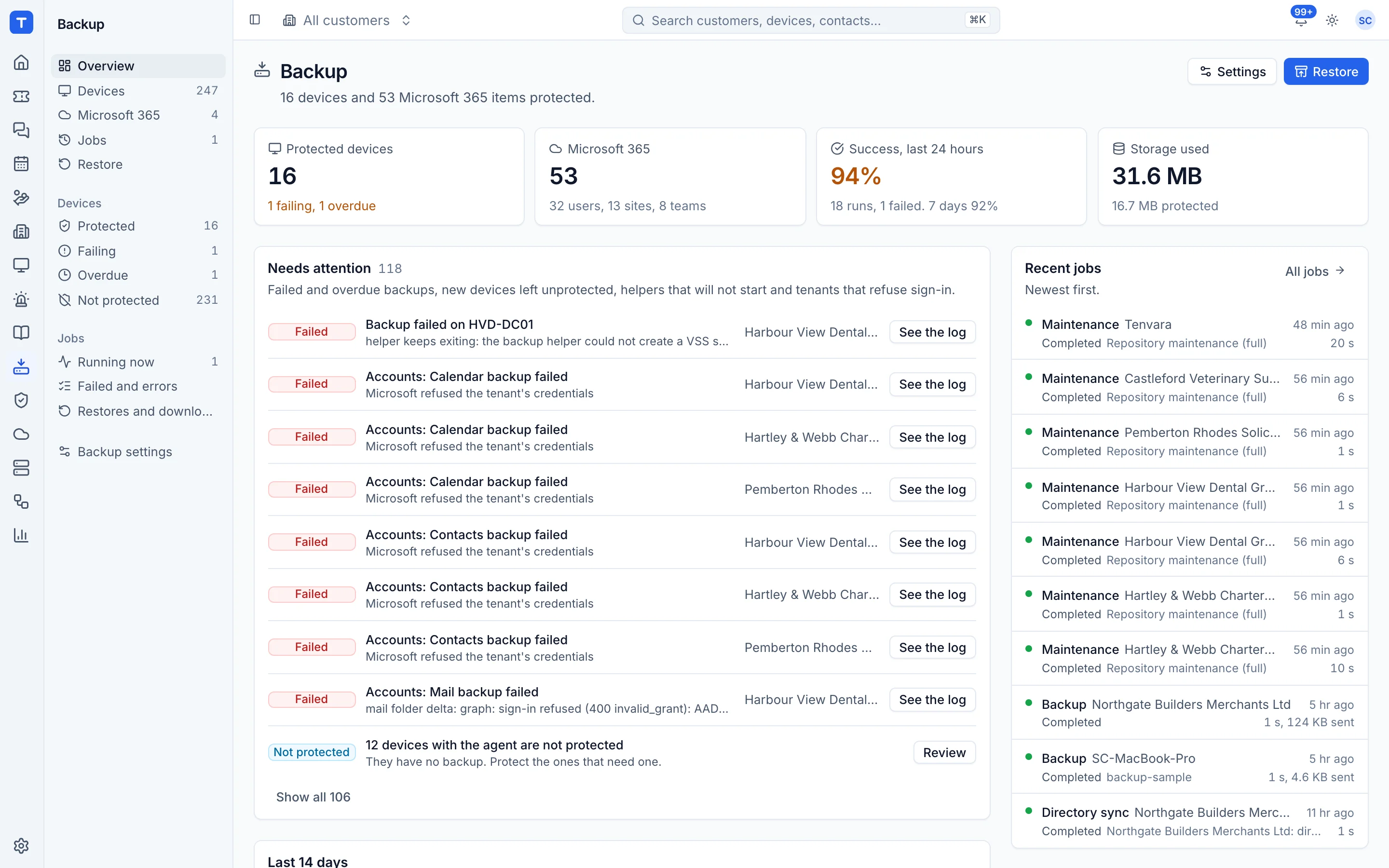
Datto SIRIS and ALTO are backup appliances built for full business continuity, with local and cloud virtualisation, and Datto Endpoint Backup sends PCs and servers straight to the Datto Cloud. MSPs look at Tenvara when they want backup in the same app as their tickets, devices and alerts, using the agent they already run and storage they choose. It is a different kind of product: Tenvara backs up and restores, but it does not boot your backups as virtual machines.
The tool today
What Datto BCDR does
Backup and disaster recovery appliances (SIRIS, ALTO) and Endpoint Backup, with the Datto Cloud. Made by Datto (Kaseya). This is how the vendor describes it, in our words.
- SIRIS runs on a Datto appliance, as a virtual machine or on your own Linux server, with copies in the Datto Cloud.
- Instant virtualisation of a protected system, locally on the appliance or in the Datto Cloud.
- Screenshot Verification boots backups to check they start, with optional scripts to check applications.
- Bare metal recovery, plus ransomware scanning as part of the backup process.
- Immutable Datto Cloud storage with Cloud Deletion Defense, and flat fee disaster recovery.
- Datto Endpoint Backup sends Windows PCs, servers and Macs direct to the Datto Cloud with no hardware.
Side by side
Tenvara vs Datto BCDR
The backup jobs that matter most, and how each product handles them.
Image backup of Windows and Linux volumes
Image based backups of servers and PCs
Hyper-V and virtual machine backup
VMware and Hyper-V
Local copy for fast restores
SIRIS or ALTO appliance on site
Single file restores from an image
File level restore
Microsoft 365 backup
Sold separately as Datto SaaS Protection
Failures become tickets in the same app
Integrates with RMM and PSA tools
Add-on means the vendor sells it as a separate product or paid extra. Datto BCDR details come from the vendor's own website, see sources.
The one-app pitch
What else you'd replace
Most MSPs running Datto BCDR pay for several other tools beside it. Tenvara does these jobs too, on the same customer record, with one agent and one login.
See every comparisonSwitching
Moving from Datto BCDR
A calm move, not a big bang. Run both side by side until your team is happy.
-
1
Choose storage and save the encryption key
Set a folder or S3-compatible storage in backup settings, and copy the encryption key somewhere safe before anything else.
Setting up backup -
2
Deploy the agent alongside
Install the Tenvara agent next to the Datto agent. Nothing is imported from Datto, so you start fresh recovery points.
Installing the agent -
3
Protect devices and pick schedules
Protect servers and PCs in bulk, then set schedules and retention per customer. Avoid running both backups at the same moment, as they compete for VSS.
Protecting devices -
4
Keep Datto until its retention runs out
Your Datto recovery points stay in Datto. Keep it for servers that need instant virtualisation, or until your old restore points are no longer needed.
Datto BCDR pricing
Datto does not publish BCDR or Endpoint Backup prices on its website; they are by quote through Datto.
Tenvara pricing
One subscription, per technician or per endpoint, hosted or self-hosted, with every feature in every plan.
See pricingQuestions
Datto BCDR vs Tenvara: FAQ
Only partly. Tenvara backs up volumes, folders and Hyper-V or Proxmox guests and restores files or whole images, but it has no instant virtualisation, screenshot verification or cloud disaster recovery.
In a folder on your backup server or in S3-compatible storage, one encrypted, deduplicated repository per customer.
Yes, file by file. On a Mac Tenvara backs up chosen folders, by default the users' home folders, rather than whole disk images.
More backup comparisons
See Tenvara next to Datto BCDR.
A 30 minute walkthrough of the real product. Bring your list of what you use today and we'll show you where each part lives in Tenvara, and where it doesn't.
Comparison based on publicly available information as of September 2026. Datto BCDR is a trademark of its owner; Tenvara is not affiliated with it. Spotted something out of date? Tell us and we'll correct it.
Sources