Compare: Backup
Dropsuite alternative: Tenvara
Dropsuite backs up Microsoft 365, Google Workspace, Entra ID and QuickBooks Online, and NinjaOne now sells it as NinjaOne SaaS Backup. MSPs look at Tenvara when they want Microsoft 365 backup in the same app as their service desk, device backup and tenant management, with one consent per customer and restores straight back to the user, another user or a PST.
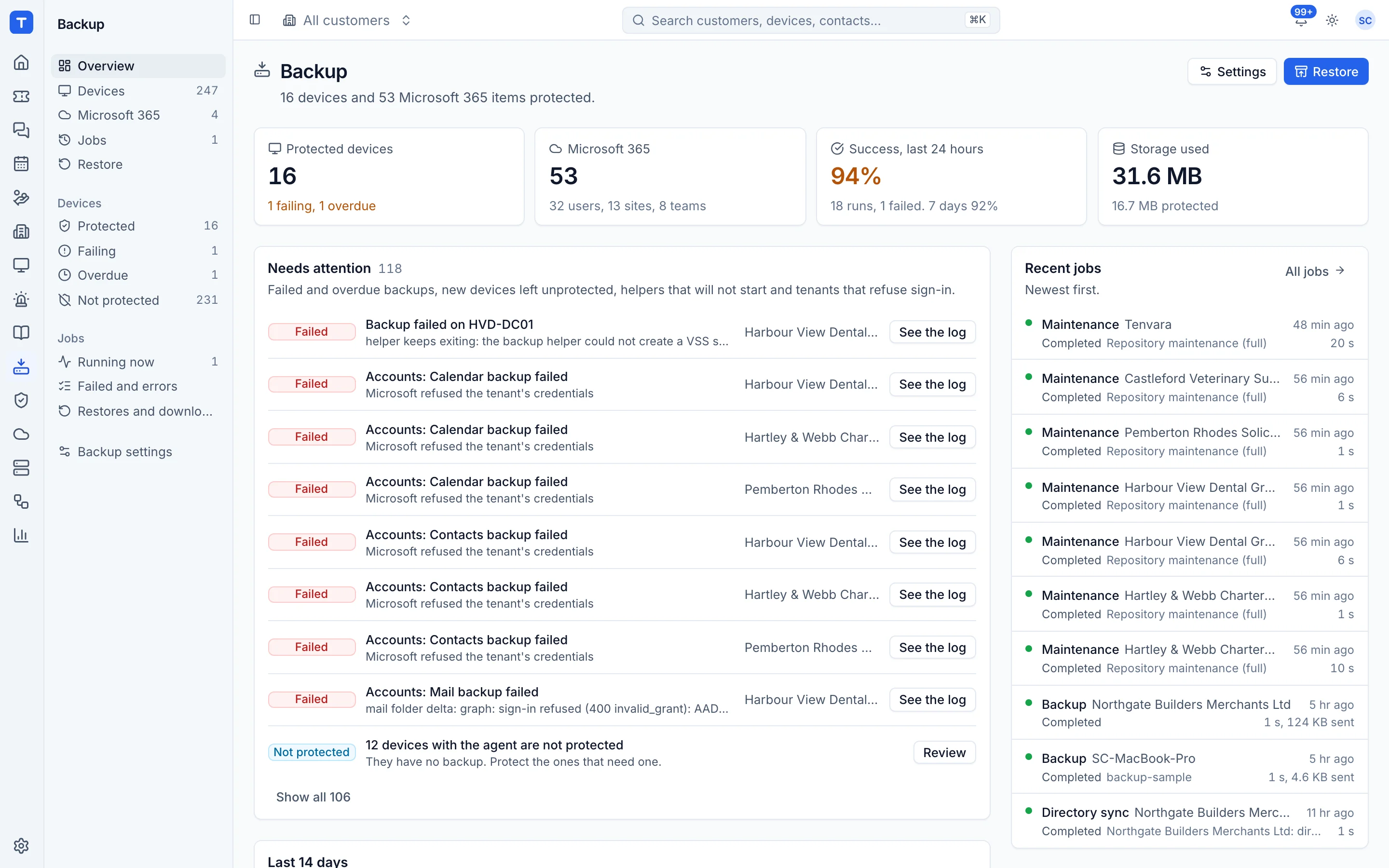
The tool today
What Dropsuite does
Cloud backup and email archiving for Microsoft 365, Google Workspace and more, now NinjaOne SaaS Backup. Made by Dropsuite, a NinjaOne company. This is how the vendor describes it, in our words.
- Backs up Exchange Online mail, calendars and contacts, SharePoint, OneDrive and Teams.
- Backs up Gmail, Drive, Calendar and Contacts in Google Workspace.
- Backs up Microsoft Entra ID and QuickBooks Online data.
- Point in time and item level recovery with search across tenants and backups.
- Email archiving, legal hold and audit trails for compliance.
Side by side
Tenvara vs Dropsuite
The backup jobs that matter most, and how each product handles them. Then what else comes with Tenvara, such as a service desk, RMM and Microsoft 365 management, in the same app.
Exchange mail, calendar and contacts
Mail, calendar and contacts
OneDrive, SharePoint and Teams
OneDrive, SharePoint and Teams
Flexible retention
Days, years or indefinitely
Item level restore and download
Point in time, item level
New users protected automatically
Automated backups
Server and PC backup in the same app
Through NinjaOne Backup
Google Workspace
Gmail, Drive, Calendar and Contacts
Entra ID backup
Identity and access data
Email archiving and legal hold
Archiving and legal hold
eDiscovery cases
Archived mail kept searchable for eDiscovery
Backup health and reporting
Reports on backup coverage and audit trails
Restore search across backups
Search across tenants, timelines and content
Self-service restores for customers
End-User Portal for their own data
Also in Tenvara
What else you get with Tenvara, in the same app
PSA and service desk
Separate product: NinjaOne PSA
Remote monitoring and alerts
Separate product: NinjaOne RMM
Microsoft 365 management
Not included
Remote access
Separate product: NinjaOne Remote
Patching
Separate product: NinjaOne Autonomous Patch Management
Security monitoring
Not included
IT documentation
Separate product: NinjaOne Documentation
Microsoft 365 security posture
Not included
Email domain security
Not included
Add-on means the vendor sells it as a separate product or paid extra. Dropsuite details come from the vendor's own website, see sources.
The one-app pitch
What else you'd replace
Most MSPs running Dropsuite pay for several other tools beside it. Tenvara does these jobs too, on the same customer record, with one agent and one login.
See every comparisonSwitching
Moving from Dropsuite
A calm move, not a big bang. Run both side by side until your team is happy.
How a gradual move to Tenvara works-
1
Set up storage and the app registration
Choose storage, save the encryption key and set up the one Microsoft 365 app registration.
Setting up backup -
2
Connect each tenant
Send the admin consent link or connect through GDAP. The same connection is used by Tenvara's Microsoft 365 management.
Microsoft 365 backup -
3
Choose what is protected
Protect users, sites and teams, and leave protect new ones automatically on.
Microsoft 365 backup -
4
Retire Dropsuite when you are ready
Tenvara builds its own recovery points from the first backup. Keep Dropsuite for as long as you need its history, then retire it.
Dropsuite pricing
Dropsuite and NinjaOne sell SaaS Backup by quote or through a trial.
Tenvara pricing
One product with every feature included, hosted or self-hosted. Tenvara is new and in beta, and pricing is announced before launch.
See pricingQuestions
Dropsuite vs Tenvara: FAQ
From every hour to once a day per tenant, every 12 hours by default. Only changes since the last run are fetched.
Yes. A mail restore can be downloaded as a PST, as EML files or as a zip, kept for seven days.
In your Tenvara backup storage, a folder on your backup server or S3-compatible storage, encrypted and kept per customer.
As long as you like. The default keeps every recovery point for seven years, and leaving the age limit empty keeps them for ever.
More backup comparisons
Tenvara is coming soon.
Apply for the beta to run Tenvara side by side with Dropsuite before you decide, or get launch updates and hear first when pricing is announced.
Comparison based on publicly available information as of September 2026. Dropsuite is a trademark of its owner; Tenvara is not affiliated with it. Spotted something out of date? Tell us and we'll correct it.
Sources