Compare: Backup
Acronis Cyber Protect Cloud alternative: Tenvara
Acronis Cyber Protect Cloud gives service providers backup, disaster recovery and security from one agent and one multi-tenant console. MSPs look at Tenvara when they want backup to sit alongside their service desk, RMM and Microsoft 365 management in the same app, with storage they choose. Acronis goes further on recovery options and workload coverage, so this page compares the backup side only.
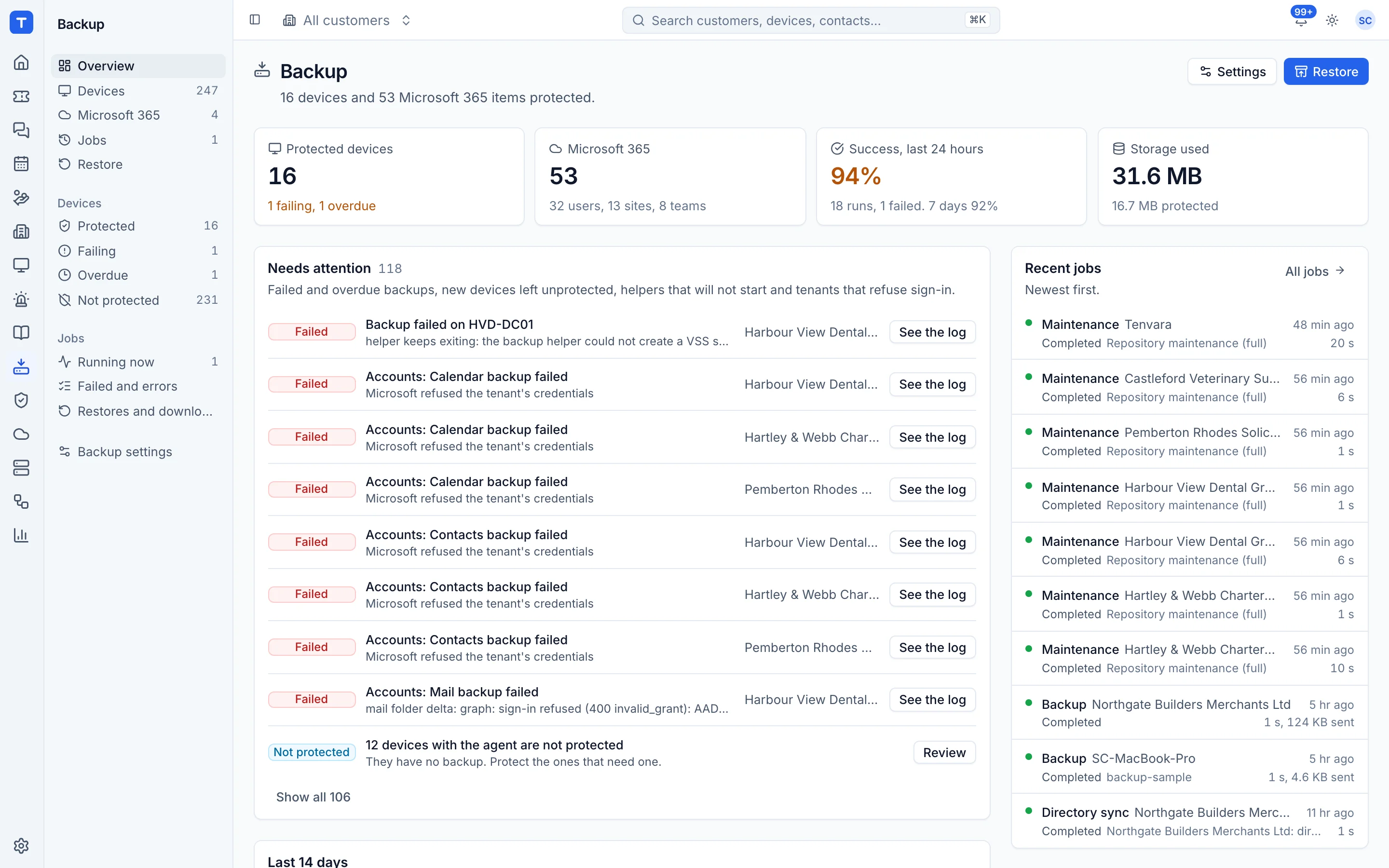
The tool today
What Acronis Cyber Protect Cloud does
Multi-tenant backup, disaster recovery and security for service providers, with one agent and console. Made by Acronis. This is how the vendor describes it, in our words.
- File, disk and image backup for Windows and Linux, and agentless backup for VMware, Hyper-V and Nutanix AHV.
- Microsoft 365 and Google Workspace backup.
- Storage in Acronis Cloud, your own public cloud storage, or a hybrid, with geo-redundant and immutable options.
- Integrated disaster recovery for failover to the cloud from backups.
- Anti-malware scanning of backups and Safe Recovery, plus bootable media and Universal Restore.
Side by side
Tenvara vs Acronis Cyber Protect Cloud
The backup jobs that matter most, and how each product handles them.
Image backup of Windows and Linux
File, disk and image backup
Hyper-V and Proxmox VE guests
VMware, Hyper-V and Nutanix AHV
Microsoft 365 backup
Microsoft 365 backup
Choose your own storage
Acronis Cloud, your own or hybrid
Alerts on failed backups
Centralised monitoring and alerts
Add-on means the vendor sells it as a separate product or paid extra. Acronis Cyber Protect Cloud details come from the vendor's own website, see sources.
The one-app pitch
What else you'd replace
Most MSPs running Acronis Cyber Protect Cloud pay for several other tools beside it. Tenvara does these jobs too, on the same customer record, with one agent and one login.
See every comparisonSwitching
Moving from Acronis Cyber Protect Cloud
A calm move, not a big bang. Run both side by side until your team is happy.
-
1
Choose storage and save the encryption key
Set a folder or S3-compatible storage in backup settings, and copy the encryption key somewhere safe.
Setting up backup -
2
Deploy the agent alongside
Install the Tenvara agent next to the Acronis agent. Nothing is imported, so recovery points start fresh.
Installing the agent -
3
Protect devices and set schedules
Protect devices in bulk and give each customer its schedule and retention. Keep the two backups from running at the same time.
Schedules and retention -
4
Connect Microsoft 365 tenants
Connect each tenant with admin consent or GDAP and choose who is protected.
Microsoft 365 backup -
5
Retire Acronis when old points expire
Keep your Acronis backups until you no longer need their restore points.
Acronis Cyber Protect Cloud pricing
Acronis does not publish prices on its pricing page. It offers per workload or per GB licensing and a pricing calculator.
Vendor pricing pageTenvara pricing
One subscription, per technician or per endpoint, hosted or self-hosted, with every feature in every plan.
See pricingQuestions
Acronis Cyber Protect Cloud vs Tenvara: FAQ
You point Tenvara at a folder on your backup server or at S3-compatible storage. Backups are encrypted and deduplicated per customer.
More backup comparisons
See Tenvara next to Acronis Cyber Protect Cloud.
A 30 minute walkthrough of the real product. Bring your list of what you use today and we'll show you where each part lives in Tenvara, and where it doesn't.
Comparison based on publicly available information as of September 2026. Acronis Cyber Protect Cloud is a trademark of its owner; Tenvara is not affiliated with it. Spotted something out of date? Tell us and we'll correct it.
Sources