Compare: Billing, reporting and automation
Rewst alternative: Tenvara
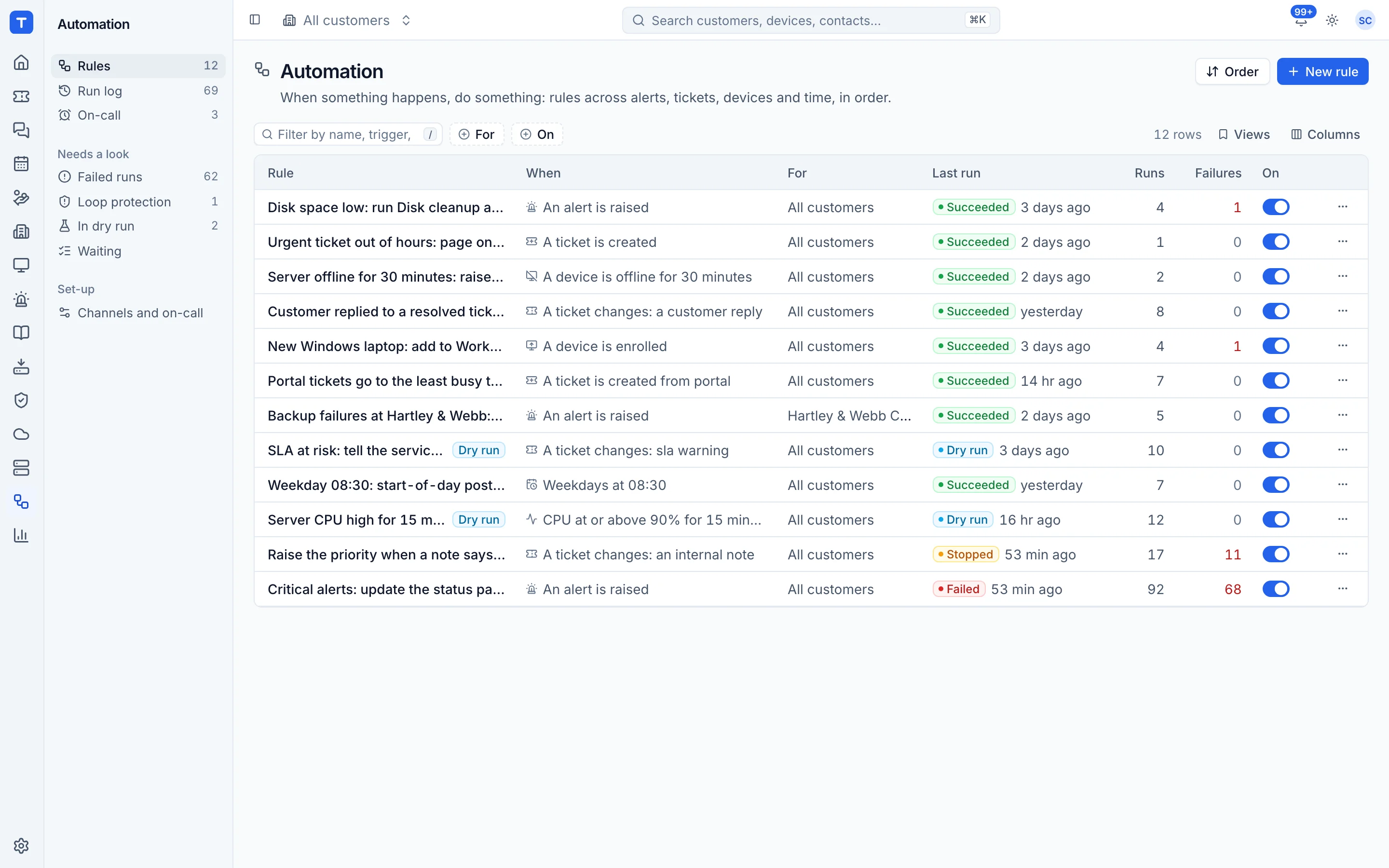
Rewst is an automation platform built for MSPs, used to join up the PSA, RMM, Microsoft 365 and security tools in a stack. Tenvara takes a different route: because tickets, devices, Microsoft 365 and alerts already live in one app, many jobs need a simple rule rather than an integration. If your automations mostly span tools you would replace with Tenvara, that is often enough; if they reach many other vendors, Rewst goes further.
The tool today
What Rewst does
An MSP automation platform with a workflow builder, prebuilt Crates and a large integration library. Made by Rewst. This is how the vendor describes it, in our words.
- A drag and drop workflow builder with nested sub-workflows.
- Crates: prebuilt automations for onboarding, offboarding, Microsoft 365 hygiene and billing reconciliation.
- Integrations with PSAs, RMMs, security tools and cloud platforms, plus custom integrations for REST APIs.
- A Form Builder so clients can trigger workflows, and an App Builder for branded front ends.
- Workflows deployed across clients from a multi-tenant platform.
Side by side
Tenvara vs Rewst
The billing, reporting and automation jobs that matter most, and how each product handles them.
Visual automation builder
Drag and drop workflow builder
Ready-made automations
Crates maintained by Rewst
Microsoft 365 starters and leavers
Onboarding and offboarding Crates
Run across many customers
Multi-tenant deployment
Add-on means the vendor sells it as a separate product or paid extra. Rewst details come from the vendor's own website, see sources.
The one-app pitch
What else you'd replace
Most MSPs running Rewst pay for several other tools beside it. Tenvara does these jobs too, on the same customer record, with one agent and one login.
See every comparisonSwitching
Moving from Rewst
A calm move, not a big bang. Run both side by side until your team is happy.
-
1
List what your workflows do
Sort your Rewst workflows into ones that only touch tools Tenvara replaces and ones that reach other vendors. The first group are candidates for Tenvara rules.
-
2
Rebuild them as rules in dry run
Start from a template or from scratch and leave each rule in dry run, so it logs what it would do without doing it.
Testing, dry run and versions -
3
Use starters and leavers for Microsoft 365
Onboarding and offboarding users is built in, with each step logged and the run able to be undone.
Starters and leavers -
4
Check the run log, then switch
Once the runs look right, turn dry run off and switch the matching Rewst workflow off.
The run log
Rewst pricing
Rewst does not publish prices. It offers usage-based pricing or flat-rate pricing based on managed endpoints, by quote.
Tenvara pricing
One subscription, per technician or per endpoint, hosted or self-hosted, with every feature in every plan.
See pricingQuestions
Rewst vs Tenvara: FAQ
Yes. A rule can run a script from the library or deploy software on the device or a device group, through the Tenvara agent.
Test it against a recent real event, then leave it in dry run so it only logs what it would do. Loop protection stops rules setting each other off.
More billing, reporting and automation comparisons
See Tenvara next to Rewst.
A 30 minute walkthrough of the real product. Bring your list of what you use today and we'll show you where each part lives in Tenvara, and where it doesn't.
Comparison based on publicly available information as of September 2026. Rewst is a trademark of its owner; Tenvara is not affiliated with it. Spotted something out of date? Tell us and we'll correct it.
Sources