Compare: Billing, reporting and automation
BrightGauge alternative: Tenvara
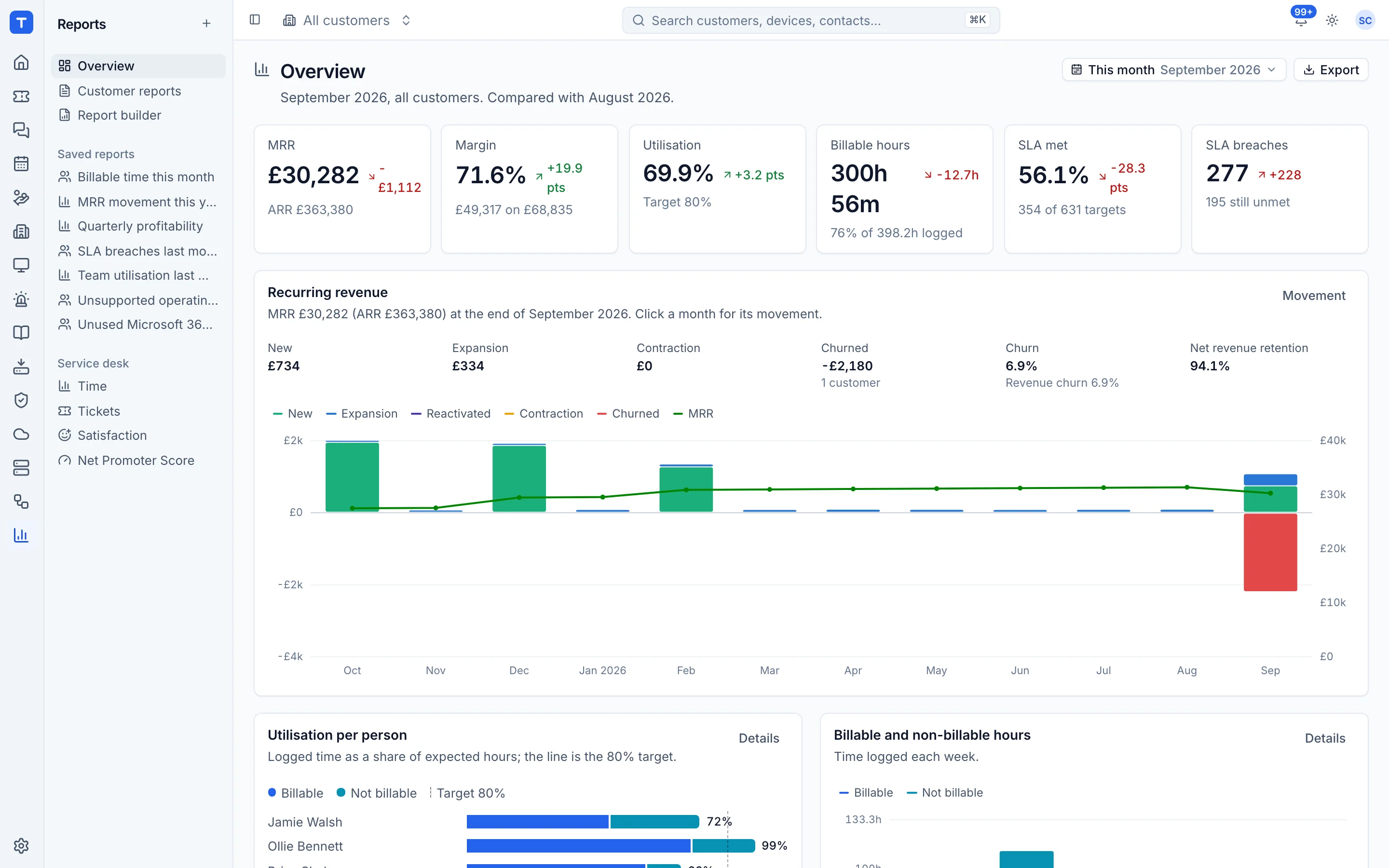
BrightGauge, now sold as ConnectWise Reports and Dashboards, pulls data from the PSA, RMM and other tools an MSP runs and turns it into dashboards, reports and goals. Tenvara does not need to pull data from anywhere, because tickets, time, contracts, licences, devices and backups already sit in the same app. Its dashboard, report builder and monthly customer reports work straight off that data.
The tool today
What BrightGauge does
Dashboards, reports and goals across many MSP tools, now ConnectWise Reports and Dashboards. Made by ConnectWise. This is how the vendor describes it, in our words.
- Gauges and dashboards built from connected datasources, with pre-built defaults for each.
- Datasources for tools such as ConnectWise PSA, Autotask, NinjaOne, IT Glue and QuickBooks Online.
- Reports sent by email on demand or on a schedule, including client reports.
- Goals with weekly check-ins for individuals and teams.
- Dashboards shown on any screen, including TVs, with rotating dashboards.
Side by side
Tenvara vs BrightGauge
The billing, reporting and automation jobs that matter most, and how each product handles them.
KPI dashboard
Dashboards of gauges
Build your own reports
Report designer, templates or blank
Scheduled email reports
On demand or on a schedule
Client reports
Client reporting
Add-on means the vendor sells it as a separate product or paid extra. BrightGauge details come from the vendor's own website, see sources.
The one-app pitch
What else you'd replace
Most MSPs running BrightGauge pay for several other tools beside it. Tenvara does these jobs too, on the same customer record, with one agent and one login.
See every comparisonSwitching
Moving from BrightGauge
A calm move, not a big bang. Run both side by side until your team is happy.
-
1
Set rates, costs and targets
Profitability and utilisation are only as good as the rates behind them, so set hourly rates, cost rates and targets first.
Rates, costs and targets -
2
Rebuild your key reports
Start from a report template, adjust the filters and grouping, and save it. Share it with the team if it is for everyone.
The report builder -
3
Schedule what people get by email
Put your weekly and monthly reports on a schedule as PDF, CSV or both.
Saved and scheduled reports -
4
Switch on customer reports
Choose the template, the day of the month and whether reports are emailed, published to the portal or held for review.
Customer report settings and templates
BrightGauge pricing
ConnectWise does not list a price for Reports and Dashboards that we could confirm; ask ConnectWise for a quote. A free Analytics Starter version is offered to some ConnectWise partners.
Tenvara pricing
One subscription, per technician or per endpoint, hosted or self-hosted, with every feature in every plan.
See pricingQuestions
BrightGauge vs Tenvara: FAQ
Yes. Each customer can get a branded monthly PDF, emailed, published to their portal or both, with the option to review it first.
Revenue, cost, margin and utilisation need the Finance permission, and scheduled reports are run as each recipient.
More billing, reporting and automation comparisons
See Tenvara next to BrightGauge.
A 30 minute walkthrough of the real product. Bring your list of what you use today and we'll show you where each part lives in Tenvara, and where it doesn't.
Comparison based on publicly available information as of September 2026. BrightGauge is a trademark of its owner; Tenvara is not affiliated with it. Spotted something out of date? Tell us and we'll correct it.
Sources