Compare: Billing, reporting and automation
Gradient MSP alternative: Tenvara
Gradient MSP's Reconcile, which grew out of Synthesize billing, compares what your vendors and distributors say customers use with what your PSA bills, and writes the fixes back to your contracts. Tenvara does the Microsoft licence part of that job inside one app: it reads Pax8 and Partner Center, checks the seats against each tenant and keeps the contract lines in step. If your billing gaps are mostly Microsoft licences, that may be enough.
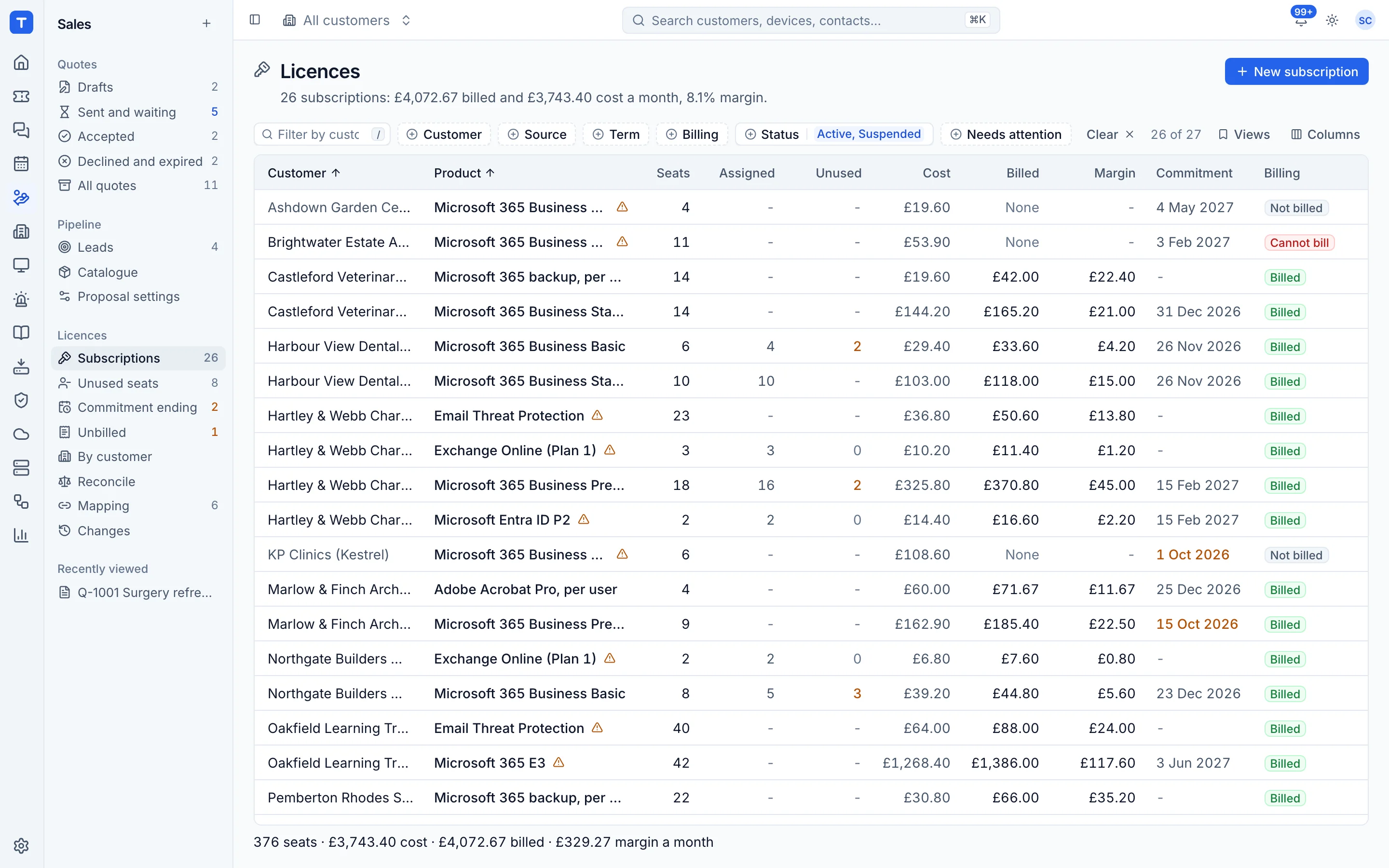
The tool today
What Gradient MSP does
Billing reconciliation (Reconcile, formerly Synthesize) that checks vendor usage against PSA contracts. Made by Gradient MSP. This is how the vendor describes it, in our words.
- Finds missed licences, wrong quantities and unbilled services.
- Maps PSA accounts to vendor accounts, and PSA products to vendor services or SKUs.
- Connects to distributors and vendors such as Pax8, Ingram Micro, TD SYNNEX, SentinelOne and Datto.
- Works with PSAs including Autotask, ConnectWise, HaloPSA and Kaseya BMS.
- Updates service counts on client contracts in the PSA.
- A Microsoft Add-on for indirect resellers, with licence, quantity and cost sync.
Side by side
Tenvara vs Gradient MSP
The billing, reporting and automation jobs that matter most, and how each product handles them.
Distributor licence sync
Pax8, Ingram Micro, TD SYNNEX and more
Map vendor companies and products
Account and service mapping
Microsoft 365 licence reconciliation
Microsoft Add-on
Update contract quantities
Writes service counts to PSA contracts
Change log with approval
Change detection across systems
Unbilled seat alerts
Flags unbilled services
Add-on means the vendor sells it as a separate product or paid extra. Gradient MSP details come from the vendor's own website, see sources.
The one-app pitch
What else you'd replace
Most MSPs running Gradient MSP pay for several other tools beside it. Tenvara does these jobs too, on the same customer record, with one agent and one login.
See every comparisonSwitching
Moving from Gradient MSP
A calm move, not a big bang. Run both side by side until your team is happy.
-
1
Set up customers and contracts
Tenvara bills licences onto each customer's contract, so add customers and their contracts first. There is no import from Gradient or your PSA.
Contracts and the Xero export -
2
Connect Pax8 or Partner Center
Add your distributor as a licence source, test it and run a first sync.
Connecting licence sources -
3
Confirm the mapping
Tenvara suggests a customer for each distributor company and a catalogue item for each product. Confirm them once.
Mapping companies and products -
4
Check a month side by side
Compare the Xero export with what your current process bills for one month before switching over.
Gradient MSP pricing
Gradient MSP publishes its prices on its website. Check its pricing page for current prices and terms.
Vendor pricing pageTenvara pricing
One subscription, per technician or per endpoint, hosted or self-hosted, with every feature in every plan.
See pricingQuestions
Gradient MSP vs Tenvara: FAQ
Pax8 and Microsoft Partner Center. Licences bought elsewhere can be added by hand and are billed and reconciled like the rest.
Yes. Reconcile compares supplied seats with what each Microsoft 365 tenant has bought and assigned, and lists users who are disabled or inactive.
More billing, reporting and automation comparisons
See Tenvara next to Gradient MSP.
A 30 minute walkthrough of the real product. Bring your list of what you use today and we'll show you where each part lives in Tenvara, and where it doesn't.
Comparison based on publicly available information as of September 2026. Gradient MSP is a trademark of its owner; Tenvara is not affiliated with it. Spotted something out of date? Tell us and we'll correct it.
Sources