Compare: Printing
Vasion Print alternative: Tenvara
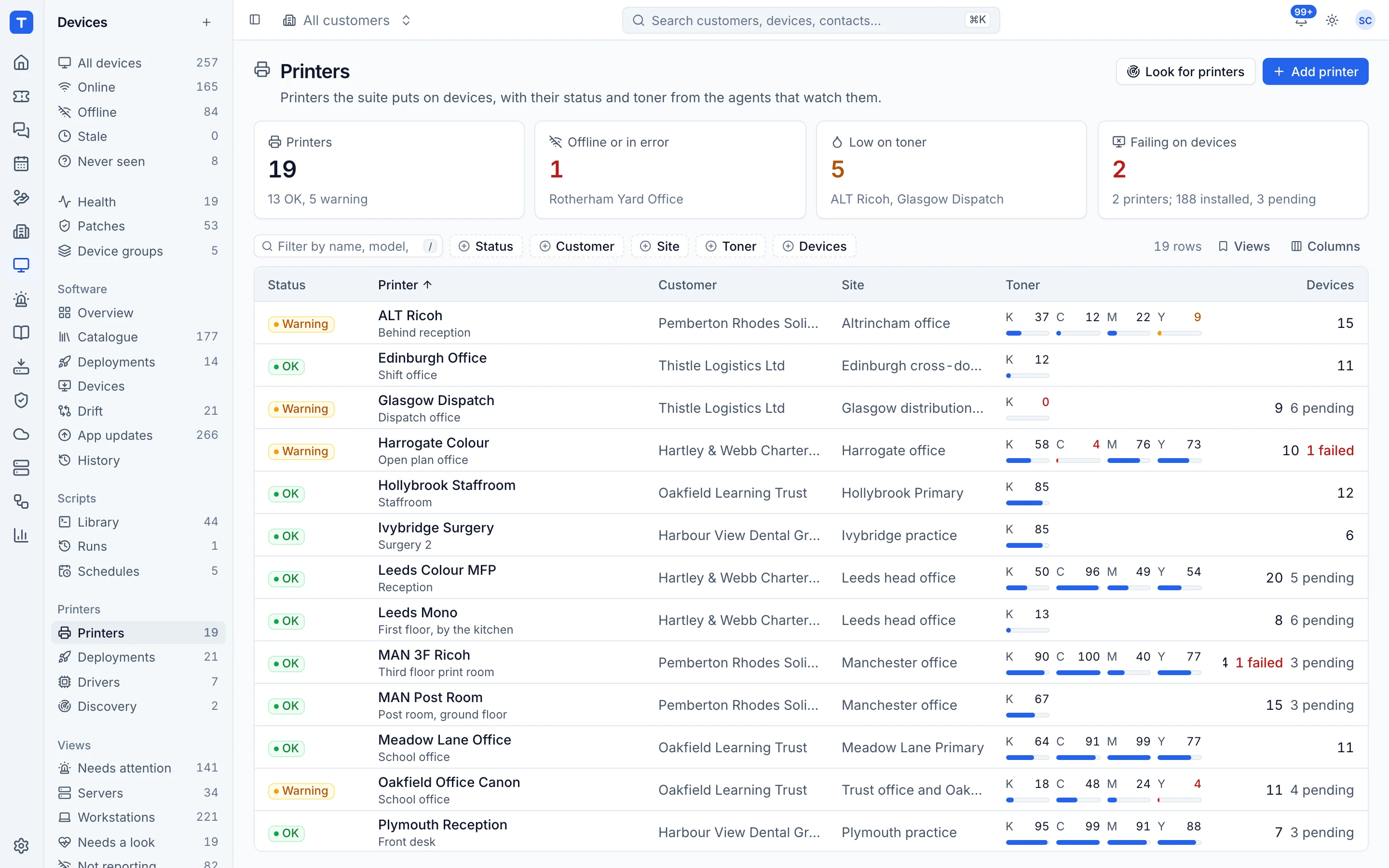
Vasion Print, formerly PrinterLogic, replaces print servers with centrally managed direct IP printing, and adds secure release, self-service installs and reporting. MSPs often use it to control which printers and drivers each machine gets. Tenvara does that part through the agent you already deploy and watches each printer for status and toner, but it does not manage print jobs.
The tool today
What Vasion Print does
Serverless print management, formerly PrinterLogic, with driver deployment and secure release. Made by Vasion. This is how the vendor describes it, in our words.
- Centrally managed direct IP printing that removes print servers.
- Automated driver and printer deployment from one admin console.
- A self-service portal where users find and install printers themselves.
- Secure release printing, mobile and off-network printing.
- Print reporting, audit trails and quotas, plus document scanning and routing.
Side by side
Tenvara vs Vasion Print
The printing jobs that matter most, and how each product handles them.
Put printers on devices
Automated printer deployment
No print server
Centrally managed direct IP
Driver management
Automated driver deployments
Many customers in one console
SaaS supports multiple customer environments
Self-hosting
Virtual Appliance on your hypervisor
Add-on means the vendor sells it as a separate product or paid extra. Vasion Print details come from the vendor's own website, see sources.
The one-app pitch
What else you'd replace
Most MSPs running Vasion Print pay for several other tools beside it. Tenvara does these jobs too, on the same customer record, with one agent and one login.
See every comparisonSwitching
Moving from Vasion Print
A calm move, not a big bang. Run both side by side until your team is happy.
-
1
Deploy the agent alongside
Install the Tenvara agent on each computer. It carries the printers module, so there is nothing extra to deploy.
Installing the agent -
2
Find and add printers
There is no import from Vasion Print. Run a discovery from a device at each site, or add printers by hand.
Adding printers and finding them on a network -
3
Upload drivers and set the mapping
Upload the manufacturer universal drivers and map printer models to them, so each printer gets the right driver.
Drivers and model mapping -
4
Deploy, then remove the old queues
Deploy printers to a site or group. Tenvara leaves printers it did not add alone, so remove the old queues from a device before its Tenvara printers of the same name install.
Troubleshooting printers
Vasion Print pricing
Vasion does not publish Vasion Print pricing; it is by quote.
Tenvara pricing
One subscription, per technician or per endpoint, hosted or self-hosted, with every feature in every plan.
See pricingQuestions
Vasion Print vs Tenvara: FAQ
Windows, macOS and Linux devices running the Tenvara agent.
See Tenvara next to Vasion Print.
A 30 minute walkthrough of the real product. Bring your list of what you use today and we'll show you where each part lives in Tenvara, and where it doesn't.
Comparison based on publicly available information as of September 2026. Vasion Print is a trademark of its owner; Tenvara is not affiliated with it. Spotted something out of date? Tell us and we'll correct it.
Sources