Compare: Quoting and sales
Quoter alternative: Tenvara
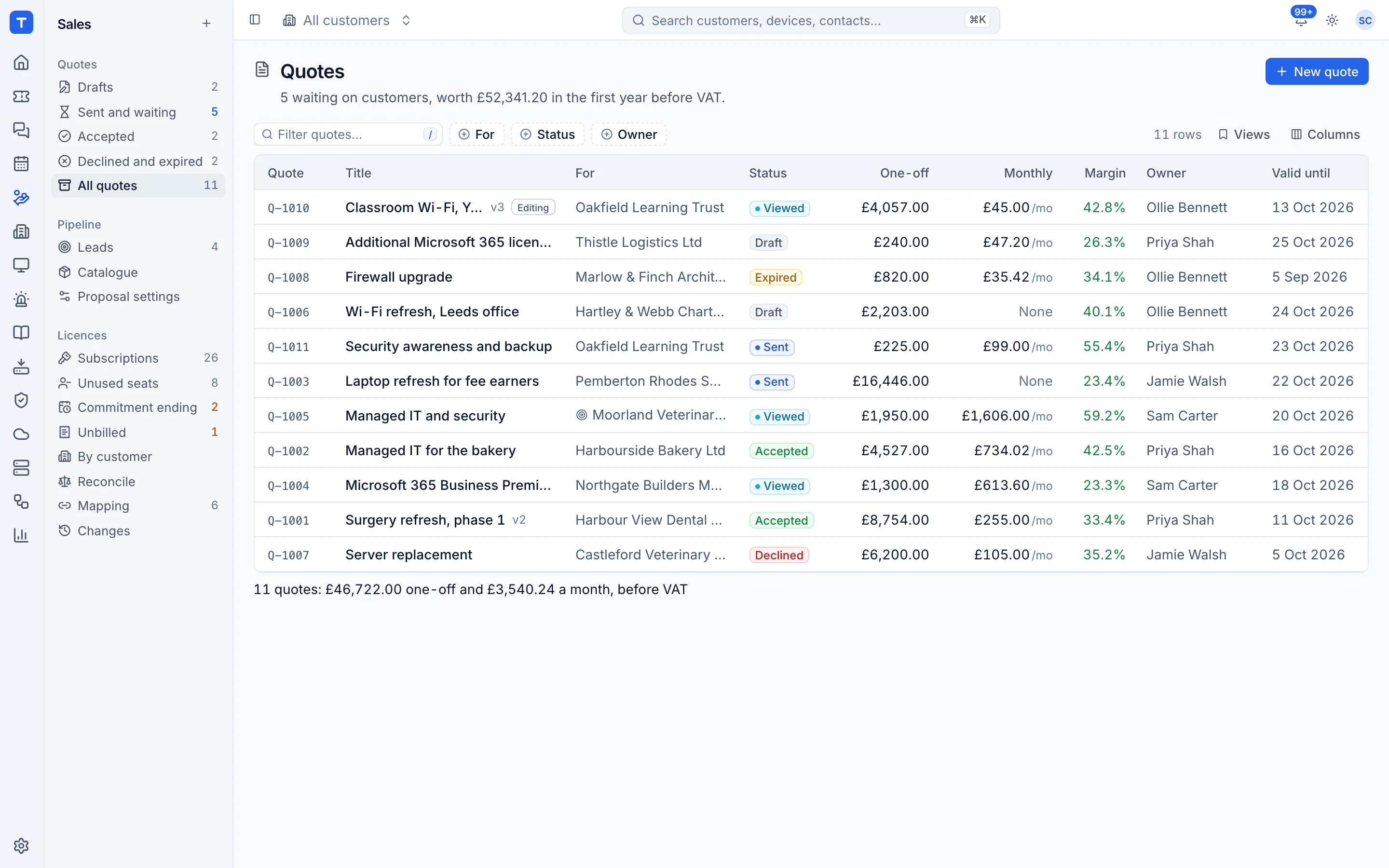
Quoter, now part of ScalePad, is a quoting tool many MSPs connect to their PSA, distributors and accounting package. Tenvara builds quoting into the same app as your tickets, contracts and licences. When a customer signs, recurring items go on their contract and one-off work becomes a ticket, with no hand-off between tools.
The tool today
What Quoter does
Quoting software for MSPs with templates, distributor pricing, e-signature and online payment. Made by ScalePad. This is how the vendor describes it, in our words.
- Branded quote templates with a product catalogue, bundles and price configurations.
- Distributor pricing through integrations such as D&H and Dicker Data.
- E-signatures, online payment and automated reminders in the client experience.
- Manager approval workflows and cost and margin tracking.
- Integrations with PSAs such as ConnectWise PSA and HaloPSA, and with Xero and QuickBooks Online.
Side by side
Tenvara vs Quoter
The quoting and sales jobs that matter most, and how each product handles them.
Catalogue with cost, price and bundles
Catalogue with bundles and configurations
Branded proposal templates
Professional branded templates
Knowing when a quote is opened
Quote-open tracking and activity
E-signature on acceptance
E-signatures built in
Accepted quote sets up the work
Updates the ConnectWise opportunity when won or lost
Add-on means the vendor sells it as a separate product or paid extra. Quoter details come from the vendor's own website, see sources.
The one-app pitch
What else you'd replace
Most MSPs running Quoter pay for several other tools beside it. Tenvara does these jobs too, on the same customer record, with one agent and one login.
See every comparisonSwitching
Moving from Quoter
A calm move, not a big bang. Run both side by side until your team is happy.
-
1
Bring your catalogue across
Export your products and services to a spreadsheet, match the column layout from a Tenvara catalogue export, and import the CSV. Bundles come across too.
The catalogue -
2
Set up your proposal templates
Add your logo, colour, company details and standard introduction, scope and terms, and check them in the live preview.
Proposal wording and templates -
3
Set up customers and contacts
There is no import of customers or quotes from Quoter, so add the customers and contacts you quote for, or quote new prospects as leads.
Customers, sites and contacts -
4
Finish open quotes, then switch
Let quotes already out with customers finish in Quoter and write new ones in Tenvara. Once the last one is answered, stop using Quoter.
Quoter pricing
Quoter publishes its prices on its website. Check its pricing page for current prices and terms.
Vendor pricing pageTenvara pricing
One subscription, per technician or per endpoint, hosted or self-hosted, with every feature in every plan.
See pricingQuestions
Quoter vs Tenvara: FAQ
More quoting and sales comparisons
See Tenvara next to Quoter.
A 30 minute walkthrough of the real product. Bring your list of what you use today and we'll show you where each part lives in Tenvara, and where it doesn't.
Comparison based on publicly available information as of September 2026. Quoter is a trademark of its owner; Tenvara is not affiliated with it. Spotted something out of date? Tell us and we'll correct it.
Sources