Compare: Backup
SkyKick Cloud Backup alternative: Tenvara
SkyKick Cloud Backup protects Microsoft 365 for MSP customers. ConnectWise bought SkyKick in 2024 and the product now carries the ConnectWise Cloud Backup name. MSPs look at Tenvara when they want Microsoft 365 backup in the same app as their service desk, device backup and tenant management, rather than one more console.
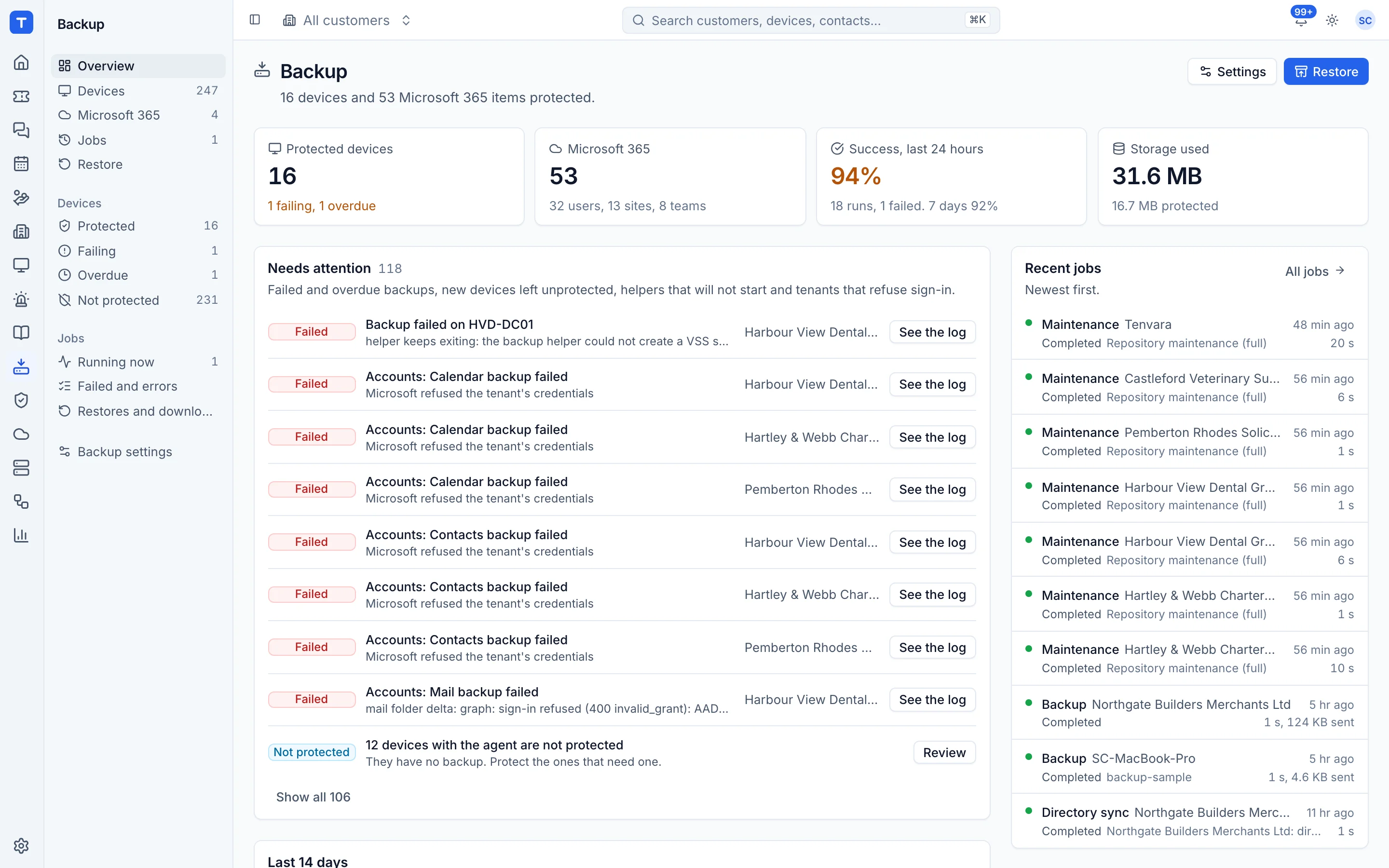
The tool today
What SkyKick Cloud Backup does
Microsoft 365 backup for MSPs, now sold by ConnectWise as ConnectWise Cloud Backup. Made by ConnectWise. This is how the vendor describes it, in our words.
- Backs up Exchange, OneDrive, SharePoint, Groups, Teams, Planner and Entra ID.
- Up to six snapshots a day, with Azure storage bundled in.
- Bulk, granular, point in time and cross-user recovery, keeping Teams and SharePoint structure.
- Entra ID group based automation for starters and leavers, and branded self-service restore portals.
- Licensed per protected Microsoft 365 user.
Side by side
Tenvara vs SkyKick Cloud Backup
The backup jobs that matter most, and how each product handles them.
Exchange mail, calendar and contacts
Exchange
OneDrive, SharePoint and Groups
OneDrive, SharePoint and Groups
Backups per day
Up to six snapshots a day
Storage included
Azure storage bundled
Restore to another user
Cross-recovery
New users protected automatically
Entra ID group based automation
Server and PC backup in the same app
Microsoft 365 only
Add-on means the vendor sells it as a separate product or paid extra. SkyKick Cloud Backup details come from the vendor's own website, see sources.
The one-app pitch
What else you'd replace
Most MSPs running SkyKick Cloud Backup pay for several other tools beside it. Tenvara does these jobs too, on the same customer record, with one agent and one login.
See every comparisonSwitching
Moving from SkyKick Cloud Backup
A calm move, not a big bang. Run both side by side until your team is happy.
-
1
Set up storage and the app registration
Choose storage, save the encryption key and set up the one Microsoft 365 app registration.
Setting up backup -
2
Connect each tenant
Send the admin consent link or connect through GDAP. The same connection is used by Tenvara's Microsoft 365 management.
Microsoft 365 backup -
3
Choose what is protected
Protect users, sites and teams, and leave protect new ones automatically on.
Microsoft 365 backup -
4
Keep the old backups until they expire
Nothing is imported, so keep your SkyKick backups until you no longer need their history.
SkyKick Cloud Backup pricing
ConnectWise does not publish Cloud Backup prices on its website; it is licensed per protected Microsoft 365 user.
Tenvara pricing
One subscription, per technician or per endpoint, hosted or self-hosted, with every feature in every plan.
See pricingQuestions
SkyKick Cloud Backup vs Tenvara: FAQ
Seven years by default, or for ever if you leave the age limit empty.
More backup comparisons
See Tenvara next to SkyKick Cloud Backup.
A 30 minute walkthrough of the real product. Bring your list of what you use today and we'll show you where each part lives in Tenvara, and where it doesn't.
Comparison based on publicly available information as of September 2026. SkyKick Cloud Backup is a trademark of its owner; Tenvara is not affiliated with it. Spotted something out of date? Tell us and we'll correct it.
Sources