Compare: Portal, chat, feedback and scheduling
TimeZest alternative: Tenvara
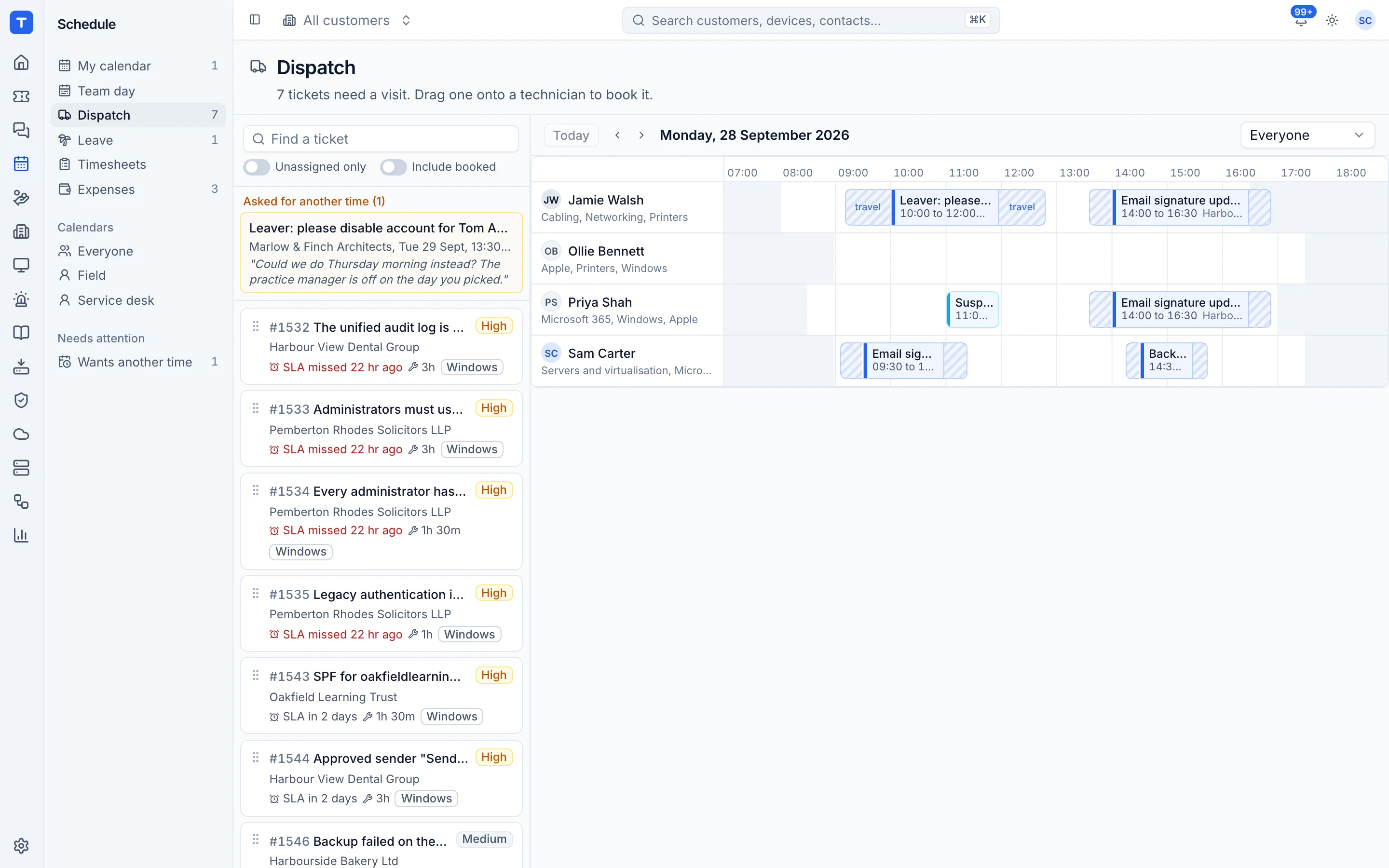
TimeZest lets MSPs send a booking link from a ticket so the customer picks a time that suits them, checked against technicians' calendars. Tenvara schedules the other way round: you book the visit on the ticket, the customer gets a confirmation with a calendar invitation, and they confirm or ask for another time. If customer self-booking is the reason you use TimeZest, Tenvara only covers part of the job.
The tool today
What TimeZest does
Customer self-scheduling from PSA tickets, with calendar sync and team scheduling. Made by TimeZest. This is how the vendor describes it, in our words.
- Send a booking link from any ticket so the client picks the time.
- Real-time availability from Office 365 and Google calendars.
- Team and panel scheduling, with next-available or even distribution.
- Customers can reschedule their own appointments.
- Teams and Zoom meeting links, with buffer times for travel.
- Works with ConnectWise, Autotask and HaloPSA.
Side by side
Tenvara vs TimeZest
The portal, chat, feedback and scheduling jobs that matter most, and how each product handles them.
Book a visit from a ticket
Schedule directly from tickets
Customer confirms or asks to move
Customers can reschedule
Calendar invitation and reminders
Customisable notifications
Clash checks on availability
Real-time availability
Dispatch board
Dispatch queues, sold as Ticket Dispatch
Visit tied to the ticket
Bi-directional ticket workflow with your PSA
Add-on means the vendor sells it as a separate product or paid extra. TimeZest details come from the vendor's own website, see sources.
The one-app pitch
What else you'd replace
Most MSPs running TimeZest pay for several other tools beside it. Tenvara does these jobs too, on the same customer record, with one agent and one login.
See every comparisonSwitching
Moving from TimeZest
A calm move, not a big bang. Run both side by side until your team is happy.
-
1
Set up customers, sites and contacts
There is no import from TimeZest or your PSA, so add customers, sites and the contacts who receive visit emails.
Customers, sites and contacts -
2
Set working hours, leave and skills
Enter each technician's working hours so clash checks know who is free.
Working hours, leave and skills -
3
Set up booking types and emails
Choose booking types, when customers are emailed, reminders and the wording.
Customer confirmations and reminders -
4
Run both side by side, then switch
Book new visits in Tenvara while existing TimeZest appointments run out, then turn TimeZest off.
TimeZest pricing
TimeZest publishes its prices on its website. Check its pricing page for current prices and terms.
Vendor pricing pageTenvara pricing
One subscription, per technician or per endpoint, hosted or self-hosted, with every feature in every plan.
See pricingQuestions
TimeZest vs Tenvara: FAQ
More portal, chat, feedback and scheduling comparisons
See Tenvara next to TimeZest.
A 30 minute walkthrough of the real product. Bring your list of what you use today and we'll show you where each part lives in Tenvara, and where it doesn't.
Comparison based on publicly available information as of September 2026. TimeZest is a trademark of its owner; Tenvara is not affiliated with it. Spotted something out of date? Tell us and we'll correct it.
Sources