Compare: Microsoft 365 management
Inforcer alternative: Tenvara
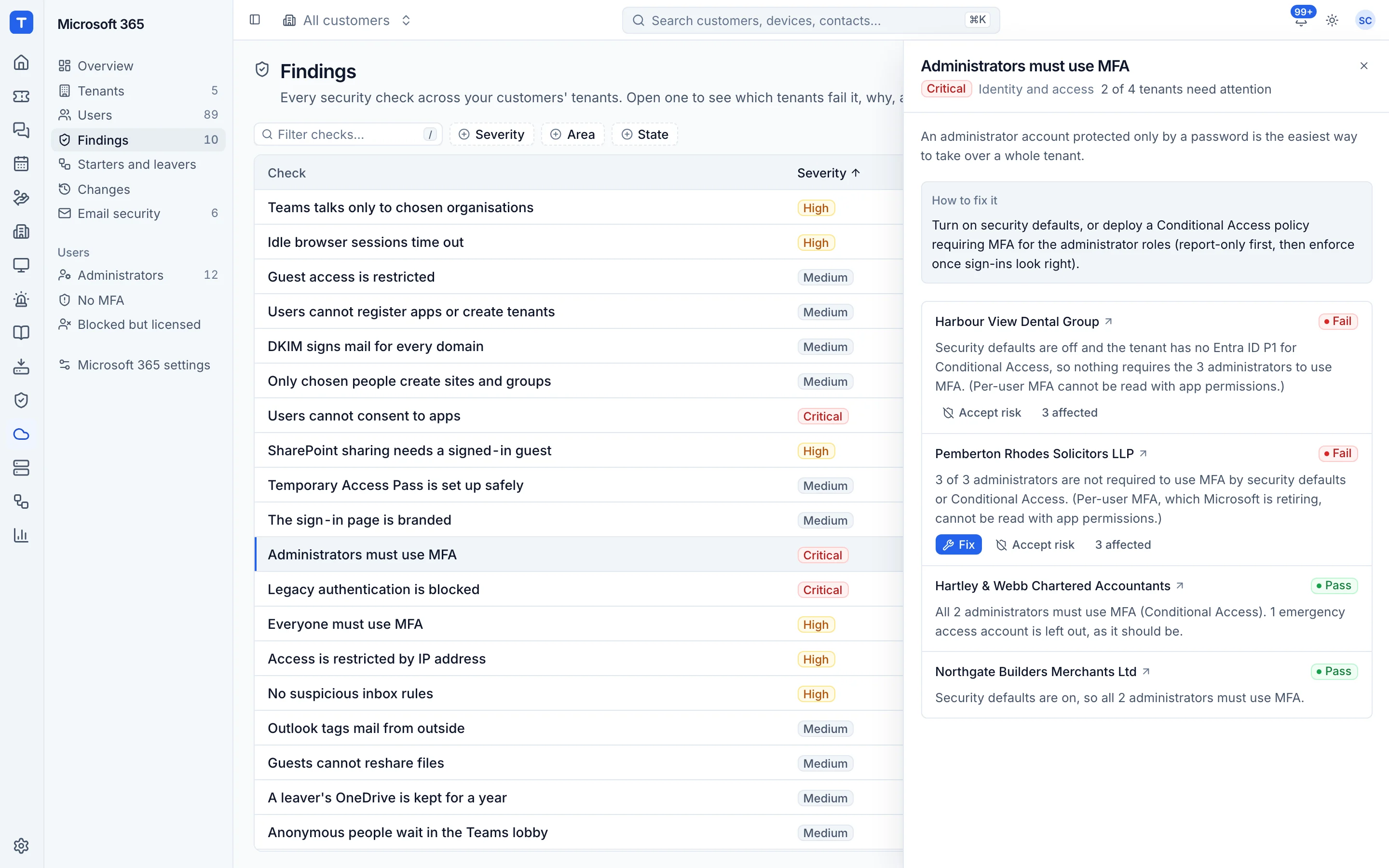
Inforcer helps MSPs standardise Microsoft 365 by deploying their own policy baselines to every customer tenant, alerting on drift and backing policies up. Tenvara takes a different angle: it checks every tenant against one fixed security baseline, fixes many findings in a click, and runs the everyday user and licence work next to your tickets, devices and billing. If deep policy baselines across Intune, Defender and Purview are what you sell, Inforcer goes further there.
The tool today
What Inforcer does
Microsoft 365 policy baselines, drift alerts and policy backup across every customer tenant. Made by Inforcer. This is how the vendor describes it, in our words.
- Build your own Microsoft 365 baselines and deploy policies to many tenants at once.
- Detects configuration drift and alerts through Teams, Slack, webhooks or a PSA ticket.
- Backs up policies and settings nightly or on demand, and restores them.
- Covers Entra ID, Intune, Defender, Exchange, SharePoint and OneDrive, Teams and Purview policies.
- Tenant assessments against frameworks such as CIS, Essential 8, Cyber Essentials and NIS2.
- Group and user management, Intune app management, and a separate Threat Detection and Response product.
Side by side
Tenvara vs Inforcer
The Microsoft 365 management jobs that matter most, and how each product handles them.
Security checks against a baseline
Tenant assessments against baselines
Framework mapping
CIS, Essential 8, Cyber Essentials, NIS2
Conditional Access templates
Part of Entra ID policy coverage
User management, starters and leavers
Group and user management, on and offboarding
Alerts into tickets
Tickets in Autotask, ConnectWise or Halo PSA
Licence billing against your distributor
Licensing status tracking
Add-on means the vendor sells it as a separate product or paid extra. Inforcer details come from the vendor's own website, see sources.
The one-app pitch
What else you'd replace
Most MSPs running Inforcer pay for several other tools beside it. Tenvara does these jobs too, on the same customer record, with one agent and one login.
See every comparisonSwitching
Moving from Inforcer
A calm move, not a big bang. Run both side by side until your team is happy.
-
1
Connect your tenants
Register Tenvara's multi-tenant app once, then connect each customer with an admin consent link or from your GDAP relationships.
Connecting a tenant -
2
Compare the findings with your baseline
After the first sync each tenant is scored. Switch off or reweight checks that do not match your standard, and accept agreed risks with a reason and an end date.
Security findings -
3
Set up starters and leavers
Recreate your usual licences, groups and leaver steps as templates. There is no import from Inforcer.
Starters and leavers -
4
Decide what stays
If you rely on Inforcer for Intune, Defender or Purview baselines, keep it for that and move the rest of the tenant work across.
Inforcer pricing
Inforcer does not publish prices; it quotes. Its pricing page says 365 Manager is priced per tenant, with a minimum of 20 tenants on a 12-month term.
Vendor pricing pageTenvara pricing
One subscription, per technician or per endpoint, hosted or self-hosted, with every feature in every plan.
See pricingQuestions
Inforcer vs Tenvara: FAQ
Tenvara re-runs its checks after every sync and raises an alert when a check starts failing. It also alerts on events such as a Conditional Access policy being deleted or switched off, or someone being made an administrator.
Only the changes Tenvara made. Every change is recorded with its value before, so it can be put back from the change log. Policies changed elsewhere are not backed up.
More Microsoft 365 management comparisons
See Tenvara next to Inforcer.
A 30 minute walkthrough of the real product. Bring your list of what you use today and we'll show you where each part lives in Tenvara, and where it doesn't.
Comparison based on publicly available information as of September 2026. Inforcer is a trademark of its owner; Tenvara is not affiliated with it. Spotted something out of date? Tell us and we'll correct it.
Sources